
- Name PID Simulator
- Category Education
- Developer DC Codes
- Available on PC
- OS Windows 10 version 14393.0 or higher
- languages English (United States)
Unlocking Precise Control: An In-Depth Look at PID Simulator for Windows
Imagine having a virtual laboratory at your fingertips where you can experiment with process control systems without the need for complex hardware setups—that's exactly what PID Simulator for Windows offers. Developed by DC Codes and published by ETCO, this app aims to bring the power of Proportional-Integral-Derivative (PID) control simulation directly to your desktop. Whether you're a student, engineer, or hobbyist, this tool promises to make mastering control systems more accessible and engaging.
Basic Information: Your Virtual Control Lab
Designed as a comprehensive yet user-friendly PID control simulation platform, the app provides users with an interactive environment to understand and test PID algorithms. It targets users interested in learning or refining their skills in control engineering, automation, or related fields.
- Developer/Publisher: DC Codes / ETCO
- Main Features:
- Interactive PID parameter tuning with real-time response visualization
- Multiple control system models for varied applications
- User-friendly interface with clear controls and visual feedback
- Data logs and export options for further analysis
- Target Audience: Engineering students, control system engineers, automation hobbyists, educators seeking teaching aids
Immersive and Intuitive Control System Visualization
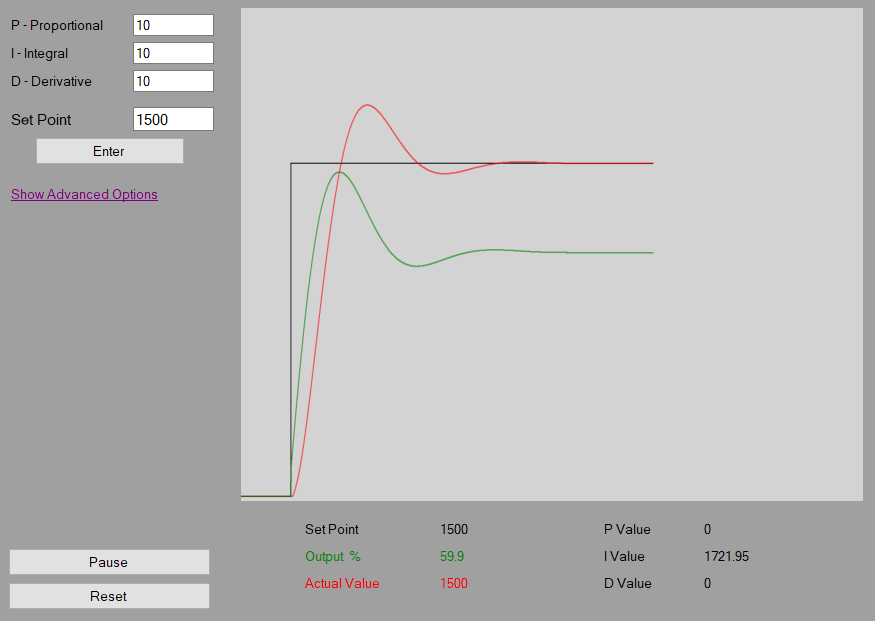
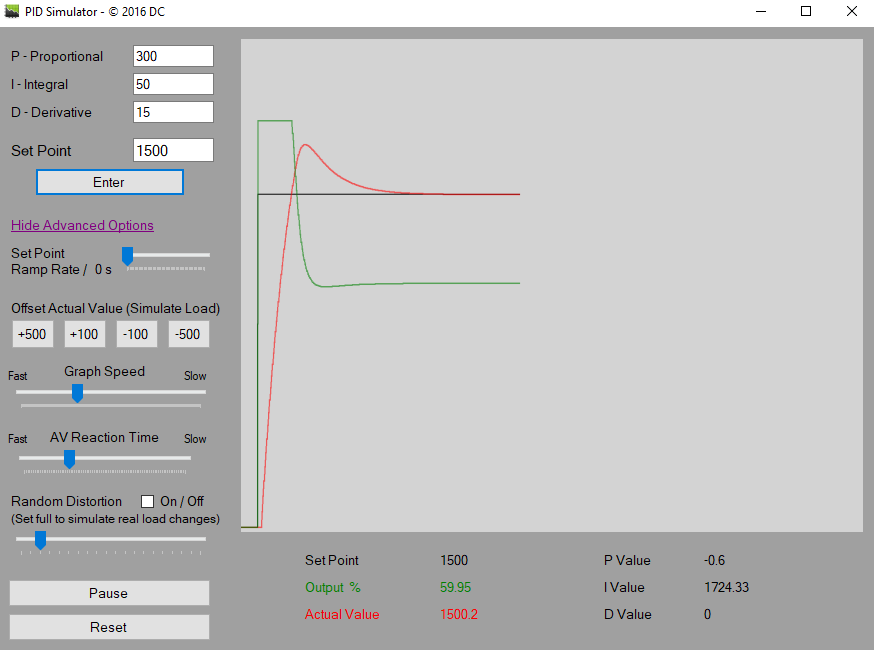
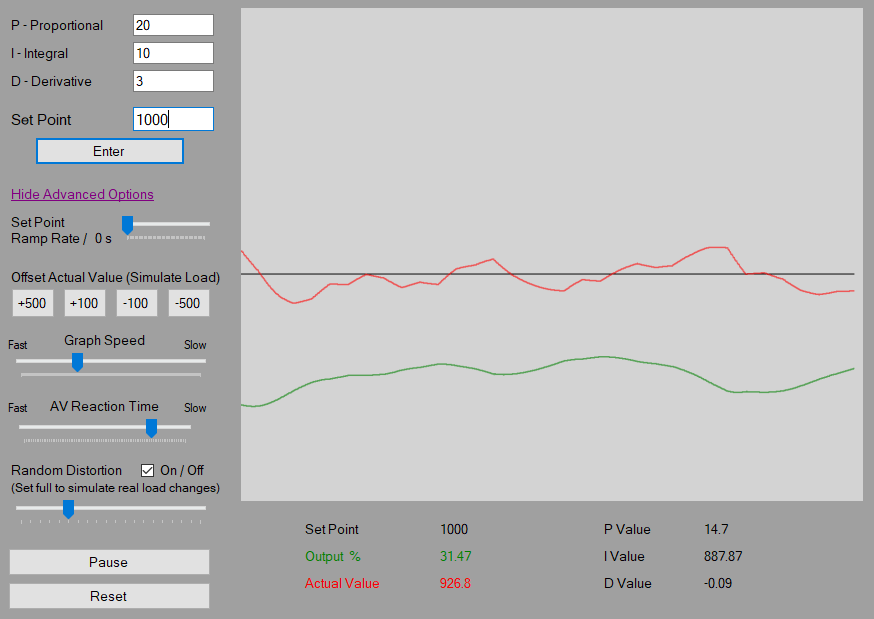
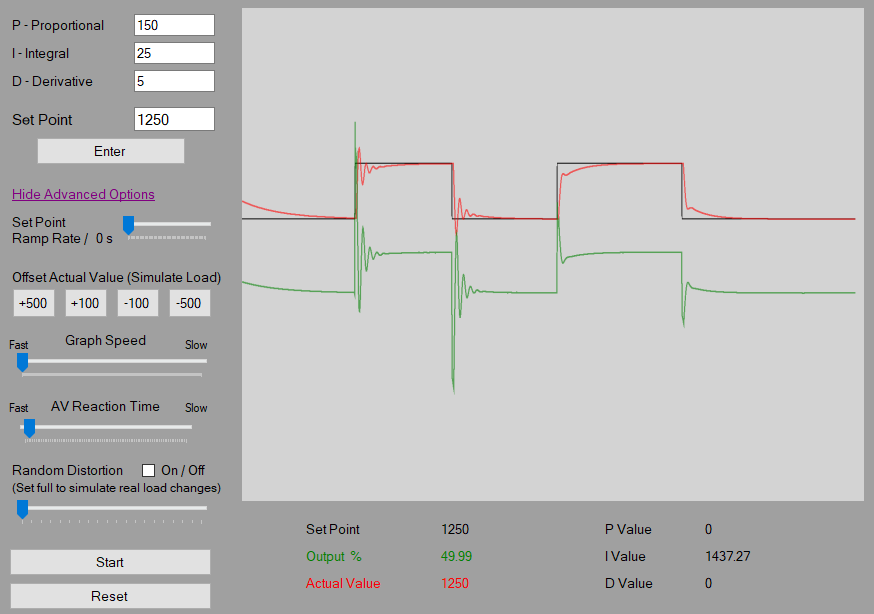
Stepping into the app feels like entering a sleek, digital control room where you're the master of the systems. The interface is intuitive—think of it as a cockpit dashboard, clean and organized, yet brimming with interactive elements. You can effortlessly select different control models, adjust PID parameters with sliders or input fields, and watch the system's response unfold on the graph in real-time. This dynamic visualization approach acts like a virtual sandbox, making the abstract concepts of control theory tangible and visually engaging. Moreover, the responsive design ensures smooth updates—no lag disrupts your flow, and the fluid animation keeps the learning experience seamless. Learning curves are gentle, with helpful tooltips and explanations easing new users into the more complex aspects of PID tuning.
Core Functionality: Precision Tuning and Real-time Feedback
The app's crown jewel is its real-time PID parameter adjustment feature. Unlike static tutorials or paper-based exercises, here you can manipulate proportional, integral, and derivative gains and instantly observe the system's behavior. This immediacy provides a “try-it-and-see” environment—similar to adjusting a knob on an actual process control panel, but with the added benefit of visualization. The feedback loop is robust; the graphs respond swiftly to parameter changes, allowing for a deeper understanding of stability, overshoot, and oscillations.
Another standout feature is the support for multiple control models, which simulates different practical applications—from temperature control to motor speed regulation. This versatility helps users grasp how PID tuning varies across scenarios, making the experience both educational and practical.
Furthermore, data logs offer an excellent way to analyze your tuning sessions afterward. This feature is particularly useful for advanced learners who wish to compare results or include their data in reports—adding a touch of professionalism and depth to the simulation experience.
Unique Advantages: Content Accuracy & Personalized Learning Paths
What sets PID Simulator apart from other educational apps is its focus on content accuracy and its ability to cater to personalized learning paces. The app incorporates solid control theory principles, ensuring that users learn correct methods rather than simplified or oversimplified versions. This factual accuracy makes it a trusted tool for both beginners and those needing a reference for professional work. Meanwhile, its flexible interface allows users to set their own learning paths—whether starting from scratch or diving into advanced tuning techniques—like having a personal mentor guiding your journey.
Compared to generic educational apps that often prioritize entertainment over substance, this simulator emphasizes real-world relevance. Whether you're designing robust control algorithms or just exploring the fundamentals, the app adapts to your needs, making complex concepts much more approachable.
Should You Try It? Recommendations and Usage Tips
Considering its features, PID Simulator for Windows deserves a solid recommendation for anyone interested in control systems. It's especially beneficial for students wishing to experiment with PID tuning without hardware costs or safety implications, and for professionals needing quick prototyping. Its ease of use combined with accurate simulation makes it a valuable addition to any control engineer's toolkit.
For optimal learning, I recommend starting with basic models and gradually exploring more complex scenarios. Use the data logging feature to review your tuning strategies, and don't hesitate to experiment with parameter ranges outside typical values—you might discover unexpected system behaviors that deepen your understanding. Overall, if you're looking for a hands-on, reliable, and thoughtfully designed control system simulator, this app is certainly worth integrating into your learning or work routine.
Pros
- Realistic PID control simulation
- User-friendly interface
- Customizable parameters
- Visual feedback features
- Educational resources included
Cons
- Limited system complexity
- Performance lag in large simulations
- Basic visualization options
- Lack of multi-device synchronization
- Limited exporting options