

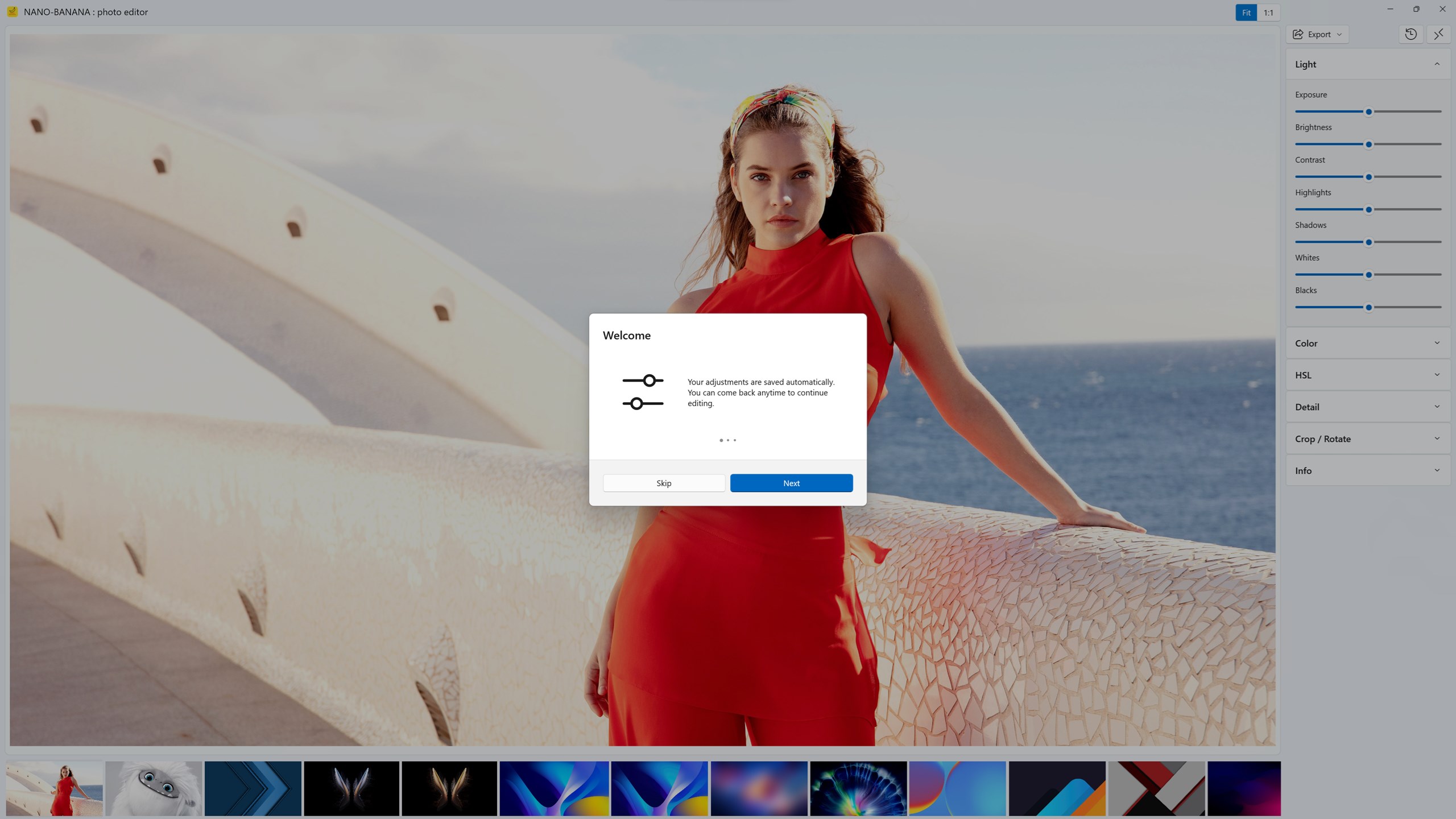
- Name NANO-BANANA : photo editor
- Category Photo & video
- Developer KIDSBLYS
- Available on PC
- OS Windows 10 version 17763.0 or higher
- languages English (United States)
Introducing NANO-BANANA: A Fresh Take on Windows Photo Editing
If you're hunting for a straightforward yet powerful photo editor that blends ease of use with creative flexibility, NANO-BANANA from KIDSBLYS might just surprise you. This app aims to simplify photo editing while packing in features that cater to both casual users and aspiring creatives. Think of it as your handy photo studio bundled into a sleek Windows application—ready to help transform your everyday snaps into polished images.
Developer and Core Features
Developed and published by KIDSBLYS, NANO-BANANA is designed to bring user-friendly photo editing directly to your Windows device. Its main highlights include intuitive editing tools, quick one-click filters, and robust cropping options—all designed to make photo manipulation accessible without the learning curve of high-end software. Furthermore, the app seamlessly integrates with your local photo library, making it easier to edit and enhance images stored on your device.
A Fun and Friendly Introduction to Photo Editing
Imagine opening an app that greets you like an old friend—bright, inviting, and just a tad playful. NANO-BANANA's interface mirrors this personality, making photo editing less about complex menus and more about having fun. Whether you're tidying up a candid shot or giving your images a creative flair, this app encourages experimentation with its straightforward tools. It's like having a mini photo studio at your fingertips, ready to add that extra pop, soften a background, or crop out distractions—all without feeling overwhelmed.
Core Functionalities Explored
Easy-to-Use Filtering and Effects
The app's standout feature is its collection of quick filters that apply cinematic tones, vintage hues, or modern vibrancy in just one click. This speeds up the creative process, especially if you're aiming for social media-ready images. Unlike some professional editors that require a steep learning curve, NANO-BANANA simplifies this aspect, providing a playful yet powerful palette of effects to spruce up your photos effortlessly.
Precision Cropping and Adjustments
Beyond filters, the cropping tools are precise and adaptable—think of a tailor meticulously adjusting a suit. Resize, rotate, or straighten images with ease, thanks to an intuitive drag-and-drop interface. It's perfect for cropping out unwanted elements or focusing on a particular subject, making your images more compelling and professional-looking.
Streamlined User Interface & Smooth Experience
The app's design is sleek without being sparse, with clearly labeled buttons and an organized layout. Operations feel fluid, allowing users to seamlessly swipe through tools and instantly see results. Learning to navigate NANO-BANANA is like learning to ride a bike—it might take a quick moment to get comfortable, but once you do, it becomes second nature. The responsiveness is commendable, ensuring your edits are just a click away, without frustrating delays.
What Sets NANO-BANANA Apart?
Compared to other free or low-cost photo editing apps, NANO-BANANA's most distinctive feature is its focus on simplicity without sacrificing quality. Its playful approach to editing makes it accessible to newcomers, yet it offers enough flexibility to satisfy more experienced users. For example, its quick filters serve as a shortcut to stylish images—saving time and effort—while the robust cropping tools give detailed control for refining shots. Unlike heavy-duty editors that can intimidate casual users, NANO-BANANA is like a friendly guide that unlocks creativity in a relaxed manner.
Final Verdict and Usage Recommendations
If you're seeking a light yet capable photo editor for Windows that emphasizes ease of use, NANO-BANANA deserves a spot in your toolkit. It's well-suited for casual photographers, social media enthusiasts, or anyone who wants to give their images a quick upgrade without diving into complex software. While it may lack some advanced features of professional editors, its focus on simplicity and fun makes it an excellent starting point or supplementary app.
In short, I recommend giving NANO-BANANA a try if your goal is to enhance photos quickly and enjoyably. Its distinctive appeal lies in transforming photo editing from a chore into a playful activity—think of it as peeling back the complexity to reveal the ripe, fun fruit inside.
Pros
- Intuitive User Interface
- Fast Editing Process
- Wide Range of Filters and Effects
- Supports Multiple Image Formats
- Free Basic Version Available
Cons
- Limited Advanced Editing Tools
- Occasional Crashes on Older Devices
- Watermark in Free Version
- Limited Export Options
- Lack of Tutorial or Help Section











