

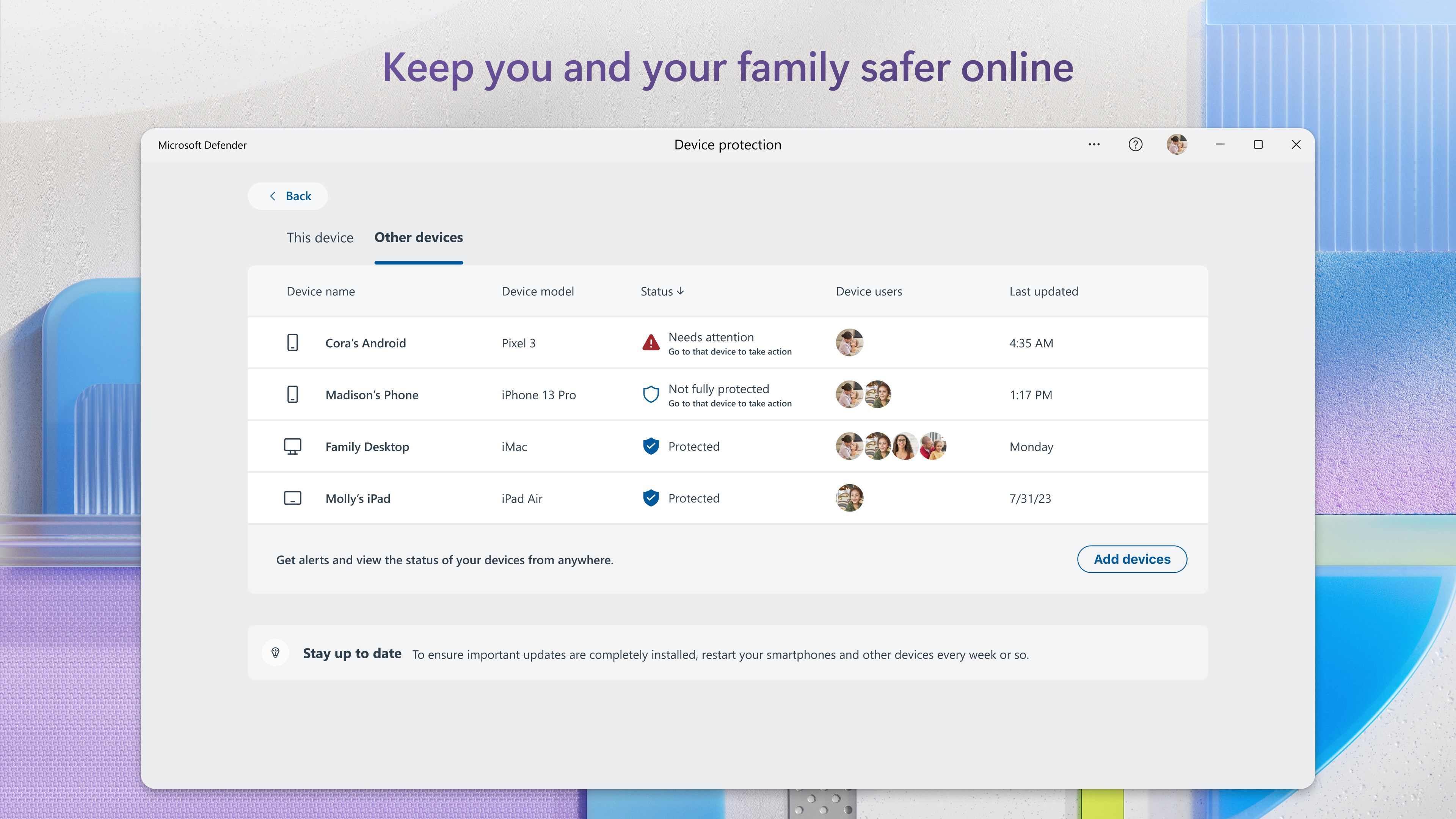
- Name Microsoft Defender
- Category Security
- Available on PC
- OS Windows 11 version 22000.0 or higher
- Keyboard Not specified
- Mouse Not specified
- languages Afrikaans, Albanian, Amharic, Arabic, Armenian, Assamese, Azerbaijani, Bangla (India), Basque, Bosnian (Latin, Bosnia and Herzegovina), Bulgarian, Catalan, Chinese (Simplified), Chinese (Traditional), Croatian, Czech, Danish, Dutch, English (United Kingdom), English (United States), Estonian, Filipino, Finnish, French, French (Canada), Galician , Georgian, German, Greek, Gujarati, Hebrew, Hindi, Hungarian, Icelandic, Indonesian, Irish, Italian, Japanese, Kannada, Kazakh, Khmer, Konkani, Korean , Lao, Latvian, Lithuanian, Luxembourgish, Macedonian, Malay, Malayalam, Maltese, Maori, Marathi, Nepali, Norwegian (Bokmål), Odia, Persian, Polish , Portuguese (Brazil), Portuguese (Portugal), Punjabi (India), Quechua, Romanian, Russian, Scottish Gaelic, Serbian, Serbian (Cyrillic, Bosnia and Herzegovina), Serbian (Latin, Serbia), Slovak, Slovenian (Slovenia), Spanish (Mexico), Spanish (Spain), Swedish, Tamil, Tatar, Telugu, Thai, Turkish, Ukrainian, Urdu, Uyghur, Uzbek, Valencian, Vietnamese, Welsh
Microsoft Defender for Windows: A Comprehensive Guardian for Your PC
Microsoft Defender for Windows is a built-in security application designed to provide real-time protection against malware, viruses, and cyber threats. With seamless integration into Windows OS, it aims to safeguard users' digital worlds with minimal fuss and maximum reliability.
A Glimpse Behind the Curtain: Who's Behind This Digital Shield?
Developed by Microsoft Corporation, a leading tech giant renowned for its innovative software solutions, Microsoft Defender leverages years of cybersecurity expertise. As part of the Windows ecosystem, it benefits from tight integration, ensuring that it's always up-to-date with the latest threat intelligence.
Key Features That Make Defender Stand Out
- Real-Time Threat Detection and Removal: Constantly monitors your system for malicious activity, automatically quarantining or removing threats before they cause damage.
- Cloud-Based Threat Intelligence: Utilizes Microsoft's vast cloud infrastructure to quickly identify emerging threats and update protection measures without user intervention.
- Impact-Free System Scanning: Performs thorough system scans with minimal impact on performance, ensuring your workflow remains smooth.
- Additional Protections: Includes features like ransomware protection, firewall management, and parental controls for a holistic security approach.
Designed with a broad audience in mind, Microsoft Defender targets everyday Windows users—from casual users browsing the web to professionals handling sensitive data—aiming to be a trustworthy, easy-to-use security companion.
Vivid Appraisal: Security in a Friendly Interface
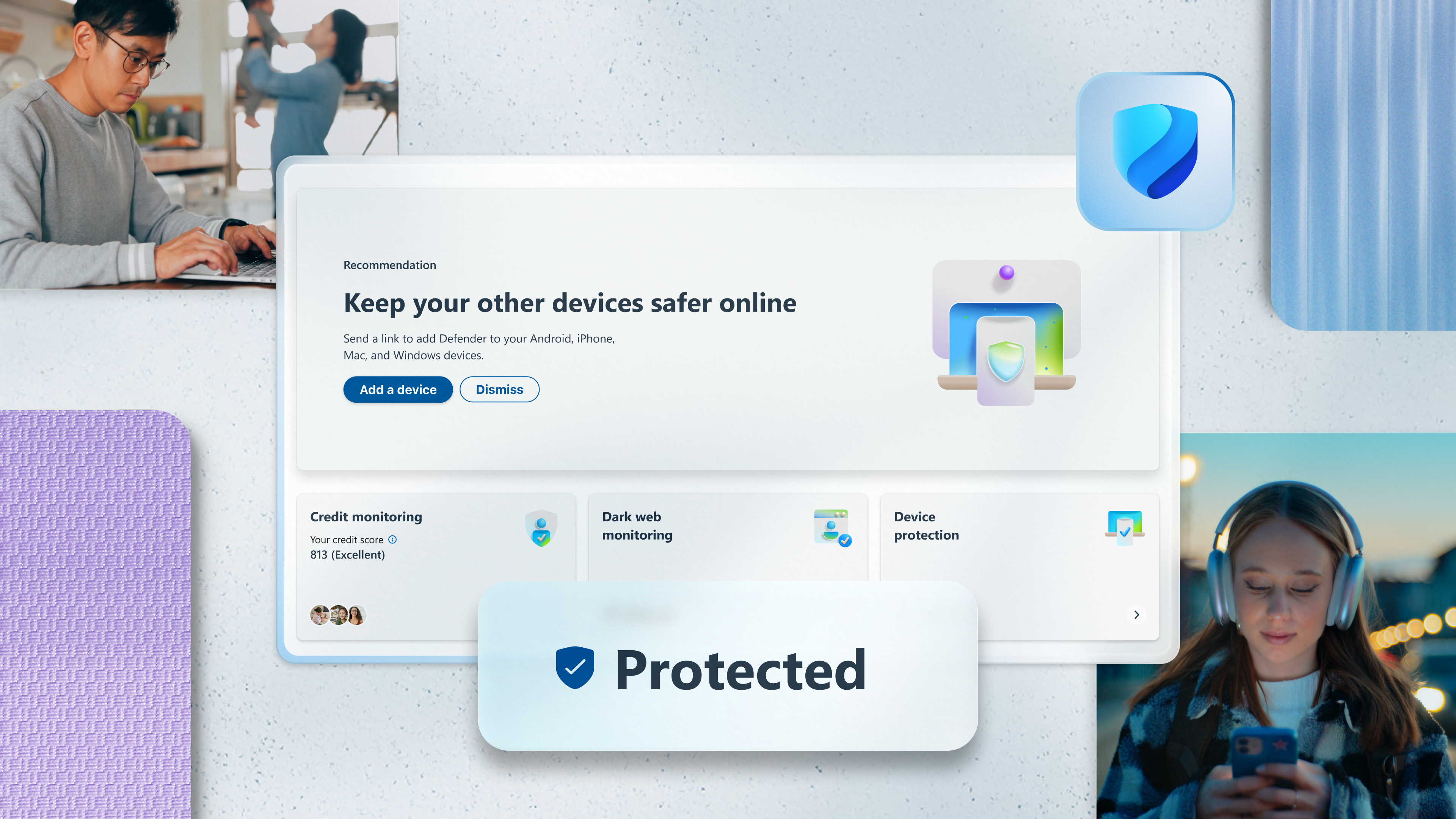
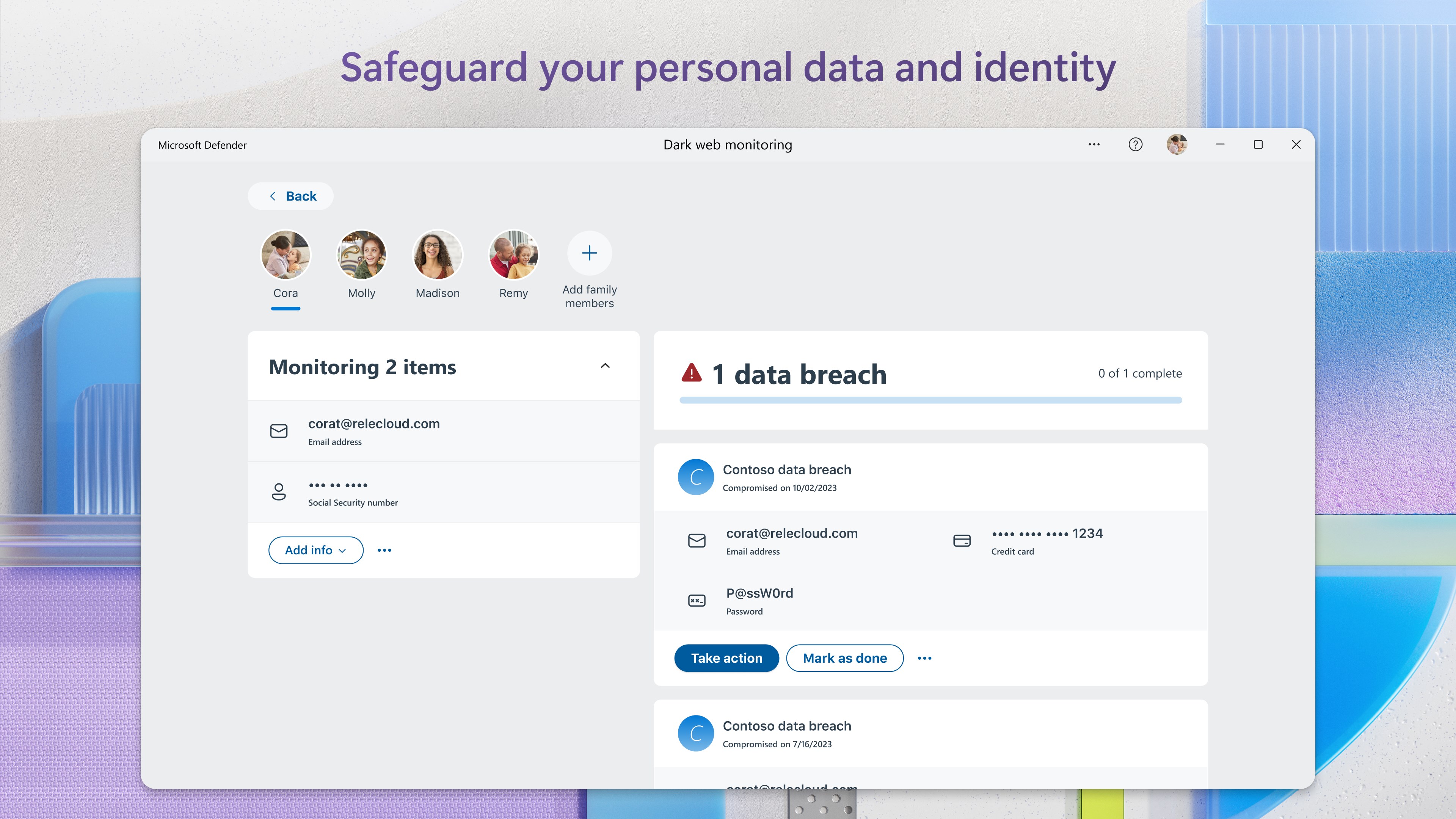
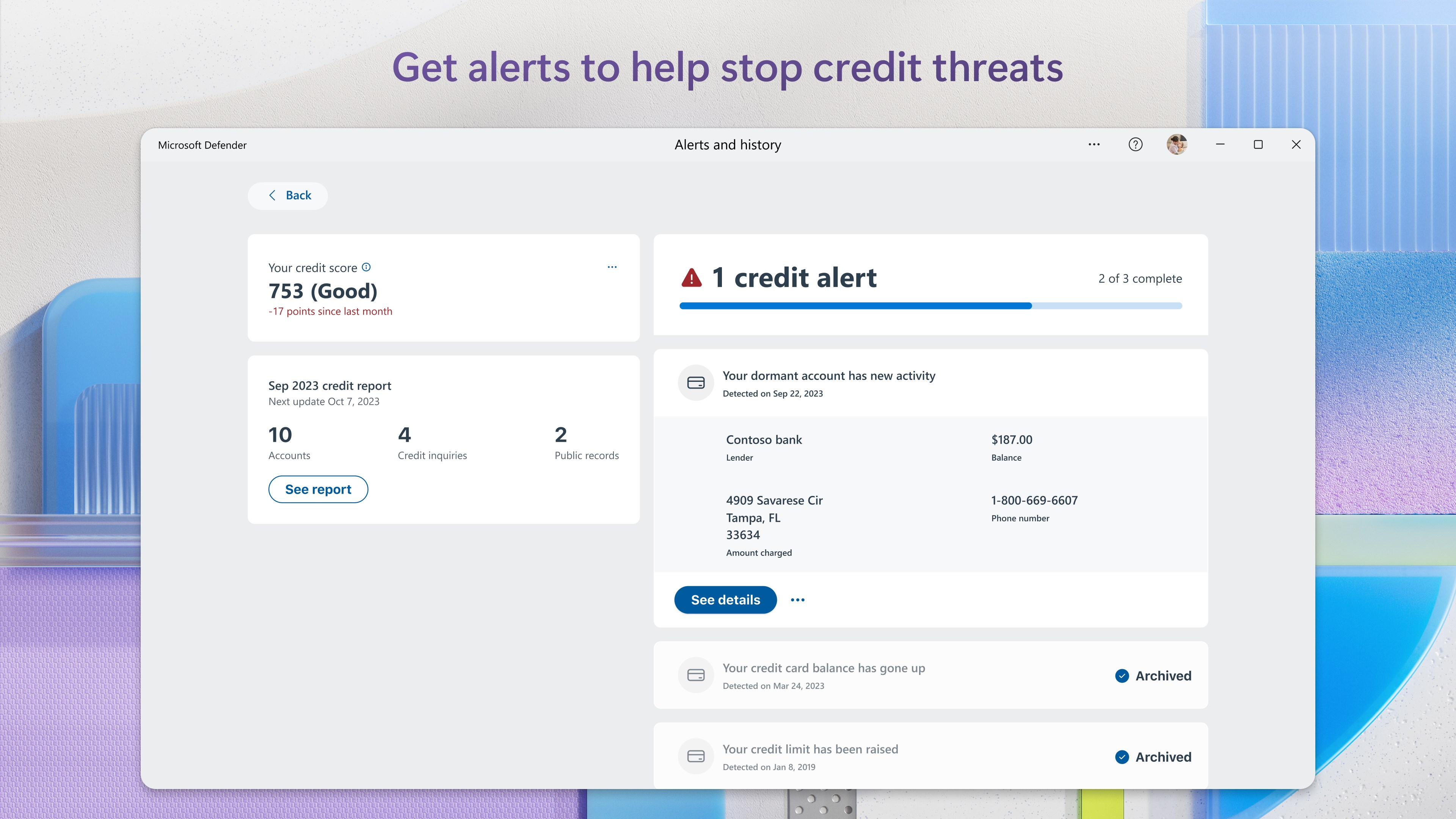
Imagine walking into your digital fortress, where security isn't a cumbersome gatekeeper but a friendly guardian silently watching over your every move. That's the feeling Microsoft Defender aims to give—trustworthy, accessible, and unobtrusive. Its user interface is akin to a tidy command center: clear, intuitive, and reassuring, even for those not well-versed in cybersecurity jargon. With a straightforward dashboard showing the status of your protection, users can easily navigate between scanning, updating, and configuring settings without getting lost in unnecessary complexity.
Core Functionality: The Heart of Microsoft's Shield
Real-Time Monitoring and Threat Removal
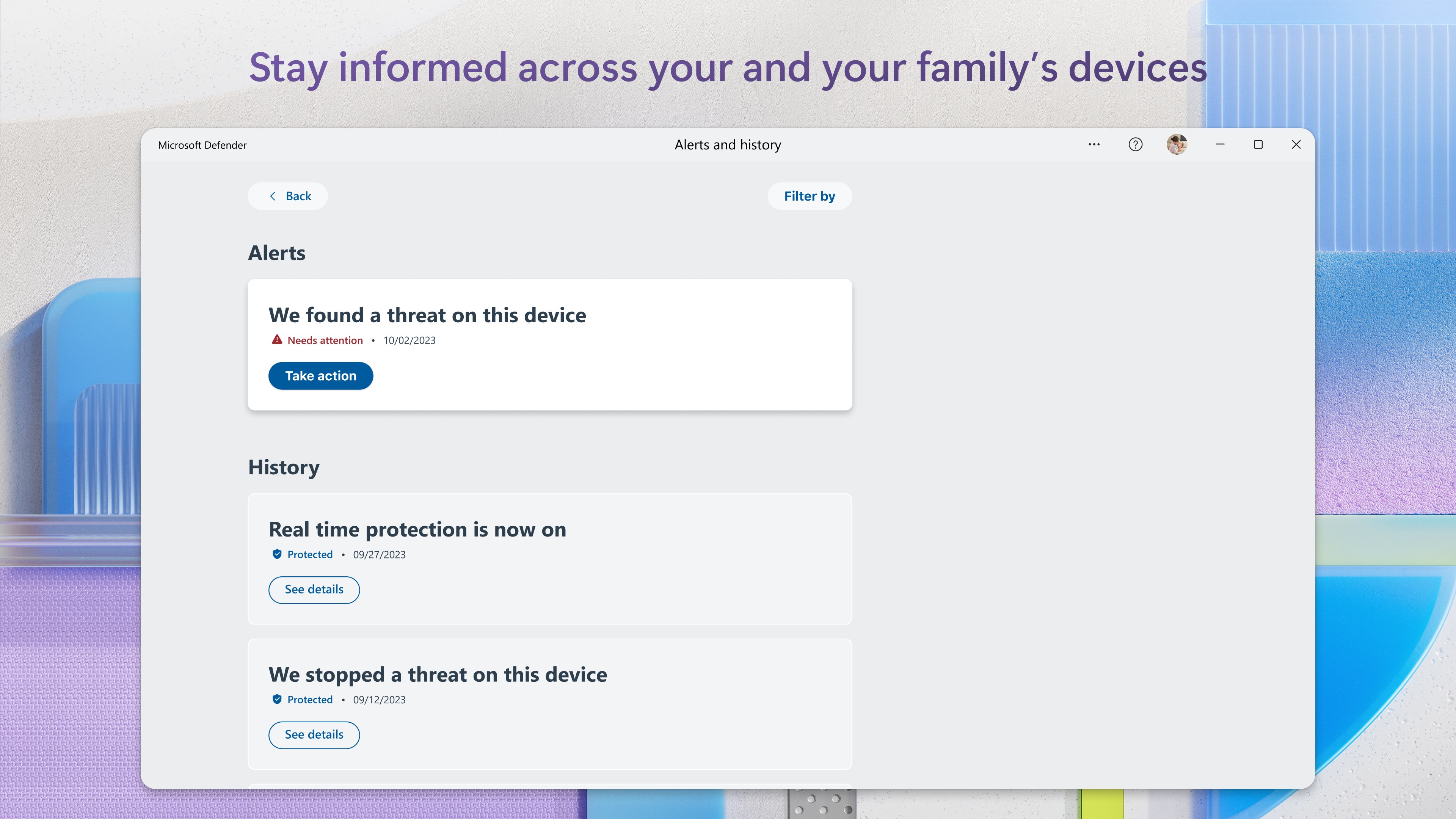
This feature acts like an ever-vigilant security guard, constantly patrolling your system's corridors. It detects suspicious activity instantaneously, alerting you with unobtrusive notifications and taking action—be it quarantining or deleting threats. The intelligence behind this is robust, driven by machine learning and cloud updates, ensuring that even the latest malware variants don't slip through.
Cloud-Integrated Threat Intelligence
What truly sets Microsoft Defender apart is its cloud-driven approach. Think of it as having a high-tech battalion constantly updating its weaponry. By connecting to Microsoft's vast threat database, the app recognizes and responds to new cyber threats rapidly. This capability reduces the risk of zero-day attacks, giving users peace of mind, especially in a landscape where cyber threats evolve daily.
Lightweight and User-Friendly Experience
While some security applications tend to bog down your system with heavy scans and complicated menus, Defender takes a different route. Its operations are lightweight, ensuring your PC maintains optimal performance. The design is like a friendly app you actually want to open—simple, clean, and clutter-free. The learning curve is gentle, making it accessible for users of all tech skill levels.
What Makes Microsoft Defender Unique? A Little Extra in the Armor
Unlike many third-party security suites, Microsoft Defender's strongest suit lies in its seamless integration with Windows. For example, it automatically works in tandem with Windows updates and other Microsoft security features, creating a cohesive protection ecosystem. Additionally, its cloud intelligence allows it to adapt and improve without requiring frequent manual updates, which is a significant advantage for users seeking hassle-free security.
Furthermore, its approach to privacy and minimal notification fatigue makes it feel less intrusive compared to some third-party counterparts that bombard users with frequent alerts. This subtlety enhances user experience, making security feel like a natural part of your digital routine.
Final Verdict: A Reliable Ally Worth Having
Microsoft Defender for Windows strikes a commendable balance between robust security features and user accessibility. While it may not offer some of the advanced analytics of specialized security suites, its deep integration with Windows, cloud-powered intelligence, and unobtrusive design make it a highly recommendable tool for everyday users. Whether you're a casual web surfer or a professional with sensitive data, Defender provides a baseline of trustworthiness with a friendly face.
For those who prioritize convenience, seamless operation, and integrated security, this app is a wise choice. However, power users handling complex threat environments might consider supplementing it with additional security tools.
Pros
- Strong malware detection
- Real-time protection
- Lightweight and integrated
- Frequent updates
- User-friendly interface
Cons
- Limited advanced options
- False positives occasionally occur
- Scan speed can be slow on large systems
- Limited support for non-Windows platforms
- Lack of some additional security features











