

- Name Authenticator App · 2FA
- Category Security
- Developer FirstOrder.AI
- Available on PC
- OS Windows 10 version 17763.0 or higher
- Keyboard Integrated Keyboard
- Mouse Integrated Mouse
- languages English (United States)
Secure Your Digital Life with Authenticator App – 2FA for Windows
In a landscape saturated with security tools, discovering an app that balances strong protection with user-friendly design is like finding a reliable safe in a cluttered workshop. The Authenticator App · 2FA for Windows by FirstOrder.AI positions itself as a straightforward yet powerful tool to bolster your online security, specifically tailored for Windows users seeking an easy-to-use two-factor authentication solution.
Meet the Developer: FirstOrder.AI
FirstOrder.AI is a technology firm dedicated to creating accessible security tools and AI-driven solutions. With a focus on simplicity and efficiency, they aim to make advanced security features approachable for everyday users, not just cybersecurity experts. Their experience in AI and app development shines through in the thoughtful design of this authenticator app.
Top Highlights: What Makes This App Stand Out?
- Seamless Windows Integration: Designed exclusively for Windows, ensuring smooth operation within your desktop environment.
- Simplified Setup & Management: Easy onboarding process that allows quick setup of multiple accounts and effortless management of authentication codes.
- Offline Functionality: Generates codes locally without requiring an internet connection, enhancing security and accessibility.
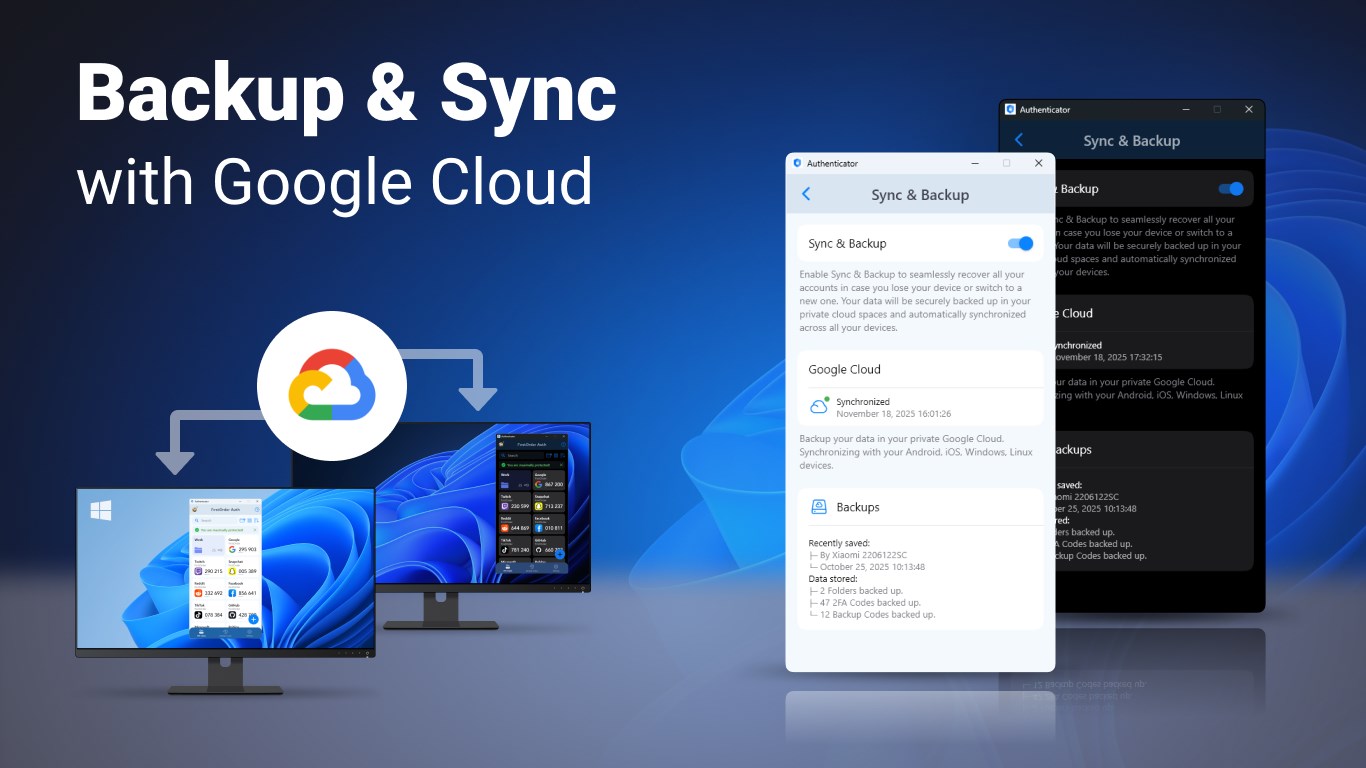
- Automatic Backup & Recovery: Supports secure backup options to recover credentials if needed, reducing risk of lockouts.
A Fresh Take on 2FA: Why It's Worth Your Attention
Imagine this app as your digital padlock, standing guard behind your Windows screen, quietly but efficiently verifying your identity every time you log into a protected account. Its charming simplicity makes it feel less like a security chore and more like a trusted sidekick. Whether you're a casual user or someone managing multiple accounts, this authenticator brings a steady, reliable hand to your online safety.
Intuitive Interface and User Experience
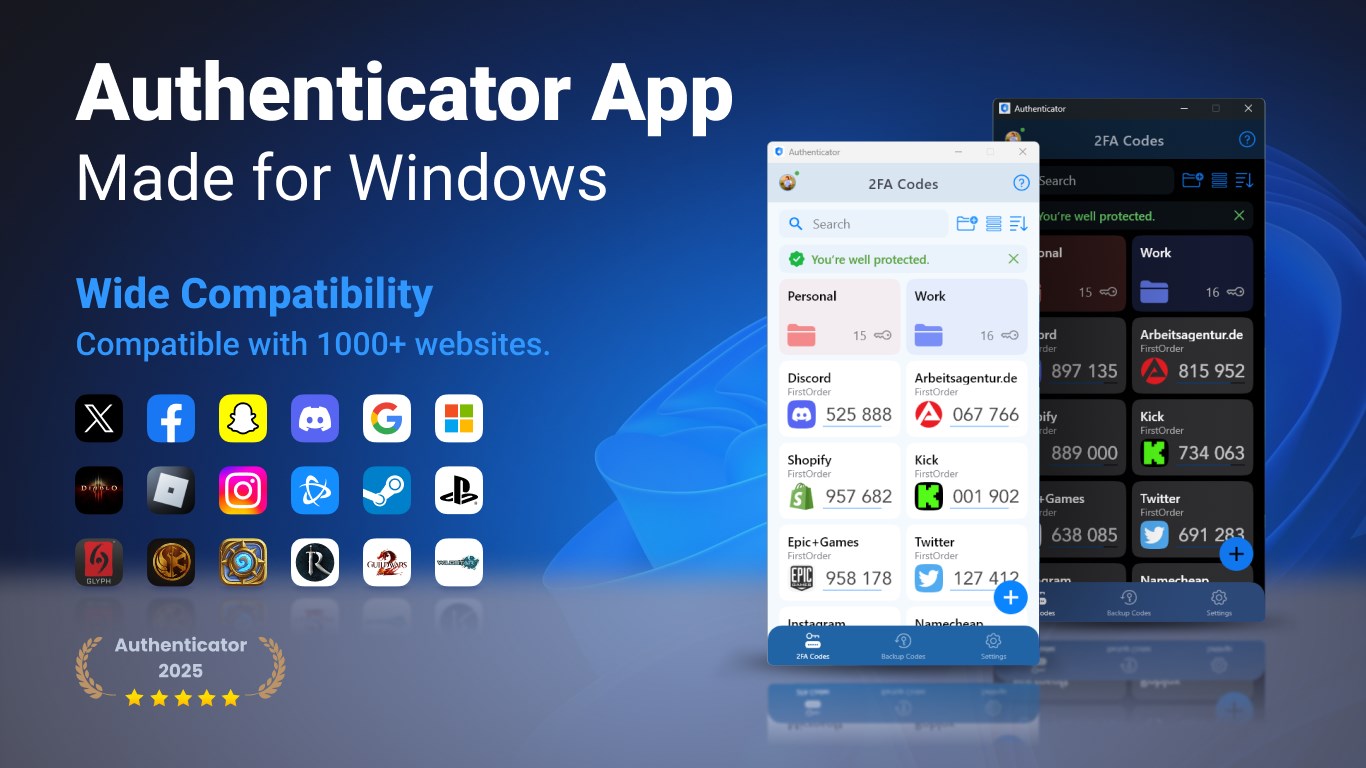
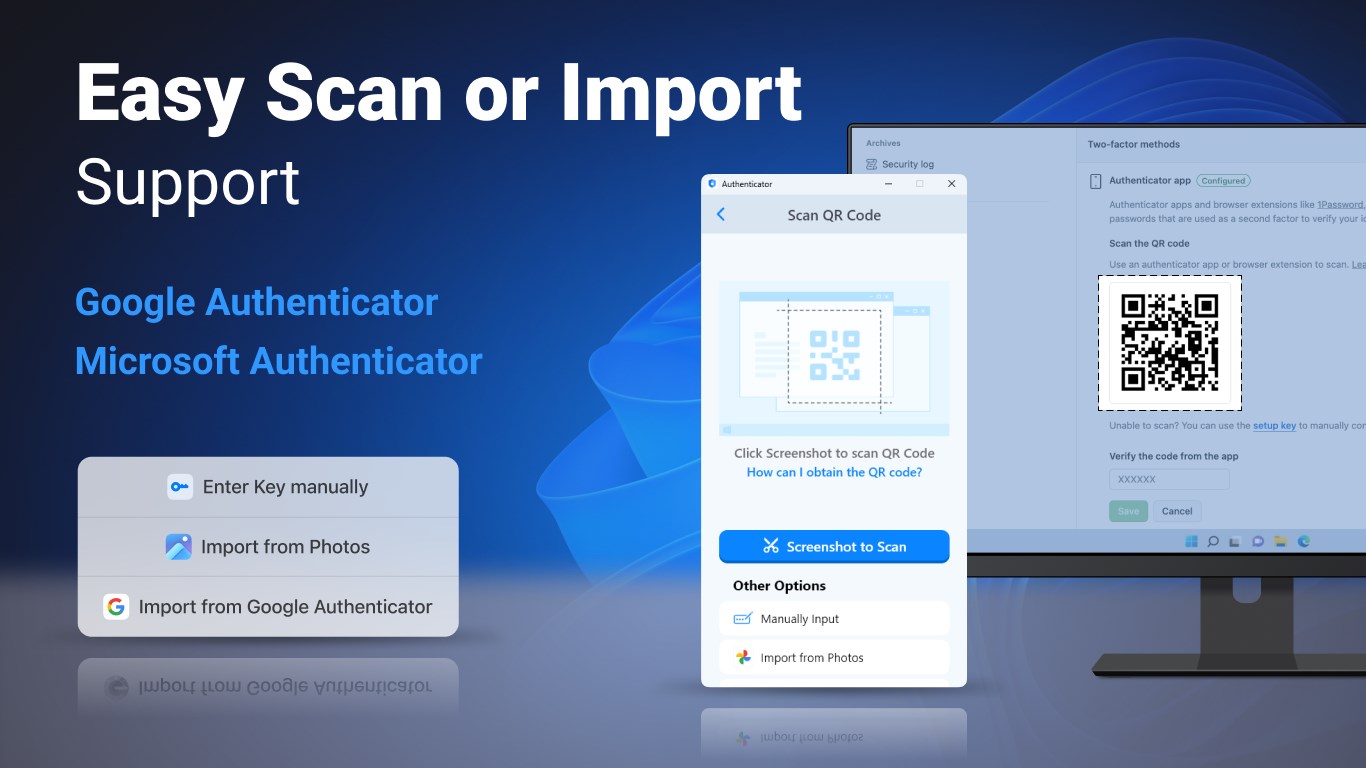
The app sports a clean, minimalist interface that resembles a sleek dashboard—easy on the eyes and straightforward to navigate. Once installed, users are greeted with a clear layout listing all linked accounts, each represented by recognizable icons. The process of adding new accounts involves scanning QR codes or entering secret keys, with guides that make onboarding feel more like a friendly tutorial than a technical hurdle. During daily use, generated codes update smoothly every 30 seconds, with no noticeable lag, reflecting an app built with crisp responsiveness. The learning curve is gentle, making it accessible even for those new to 2FA apps.
Core Functionalities: Security and Convenience
At its core, the app excels in generating time-based one-time passwords (TOTP), crucial for 2FA. What sets it apart is its offline capability—no network needed to produce authentic codes—meaning your security isn't dependent on internet stability or vulnerable to online threats. The interface also allows users to manage multiple tokens efficiently, with options to label and organize them, making the app suitable for both personal and professional use. Additionally, the backup and recovery feature adds peace of mind, keeping your precious security keys safe even if your device needs a reset or an upgrade.
A Unique Selling Point: Security Reinvented for Windows
While many 2FA apps are platform-agnostic, this app's tailored Windows experience makes it stand out. Its tight integration means faster responses, smoother interactions, and a more cohesive user experience. Unlike generic apps that might feel like an afterthought, this app's design considers Windows users' habits, offering a familiarity and reliability that's often missing elsewhere. This makes it particularly appealing for professionals who want their security tool to slot seamlessly into their existing workflow without sacrificing ease of use.
Should You Give It a Try?
Overall, I'd recommend the Authenticator App · 2FA for Windows as a solid choice for those wanting a straightforward, reliable, and secure 2FA management tool. It doesn't drown you in complexity, yet packs enough features to cover your security bases confidently. For Windows users tired of juggling multiple apps or uneasy with online-only solutions, this app presents a compelling case to enhance your digital shield.
In conclusion, if robust security combined with an intuitive interface is what you're after, this app deserves a spot in your security toolbox. Its special focus on offline functionality and easy management makes it a top contender for everyday Windows users eager to keep their online lives protected without unnecessary fuss.
Pros
- User-Friendly Interface
- Strong Security Features
- Offline Functionality
- Cross-Platform Support
- Free to Use
Cons
- Limited Backup Options
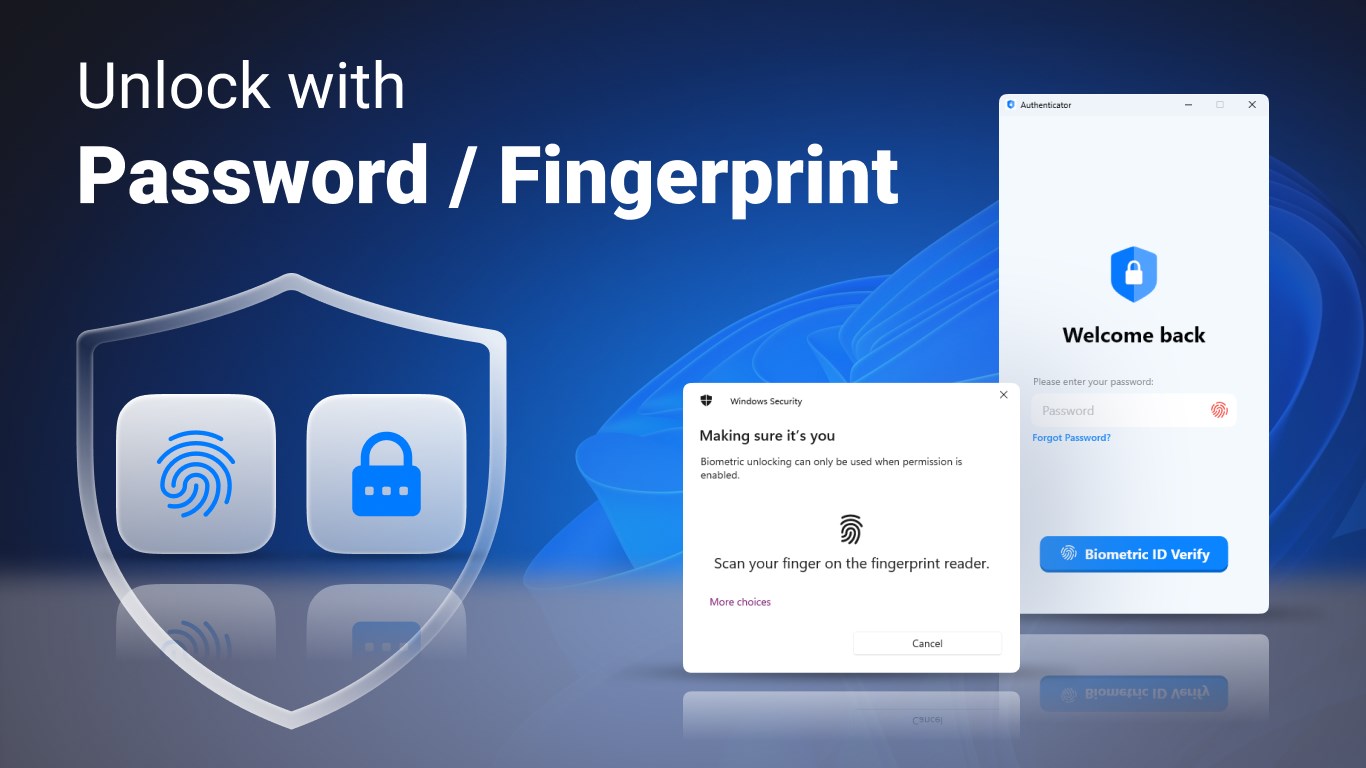
- No biometric Authentication for App Access
- Initial Setup Complexity
- Limited Customization
- Dependence on Device Security










