

- Name JSON Hub
- Category Developer tools
- Developer Aadhil RF
- Available on PC, Mobile, Surface Hub, HoloLens
- OS Windows 10 version 17763.0 or higher
- languages English (United States)
Introduction: Unlocking the Power of JSON with Ease
JSON Hub for Windows is a sleek, user-friendly tool designed to simplify the handling of JSON data, making it accessible whether you're a developer, data analyst, or tech enthusiast. With its intuitive interface and robust features, it promises to streamline your JSON workflows without sacrificing simplicity.
About the Developer and Core Functionality
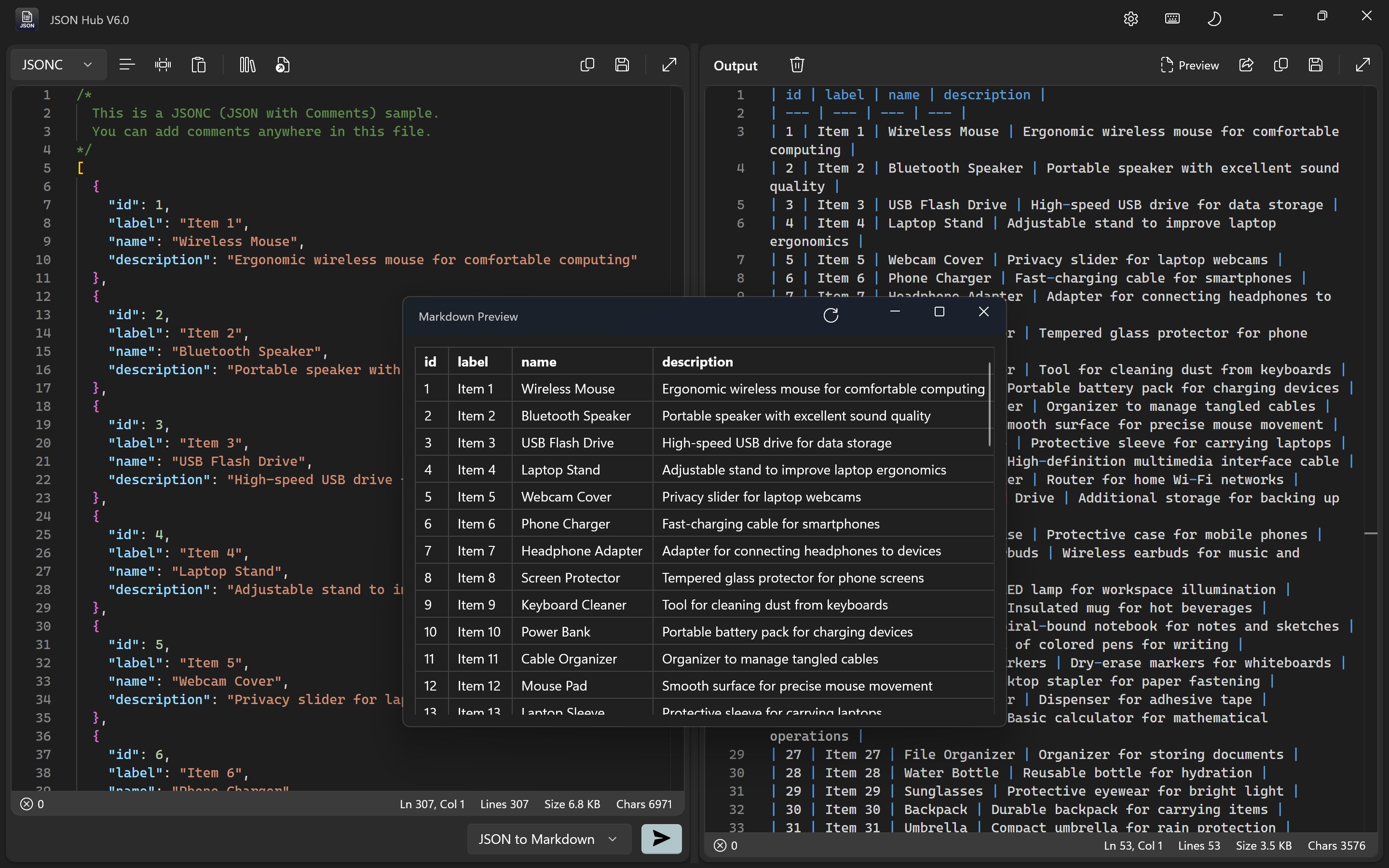
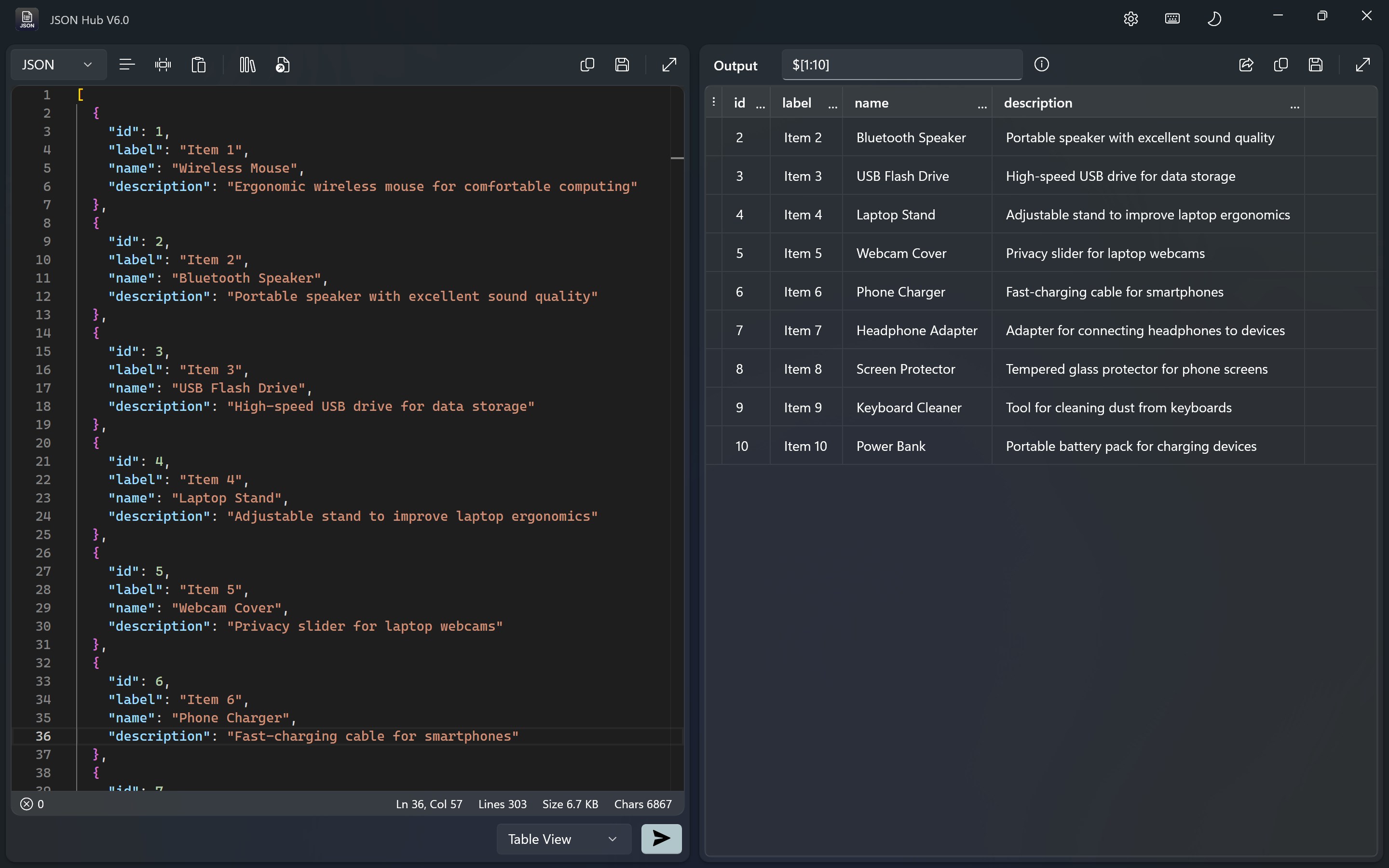
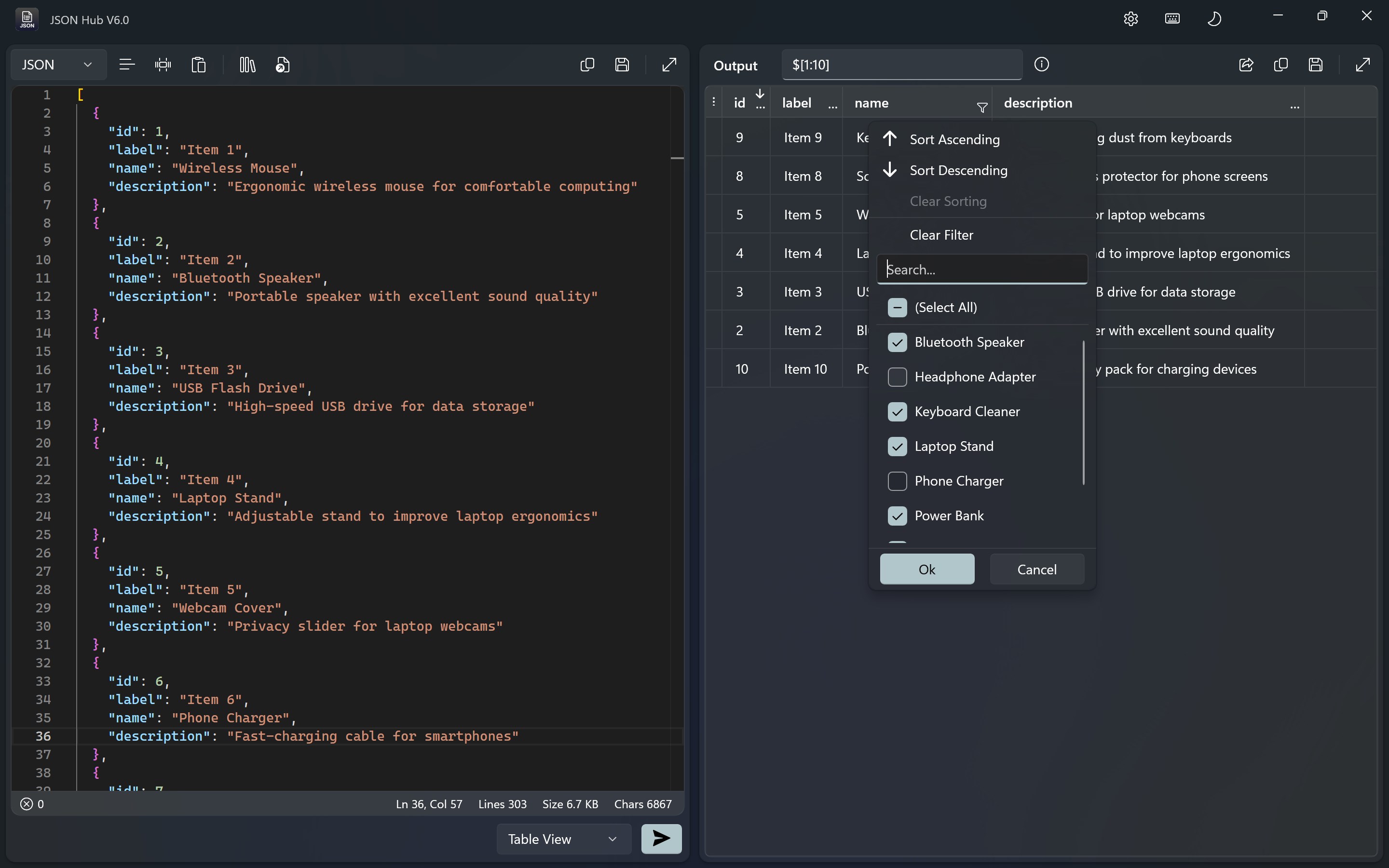
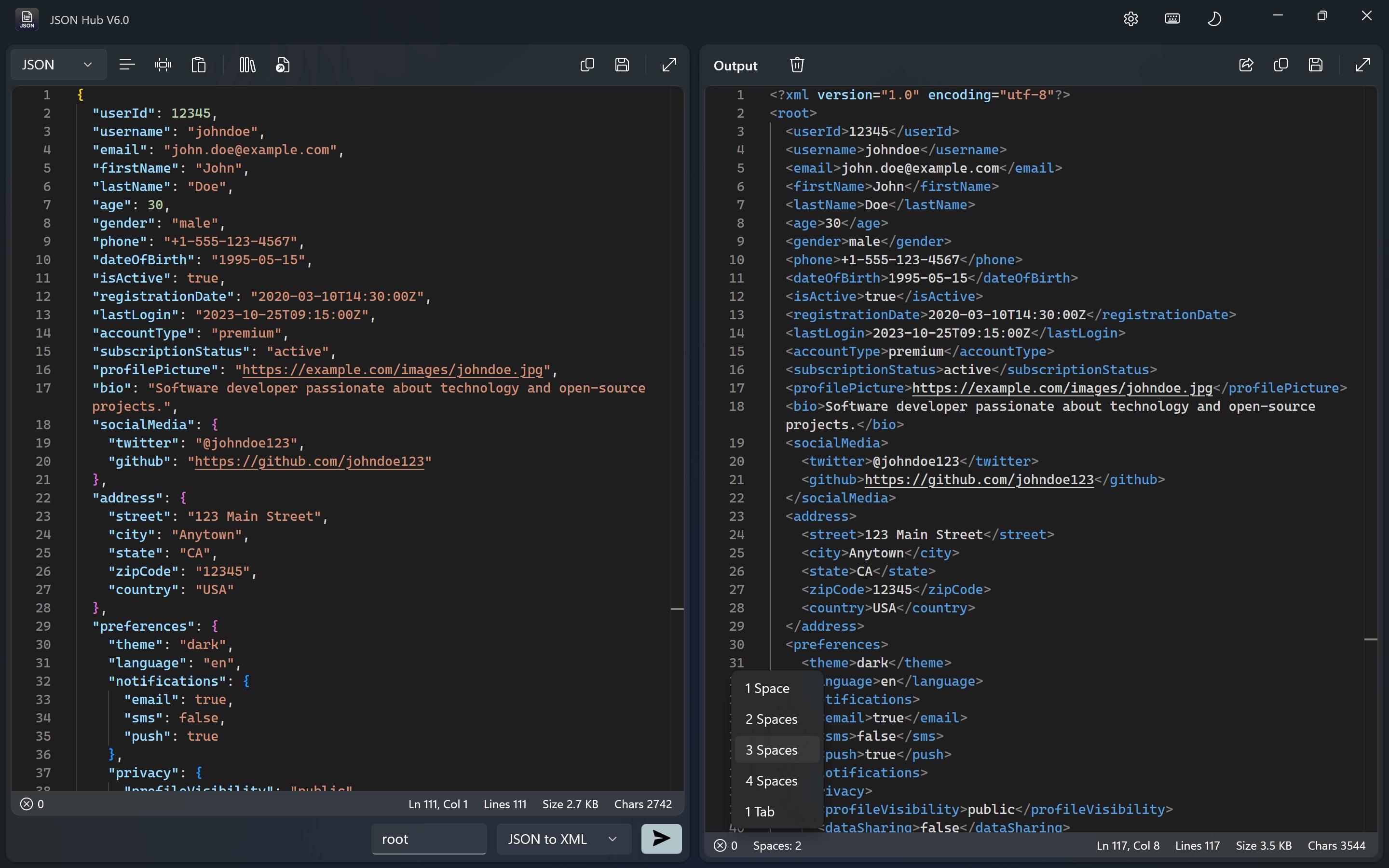
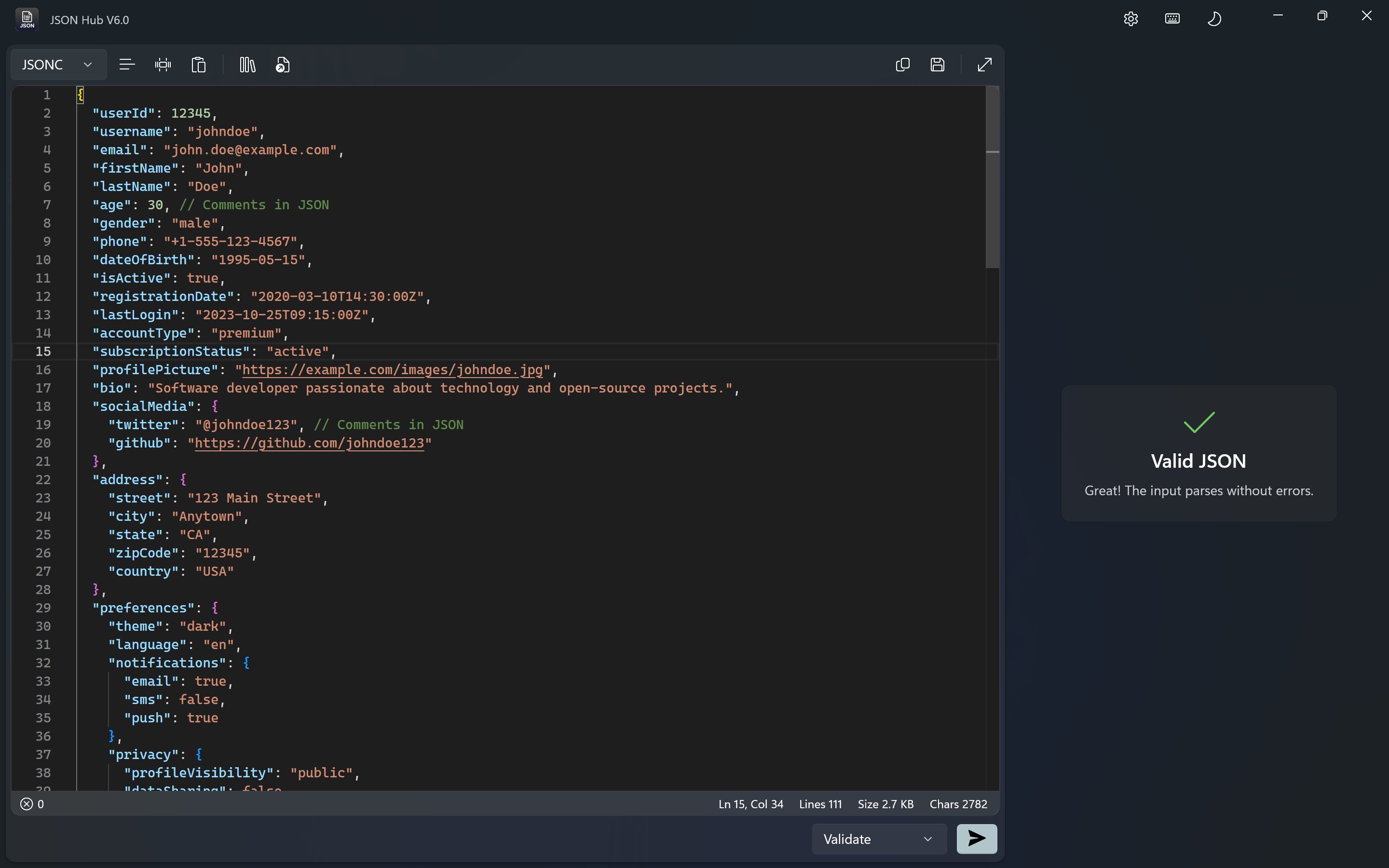
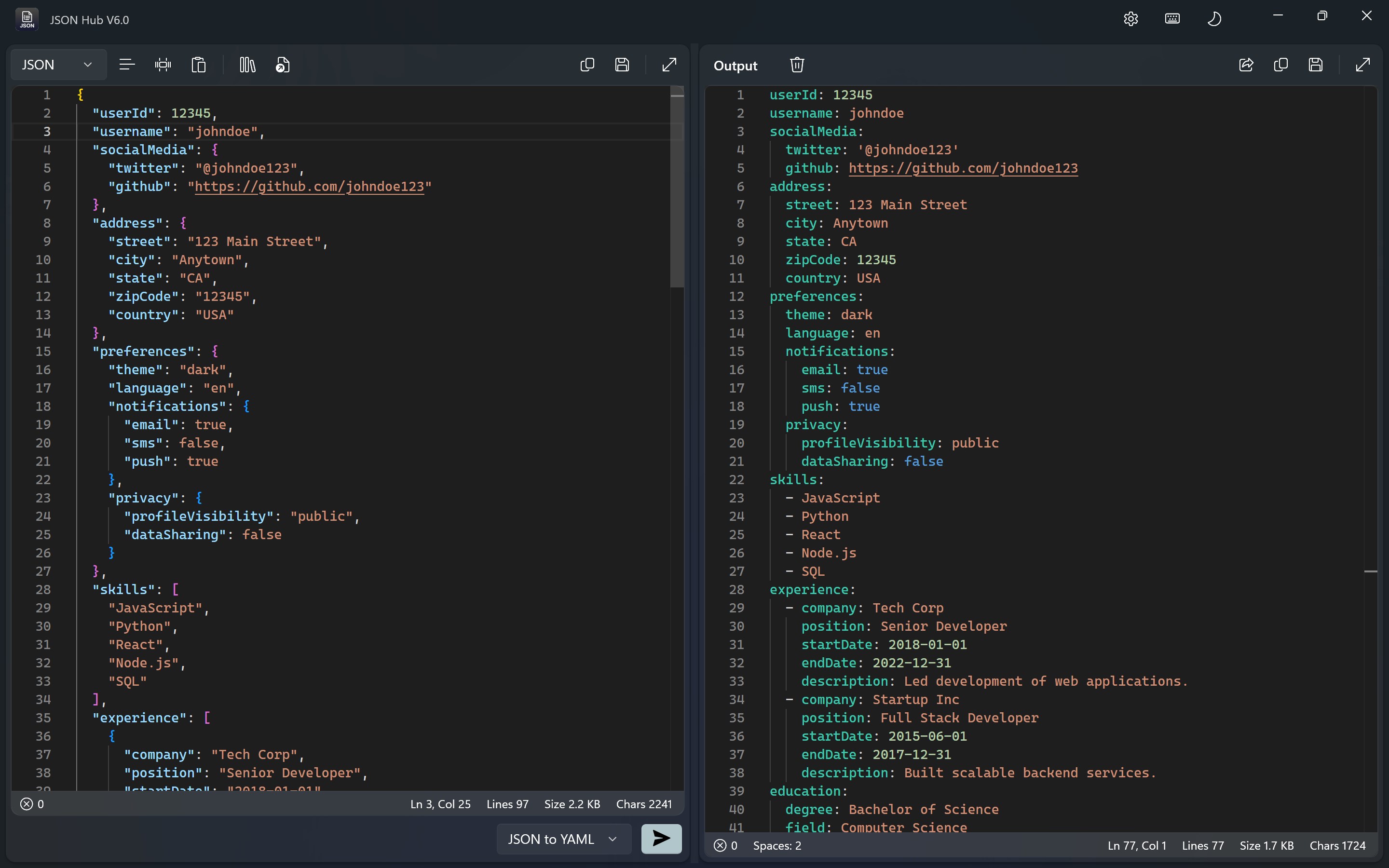
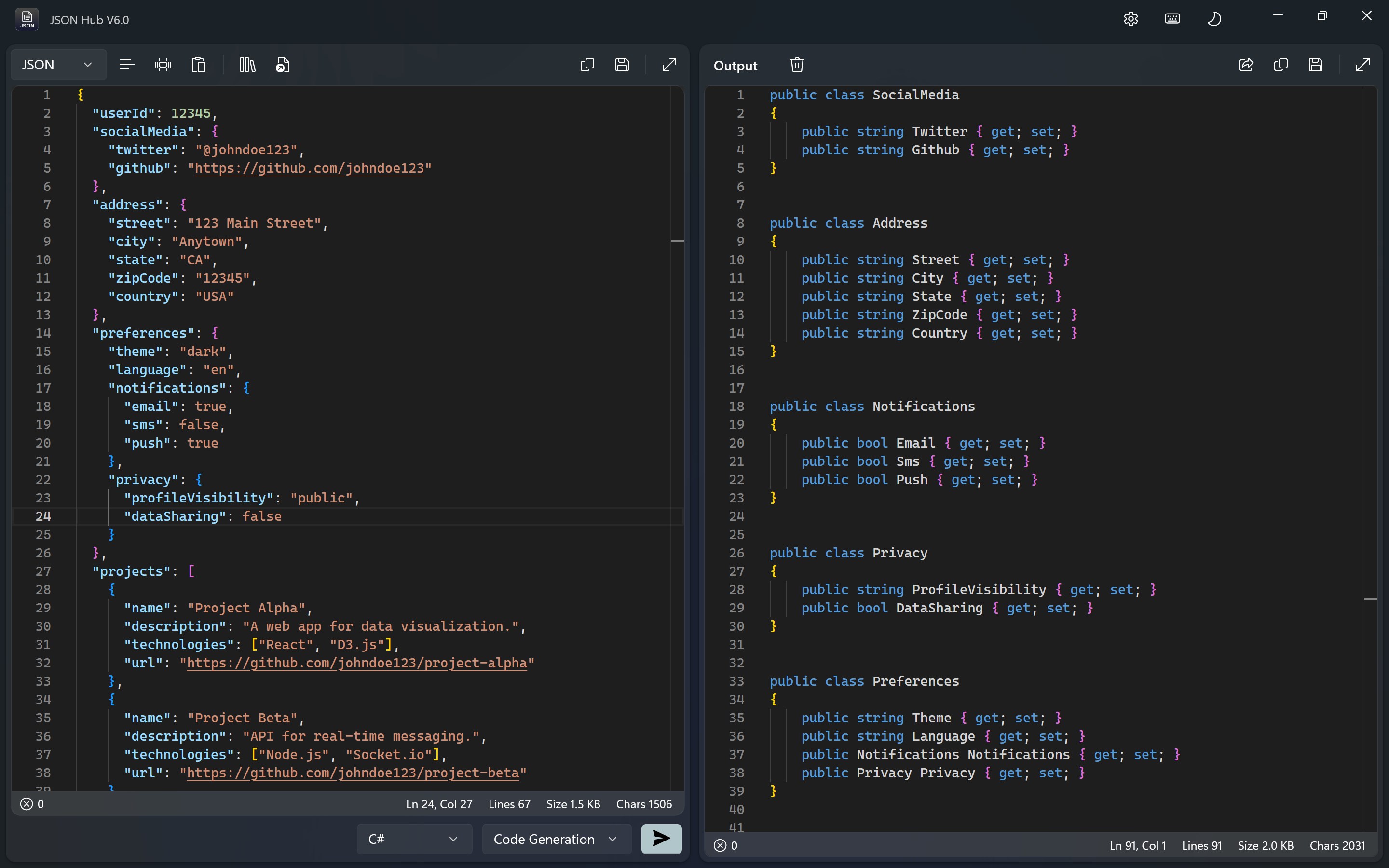
Developed and published by Aadhil RF, JSON Hub for Windows aims to be a one-stop solution for viewing, editing, and validating JSON files seamlessly. Its main highlight features include real-time syntax validation, a visual JSON tree viewer for better comprehension, and an efficient search and filter function. These tools support a broad target audience—ranging from beginner programmers to seasoned developers—who need quick and reliable JSON management.
Engaging and Functional: A User-Friendly Experience
Clean and Intuitive Interface
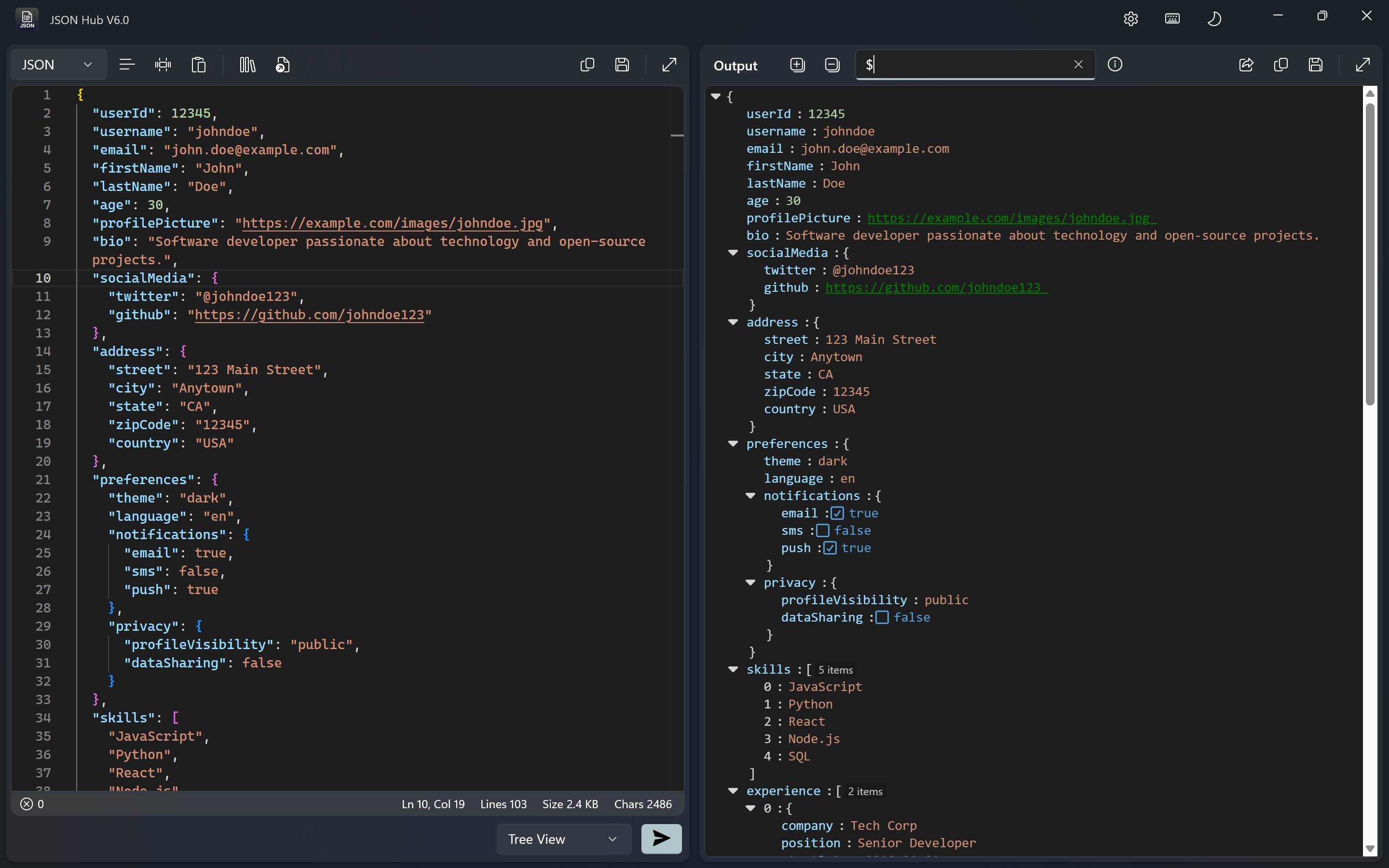
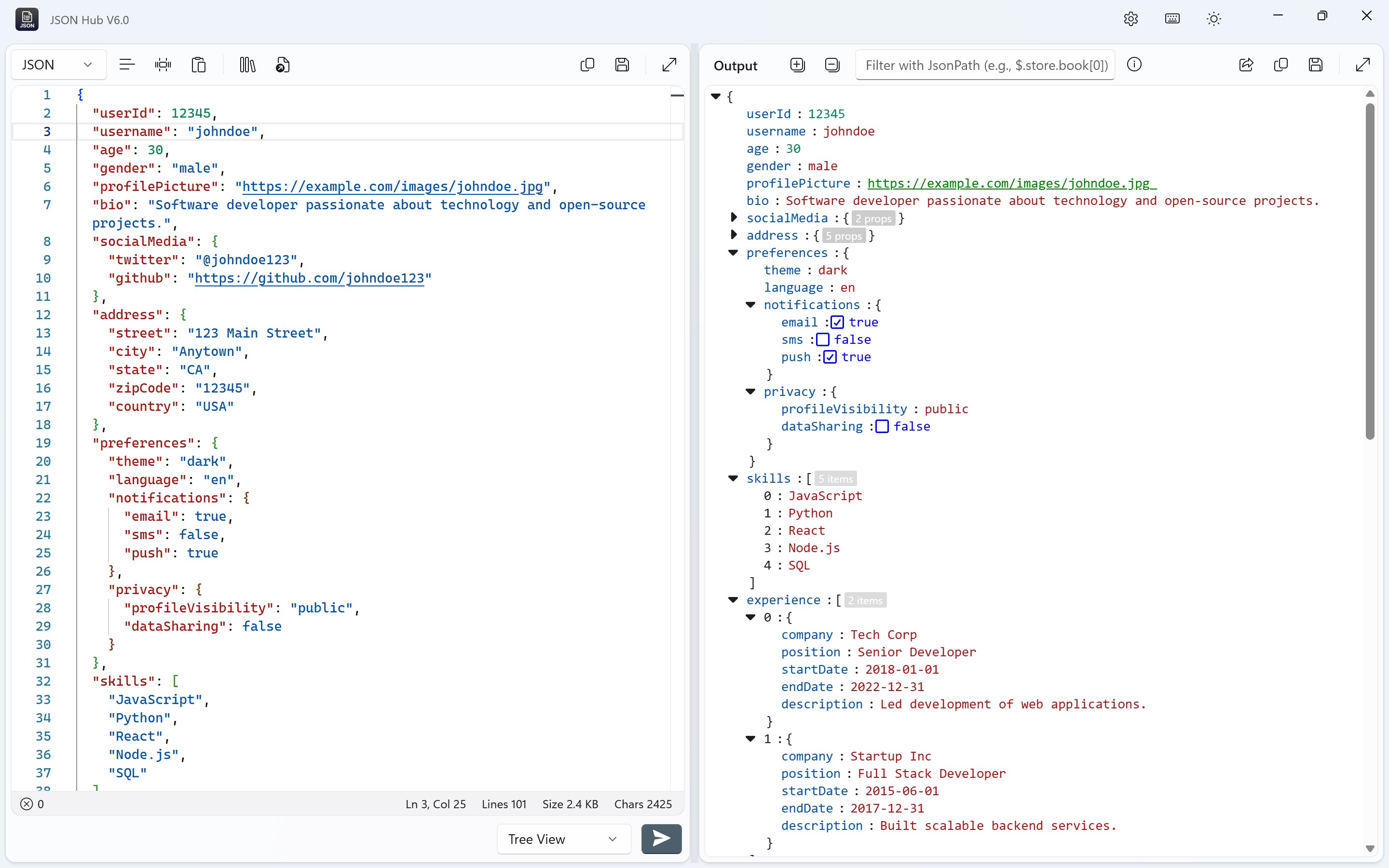
Imagine opening a neatly organized workspace where everything in front of you is precisely where you'd expect it to be—JSON data displayed in a clear, collapsible tree view that resembles a well-organized family tree. The app's minimal design removes clutter, allowing users to focus solely on their data. Navigating through complex JSON structures feels akin to flipping through a well-indexed book—smooth and straightforward, even for first-timers.
Core Feature Spotlight: Validation & Visualization
Among its standout features, the real-time syntax validation is like having a vigilant proofreading assistant whispering in your ear, instantly alerting you to errors so you can correct them on the fly. Coupled with the visual JSON tree viewer, users can switch effortlessly between raw code and a nicely formatted visual hierarchy, which significantly enhances understanding—especially when dealing with nested data. These features work as a cohesive duo, transforming what could be a daunting jigsaw puzzle into an approachable and manageable puzzle.
Smooth Operation & Learning Curve
Using JSON Hub for Windows is a breeze—its responsive design ensures operations feel instantaneous, turning what might be a sluggish process into a fluid experience. The learning curve is gentle, thanks to straightforward menus and helpful tooltips wrapped into a modern interface. Whether you're importing large files or making quick edits, the app responds with agility, empowering users to work confidently and stress-free.
What Sets JSON Hub Apart from Competition?
Compared to similar developer tools, JSON Hub excels in offering an integrated environment that balances simplicity with power. Unlike some bulkier applications that try to be all things to all users, this app's best two features are its real-time validation and its intuitive visual tree representation. These functionalities make it especially suited for quick debugging and data visualization, setting it apart as a tool that saves valuable time and reduces errors—qualities that are highly prized in fast-paced development environments.
Final Verdict and Recommendations
All in all, JSON Hub for Windows deserves a solid recommendation for anyone working with JSON data—whether you're just starting out or need a reliable companion for daily tasks. Its user-centric design, combined with its unique validation and visualization features, makes it a standout choice among developer tools. For those who value clarity, speed, and simplicity, this app is worth trying out to see how it can streamline your JSON workflows and help you work smarter, not harder.
Pros
- User-Friendly Interface
- Real-Time JSON Data Management
- Strong Compatibility
- Built-in Validation Features
- Frequent Updates and Improvements
Cons
- Limited Customization Options
- Basic Documentation
- Occasional Performance Lags on Large Files
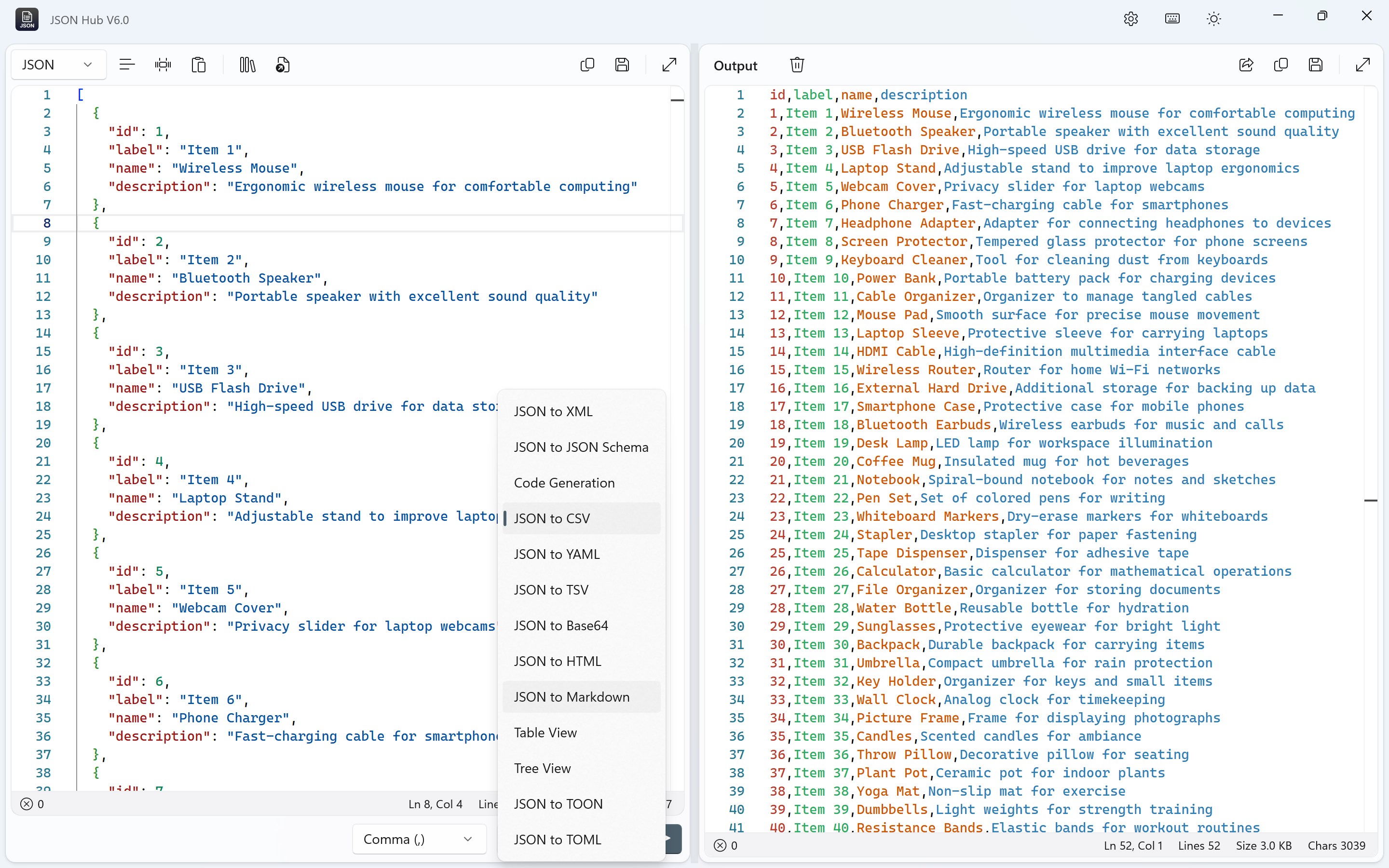
- Basic Export Formats
- Limited Offline Features











