
- Name IPEVO Visualizer
- Category Education
- Developer IPEVO
- Available on PC
- OS Windows 10 version 19041.0 or higher
- Keyboard Not specified
- Mouse Not specified
- languages English (United States)
Unlocking Interactive Teaching with IPEVO Visualizer for Windows
If you've ever wished for a seamlessly integrated tool to turn your physical teaching materials into interactive virtual lessons, IPEVO Visualizer is like having a magic lens that bridges the gap between the physical and digital worlds. Designed specifically for educators and students alike, this application transforms your Windows system into a powerful visual aid that elevates your teaching experience to new heights.
Meet IPEVO: The Creators of Visual Clarity
Developed by IPEVO, a company renowned for its innovative visual communication tools, the Visualizer app is crafted by a dedicated team passionate about enhancing educational engagement through technology. Their focus is on providing simple yet effective solutions for remote and hybrid learning environments.
The app's main features include:
- Real-time Camera Integration: Easily connect and control all your IPEVO document cameras for live, high-quality visual input.
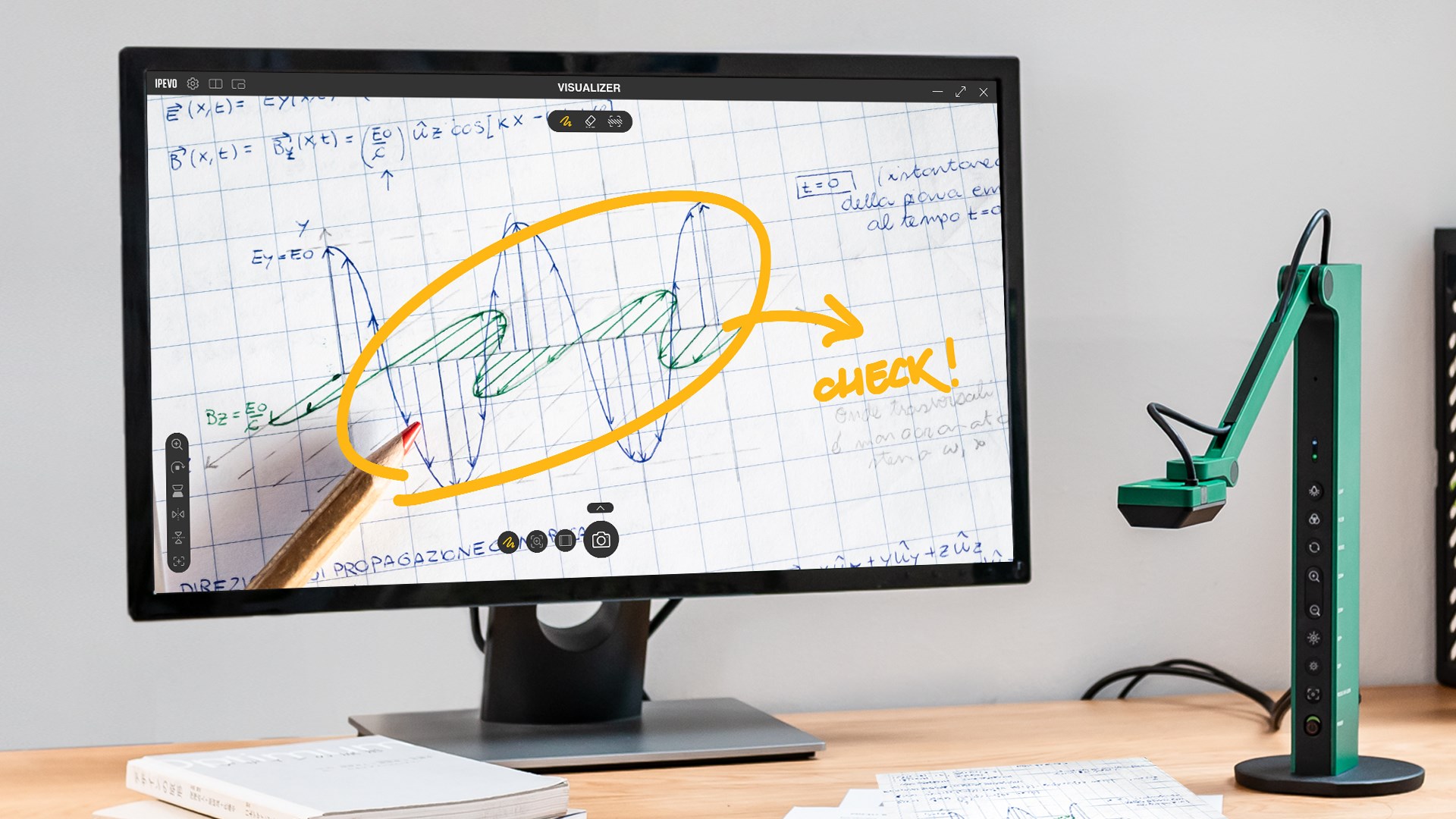
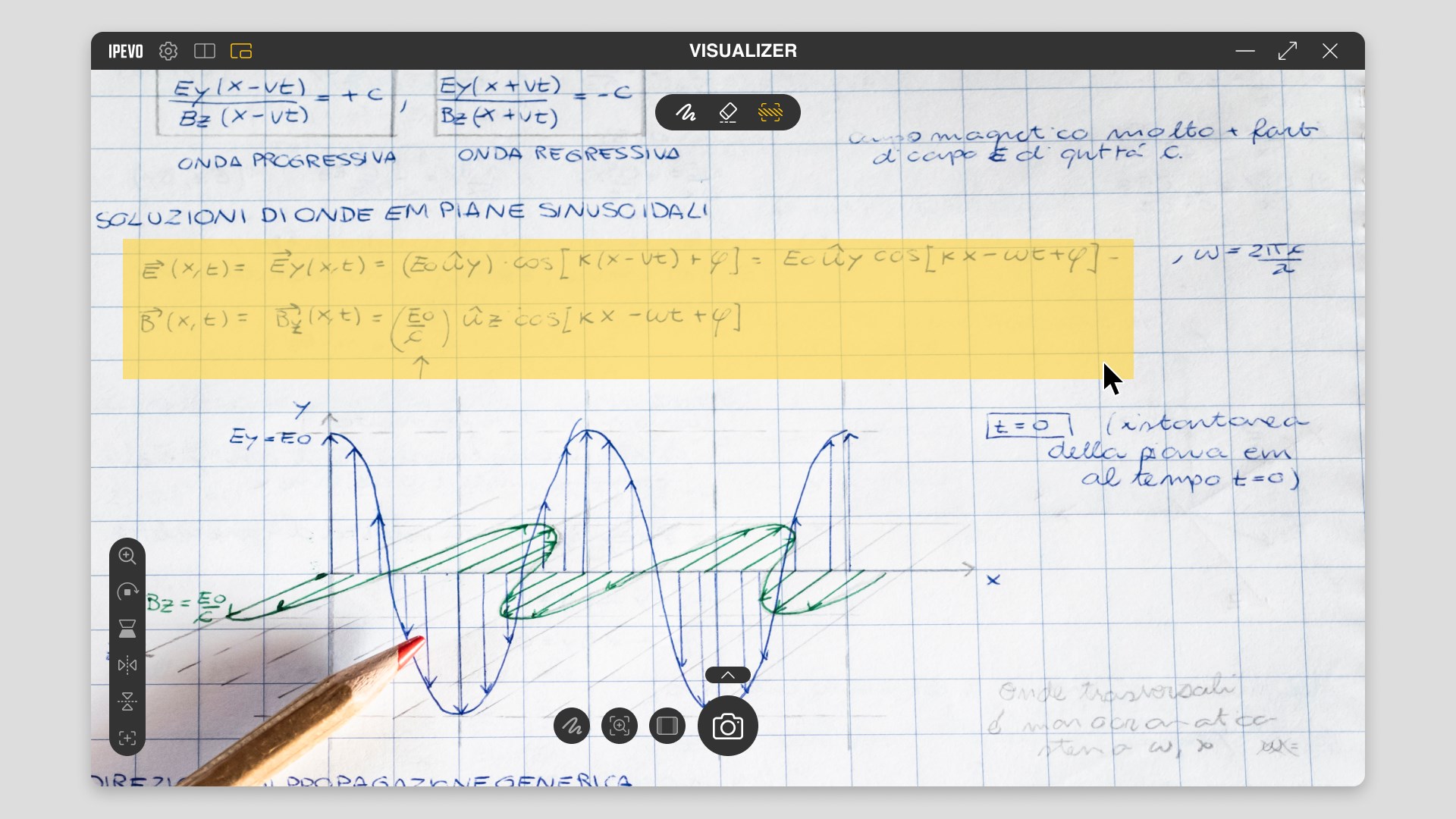
- Annotate and Highlight: Add markings directly on the live feed to emphasize important points or guide students.
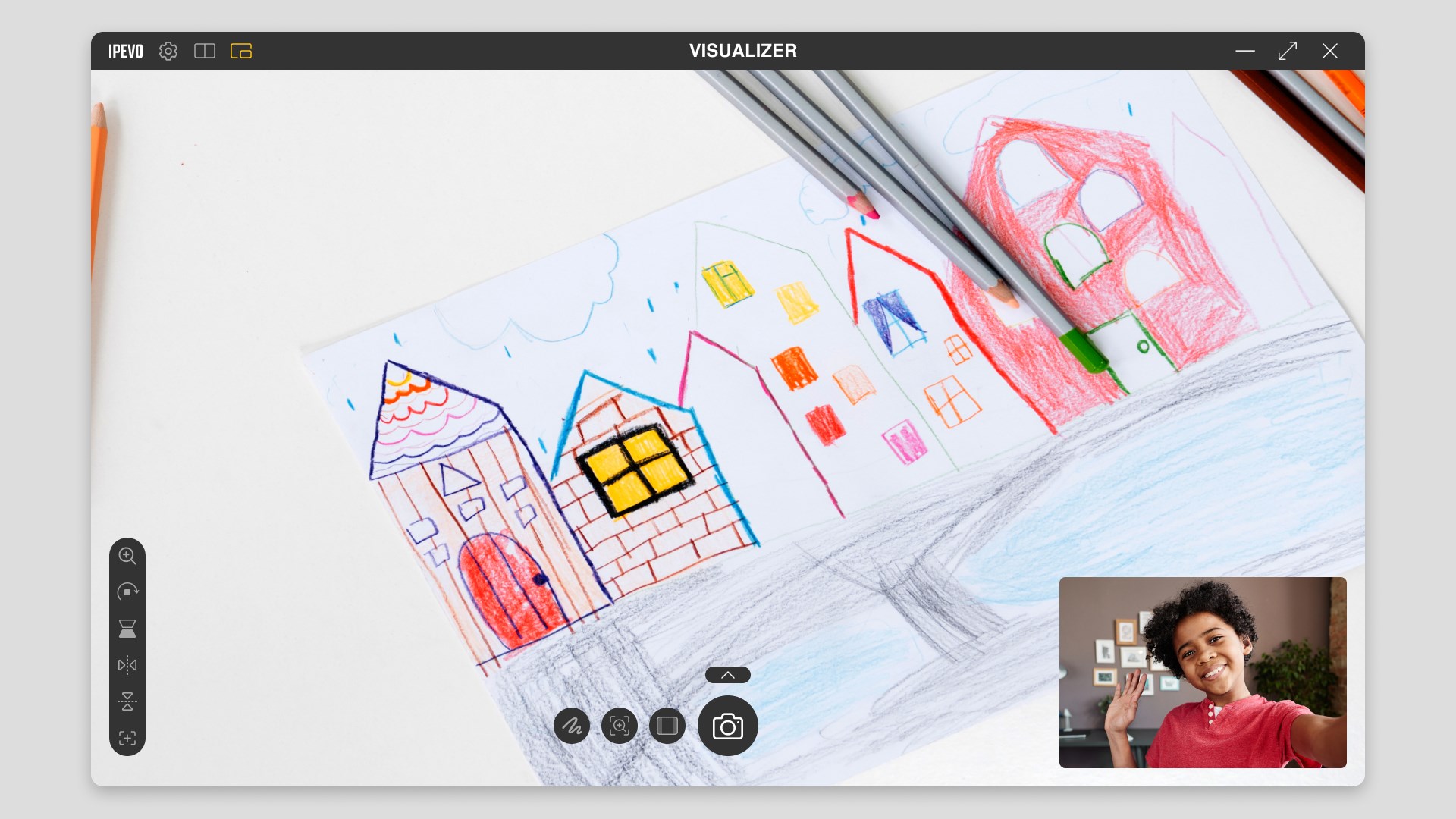
- Multi-View Support: Switch between different camera angles or sources effortlessly, making lessons dynamic and adaptable.
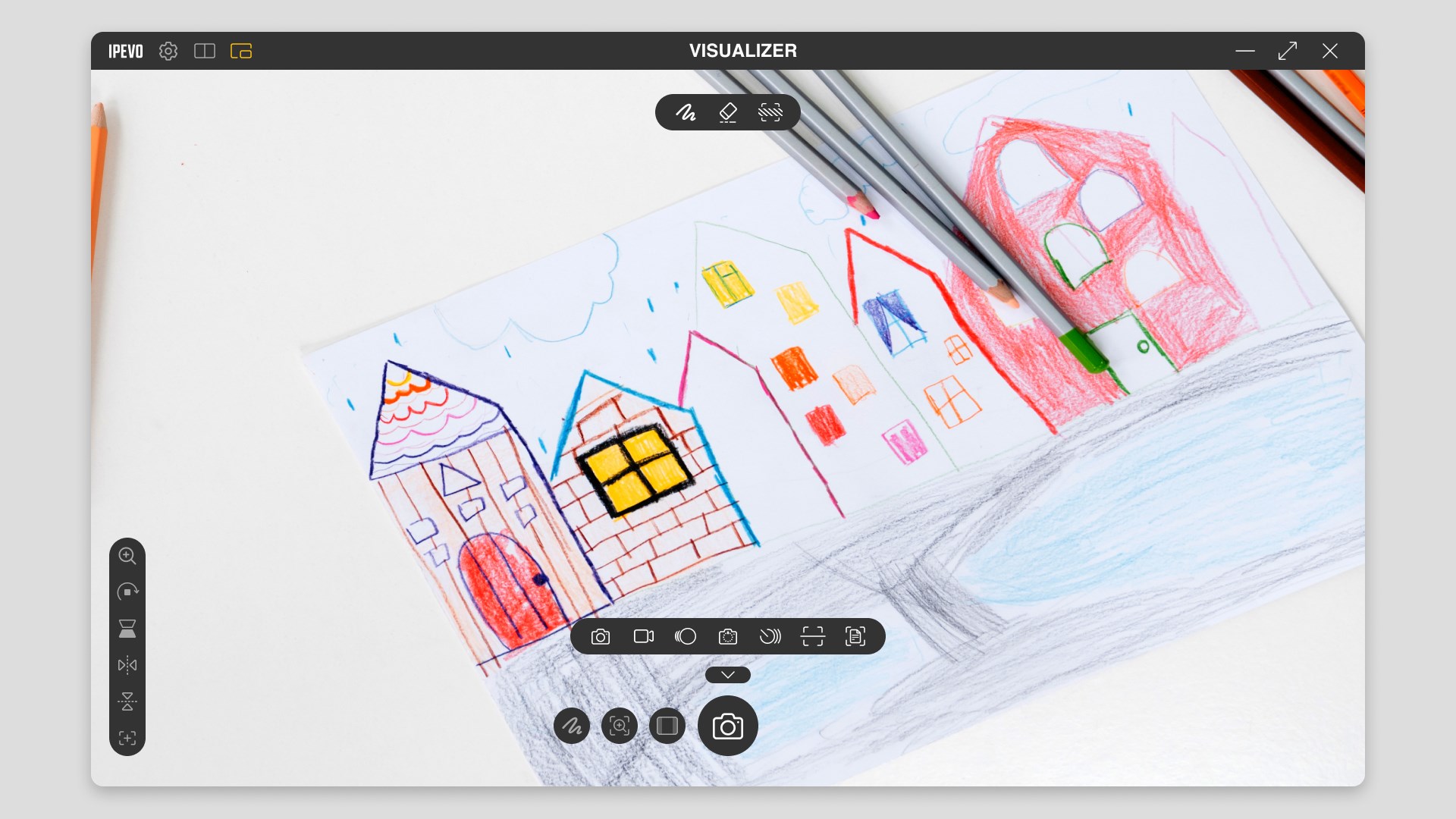
- Flexible Capture and Recording: Save high-resolution snapshots or record videos of your sessions for later review.
This application is primarily targeted at educators, tutors, and students engaging in online or hybrid teaching scenarios, seeking to enhance interaction and comprehension through visual clarity.
A Bright Lens on Your Teaching Canvas
Imagine setting up your virtual classroom as if you're unveiling a new art exhibit—exciting, precise, and engaging. IPEVO Visualizer acts as your digital scalpel, sharply focusing on your teaching materials with minimal fuss. Its intuitive interface makes it a breeze to set up—plug in your camera, and it's almost ready to go. The experience is akin to having a friendly assistant guiding you step-by-step, which reduces the typical tech headache often faced in digital teaching.
Core Functionality 1: Crystal-Clear Live Feed and Annotations
Once you connect a compatible camera, the app immediately provides a sharp, lag-free live feed. The clarity makes even tiny handwritten notes on a physical whiteboard visible to remote learners. The annotation tools are straightforward—simply select a pen or highlighter, and you can draw directly over the live image. This turns a static lesson into an interactive session, helping students focus on key points while keeping the presentation lively and engaging.
Core Functionality 2: Dynamic Multi-View and Source Management
For teachers who need to switch between different materials—say, a document, a physical object, or a computer screen—IPEVO Visualizer simplifies this with its multi-view support. Dial between views with a single click or hotkey, creating a seamless flow that mimics flipping through different pages or angles manually. This flexibility ensures lessons are not just informative but also highly adaptable to various teaching scenarios.
Core Functionality 3: High-Quality Capture and Recording
Capturing moments of clarity is critical, and this app excels with its straightforward snapshot and recording features. You can grab high-resolution stills of your work or record entire sessions, which is invaluable for reviewing or sharing later. The ability to record in real-time is especially handy for generating lesson content or providing asynchronous feedback, setting Visualizer apart from more generic screen-capturing tools.
Seeking Simplicity with Sophistication
The interface of IPEVO Visualizer is clean, minimalistic, and user-friendly, making it accessible even for teachers less comfortable with technology. Navigating between various functionalities feels natural—like flipping through pages of a well-organized notebook. Performance-wise, the application runs smoothly without noticeable lag, even with multiple views or annotations active, ensuring a distraction-free experience. The learning curve is gentle; most users can become proficient within minutes of exploration.
What Sets It Apart From Other Educational Apps?
While many apps offer screen sharing and basic camera functions, IPEVO Visualizer's strength lies in its focus on physical-to-digital conversion with precision. Its key differentiator is the combination of real-time live annotations on physical materials combined with multi-source flexibility, empowering educators to craft highly interactive lessons. Unlike generic conference or screen-sharing apps, the Visualizer provides a dedicated, high-fidelity visual environment optimized for teaching objects, papers, or physical demonstrations, giving it an edge in content accuracy and authority.
Final Words: A Tool Worth Your Attention
In summary, IPEVO Visualizer for Windows emerges as a highly practical and intuitive application tailored for educational professionals. Its standout features—especially the real-time annotation capability and seamless multi-view management—make it a compelling choice for those looking to bring physical teaching aids into the digital realm effortlessly. I recommend it to teachers and tutors eager to elevate their remote lessons, particularly if they wish to maintain the tactile, tangible feel of traditional teaching while leveraging digital enhancements.
For those committed to delivering clear, engaging, and interactive lessons—this app is a valuable addition to your digital toolkit. Just imagine transforming your ordinary classroom setup into a vibrant, multimedia presentation space—IPEVO Visualizer makes that transformation simple and efficient.
Pros
- High-Quality Visual Capture
- Seamless Integration with IPEVO Devices
- User-Friendly Interface
- Flexible Display Options
- Customizable Settings for Different Use Cases
Cons
- Limited Compatibility with Non-IPEVO Cameras
- Occasional Software Stability Issues
- Basic Editing Features Are Missing
- Requires Stable Internet Connection for Remote Features
- Limited Customization Options for User Interface