
- Name InstallAware Studio
- Category Developer tools
- Developer InstallAware Software
- Available on PC
- OS Windows 10 version 0.0 or higher
- languages English, English (Afghanistan), English (Åland Islands), English (Albania), English (Algeria), English (American Samoa), English (Andorra), English (Angola), English (Anguilla), English (Antarctica), English (Antigua and Barbuda), English (Armenia), English (Aruba), English (Australia and New Zealand), English (Australia), English (Azerbaijan), English (Bahamas), English (Bangladesh), English (Barbados), English (Belarus), English (Belize), English (Benin), English (Bermuda), English (Bhutan), English (Bolivia), English (Bonaire, Saint Eustatius and Saba), English (Bosnia and Herzegovina), English (Botswana), English (Bouvet Island), English (British Indian Ocean Territory), English (British Virgin Islands), English (Brunei), English (Bulgaria), English (Burkina Faso), English (Burundi), English (Cambodia), English (Cameroon), English (Canada), English (Cape Verde), English (Caribbean), English (Cayman Islands), English (Central African Republic), English (Chad), English (Christmas Island), English (Cocos (Keeling) Islands), English (Comoros), English (Congo (DRC)), English (Congo), English (Cook Islands), English (Côte d'Ivoire), English (Croatia), English (Curaçao), en-cz, English (Djibouti), English (Dominica), English (Dominican Republic), English (Eastern Africa), English (Equatorial Guinea), English (Eritrea), English (Estonia), English (Ethiopia), English (Falkland Islands), English (Faroe Islands), English (Fiji), English (French Guiana), English (French Polynesia), English (French Southern and Antarctic Lands), English (Gabon), English (Gambia), English (Georgia), English (Germany), English (Ghana), English (Gibraltar), en-gr, English (Greenland), English (Guadeloupe), English (Guam), English (Guernsey), English (Guinea-Bissau), English (Guinea), English (Guyana), English (Haiti), English (Heard Island and McDonald Islands), English (Honduras), English (Hong Kong SAR), en-hu, English (Iceland), English (India), English (Indonesia), English (Iraq), English (Ireland), English (Isle of Man), English (Israel), English (Jamaica), English (Jersey), English (Jordan), English (Kazakhstan), English (Kenya), English (Kiribati), English (Kyrgyzstan), English (Laos), English (Latvia), English (Lesotho), English (Liberia), English (Libya), English (Lithuania), English (Macao SAR), English (Macedonia, FYRO), English (Madagascar), English (Malawi), English (Malaysia), English (Maldives), English (Mali), English (Malta), English (Marshall Islands), English (Martinique), English (Mauritius), English (Mayotte), English (Micronesia), English (Moldova), English (Monaco), English (Mongolia), English (Montserrat), English (Mozambique), English (Myanmar), English (Namibia), English (Nauru), English (Nepal), English (Netherlands Antilles (Former)), English (Netherlands), English (New Caledonia), English (New Zealand), English (Nicaragua), English (Niger), English (Nigeria), English (Niue), English (Norfolk Island), English (Northern America), English (Northern Mariana Islands), English (Oman), English (Pakistan), English (Palau), English (Palestinian Authority), English (Papua New Guinea), English (Philippines), English (Pitcairn Islands), English (Puerto Rico), English (Qatar), English (Reunion), English (Romania), English (Rwanda), English (Saint Barthélemy), English (St Helena, Ascension, Tristan da Cunha), English (Saint Kitts and Nevis), English (Saint Lucia), English (Saint Martin (French Part)), English (Saint Pierre and Miquelon), English (Saint Vincent and the Grenadines), English (Samoa), English (San Marino), English (São Tomé and Príncipe), en-sa, English (Senegal), English (Seychelles), English (Sierra Leone), English (Singapore), English (Sint Maarten), English (Slovakia), English (Slovenia), English (Solomon Islands), English (Somalia), English (South Africa), English (South Georgia and the South Sandwich Islands), English (Southern Africa), English (Sri Lanka), English (Sudan), English (Suriname), English (Svalbard and Jan Mayen), English (Swaziland), English (Tajikistan), English (Tanzania), English (Thailand), English (Timor-Leste), English (Togo), English (Tokelau), English (Tonga), English (Trinidad and Tobago), English (Turkey), English (Turkmenistan), English (Turks and Caicos Islands), English (Tuvalu), English (U.S. Minor Outlying Islands), English (U.S. Virgin Islands), English (Uganda), en-ae, English (United Kingdom), English (United States), English (Uzbekistan), English (Vanuatu), English (Holy See (Vatican City)), English (Vietnam), English (Wallis and Futuna), English (Western Africa), English (Zambia), English (Zimbabwe)
Streamlined Windows Installer Creation: An Overview of InstallAware Studio
InstallAware Studio for Windows stands out as a comprehensive and user-friendly toolkit designed to simplify the complex process of creating robust Windows installers. Whether you're a seasoned developer or a small business owner, this application promises to turn the daunting task of software packaging into a manageable and even enjoyable experience.
About the Developer and Core Features
Developed and published by InstallAware Software Corporation, this tool embodies years of expertise in installer technology. Its main highlights include an intuitive visual interface for authoring setups, advanced scripting capabilities for customization, and built-in support for modern deployment needs like cloud integration. Additionally, its incremental build system accelerates development cycles, making it ideal for iterative projects.
Getting to Know InstallAware Studio
Imagine navigating a pathway through a dense forest — InstallAware Studio is that well-marked trail guiding you smoothly from concept to deployment. Its design aims to eliminate the frustration typically associated with installer creation, replacing it with an experience that is both efficient and approachable.
Powerful Core Functionality: From Setup to Success
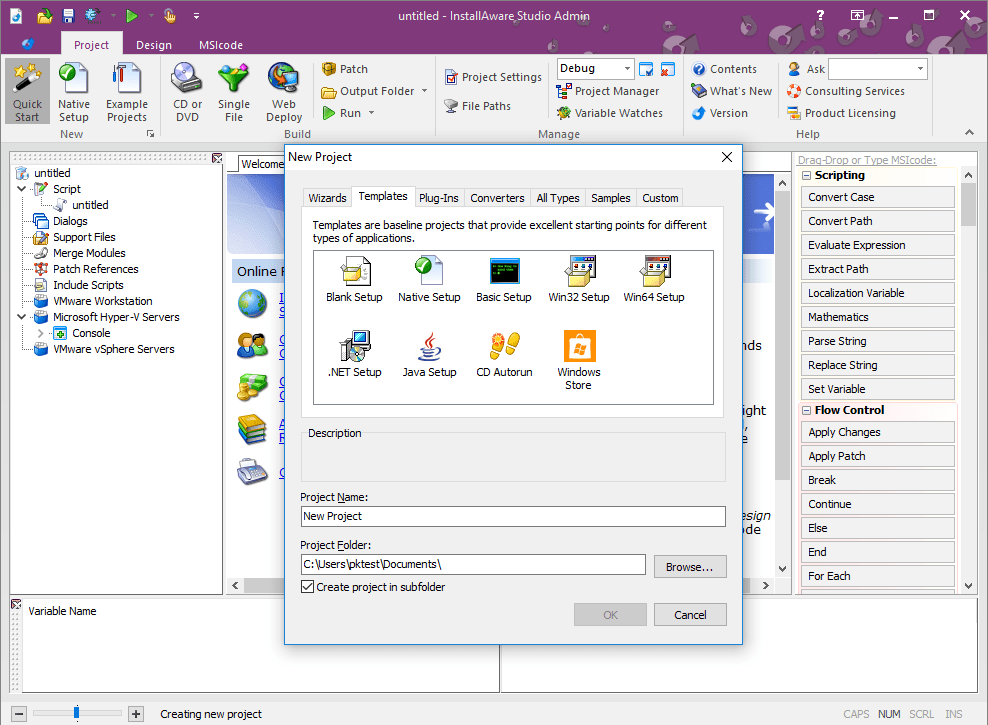
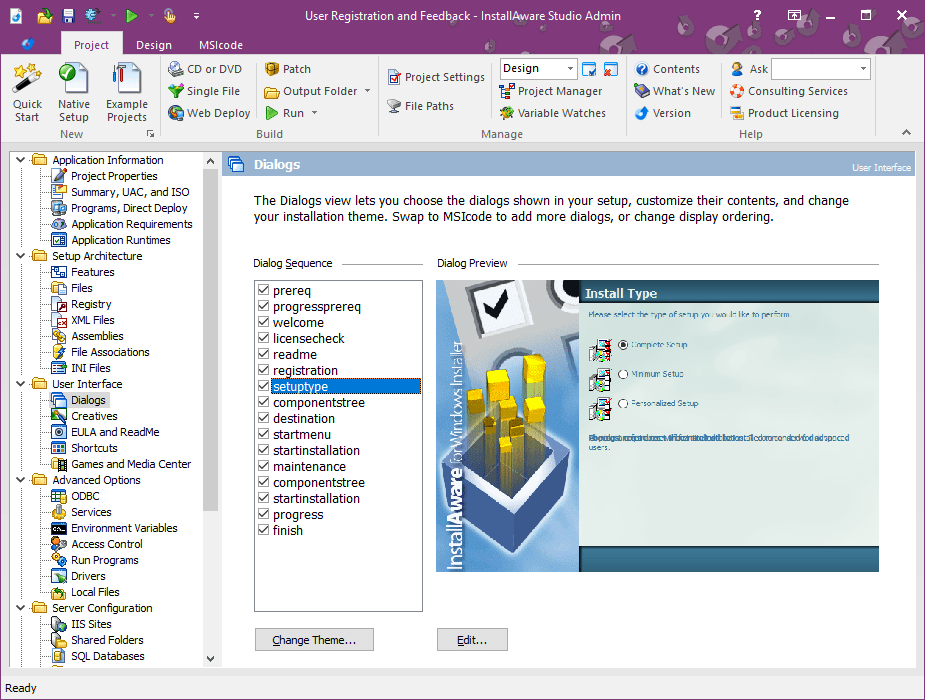
1. Visual Installer Designer: One of the app's most compelling features is its drag-and-drop interface, allowing users to assemble their installers like arranging pieces of a puzzle. With pre-built templates and an extensive library of components, you can craft professional-looking setups that match your branding effortlessly.
2. Advanced Script Customization: For developers seeking to go beyond the basics, InstallAware offers scripting tools that let you fine-tune every aspect of your installer. Whether adding custom dialogs, integrating with third-party services, or handling complex installation sequences, this flexibility ensures your installer is perfectly tailored to your needs.
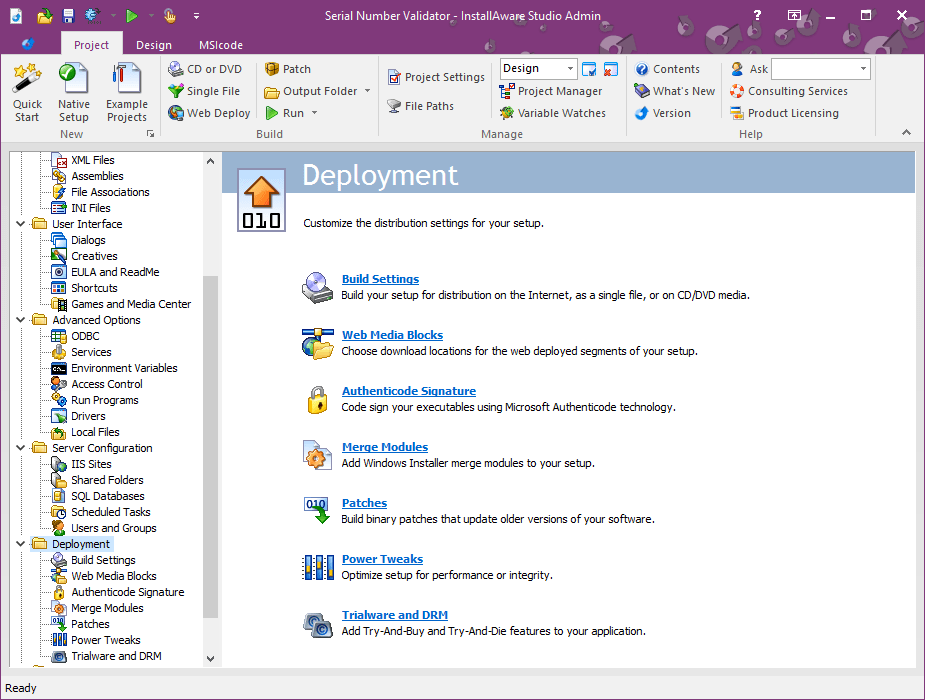
3. Modern Deployment Support: As deployment environments evolve, so does InstallAware. Its support for cloud-based deployment, digital signatures, and silent installations makes it suitable for a variety of modern software distribution scenarios. This adaptability makes it stand out among traditional installer creators.
User Experience: Friendly for Beginners, Powerful for Pros
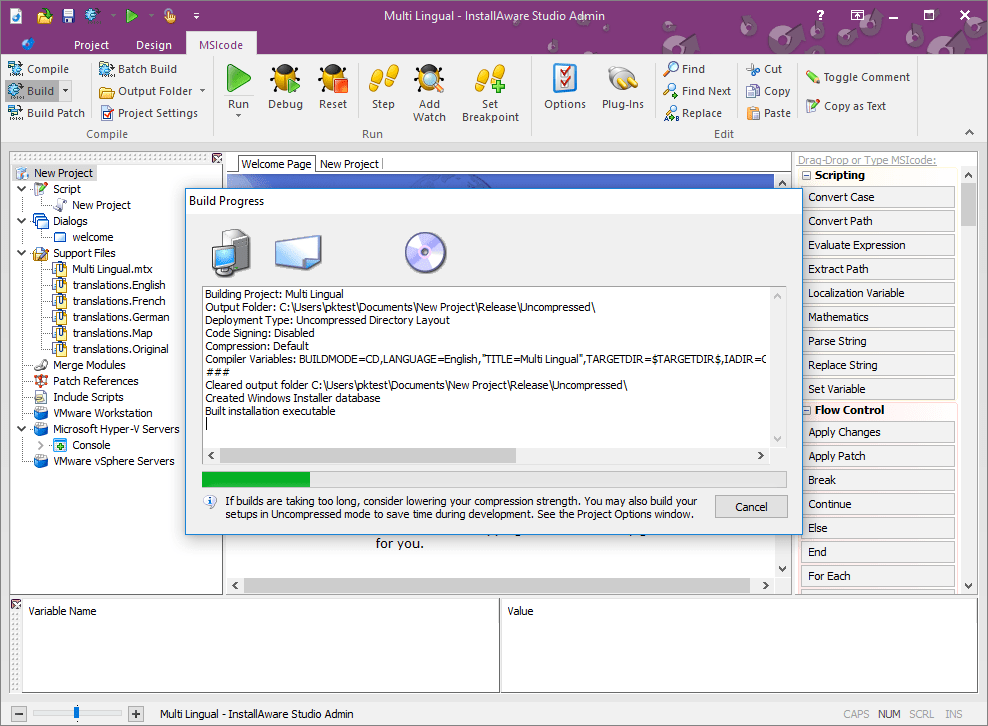
The interface strikes a commendable balance—clean, organized, yet feature-rich. The learning curve is reasonable; newcomers can start with templates and tutorials, while experienced developers enjoy the depth of scripting and customization options. The application's responsiveness fosters a smooth workflow, with rapid build times that keep your momentum going. Transitioning from other tools feels seamless, thanks to familiar layouts and logical navigation.
What Sets InstallAware Apart?
In a crowded marketplace of installer creators, InstallAware distinguishes itself with its dual focus on usability and depth. The visual designer makes the creation process feel akin to designing a presentation, yet behind the scenes, powerful scripting tools allow for advanced customization. Its incremental build feature, which caches parts of the project to speed up subsequent builds, is a notable efficiency booster not commonly found elsewhere. This unique combination of accessibility and sophistication ensures that both beginners and experts can find value.
Final Verdict and Recommendations
Overall, InstallAware Studio for Windows receives a solid recommendation for those seeking a reliable, feature-rich installer creation tool without the steep learning curve associated with some high-end SDKs. It's particularly suited for small to medium-sized projects, where quick turnaround and flexibility are vital. For developers who require extensive customization and deployment options, its comprehensive feature set justifies the learning investment.
In summary, if you're aiming to craft professional Windows installers with ease and precision, InstallAware Studio is certainly worth exploring. Its thoughtful design and standout features like the visual designer and incremental build system make it a compelling choice in the realm of setup creation tools. Consider giving it a try — it might just be the partner you need in delivering polished software experiences.
Pros
- User-Friendly Interface
- Smooth Installation Process
- Extensive Customization Options
- Wide Compatibility
- Strong Technical Support and Resources
Cons
- Relatively Steep Learning Curve
- Occasional Interface Lag
- Limited Free Trial Duration
- Premium Features Require Additional Purchase
- Compatibility with Older Systems











