
- Name InstallAware Studio Admin
- Category Developer tools
- Developer InstallAware Software
- Available on PC
- OS Windows 10 version 0.0 or higher
- languages English, English (Afghanistan), English (Åland Islands), English (Albania), English (Algeria), English (American Samoa), English (Andorra), English (Angola), English (Anguilla), English (Antarctica), English (Antigua and Barbuda), English (Armenia), English (Aruba), English (Australia and New Zealand), English (Australia), English (Azerbaijan), English (Bahamas), English (Bangladesh), English (Barbados), English (Belarus), English (Belize), English (Benin), English (Bermuda), English (Bhutan), English (Bolivia), English (Bonaire, Saint Eustatius and Saba), English (Bosnia and Herzegovina), English (Botswana), English (Bouvet Island), English (British Indian Ocean Territory), English (British Virgin Islands), English (Brunei), English (Bulgaria), English (Burkina Faso), English (Burundi), English (Cambodia), English (Cameroon), English (Canada), English (Cape Verde), English (Caribbean), English (Cayman Islands), English (Central African Republic), English (Chad), English (Christmas Island), English (Cocos (Keeling) Islands), English (Comoros), English (Congo (DRC)), English (Congo), English (Cook Islands), English (Côte d'Ivoire), English (Croatia), English (Curaçao), en-cz, English (Djibouti), English (Dominica), English (Dominican Republic), English (Eastern Africa), English (Equatorial Guinea), English (Eritrea), English (Estonia), English (Ethiopia), English (Falkland Islands), English (Faroe Islands), English (Fiji), English (French Guiana), English (French Polynesia), English (French Southern and Antarctic Lands), English (Gabon), English (Gambia), English (Georgia), English (Germany), English (Ghana), English (Gibraltar), en-gr, English (Greenland), English (Guadeloupe), English (Guam), English (Guernsey), English (Guinea-Bissau), English (Guinea), English (Guyana), English (Haiti), English (Heard Island and McDonald Islands), English (Honduras), English (Hong Kong SAR), en-hu, English (Iceland), English (India), English (Indonesia), English (Iraq), English (Ireland), English (Isle of Man), English (Israel), English (Jamaica), English (Jersey), English (Jordan), English (Kazakhstan), English (Kenya), English (Kiribati), English (Kyrgyzstan), English (Laos), English (Latvia), English (Lesotho), English (Liberia), English (Libya), English (Lithuania), English (Macao SAR), English (Macedonia, FYRO), English (Madagascar), English (Malawi), English (Malaysia), English (Maldives), English (Mali), English (Malta), English (Marshall Islands), English (Martinique), English (Mauritius), English (Mayotte), English (Micronesia), English (Moldova), English (Monaco), English (Mongolia), English (Montserrat), English (Mozambique), English (Myanmar), English (Namibia), English (Nauru), English (Nepal), English (Netherlands Antilles (Former)), English (Netherlands), English (New Caledonia), English (New Zealand), English (Nicaragua), English (Niger), English (Nigeria), English (Niue), English (Norfolk Island), English (Northern America), English (Northern Mariana Islands), English (Oman), English (Pakistan), English (Palau), English (Palestinian Authority), English (Papua New Guinea), English (Philippines), English (Pitcairn Islands), English (Puerto Rico), English (Qatar), English (Reunion), English (Romania), English (Rwanda), English (Saint Barthélemy), English (St Helena, Ascension, Tristan da Cunha), English (Saint Kitts and Nevis), English (Saint Lucia), English (Saint Martin (French Part)), English (Saint Pierre and Miquelon), English (Saint Vincent and the Grenadines), English (Samoa), English (San Marino), English (São Tomé and Príncipe), en-sa, English (Senegal), English (Seychelles), English (Sierra Leone), English (Singapore), English (Sint Maarten), English (Slovakia), English (Slovenia), English (Solomon Islands), English (Somalia), English (South Africa), English (South Georgia and the South Sandwich Islands), English (Southern Africa), English (Sri Lanka), English (Sudan), English (Suriname), English (Svalbard and Jan Mayen), English (Swaziland), English (Tajikistan), English (Tanzania), English (Thailand), English (Timor-Leste), English (Togo), English (Tokelau), English (Tonga), English (Trinidad and Tobago), English (Turkey), English (Turkmenistan), English (Turks and Caicos Islands), English (Tuvalu), English (U.S. Minor Outlying Islands), English (U.S. Virgin Islands), English (Uganda), en-ae, English (United Kingdom), English (United States), English (Uzbekistan), English (Vanuatu), English (Holy See (Vatican City)), English (Vietnam), English (Wallis and Futuna), English (Western Africa), English (Zambia), English (Zimbabwe)
Streamlined Windows Installer Creation with InstallAware Studio Admin
InstallAware Studio Admin for Windows presents itself as a robust tool tailored for developers seeking to craft professional and reliable installers with ease and efficiency.
About the Developer and Core Highlights
Developed by InstallAware Software, a team renowned for their focus on developer-centric installation solutions, this application aims to simplify the complex process of software deployment. Its key features include a visual drag-and-drop interface, extensive support for scripting and customization, and seamless integration with various development environments. Targeted primarily at software developers and IT professionals, it caters to both small-scale projects and enterprise deployment scenarios.
Enter the World of Seamless Installer Building
Imagine the process of assembling a complex puzzle—every piece fitting just right, resulting in a complete picture that is both functional and visually appealing. InstallAware Studio Admin transforms this analogy into reality, offering a platform where developers can effortlessly piece together their installation packages without getting lost in a maze of configuration options. Its intuitive design turns what used to be a tedious chore into a smooth, even enjoyable, experience.
Core Functionality: Visual Scripting and Customization
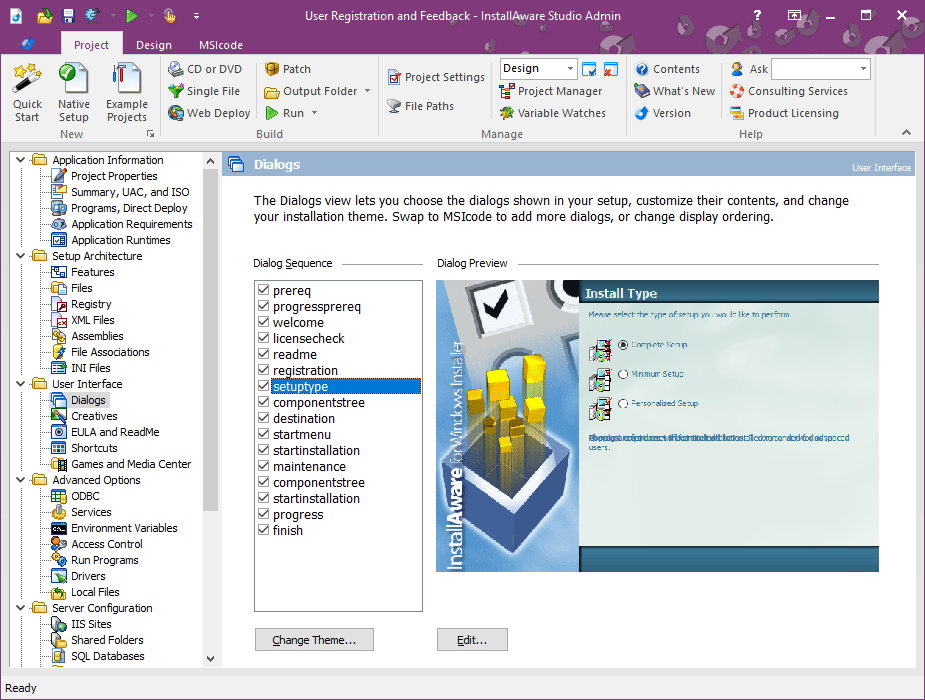
At the heart of InstallAware Studio Admin lies its powerful visual scripting engine, allowing users to design installers through a drag-and-drop interface. This feature minimizes the need to write code manually, making it accessible to those who may not be seasoned programmers. Furthermore, the tool offers extensive customization options—from setting up registry entries to configuring custom dialogues—empowering developers to craft unique installation experiences tailored to their needs.
Advanced Deployment and Compatibility
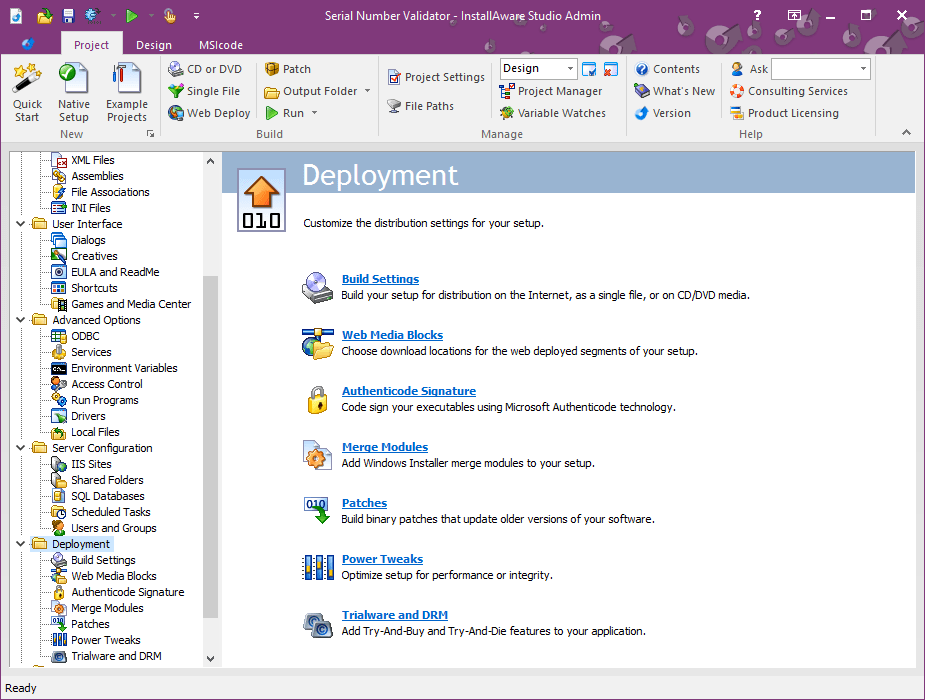
Another standout aspect is its support for complex deployment scenarios. Whether deploying a simple desktop app or a multi-component enterprise solution, InstallAware ensures compatibility across different Windows versions and architectures. Its integration with scripting languages like VBScript and PowerShell facilitates automation and advanced configuration, making it ideal for deploying updates or patches efficiently.
User Interface and Overall Experience
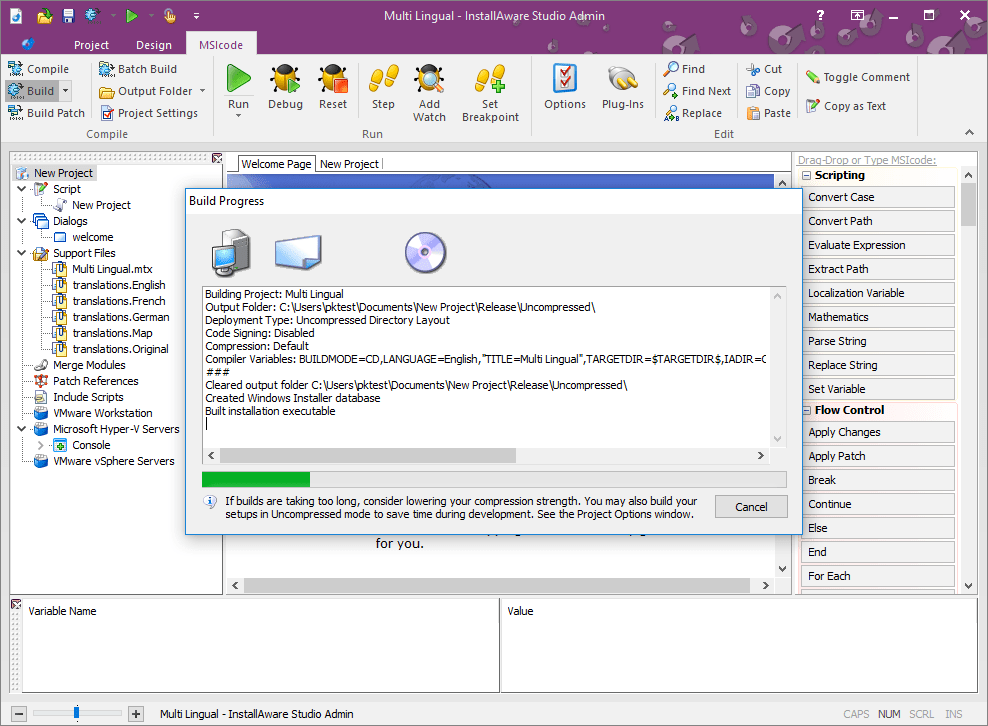
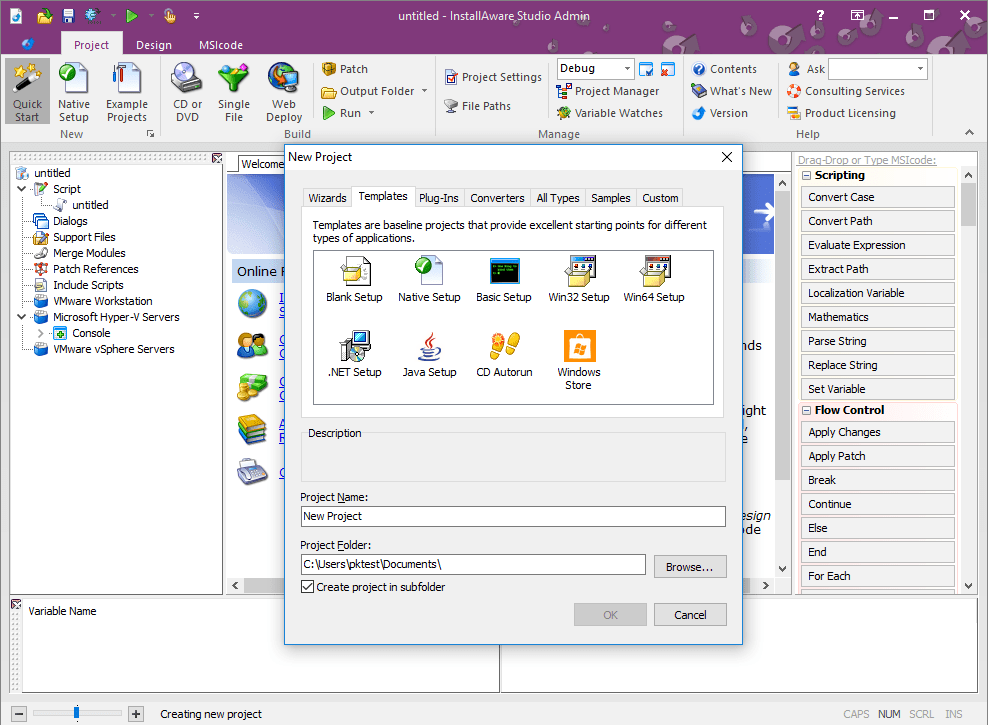
The interface strikes a balance between professional and friendly—clear, organized, and logical enough for newcomers, yet equipped with advanced options for seasoned developers. Navigation feels smooth, with quick access to essential tools and a comprehensive help system that shortens the learning curve. The app's responsiveness ensures that designing even complex installers remains a frustration-free process, akin to having a well-organized workspace where everything is within reach.
Unique Selling Points and Differentiators
What truly sets InstallAware Studio Admin apart from other installer tools is its dedication to balancing ease of use with customization depth. Its visual scripting capability eliminates much of the backend complexity, akin to assembling furniture with an intuitive guide. Additionally, its support for scripting and automation, combined with enterprise-grade deployment features, makes it not just a tool for simple installers but a comprehensive solution for professional software deployment needs. Unlike some competitors that offer either simplicity or power, this app manages to deliver both, catering to a broad spectrum of users.
Final Take: Is It Worth a Try?
All in all, InstallAware Studio Admin stands out as a reliable and versatile installer creation tool. For developers seeking an intuitive yet powerful solution, its emphasis on visualization and customization makes it a compelling choice. While it may involve a learning curve for the most advanced features, its well-designed interface and mature feature set justify the investment. I recommend this app to developers looking to streamline their deployment process without sacrificing control or flexibility. Whether you're managing a handful of apps or orchestrating complex enterprise rollouts, this tool's unique blend of usability and power can be quite a game-changer.
Pros
- User-Friendly Interface
- Efficient Deployment Features
- Robust Error Handling
- Strong Compatibility
- Comprehensive Logging System
Cons
- Occasional Slow Performance
- Limited Customization Options
- Steep Learning Curve for Beginners
- Insufficient Cloud Integration
- Minor Stability Issues on Older Systems











