
- Name HEIC Viewer
- Category Photo & video
- Developer Duckhead Software
- Available on PC, Mobile, Surface Hub, HoloLens
- OS Windows 10 version 19041.0 or higher
- languages English (United States)
Introducing HEIC Viewer for Windows: Your Go-To Tool for HEIC Image Management
HEIC Viewer for Windows by Duckhead Software is a sleek, dedicated application designed to simplify the viewing and management of HEIC images on the Windows platform. Its straightforward interface and focused features position it as an essential tool for users dealing with the increasingly common HEIC format, especially in photography and cloud storage scenarios.
Meet the Developers: Duckhead Software's Focused Commitment
Developed and published by Duckhead Software, a team known for creating intuitive imaging tools, HEIC Viewer is part of their efforts to bridge compatibility gaps between Apple's HEIC format and Windows environments. While Duckhead Software's portfolio includes various media-related utilities, this particular app exemplifies their dedication to providing streamlined, user-friendly solutions for image viewing and management.
Key Features that Set HEIC Viewer Apart
- Native HEIC Support: Seamlessly open HEIC images without the need for conversion or third-party codecs, preserving image quality and metadata.
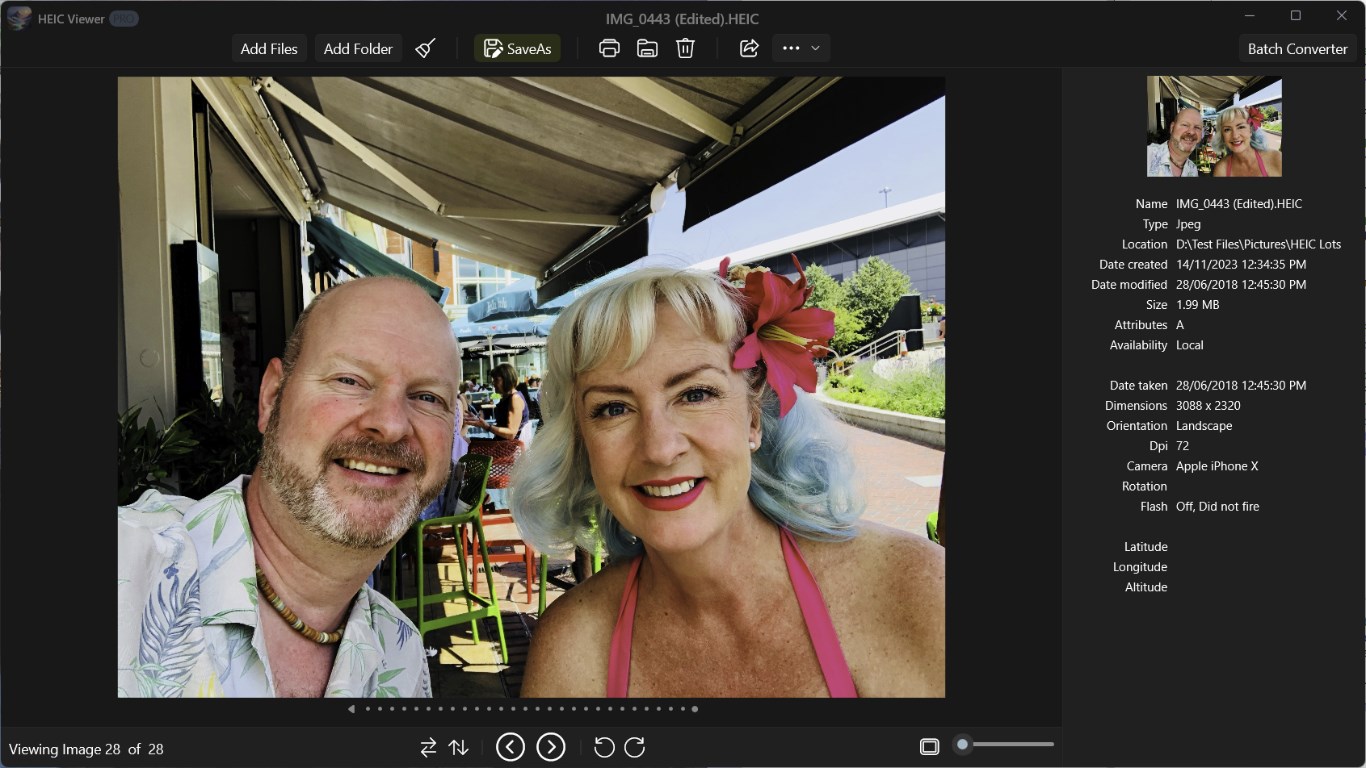
- Batch Viewing and Organization: View multiple images in a folder at once, making it easier to browse, organize, or select images efficiently.
- Optimized Performance: Fast loading times and smooth navigation ensure a pleasant user experience, even when dealing with large image collections.
- User-Friendly Interface: Clean layout with intuitive controls reduces the learning curve for new users.
Immersive and Friendly User Experience
Open HEIC Viewer for Windows feels like stepping into a well-organized gallery—simple, elegant, and inviting. The interface adopts a minimalist aesthetic, with preview panes and straightforward navigation buttons that mimic familiar photo browsing experiences. Whether you're clicking through albums or viewing individual images, the app responds with swift, fluid motions that make the experience feel as natural as flipping through a physical photo album.
Streamlined Navigation and Operation
From launching the app to browsing your HEIC images, the learning curve is surprisingly gentle. The intuitive design reduces friction—no confusing menus or obscure settings—letting users focus on what matters: their images. Drag-and-drop functionality allows quick folder loading, and the zoom and slideshow features are accessible with just a couple of clicks. Performance-wise, even large collections open smoothly, underscoring the app's optimized speed.
What Makes It Unique? Focused, Not Overcrowded
Unlike many multi-purpose photo viewers that handle various formats superficially, HEIC Viewer zeroes in on HEIC images with precision. Its most distinctive feature is its *true native support* for HEIC—eliminating the hassle of installing third-party codecs or converting images before viewing. Additionally, the app distinguishes itself with its straightforward user interface and rapid loading performance, making it a reliable companion for professionals and casual users who want quick access to their HEIC photos. This laser focus directly addresses the common pain point of HEIC compatibility on Windows, setting it apart from generic photo apps that may only offer limited support.
Conclusion: A Solid, Practical Choice for HEIC Users
Overall, HEIC Viewer for Windows is a thoughtful, well-crafted application that does exactly what it promises—offer a simple, efficient way to view HEIC images. It's best suited for users who frequently encounter HEIC files, whether for work or personal photography, and need a dedicated, hassle-free solution. While it may not boast extravagant editing tools or multimedia features, its core strengths—performance, simplicity, and native format support—make it highly recommended for those seeking a reliable HEIC viewer. For anyone tired of conversions or limited viewers, HEIC Viewer is worth a try as a straightforward and dependable tool.
Pros
- High-Quality HEIC Image Support
- User-Friendly Interface
- Quick Loading Times
- Basic Editing Features
- Seamless Integration with Microsoft Store
Cons
- Limited Editing Capabilities
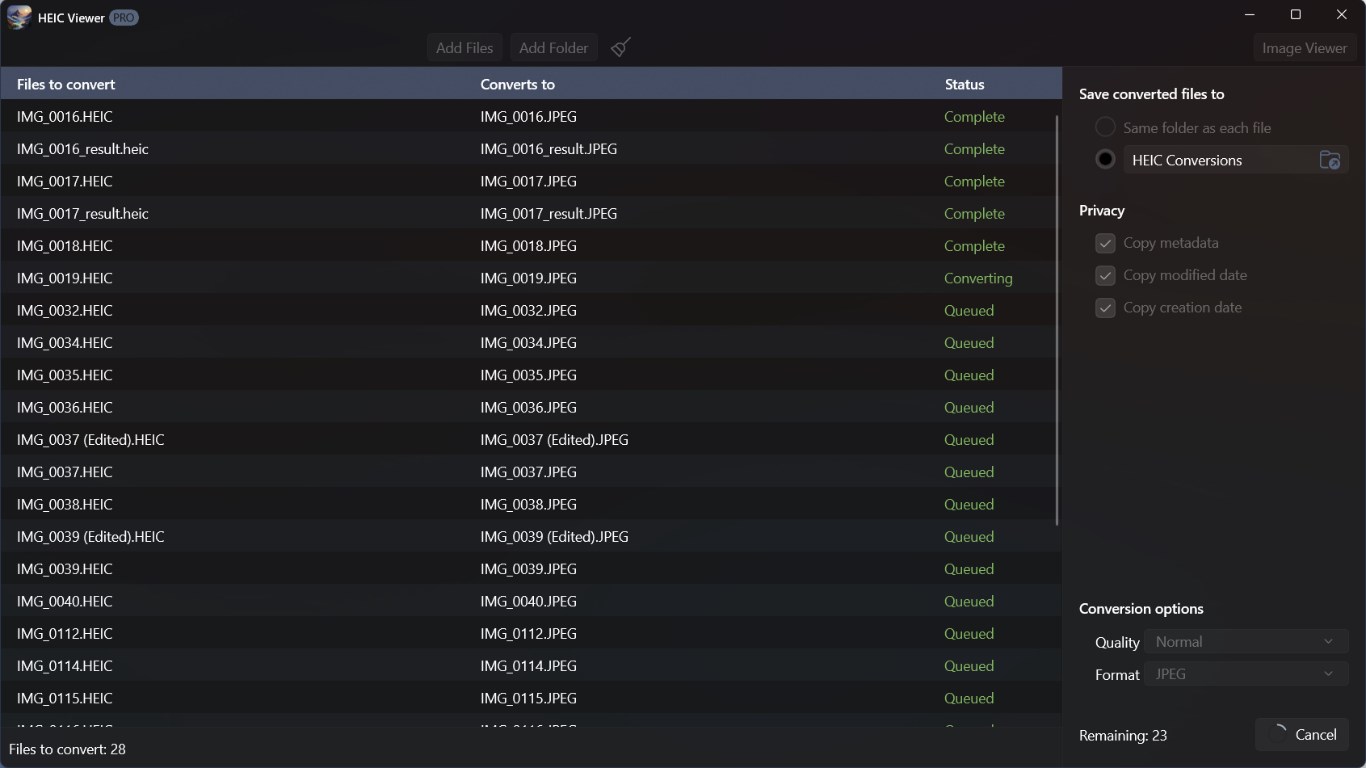
- No Batch Processing
- Minimal Customization Options
- Occasional Compatibility Issues
- Lack of Export or Conversion Features











