
- Name Docker Desktop
- Category Developer tools
- Developer Docker, Inc.
- Available on PC
- OS Windows 10 version 0.0 or higher
- Keyboard Integrated Keyboard
- Mouse Integrated Mouse
- Memory 4 GB
- languages English
Introduction: Simplifying Container Management on Windows
Docker Desktop for Windows stands as a comprehensive platform that allows developers and IT professionals to build, ship, and run containerized applications seamlessly on their familiar Windows environment. With its intuitive interface and robust features, it bridges the gap between Linux-based container technology and Windows users, making container management accessible and efficient.
Core Features that Make Docker Desktop Stand Out
1. Seamless Integration with Windows Ecosystem
One of Docker Desktop's shining points is its deep integration with Windows, including support for Windows containers alongside Linux containers. This dual compatibility means you can manage both container types within a single application, eliminating the need for multiple tools. The setup process is straightforward, guiding users through enabling virtualization and setting up WSL 2 (Windows Subsystem for Linux 2) integration, making the switch from traditional workflows smoother than ever.
2. User-Friendly GUI & Command-Line Compatibility
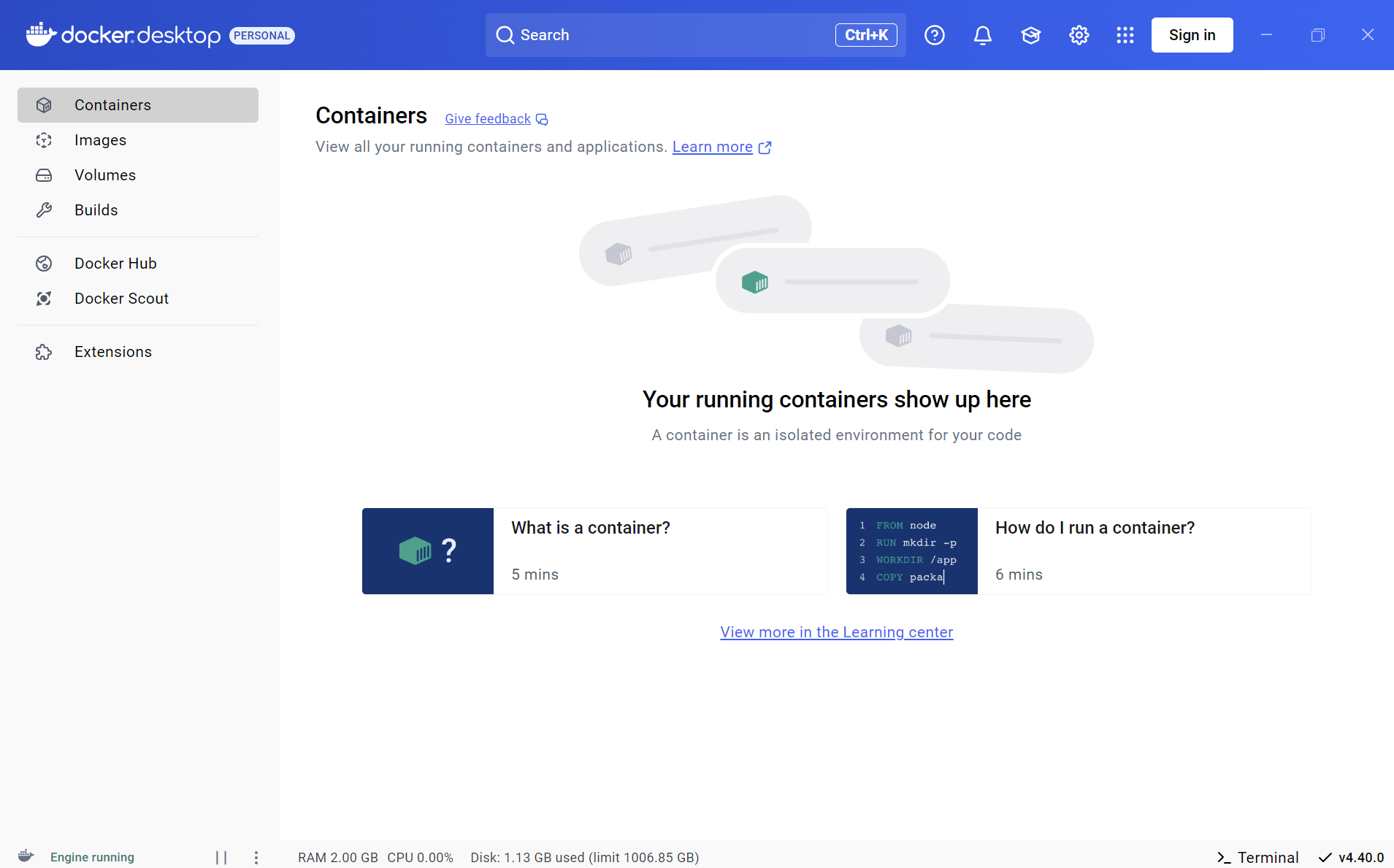
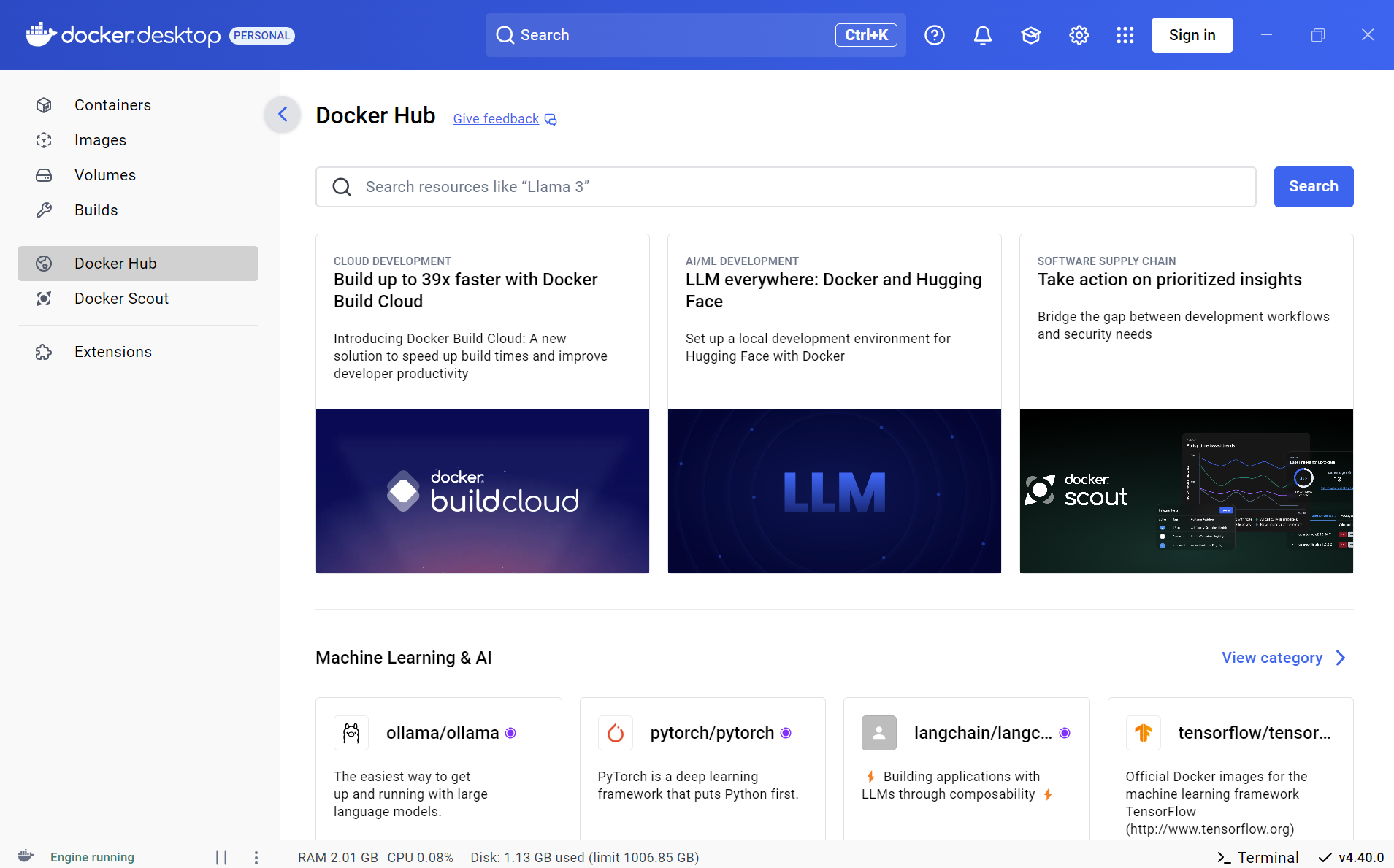
Designed with users in mind, Docker Desktop offers an elegant and organized graphical user interface that simplifies complex container operations. Whether it's creating new containers, monitoring running instances, or configuring settings, the interface feels intuitive and responsive. For advanced users, Docker's command-line tools are fully supported within the terminal, ensuring that power users can script and automate tasks without friction. This combination of GUI and CLI creates a versatile environment suitable for both beginners and seasoned professionals.
3. Advanced Resource Management & Monitoring
Managing resources efficiently is crucial when dealing with containers, and Docker Desktop excels here by providing granular control over CPU, memory, disk, and network usage. Its built-in dashboard allows real-time monitoring of container performance and resource consumption, giving users insights to optimize their workflows. Moreover, the application's settings enable personalized resource allocation, ensuring that containerized workloads do not hog system resources, which is particularly handy in multi-purpose Windows setups.
Design, Usability, and User Experience
The user interface of Docker Desktop for Windows is akin to a well-organized toolbox, visually clean and easy to navigate. The desktop app's layout is designed to guide users intuitively through container management tasks, reducing the learning curve significantly. The application's performance feels snappy and responsive, even when managing multiple containers simultaneously, making the workflow smooth and frustration-free. For newcomers, Docker Desktop provides helpful tutorials and prompts, making it easier to learn containerization concepts without being overwhelmed.
Compared to other developer tools, Docker Desktop's integration with Windows' native features—like WSL 2 and Hyper-V—gives it an edge, offering faster startup times and better resource utilization. Its ability to run both Linux and Windows containers side-by-side without switching platforms is a game-changer, setting it apart from more siloed solutions. The consistent updates and active community support further reinforce its reliability and ongoing improvements.
Unique Selling Points & Recommendations
The standout feature of Docker Desktop for Windows is undoubtedly its dual capability to run Linux and Windows containers within the same environment, coupled with seamless WSL 2 integration. This flexibility means developers can test cross-platform applications effortlessly on their native Windows machines, streamlining development and testing pipelines. The resource management dashboard also provides a clear edge by offering detailed insights, helping users optimize their workflows without guesswork.
Overall, I recommend Docker Desktop for Windows to a broad audience—from individual developers experimenting with container tech to enterprise teams deploying complex applications. Its ease of use, combined with powerful features, makes it an excellent choice for anyone looking to embrace containerization without diving into complex setups. For those already familiar with Docker, its Windows-centric optimizations and smooth integration make it an even more compelling option. For newcomers, it's a gentle gateway into the world of containers, backed by a reputable developer.
Pros
- Seamless integration with Windows 10/11
- User-friendly interface and setup process
- Built-in Kubernetes support
- Regular updates with new features and security patches
- Rich ecosystem and extensive documentation
Cons
- High system resource consumption
- Occasional startup delays and slow responsiveness
- Complex network configuration for advanced setups
- Limited native support for certain Linux-specific features
- Need for frequent updates and potential compatibility issues











