






- Name CSV Hub
- Category Developer tools
- Developer Aadhil RF
- Available on Xbox console, PC, Mobile, Surface Hub, HoloLens
- OS Windows 10 version 17763.0 or higher
- languages English (United States)
Introducing CSV Hub for Windows: Your Data Companion
If you're tired of juggling multiple tools to manage CSV files efficiently or facing difficulties in viewing and editing datasets, CSV Hub for Windows offers a streamlined solution designed to simplify your data handling experience. Developed by Aadhil RF, this application aims to serve data enthusiasts, researchers, and everyday users who need a reliable CSV management tool with a friendly interface.
Key Features That Make CSV Hub Stand Out
- Comprehensive CSV Management: Easily open, view, and edit CSV files with a user-friendly environment designed for quick data insights.
- Data Visualization Support: Built-in basic charting features allow users to visualize datasets without switching to external programs.
- Bulk Operations and File Handling: Supports batch processing, making it easier to handle multiple files or large datasets efficiently.
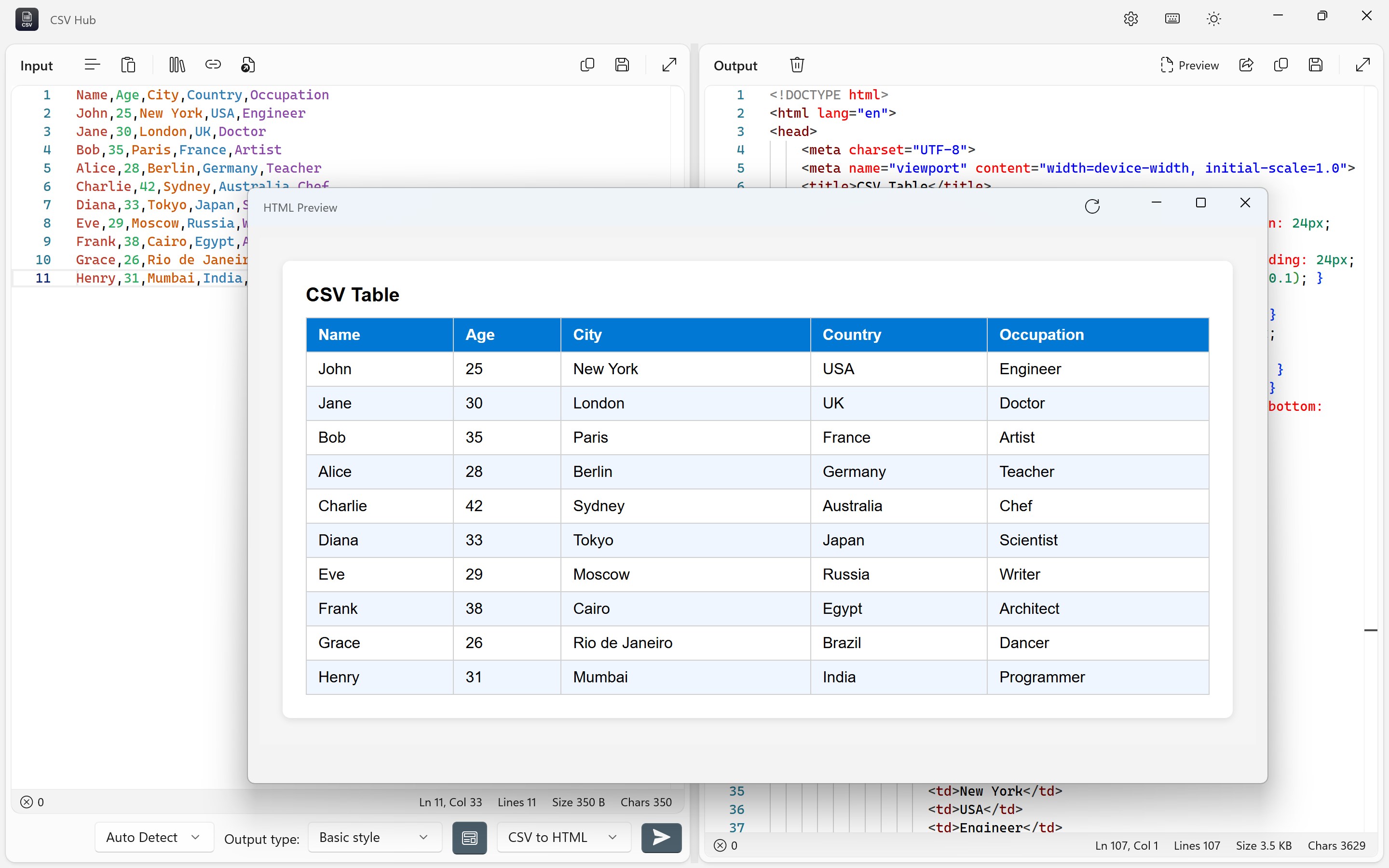
- Seamless Integration and Export Options: Export your edited data to various formats or copy directly for use in other applications.
Engaging the Data Enthusiast: A User-Friendly Approach
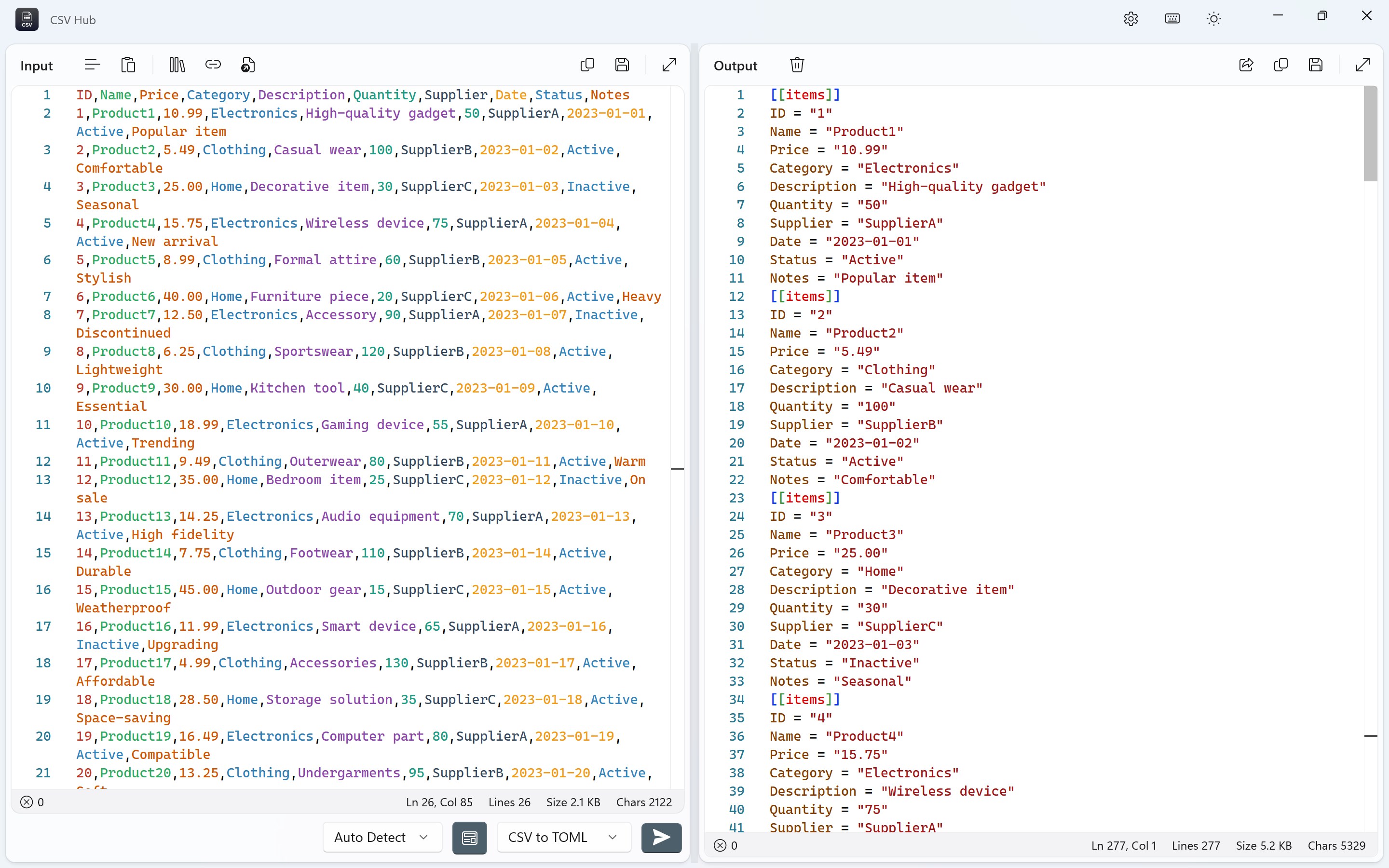
Imagine sitting comfortably in your workspace, CSV Hub opens like a friendly assistant ready to tame your unruly datasets. Whether you're a student analyzing survey data or a professional tidying up logs, this app transforms a usually tedious task into a straightforward journey. Its clean layout and intuitive controls make it feel less like navigating a maze and more like chatting with a knowledgeable friend who just happens to be a spreadsheet wizard.
Core Functionality 1: Effortless Data Viewing and Editing
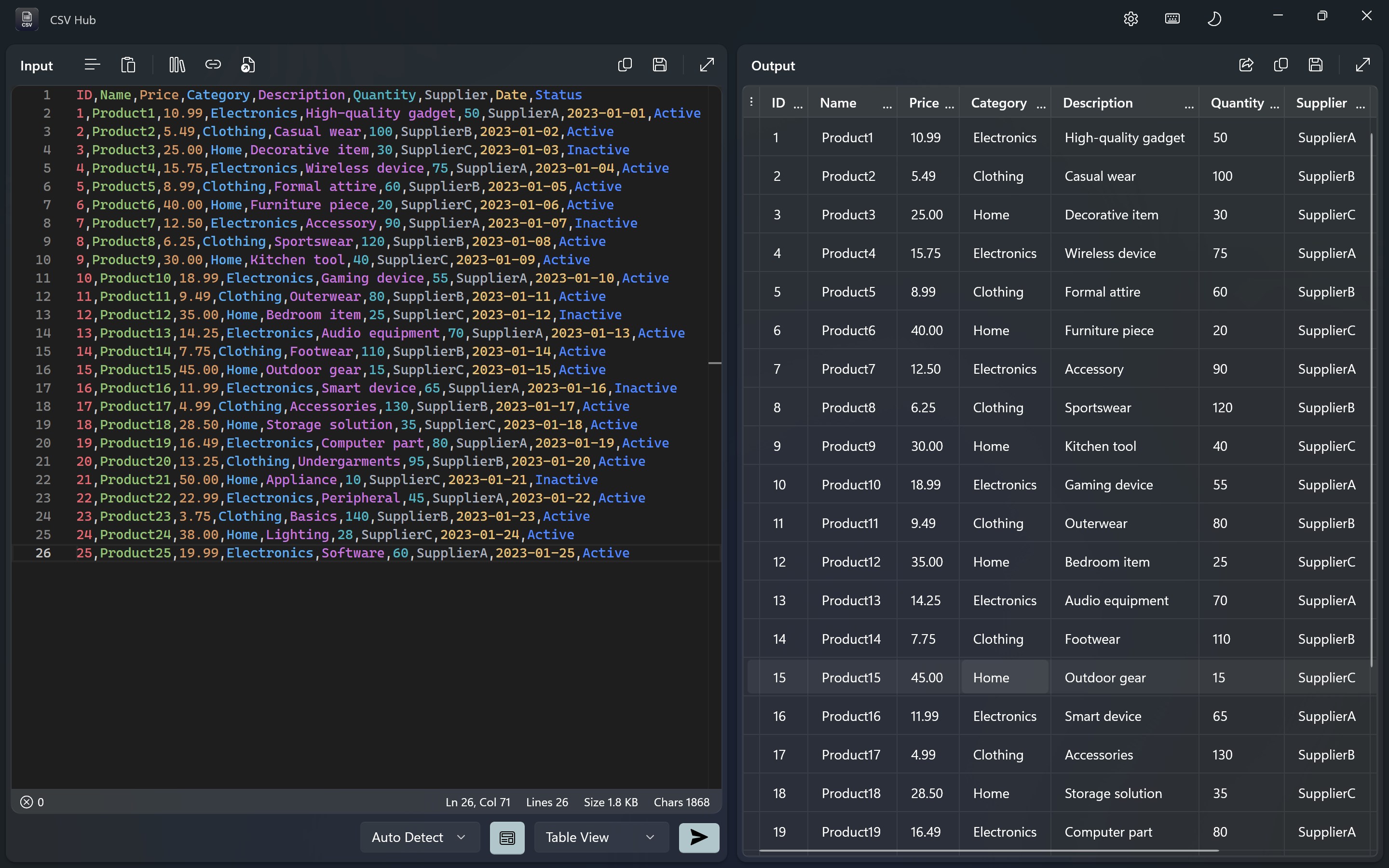
CSV Hub excels in providing a smooth experience when viewing datasets. The interface resembles a neatly organized spreadsheet, but with the added benefit of quick editing capabilities. Unlike cumbersome traditional spreadsheet tools, this app emphasizes simplicity and speed, enabling users to make instant adjustments without feeling overwhelmed. The real highlight? Its ability to handle large CSV files without lagging, which is often a pitfall in other similar apps. This is where it's genuinely set apart—robust performance meets user-centric design.
Core Functionality 2: Built-in Visualization and Exporting
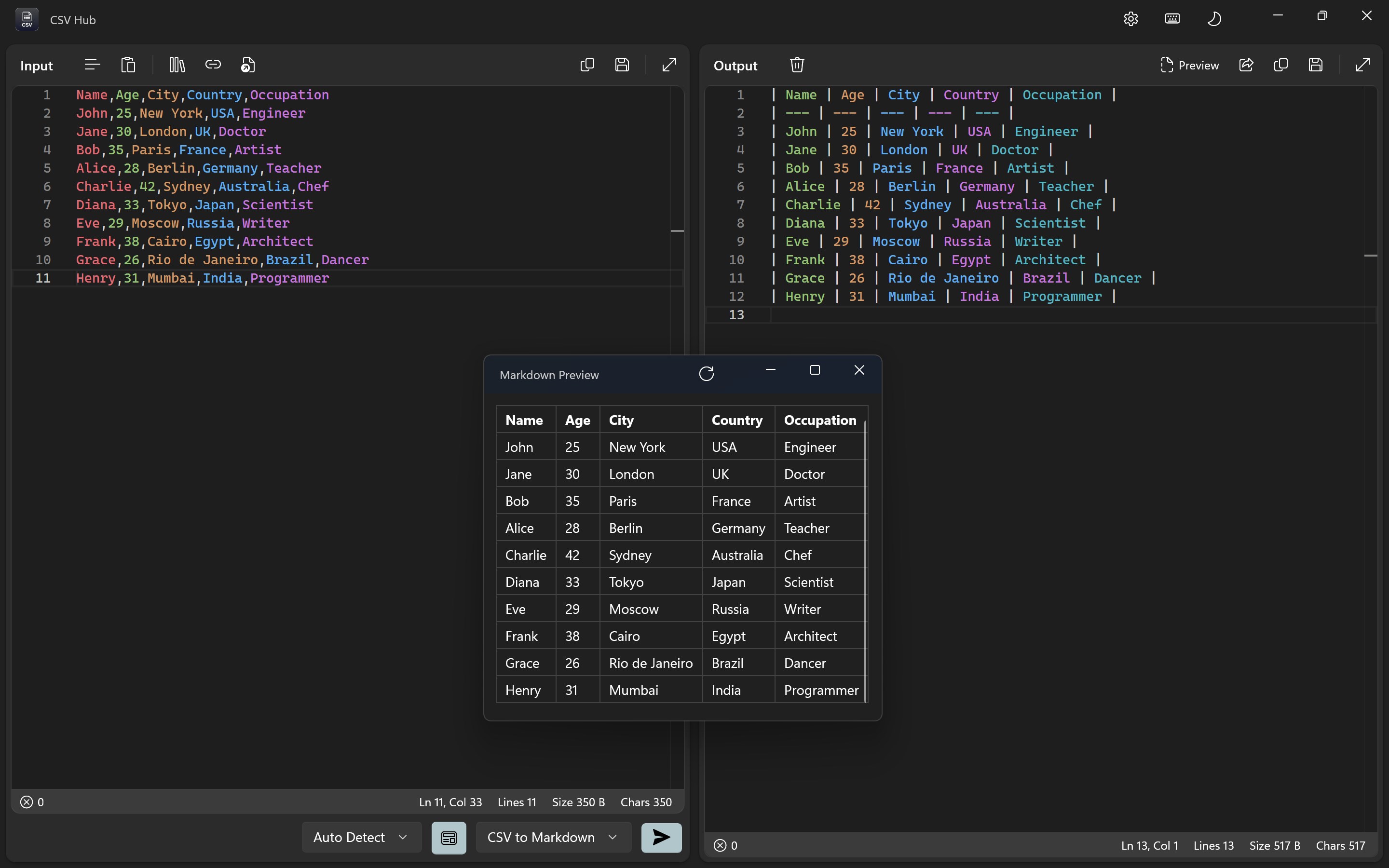
Beyond mere data handling, CSV Hub offers lightweight charting tools. Think of it as your portable data presentation toolkit—plotting bar graphs or pie charts on the fly as you explore your datasets. This feature is particularly valuable for users who want quick visual summaries, saving the hassle of exporting data to external visualization software. Export options are versatile, supporting common formats, which seamlessly integrate into workflows for reports or further analysis.
User Experience: Design, Smoothness, and Learning Curve
From a user perspective, CSV Hub's minimalist design acts like a well-organized toolbox—everything you need is accessible without digging through clutter. The interface employs a straightforward layout with familiar icons, reducing the learning curve considerably—ideal for new users and seasoned researchers alike. Operations flow smoothly; opening large files, editing cells, and exporting results all happen without noticeable delays. This fluidity makes the app not just functional but also a pleasure to use. For those wary of complex tools, the approachable design will likely win you over quickly.
What Sets CSV Hub Apart?
Compared to other developer-focused CSV tools, CSV Hub's key differentiator is its balance of usability and performance. While many applications prioritize feature-rich environments that can intimidate newcomers, this app focuses on core functionalities delivered flawlessly. Its visual data exploration, combined with efficient file handling, creates a unique niche—especially for users seeking a reliable, no-fuss CSV management solution. Conversely, niche apps often sacrifice ease of use for advanced features; CSV Hub strikes an admirable middle ground that caters to daily data tasks with finesse.
Recommendation and Usage Scenarios
Considering its strengths, I'd recommend CSV Hub for anyone who works regularly with CSV files—researchers, data analysts, students, or even casual users who occasionally need quick data checks. If your work involves editing datasets or creating basic visual summaries without diving into complex software, this app offers an effective and accessible approach. While it might not replace full-featured data analysis suites for heavy-duty tasks, for everyday CSV management, it's a dependable choice. My advice? Give it a try—its straightforward workflow can save you time and frustration, making data handling a less daunting daily chore.
Pros
- Extensive CSV data management features
- User-friendly interface
- Real-time data preview
- Integration capabilities
- Customizable sorting and filtering
Cons
- Limited advanced data analysis tools
- Occasional slow performance with very large files
- Basic editing features without undo/redo for bulk changes
- Limited export formats beyond CSV
- Minimal help documentation or tutorials











