

- Name Bing Wallpaper
- Category Photo & video
- Available on PC
- OS Windows 10 version 0.0 or higher
- languages English (United States)
Bringing the World to Your Desktop: An In-depth Look at Bing Wallpaper for Windows
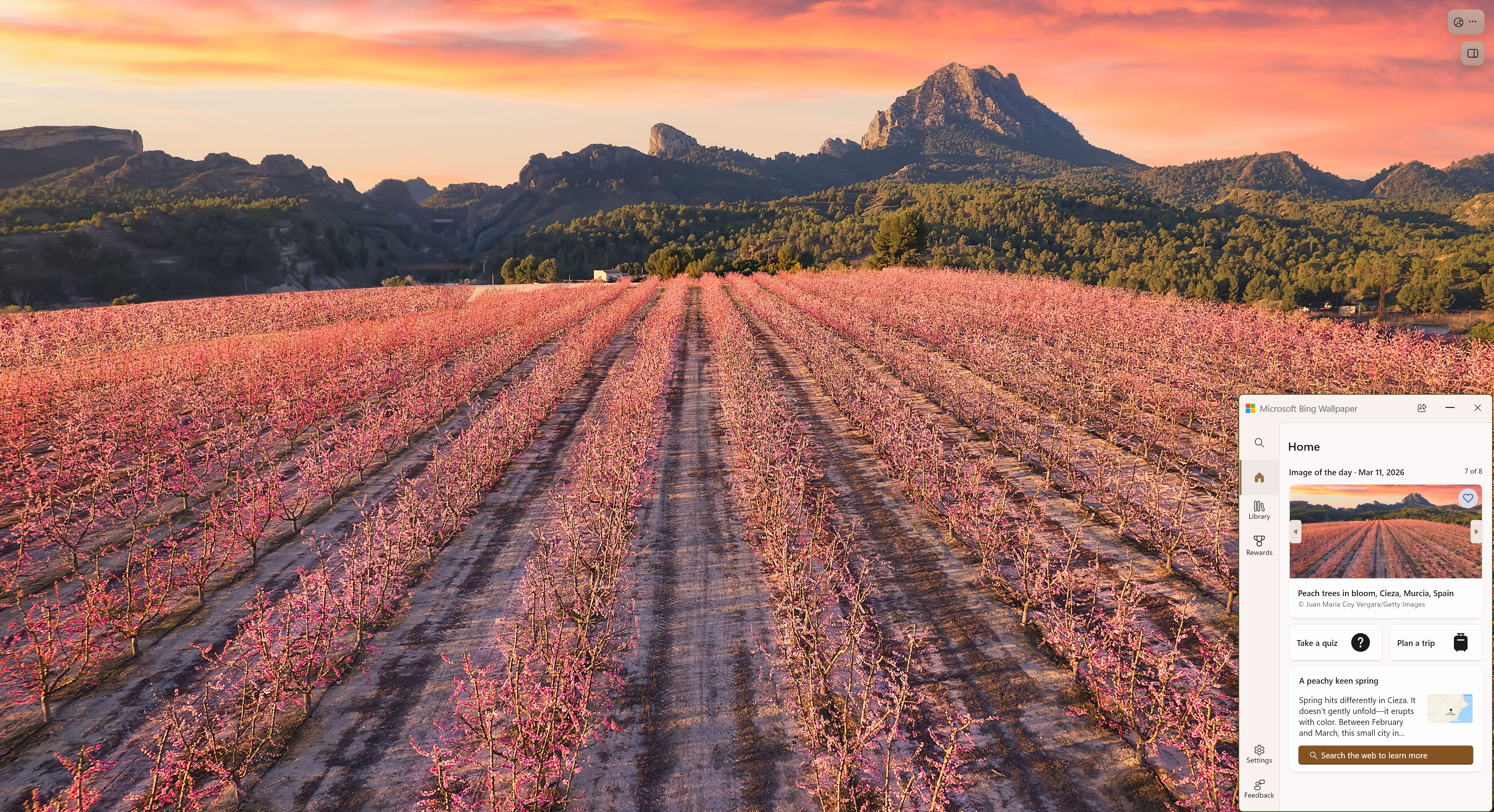
If you're someone who dreams of transforming your computer into a window to the world, Bing Wallpaper for Windows might just be your new best friend. It's not just about pretty pictures—this app offers a curated, ever-changing gallery of stunning landscapes and iconic images, turning everyday browsing into a visual journey. Let's explore what makes this app stand out in the crowded realm of wallpaper management tools.
Essential Facts: What Exactly Is Bing Wallpaper for Windows?
Positioned as a seamless, automatic wallpaper updater, Bing Wallpaper for Windows allows users to enjoy daily fresh images with minimal effort. Created by Microsoft Corporation, this app leverages Bing's legendary image database to deliver high-quality backgrounds straight to your desktop.
- Main Features:
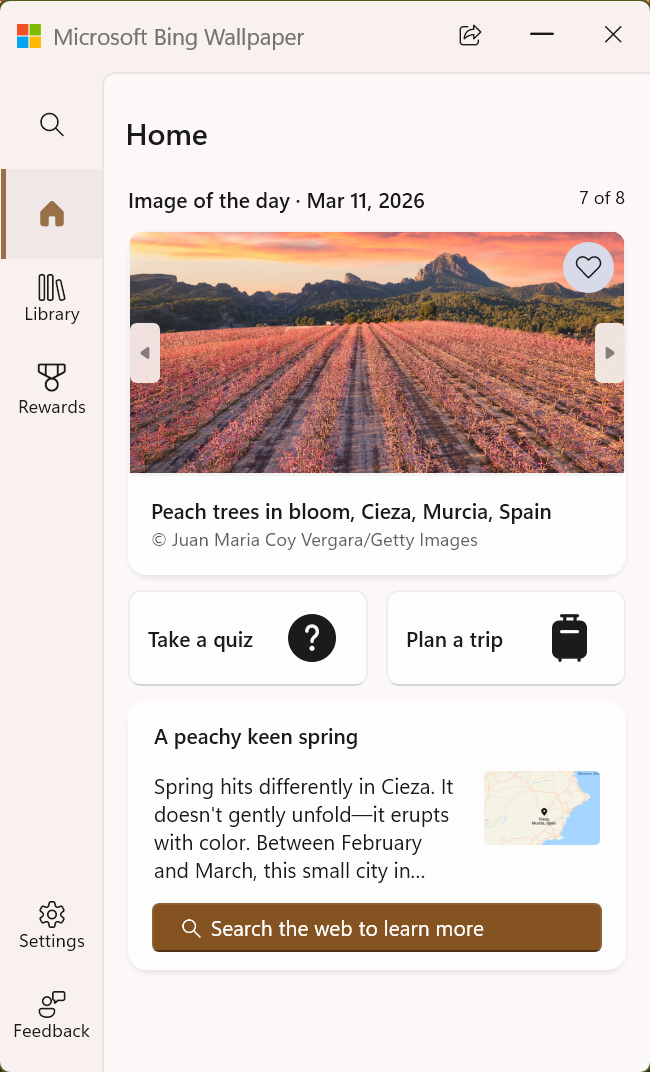
- Automatic daily wallpaper updates sourced from Bing's image database, ensuring a dynamic and fresh desktop.
- High-resolution images optimized for clarity on various screen sizes, making every detail pop.
- Integrated link to Bing's image explanation, giving users insight into the story behind each picture.
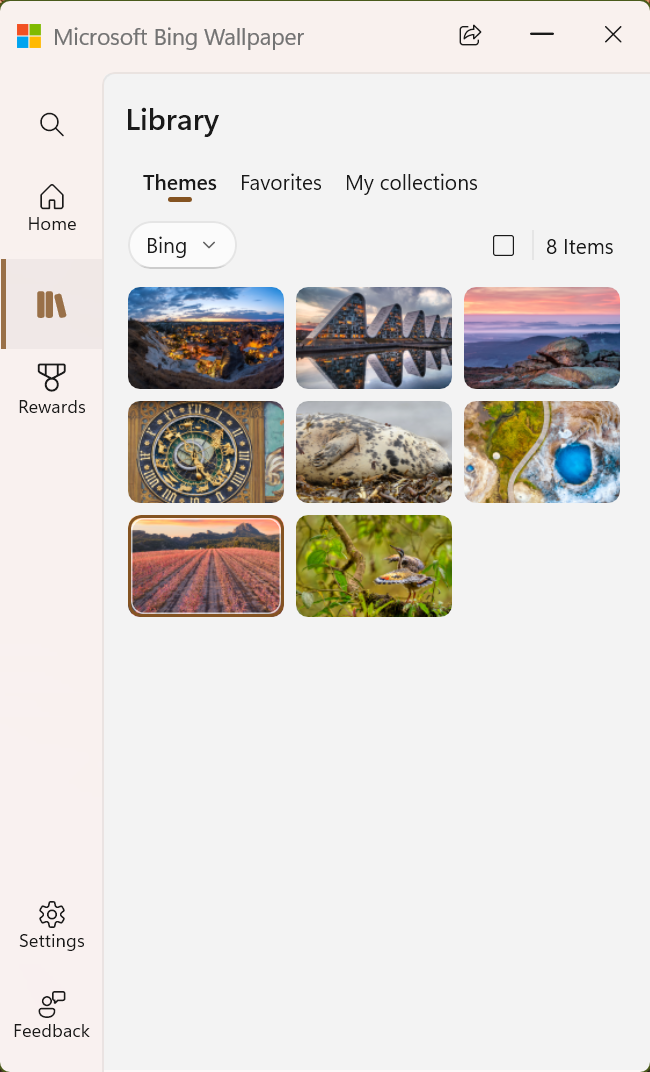
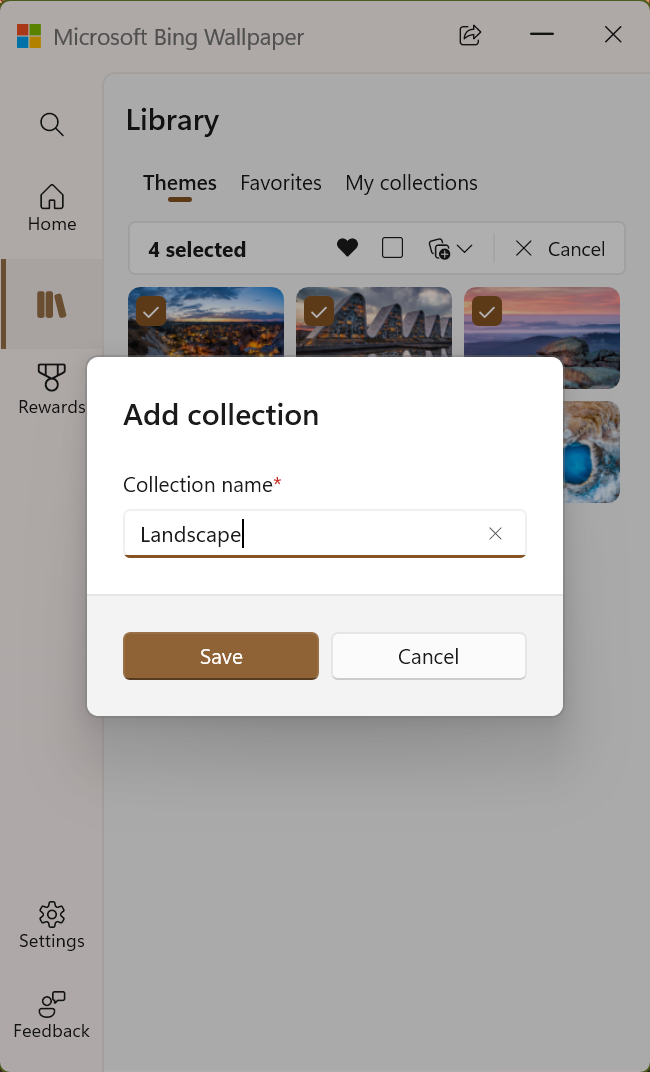
- Simple interface that allows easy control over updating preferences and viewing historical wallpapers.
- Target Audience: Technology enthusiasts who appreciate beautiful visuals, productivity users looking for a refreshing desktop change, and casual users who enjoy discovering different parts of the world through imagery.
An App That Turns Your Desktop into a Visual Escape
Imagine waking up to a breathtaking sunrise over the Himalayas or admiring a serene lakeside as you settle into your workday—Bing Wallpaper makes this possible, effortlessly turning your monitor into a window to distant lands. The app's charm lies in its minimal intrusion, offering a quiet yet consistent flow of inspiring visuals, all curated by one of the world's leading search engines.
Core Functionality: Daily Inspiration Delivered
The standout feature here is the automatic daily wallpaper update. Unlike static wallpaper apps, Bing Wallpaper refreshes your desktop with a new, captivating image each day. Whether it's a vibrant autumn forest or a snowy mountain peak, every picture is of high quality, made to look sharp and vibrant on modern screens. Users can set preferences to either allow automatic updates or select specific images from the gallery for manual updates—giving control without complexity.
Exploring the Stories Behind the Pictures
Another particularly engaging feature is the link to Bing's detailed descriptions of each wallpaper. When you hover over or click the information icon, you learn about the location, history, or interesting facts behind the image. This turns a simple wallpaper change into an educational experience, inviting casual users to indulge their curiosity while enhancing the visual appeal.
Elegant and User-Friendly Interface
Bing Wallpaper's interface embodies simplicity and elegance, featuring a clean layout that even tech novices can navigate with ease. The app seamlessly integrates into Windows, running quietly in the background without draining resources. Its straightforward controls make it easy to customize update frequency, view previous wallpapers, or revert to favorites—building a smooth user experience that feels intuitive from the first click.
The Unique Edge: How Does Bing Wallpaper Set Itself Apart?
While numerous wallpaper apps exist, Bing Wallpaper's greatest strength lies in its partnership with Bing's global image database and the accompanying educational content. This fusion of stunning high-resolution imagery and informative context makes it more than just eye candy—it offers a sense of discovery. Unlike other apps that rely on user-generated or third-party images, Bing Wallpaper's curated pictures guarantee quality and relevance.
Additionally, its automatic daily update mechanism ensures your desktop remains fresh without any manual intervention, a feature that busy professionals or students will especially appreciate. The built-in story feature adds an educational layer, making each day's wallpaper an opportunity to learn something new or be reminded of distant places, weather conditions, or cultural highlights.
Final Thoughts: Is It Worth a Download?
For anyone seeking a beautiful, effortless way to keep their desktop lively and engaging, Bing Wallpaper for Windows is a highly recommended option. Its particularly standout feature—the daily automatic updates paired with contextual background stories—sets it apart from conventional wallpaper apps. Trustworthiness from Microsoft also adds to its credibility, ensuring stability and regular maintenance.
This app is best suited for users who enjoy variety and learning, or simply want a change of scenery each day without fuss. Whether you're working, studying, or relaxing, Bing Wallpaper brings a bit of the world to your fingertips—quietly beautifying your space while feeding your curiosity. So, if you're ready to turn your desktop into a daily canvas of breathtaking sights and stories, give Bing Wallpaper a try—you might find it's the little visual treat you didn't know you needed.
Pros
- Beautiful and high-quality wallpapers
- Automatic daily updates
- Customizable wallpaper preferences
- Seamless integration with Windows
- Free download and easy to use
Cons
- Limited customization options
- Occasional slow updates or loading delays
- Ads and promotional prompts
- Limited wallpaper categories
- No synchronization with cloud services











