- Name Automate workflows with ease using n8n - No code
- Category Education
- Developer Billsoft
- Available on PC, Mobile, Surface Hub, HoloLens
- OS Windows 10 version 20348.0 or higher
- languages English (United States)
Automate workflows with ease using n8n - No code for Windows: An insightful review
If you're looking to streamline your repetitive tasks without diving into complex programming, n8n for Windows offers a promising playground. As a versatile automation tool designed for everyone—from tech novices to seasoned workflow enthusiasts—it promises to democratize automation with an intuitive, no-code interface. Today, we'll explore how this app stands out, what it delivers, and whether it lives up to its potential.
Basic Information: Making Automation Accessible
Positioning: A user-friendly, no-code automation platform for Windows designed to simplify workflow creation.
Developer/Publisher: Billsoft
Main features:
- Intuitive drag-and-drop workflow builder that requires no coding expertise.
- Extensive library of pre-built integrations to connect various services seamlessly.
- Robust scheduling and trigger options to automate tasks dynamically and on schedule.
- Local execution capabilities ensuring data privacy and greater control.
Target audience: Professionals, small business owners, educators, and hobbyists seeking accessible automation solutions without the steep learning curve.
Engaging and Practical: Setting the Stage for Automation
Imagine waking up to a morning where your emails are sorted, reports generated, and social media posts scheduled—all without lifting a finger. n8n for Windows promises that kind of magic by turning complex automation puzzles into a simple drag-and-drop game. Its interface feels like a modern digital workshop, inviting users to craft powerful workflows with visual blocks instead of lines of code. This approachable design lowers the barrier for those intimidated by traditional scripting, making automation feel more like assembling a Lego set than mastering a programming language.
Core Functionality: Building Blocks of Automation
Visual Workflow Designer: Drag-and-Drop Simplicity
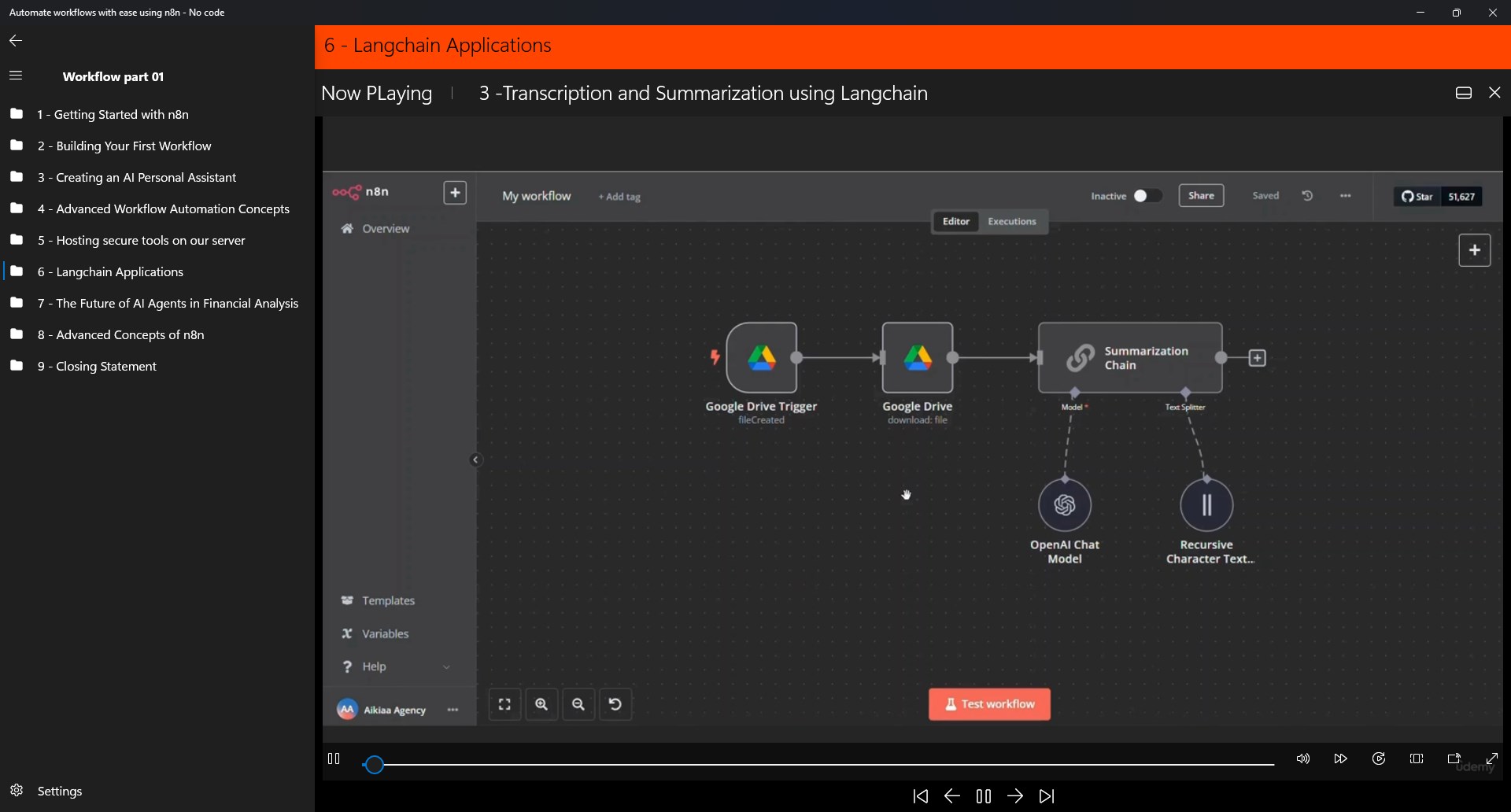
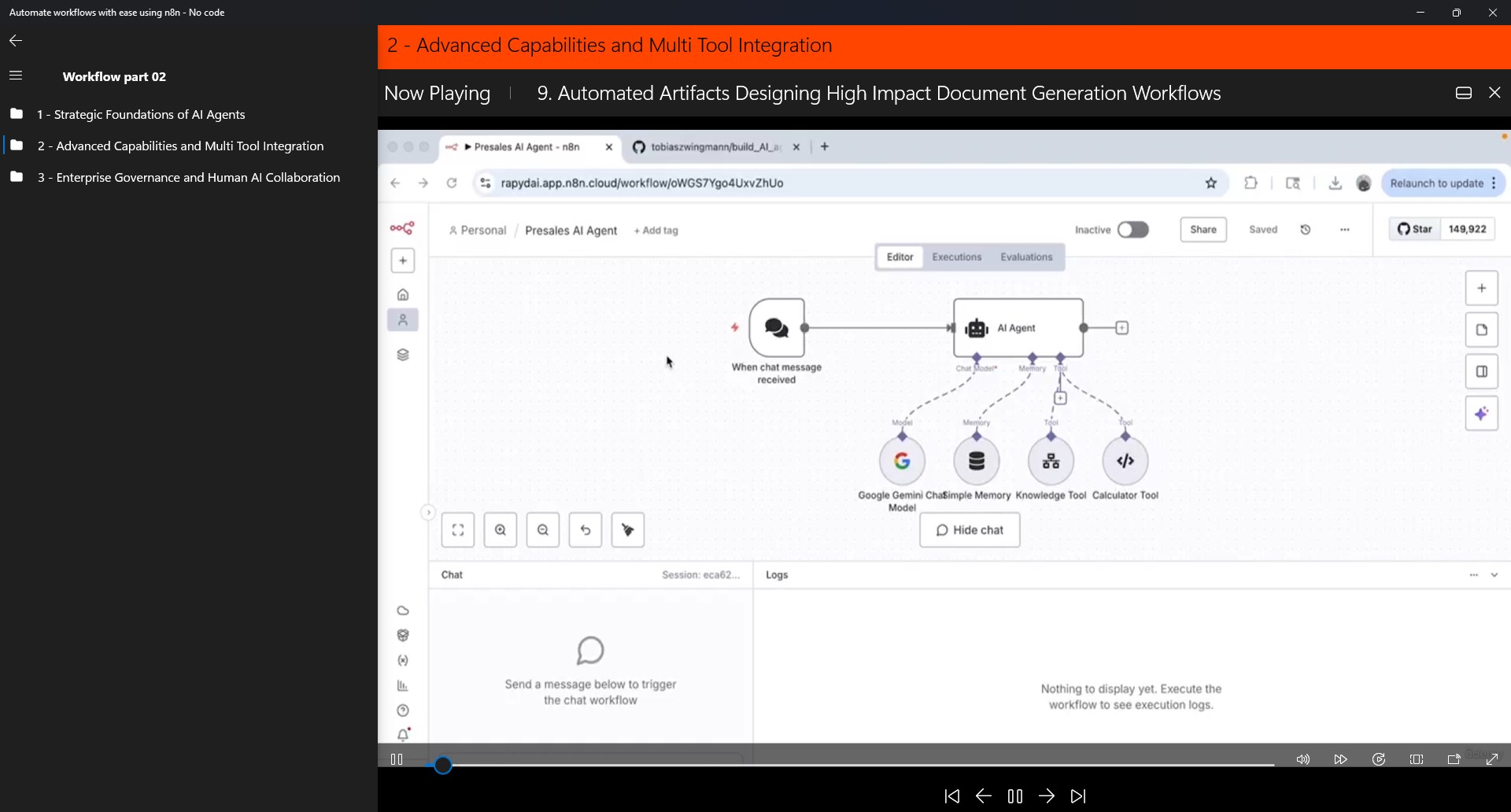
The most compelling feature is the visual workflow designer. It's akin to a digital sandbox filled with interconnected puzzle pieces—each representing an action, trigger, or condition. Users can easily connect these blocks, creating multi-step automations that can handle everything from fetching data to sending notifications. The interface is sleek and organized, allowing real-time edits and testing, which significantly shortens the learning curve. Even newcomers can assemble basic workflows after a brief exploration, while advanced users can dive deeper into customization.
Abundant Integrations and Triggers: Connect Everything
n8n's library of over 200 pre-built integrations makes connecting everyday apps straightforward—think Gmail, Slack, Google Sheets, and more. The trigger system is similarly flexible, supporting events from time-based schedules to external webhooks. For instance, you could set up a workflow that automatically archives emails with specific keywords or alerts your team when a new order arrives. The ability to customize these triggers allows for personalized automation that adapts to your unique work style, making repetitive tasks less of a chore and more of a background process.
Local Execution and Data Privacy: Keep Control Close
One standout aspect is the app's capacity to run workflows locally on your Windows machine. This means your sensitive data stays within your control—no need to worry about cloud-based vulnerabilities. This feature is especially appealing for businesses handling confidential information or users seeking peace of mind about data privacy. The local execution capability also enhances reliability, as workflows are less dependent on internet stability and cloud provider uptime.
Experience and Differentiation
From an experience perspective, n8n strikes a fine balance—it's powerful yet approachable. The interface's clean design keeps the focus on building workflows without overwhelming users with options. Operations are smooth, with responsive drag-and-drop actions and quick feedback, making the process feel fluid like crafting a recipe in a well-organized kitchen. The onboarding process is quite gentle; novice users can pick up the basics fast, while advanced users find depth and customization to satisfy their needs.
Compared to other no-code automation tools, n8n's standout feature is its open-source nature paired with local execution capabilities. This unique combo offers a level of transparency and control that many cloud-first solutions lack. Furthermore, its support for personalized workflows—tailored exactly to user needs—coupled with extensive integration options, sets it apart from more generic automation apps. Unlike some competitors that rely on generic templates or rigid structures, n8n encourages creativity and flexibility, akin to having a digital workshop that adapts to your project, not the other way around.
Final Verdict: Is n8n for You?
If you prioritize control, privacy, and a gentle learning curve in your automation journey, n8n for Windows comes highly recommended. It excels at enabling users to create customized workflows without writing a single line of code—think of it as constructing your automation universe from building blocks, rather than wrestling with complex scripts. For those seeking a solution that grows with their skills and offers transparency, this app is a solid choice.
However, beginners aiming for quick, predefined automations might find some of the setup process a tad more involved compared to more pointed drag-and-drop solutions. Still, with its community support and ongoing updates, n8n has the potential to become a core part of your productivity toolkit. Whether you're automating personal projects or streamlining small business operations, this app provides a practical, flexible platform worth exploring.
Pros
- User-friendly, no-code interface
- Wide integration options
- Open-source flexibility
- Robust workflow automation features
- Active community support
Cons
- Performance issues with large workflows
- Limited offline capabilities
- Learning curve for advanced features
- Some integrations lack real-time updates
- Limited free plan features