

- Name Adobe Photoshop Elements 2026
- Category Photo & video
- Developer Adobe
- Available on PC
- OS Windows 10 version 0.0 or higher
- Keyboard Integrated Keyboard
- Mouse Integrated Mouse
- Memory 8 GB
- DirectX DirectX 12 API, Hardware Feature Level 12
- languages Czech, Dutch, English (United States), French, German, Italian, Japanese, Polish , Spanish (Spain), Swedish, Portuguese (Brazil)
Introducing Adobe Photoshop Elements 2026 for Windows
Adobe Photoshop Elements 2026 for Windows is a user-friendly yet powerful photo editing software designed to meet the needs of both casual enthusiasts and semi-professional photographers. It offers a streamlined experience with intelligent tools that make editing accessible and enjoyable for a broad audience, all packed into a sleek Windows application.
About the Developer and Main Features
Developed by Adobe Inc., a global leader in creative software solutions, Photoshop Elements 2026 continues Adobe's tradition of combining innovation with user-centric design. Its main highlights include:
- Smart Tagging and Organization: Uses AI to automatically categorize and tag photos, simplifying the way users manage vast collections.
- Enhanced Guided Edits: Step-by-step tutorials empower users to create stunning effects without prior editing experience.
- One-Click Fixes and Auto Enhance: Quickly improve photo quality with intelligent auto adjustments, ideal for spontaneous edits.
- New Artistic Filters: Adds creative flair through a series of new artistic and stylized filters designed for distinctive, professional-looking results.
The target audience includes amateur photographers, scrapbookers, social media enthusiasts, and anyone eager to elevate their images without the steep learning curve of professional tools.
A Fresh and Friendly User Interface
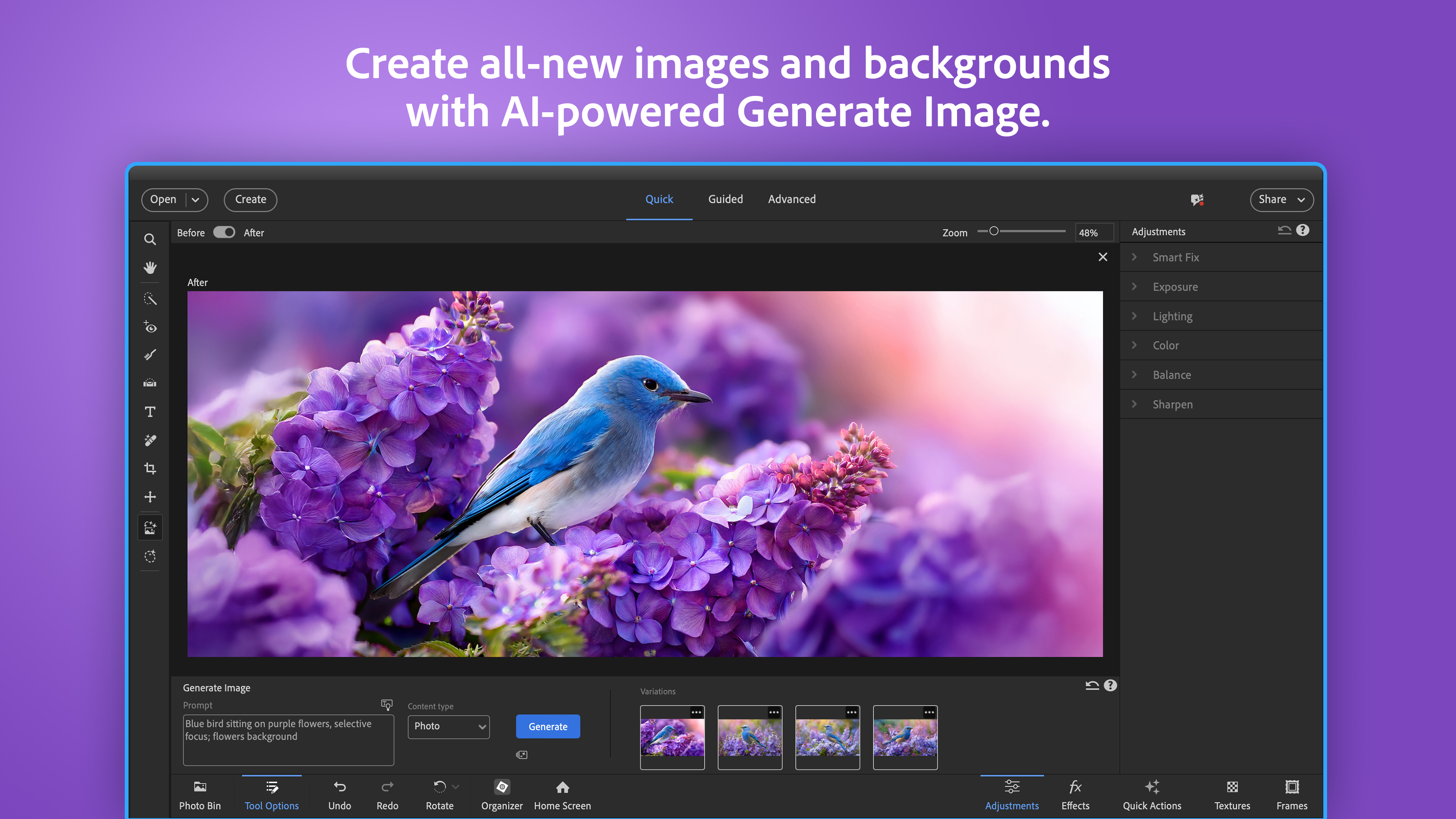
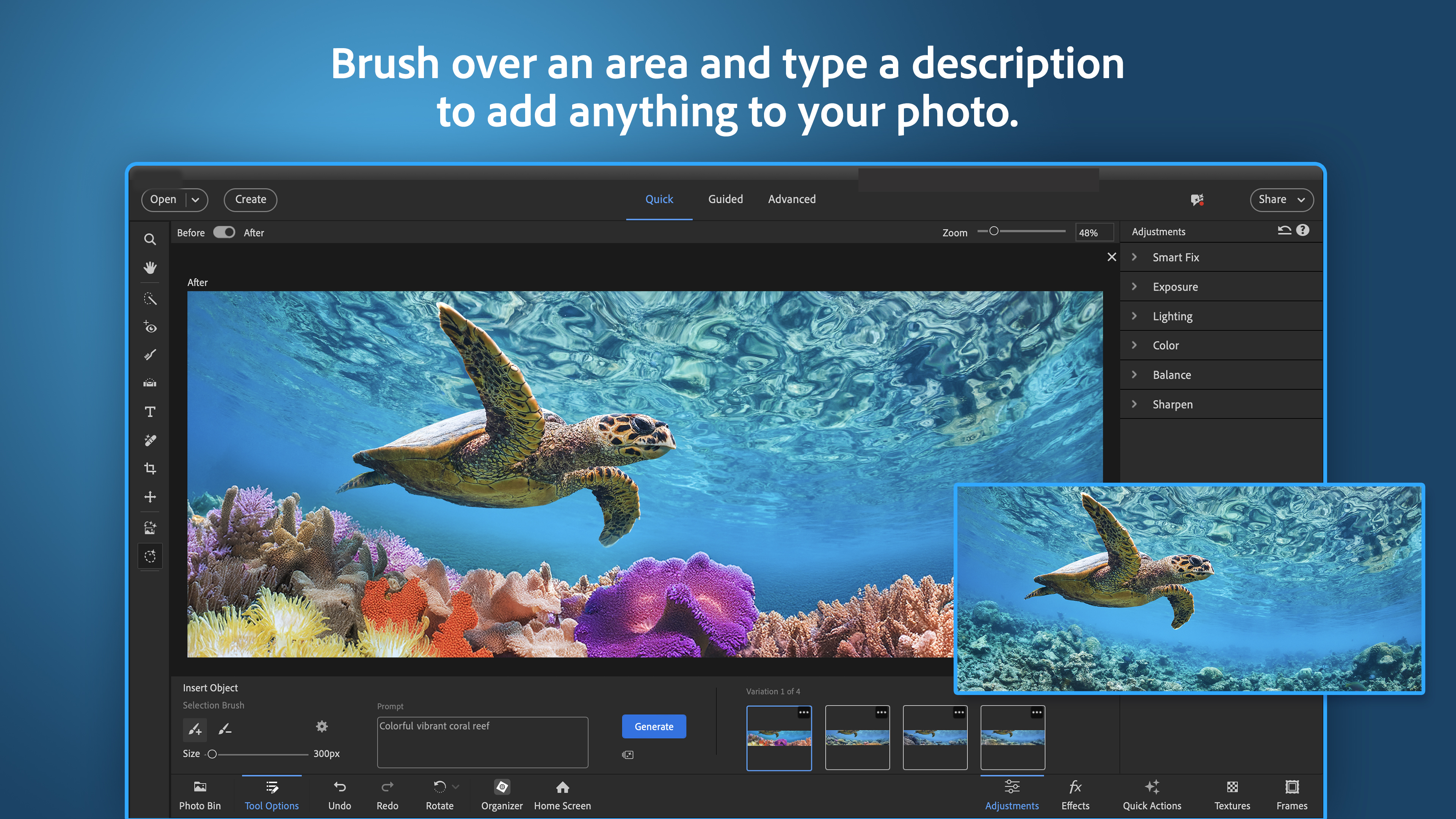
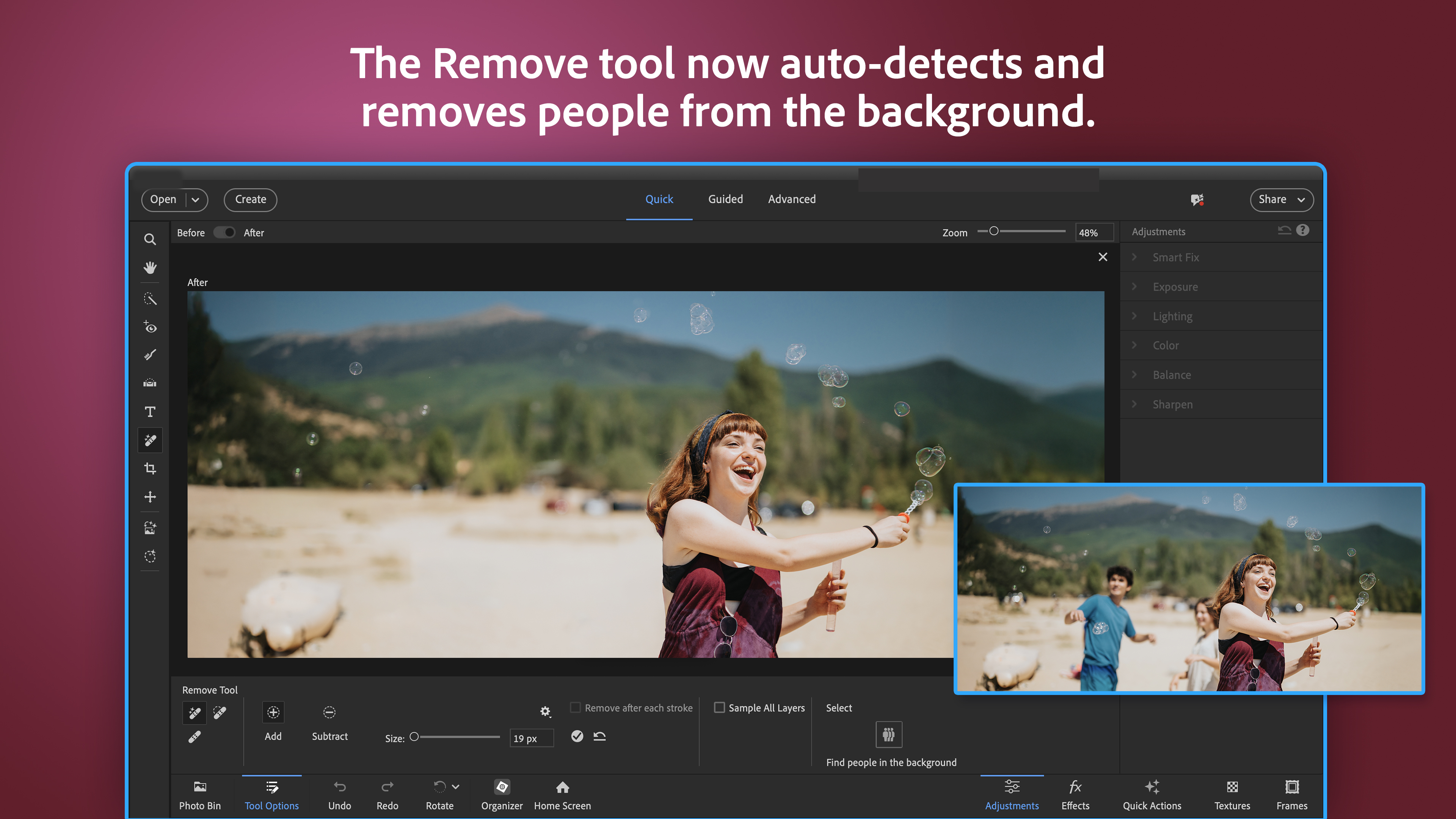
From the moment you launch Photoshop Elements 2026, you're greeted with a clean, intuitive interface that feels like a cozy workspace. The layout is thoughtfully organized—tools are easy to access, and recent projects are front and center. Navigating through editing modes is seamless, much like flipping through pages of your favorite scrapbook. The interface design strikes a perfect balance between simplicity and sophistication, making both newcomers and seasoned users feel at home. The design encourages exploration without overwhelming, providing a calming yet invigorating environment for creativity.
Core Functionality Highlights: Magic Meets Creativity
Smart Tagging and Organization: Your Photo Assistant
This feature functions like an expert librarian, automatically sorting your images into categories such as birthdays, vacations, or pets. Powered by Adobe's AI technology, it recognizes scenes, objects, and even people, saving countless hours previously spent on manual organization. It's particularly valuable for large albums, transforming chaos into order—imagine having your digital photo album neatly arranged with minimal effort. Plus, the smart tags are editable, so you retain control over the organization framework as your collection evolves.
Guided Edits and Creative Modes: Endless Possibilities Made Simple
The standout here is the guided edit approach—step-by-step tutorials that walk you through complex effects like double exposures, artistic sketches, or day-to-night transformations. It's like having a friendly photo mentor by your side, demystifying techniques that once seemed reserved for professionals. The newly added artistic filters are also a delightful surprise, allowing you to turn ordinary shots into stylized artworks with just a few clicks, much like adding a signature brush stroke to a canvas.
Auto Enhancements and One-Click Fixes: Quick Turnarounds
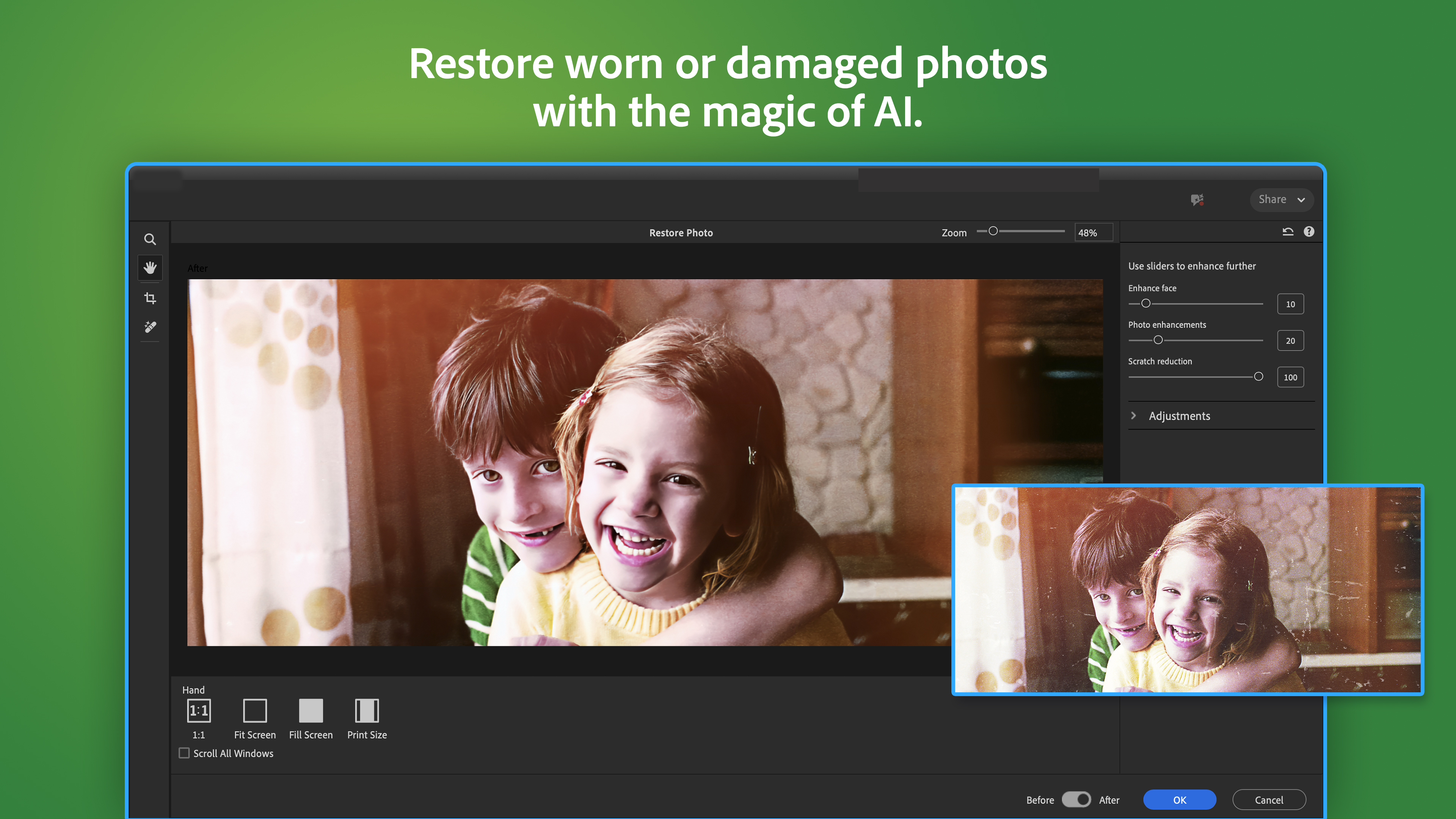
When time is limited, and you need a quick refresh, the auto fix button becomes your best friend. Leveraging AI brilliance, it analyzes your photo and applies intelligent adjustments to exposure, color, and sharpness. Whether fixing a blurry night shot or brightening a dull landscape, it's like giving your photos a good dose of digital magic, ensuring they look lively and professional in moments. This feature encourages experimentation and immediate satisfaction, making editing accessible for all skill levels.
User Experience and Differentiators
The design philosophy of Photoshop Elements 2026 emphasizes ease of use without sacrificing depth—there's always room to explore new tools or refine edits. The app's smooth performance, with swift rendering of effects and minimal lag, ensures that your creative flow isn't interrupted. Learning curves are shallow thanks to comprehensive tutorials, making it suitable for beginners willing to learn and experienced users seeking efficiency.
What truly sets it apart from other photo apps is Adobe's intelligent automation. While many competitors offer similar features, the AI-powered organization and auto-enhance functions are particularly refined here, providing accurate, helpful suggestions that feel like personalized assistants. Moreover, the artistic filters and guided edits blend creative freedom with guided simplicity, encouraging experimentation without the intimidation factor common in more complex software.
Final Recommendation and Usage Suggestions
All in all, Adobe Photoshop Elements 2026 for Windows is a compelling choice for those wanting powerful, intelligent photo editing in a user-friendly package. It's especially recommended for users who enjoy editing photos as a hobby or for social media, seeking quick yet stylish results. If you often find yourself overwhelmed by heavy-duty programs or prefer a more guided experience, this app strikes the perfect balance.
For best results, invest some time exploring the guided tutorials and experiment with the artistic filters to discover your signature style. Casual users will appreciate the rapid auto enhancements, while hobbyists can deepen their craft with the smart organization tools and creative effects.
While not designed to replace high-end professional software, Photoshop Elements 2026 is undoubtedly a robust, accessible tool that unlocks your creativity and simplifies your photo management. It's a friendly companion for everyday editing, making photography fun, straightforward, and satisfying.
Pros
- User-Friendly Interface
- Enhanced Auto-Fix Tools
- Advanced Editing Features
- Improved Performance and Speed
- Excellent Organization and Tagging
Cons
- High System Requirements
- Limited Cloud Storage Integration
- Occasional Slow Rendering of Complex Edits
- Less Robust Help Resources
- Pricing Might Be Restrictive for Casual Users











