

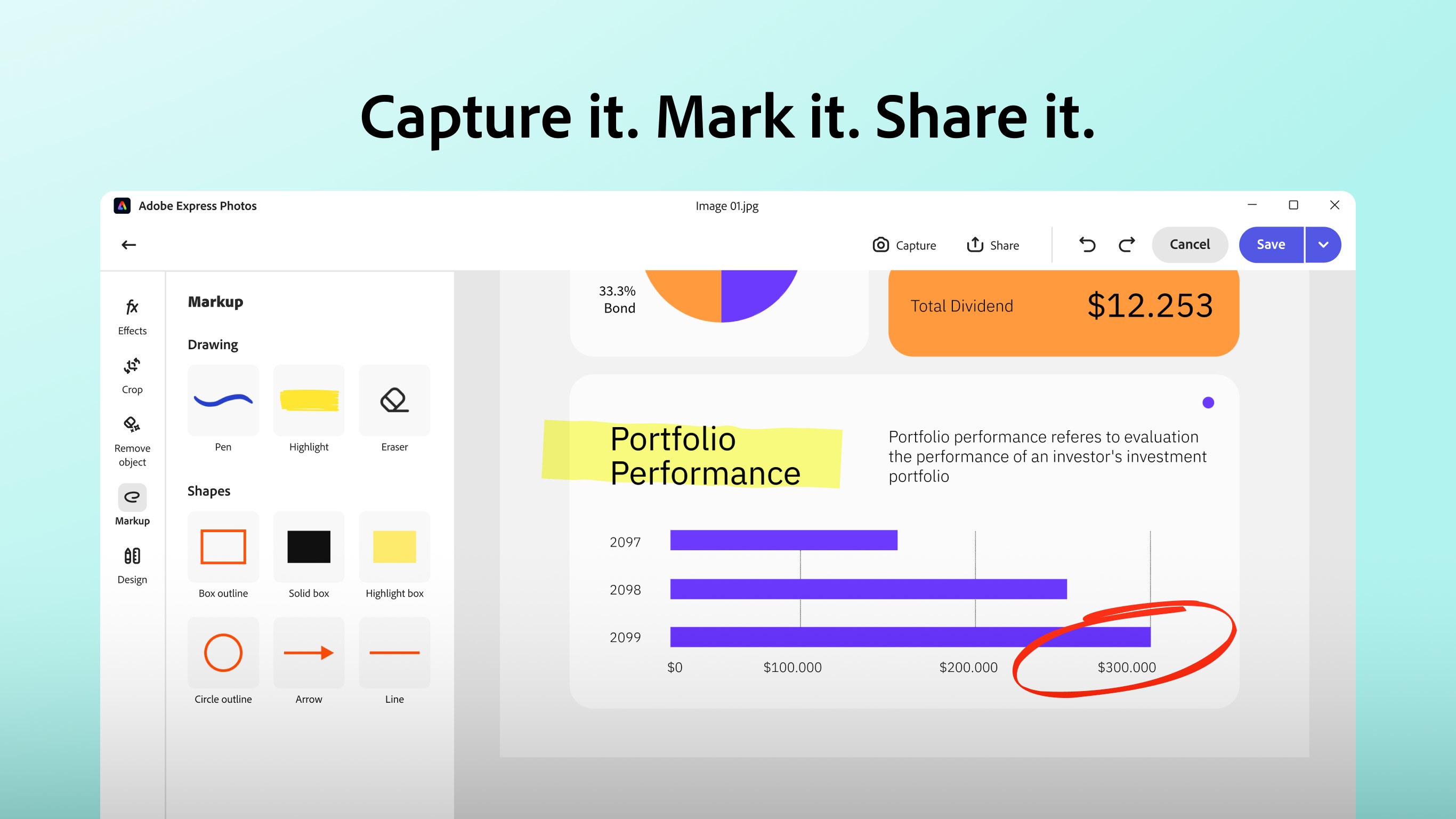

- Name Adobe Express Photos (formerly Photoshop Express)
- Category Photo & video
- Available on PC, Mobile
- OS Windows 10 version 17763.0 or higher
- Memory 2 GB
- languages Bangla (India), Chinese (Simplified), Chinese (Traditional), Danish, Dutch, English (United States), Filipino, Finnish, French, German, Greek, Hindi, Indonesian, Italian, Japanese, Korean , Malay, Norwegian (Bokmål), Polish , Portuguese (Brazil), Romanian, Spanish (Spain), Swedish, Tamil, Thai, Turkish
An Introduction to Adobe Express Photos for Windows: Your Creative Companion
Adobe Express Photos for Windows acts as a streamlined yet powerful photo editing tool designed to bring ease and creativity to users' fingertips, whether you're a casual shutterbug or a small business owner looking to create eye-catching visuals. A product of the renowned Adobe team, this app consolidates essential editing features into a user-friendly interface, making photo enhancement accessible without the steep learning curve typical of professional software.
Key Highlights of Adobe Express Photos
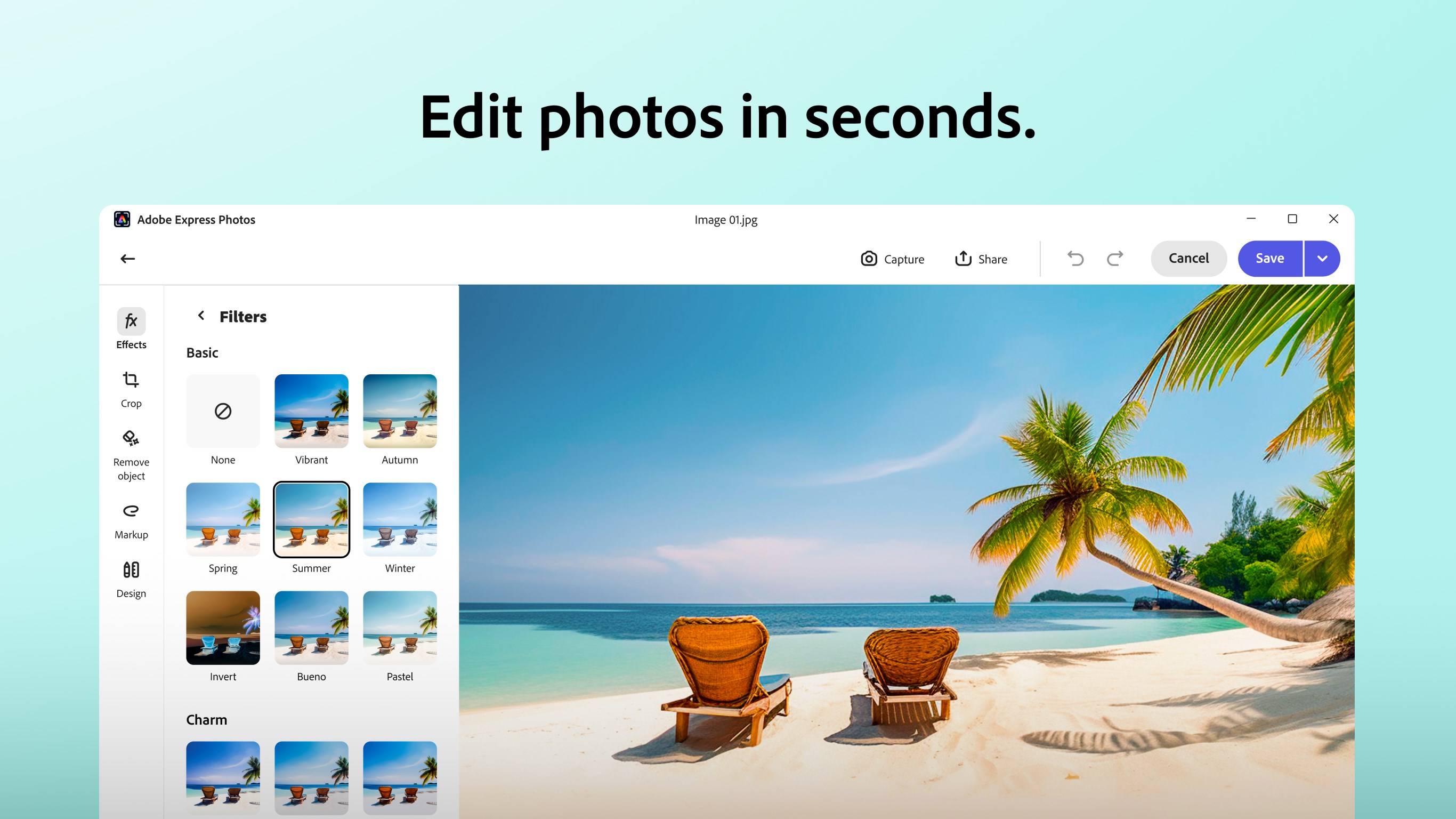
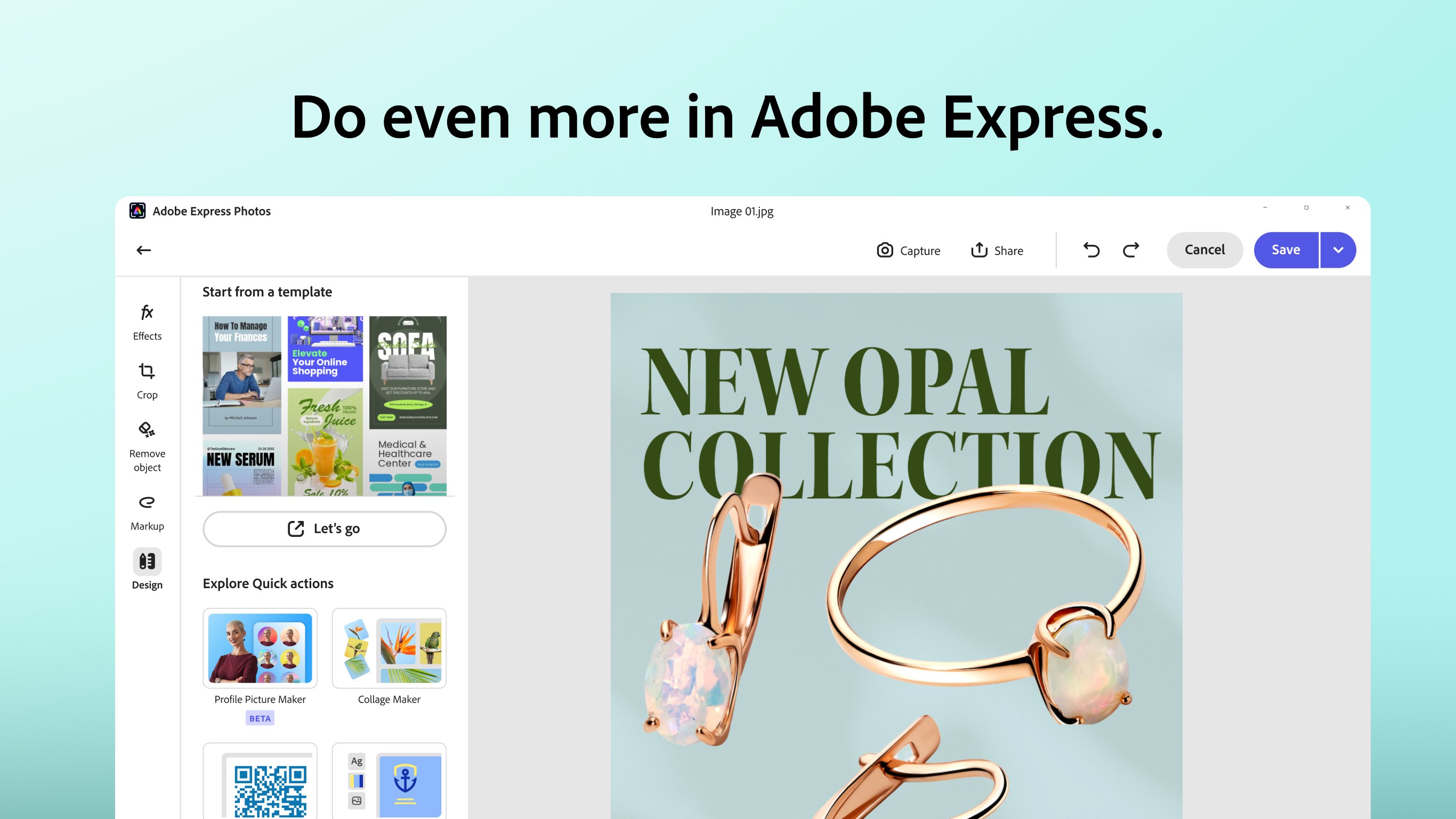
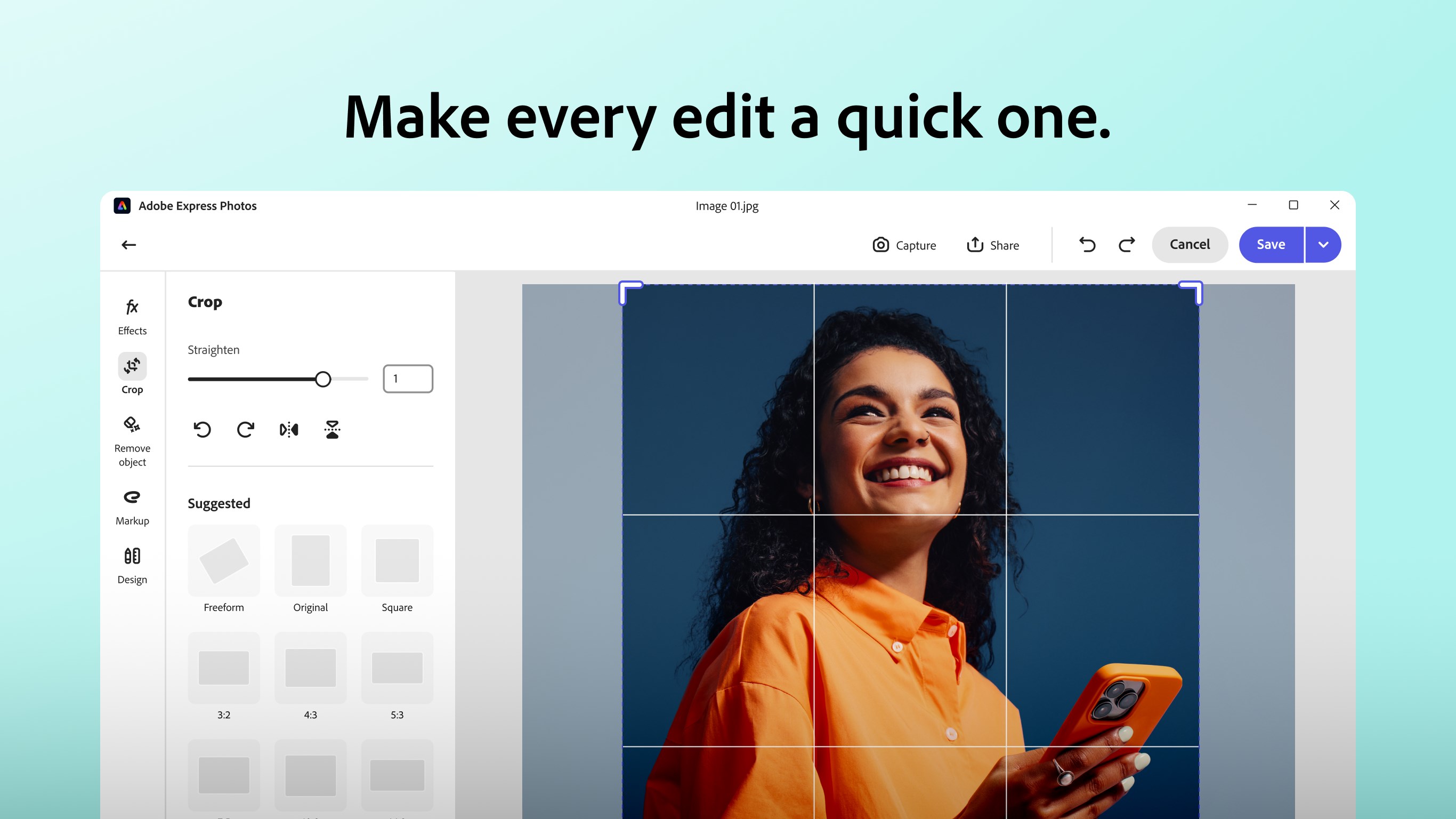
Developed by Adobe Inc., this application emphasizes simplicity combined with robust tools. Its major features include intuitive cropping and retouching capabilities, AI-powered filters and effects that speed up creative workflows, and seamless integration with Adobe Cloud for easy sharing and storage. Designed with a broad audience in mind—from social media enthusiasts to small business owners—it offers something for everyone aiming to elevate their visual content efficiently.
Vivid Beginnings: Setting the Scene for Your Creative Journey
Imagine holding a camera, capturing a moment, then having a trusty digital friend beside you to enhance that photo effortlessly. Adobe Express Photos for Windows is exactly this kind of companion—combining the charm of simplicity with the magic of AI-powered improvements. Its interface feels welcoming, like opening a well-organized photo studio where every tool is at your fingertips, ready to help you craft images that tell a story or capture a mood, all without drowning in complex menus or technical jargon.
Core Functionality 1: Effortless Editing with AI-Powered Tools
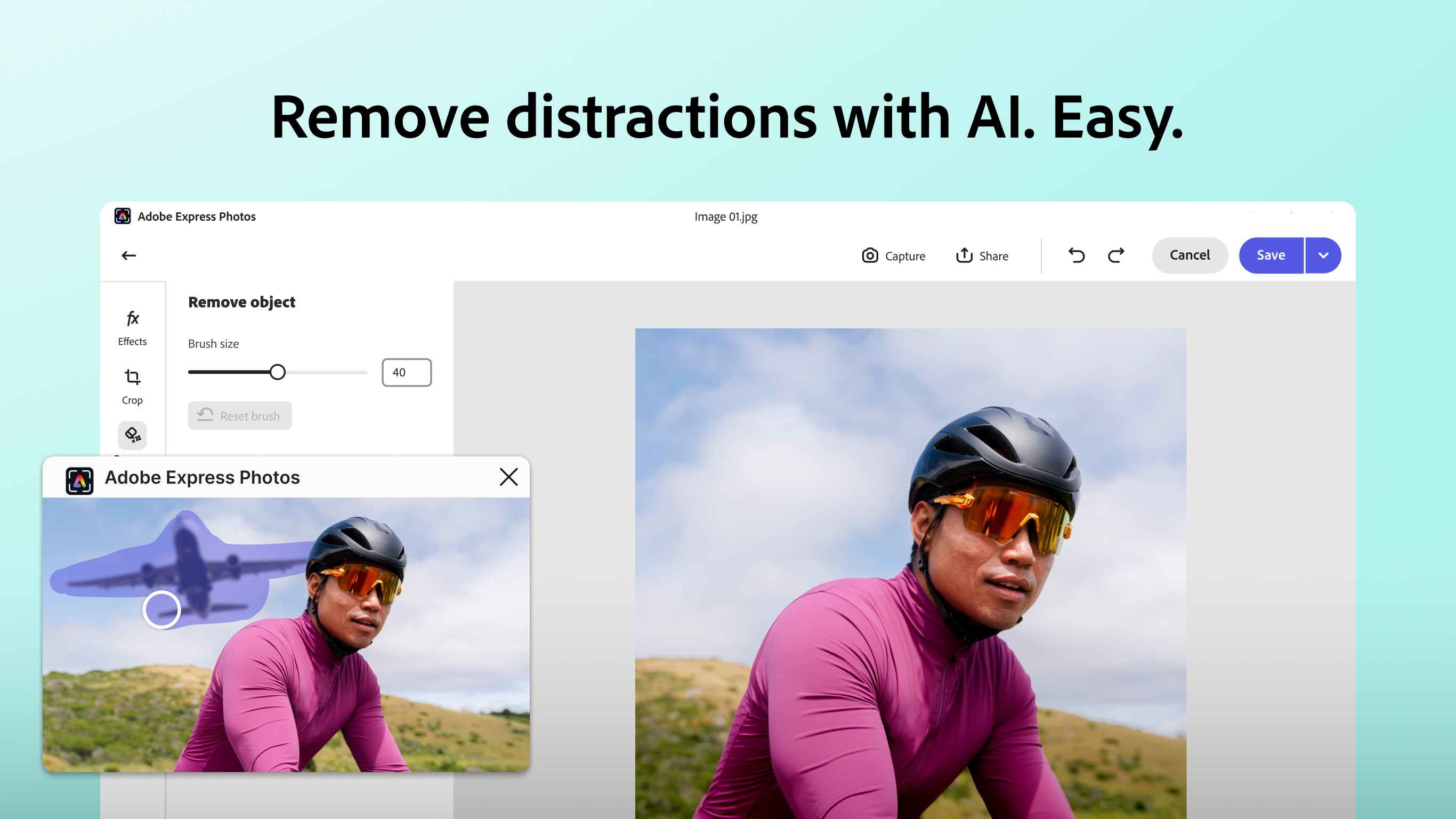
This app's standout feature is its intelligent editing suite. The AI-driven filters and effects are like having a seasoned photographer or designer whispering suggestions in your ear. Want to remove blemishes or distractions? The retouch tool does the work in seconds. Looking to brighten a dull photo? A simple tap enhances colors naturally. These tools are not only powerful but also straightforward, enabling quick results—perfect for users who need that 'quick fix' or are new to photo editing. Compared to traditional editors that often overwhelm with options, Adobe Express Photos keeps things light, focusing on what matters most—making your photos look great fast.
Core Functionality 2: Seamless Sharing and Cloud Integration
Once your masterpiece is ready, sharing it should be as smooth as gliding a brushstroke. This app excels here, thanks to its tight integration with Adobe Creative Cloud. You can save versions, access your photos from multiple devices, or upload directly to social media platforms without toggling between different applications. It's like having a digital portfolio at your fingertips, ready to impress clients or friends alike. Plus, cloud storage ensures your edits aren't lost—ever—adding peace of mind that your work is safe and synchronized.
Design, User Experience, and Differentiators
The interface of Adobe Express Photos for Windows resembles a tidy artist's atelier, with tools neatly organized yet readily accessible. The design prioritizes minimalism, avoiding clutter and making navigation intuitive. Operation feels fluid—clicking, dragging, and applying effects happen without lag, and the learning curve is gentle, even for those unfamiliar with Adobe's software ecosystem. Users transitioning from mobile apps or beginner editing tools will find this desktop version welcoming enough to inspire experimentation without intimidation.
Compared to other photo editing apps like Canva or Lightroom, AdobeExpress Photos distinguishes itself through its hybrid approach: combining AI-driven enhancements with ease of use, making professional-like edits achievable in minutes. Its focus on quick, beautiful results without sacrificing control or quality is a notable advantage for users who want both simplicity and sophistication.
Final Verdict: A Solid Choice for Creators and Casual Editors
If you're seeking a reliable, easy-to-use photo editor with some smart AI tricks up its sleeve, Adobe Express Photos for Windows is worth trying. It's particularly well-suited for social media content creators, small business owners, or hobbyists who crave quick, polished results without diving into overly complex software. While it may not replace high-end professional editors for intricate projects, its unique blend of simplicity and intelligent features makes it a standout in its niche. For those looking to make their photos pop with minimal fuss, this app is a recommended tool to keep in your digital toolkit.
Pros
- Intuitive User Interface
- Comprehensive Editing Tools
- Free to Use with Basic Features
- Cloud Sync and Sharing
- Regular Updates and Improvements
Cons
- Limited Advanced Editing Features
- Occasional Performance Lags with Large Files
- Watermark on Unsubscribed Use
- Limited Export Options
- Learning Curve for Advanced Features











