


- Name YouPlay - Video & Music Player
- Category Entertainment
- Developer App for video by YouTube
- Available on PC, Mobile, Xbox console, Surface Hub, HoloLens
- OS Windows 10 version 19041.0 or higher
- languages Czech, Danish, English, Finnish, French, German, Greek, Italian, Japanese, Norwegian, Norwegian (Bokmål), Norwegian (Nynorsk), Portuguese, Portuguese (Brazil), Russian, Spanish, Spanish (Spain), Swedish, Turkish
Introducing YouPlay: Your All-in-One Windows Video & Music Companion
Imagine having a dedicated media player that seamlessly combines the rich worlds of video and music, tailored for Windows users seeking a smooth and intuitive experience. That's exactly what YouPlay offers—a unified platform designed to elevate your entertainment with smart features and user-friendly design.
Developed by a Creative Team Focused on Media Enthusiasts
Produced by App for Video by YouTube and published by Lion Group, YouPlay benefits from the expertise behind popular online platforms, bringing a professional touch to desktop media playback. Their goal appears to focus on delivering an immersive yet straightforward multimedia experience that marries functionality with ease of use.
Key Features That Make YouPlay Stand Out
- Integrated Video & Music Playback: Combines both video and audio files into a single, cohesive interface, minimizing app switching and clutter.
- Smart Content Discovery: Utilizes intelligent algorithms to recommend personalized videos and music, akin to having a savvy digital DJ tailor your playlist on the fly.
- Customizable Interface & Equalizer: Offers extensive UI themes and audio tuning options, giving users a personalized entertainment environment.
- Efficient File Management: Allows easy navigation, searching, and playlist creation, enhancing overall usability.
The app primarily targets Windows users who want a reliable, stylish, and easy-to-manage media player—be it casual listeners, movie enthusiasts, or music lovers looking for a dedicated tools-free environment to enjoy their favorite content.
Bright and Engaging Interface with User-Friendly Navigation
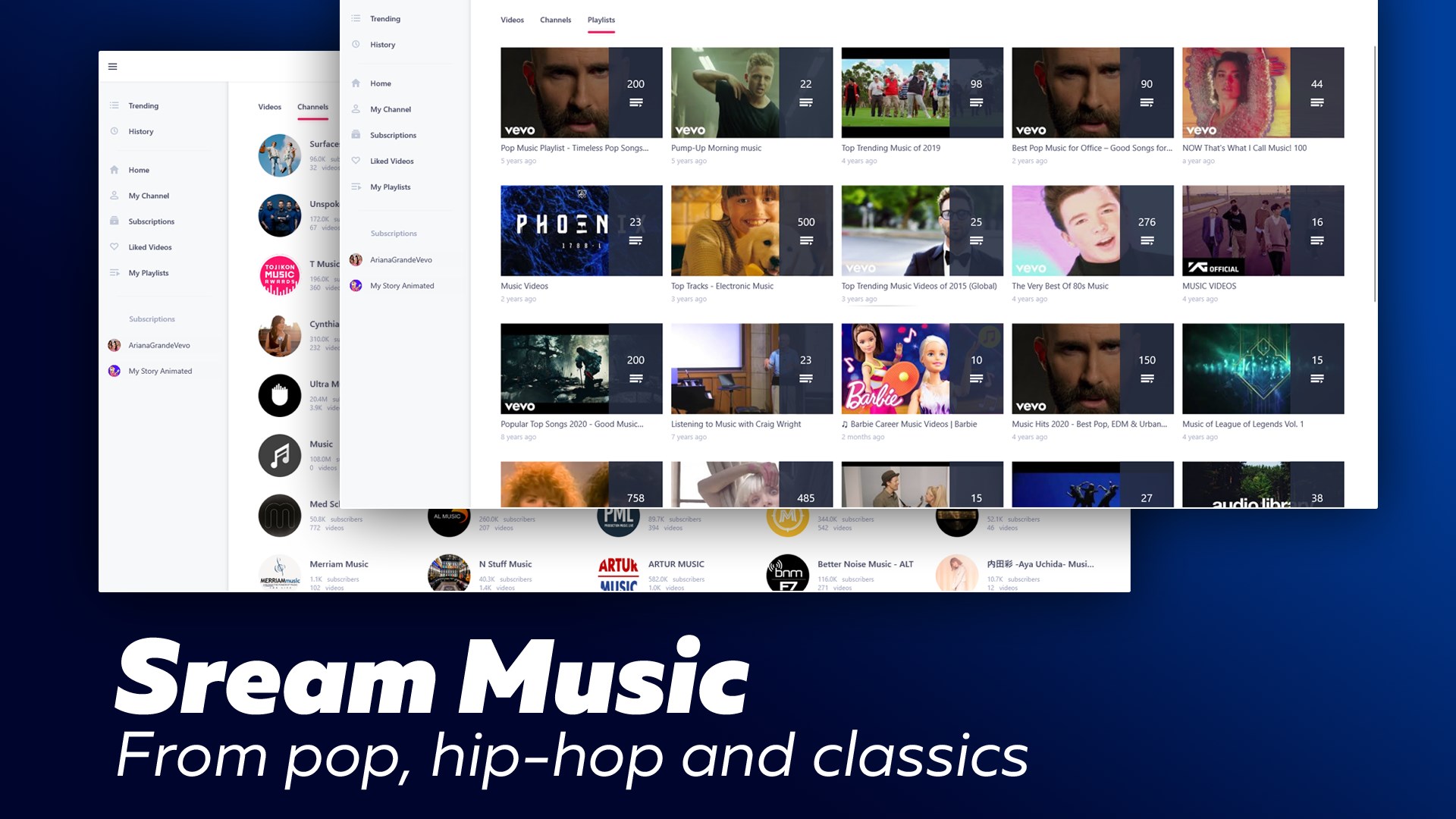
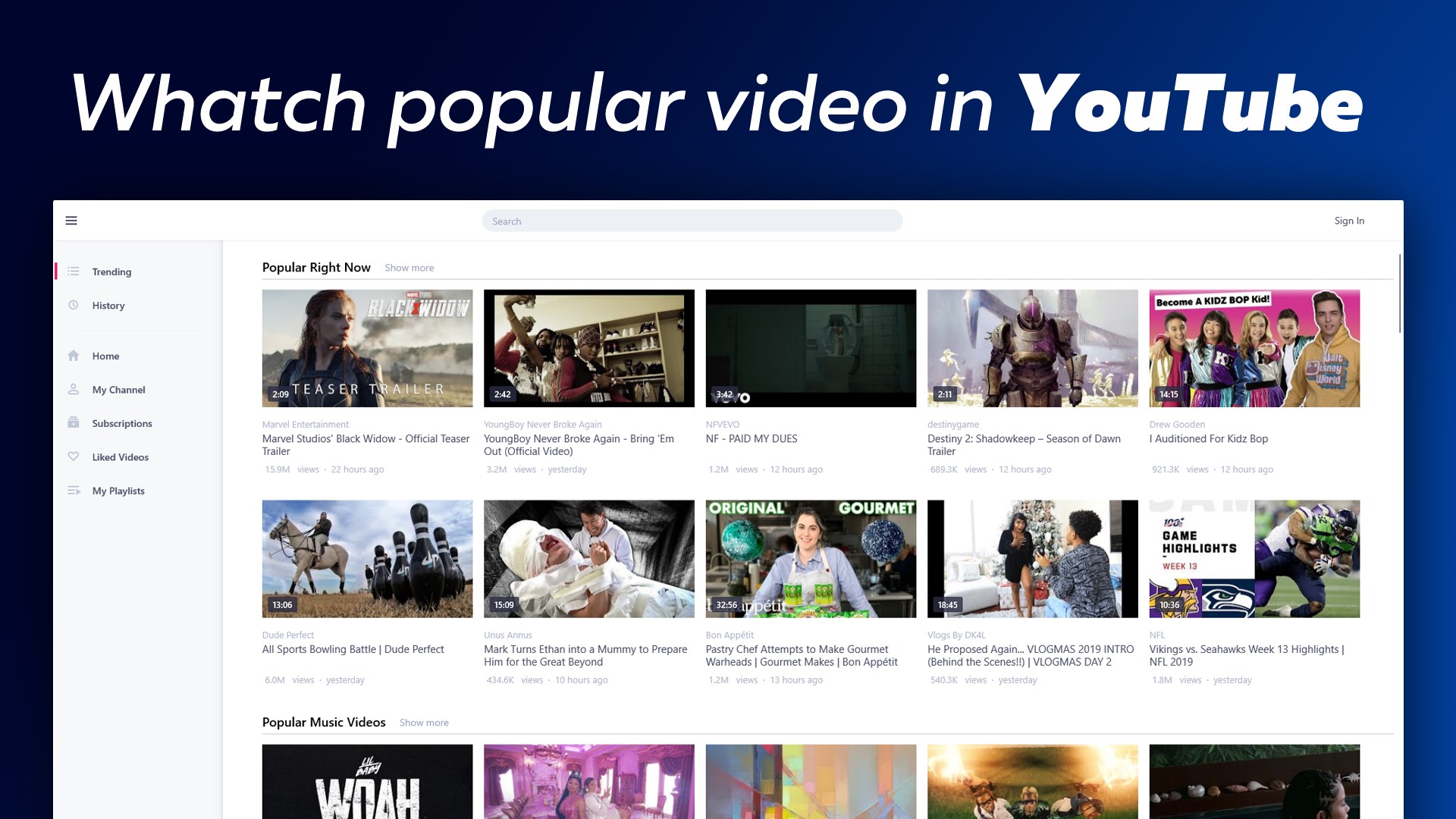
From the moment you launch YouPlay, you're greeted with a sleek, visually appealing interface that feels like stepping into a high-tech lounge—modern, tidy, and inviting. Large icons and clear labels make accessing your media collection straightforward, avoiding those overwhelming menus typical of many media players. Whether you're a tech novice or a seasoned media buff, the intuitive layout helps new users get up to speed fast, with minimal learning curve.
Core Functions: The Heart of Your Entertainment Experience
Unified Media Playback in a Streamlined Interface
One of YouPlay's standout features is its ability to play both videos and music within a single platform. Think of it as a Swiss Army knife for entertainment: instead of juggling multiple apps, you can switch between your playlist and favorite films seamlessly. The app intelligently adapts the interface depending on what you're playing, whether it's a stand-up comedy show or a playlist of indie tracks. Playback controls are responsive, with options for subtitles, playback speed, and looping, enriching your viewing and listening sessions.
Personalized Content Discovery & Recommendations
What truly sets YouPlay apart from many traditional media players is its sophisticated content discovery system. Instead of relying solely on your local files, it leverages smart algorithms—potentially drawing from YouTube integrations—to suggest new videos or songs based on your listening habits. It's like having a thoughtful friend who remembers your tastes and surprises you with fresh picks. This personalized approach ensures your entertainment remains relevant and engaging, reducing time spent searching for new content.
Audio Tuning & Visual Customization
Another highlight is the wealth of customization options—ranging from visual themes to equalizer settings. Imagine being able to fine-tune the sound with a professional mixer or switch between ambient and classic styles with a click. These features allow a tailored experience, whether you're setting the mood for a party or enjoying a private evening of relaxation. Easy-to-access controls and presets make this process straightforward, even for less tech-savvy users.
Assessing User Experience & Comparing with Competitors
While many media players offer basic playback, YouPlay emphasizes a smooth, coherent experience that balances ease of use with advanced features. Its interface is more polished than some open-source players, and its content recommendation system adds a layer of personalized engagement often missing from similar apps. In contrast to generic media players, YouPlay's intelligent algorithms provide a notable advantage—it's like having your own digital DJ who curates content while you focus on enjoying it.
Performance-wise, the app operates smoothly without lag or crashes, even with large media files. The learning curve is gentle—users pick up core functionalities quickly, while power users can delve into more detailed settings for a customized experience. On the flipside, some users might find certain advanced features less customizable than dedicated media suites, but for its target audience, this balance is well-maintained.
Final Recommendation: A Solid Choice for Everyday Media Enjoyment
If you're looking for a reliable, clean, and intelligently designed media player for Windows, YouPlay deserves a spot on your desktop. Its strongest selling points are the seamless integration of video and music and its personalized content discovery—features that enrich your entertainment without overwhelming you with complexity. While it may not replace high-end editing or professional-scale tools, it offers enough sophistication and ease-of-use for everyday viewing and listening needs.
Overall, I'd recommend giving YouPlay a try if you value a unified media experience, enjoy smart content recommendations, and appreciate a user-friendly interface. Whether you're unwinding after a busy day or hosting a small gathering, this app helps keep your media organized, fresh, and ready to enjoy—like a trusted media companion always at hand.
Pros
- User-friendly interface
- Supports multiple media formats
- Seamless playback experience
- Built-in media library management
- Offline access capability
Cons
- Limited customization options
- Basic equalizer functionality
- Initial setup process could be streamlined
- Occasional minor bugs
- Limited playlist sharing features










