

- Name Desk Clock Desktop Widget
- Category Entertainment
- Available on PC
- OS Windows 10 version 14393.0 or higher
- languages English
A Sleek Desktop Companion: An Overview of Desk Clock Desktop Widget for Windows
In a world where productivity and aesthetics often go hand in hand, the Desk Clock Desktop Widget offers Windows users a simple yet elegant way to keep time within arm's reach—literally on your desktop. Developed by EvlarSoft LLC, this widget combines functionality with a clean interface, making it an unobtrusive addition to your digital workspace.
About the Developer and Core Features
Produced by EvlarSoft LLC, a team dedicated to crafting lightweight utilities that enhance user experience, Desk Clock Desktop Widget serves as an accessible timekeeping tool directly on your desktop. Its primary functions include customizable clock appearances, multiple widget placements, and alarm integration, allowing users to tailor their view and utility. The widget's versatility is ideal for professionals, students, and anyone seeking a simple yet effective clock solution without the clutter of full-scale apps.
Adding a Splash of Charm to Your Desktop
From the moment you install this widget, it feels like welcoming a sprightly little timekeeper into your workspace. Unlike the sterile digital clocks or complicated widgets, this product strikes a balance—sophisticated enough to look modern, yet straightforward for quick glance recognition. It's akin to having a tiny, reliable clock sitting calmly on your desk, ready to update you on the hour amidst your busy tasks.
Customizable Appearance and Layout
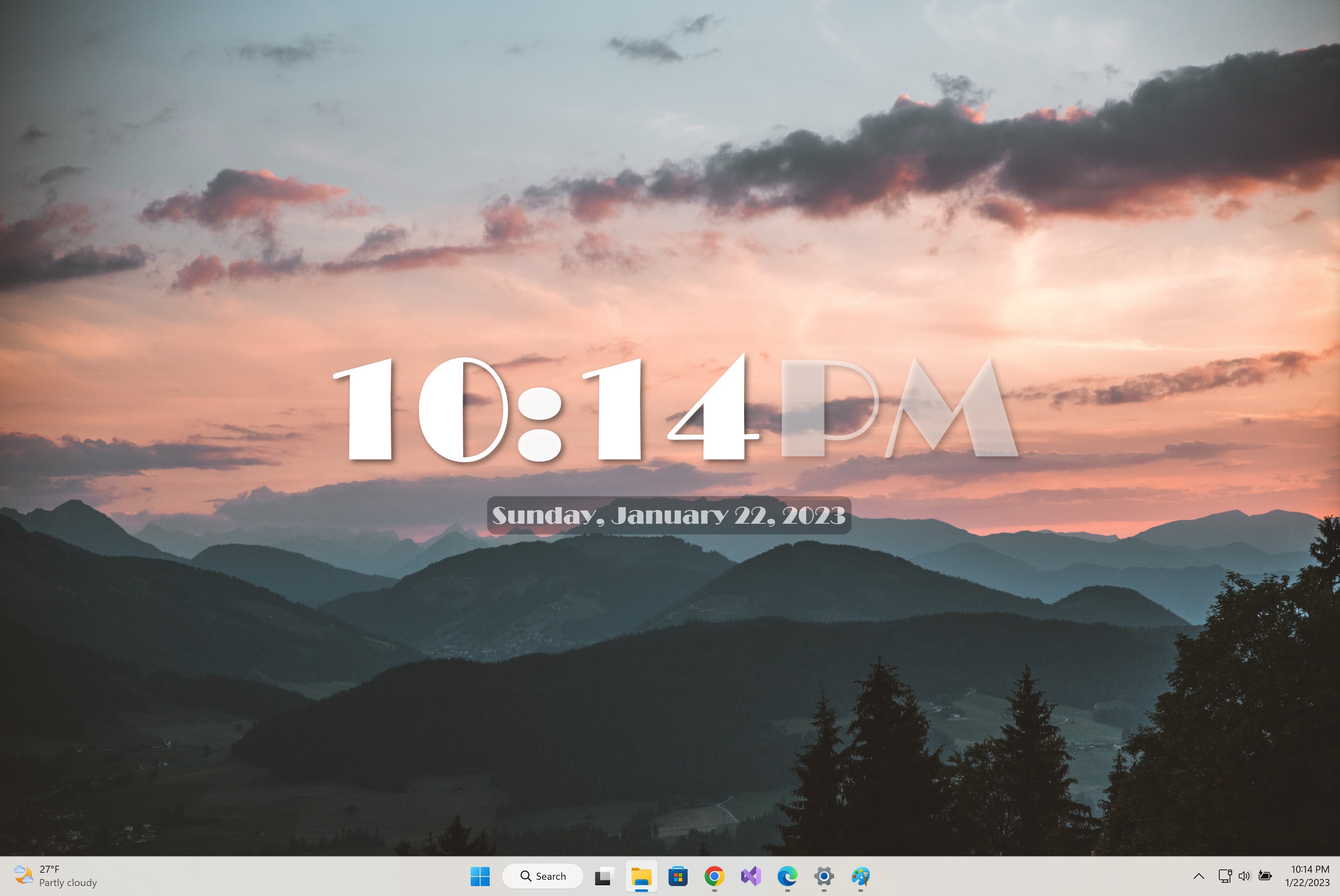
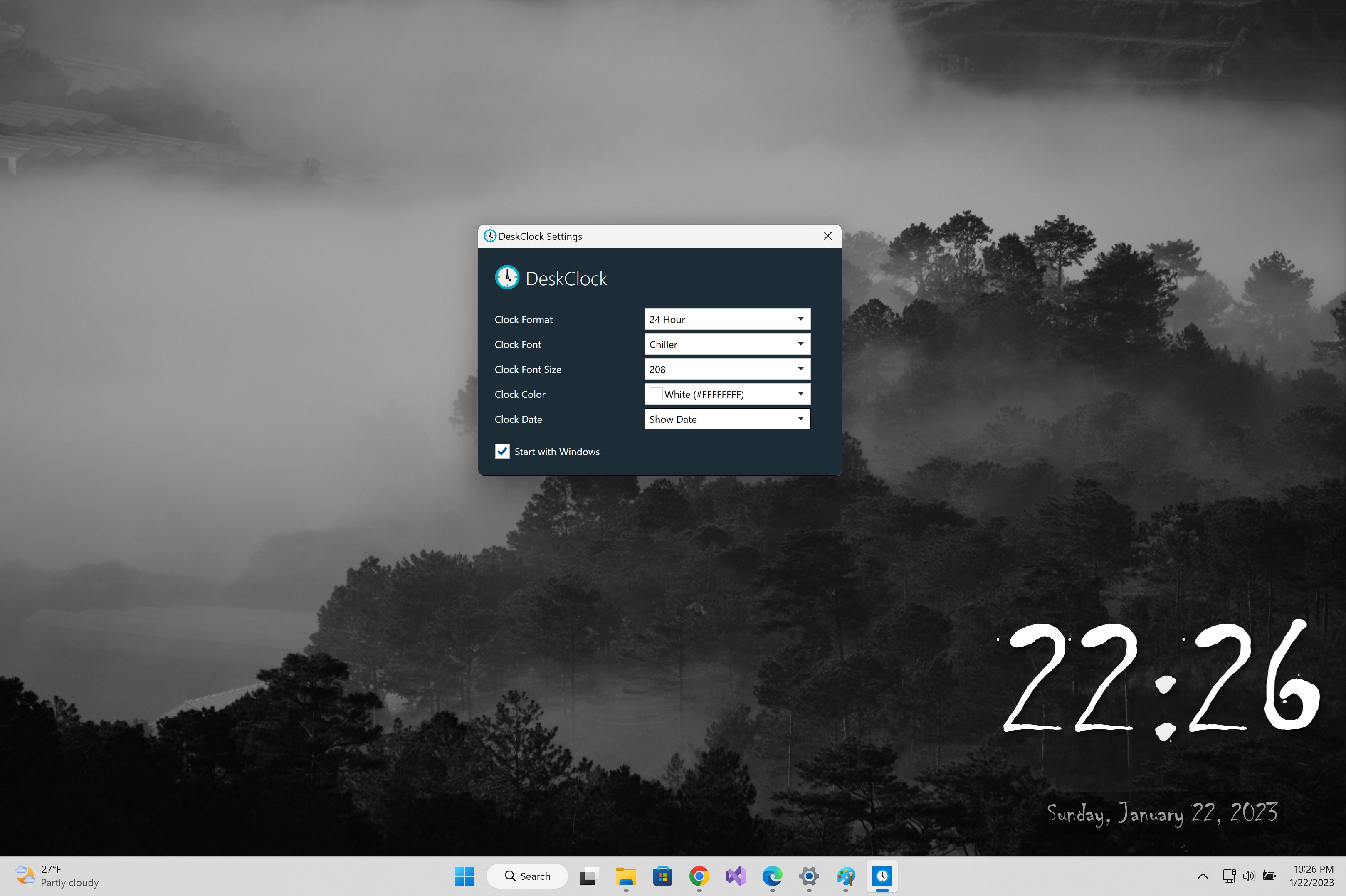
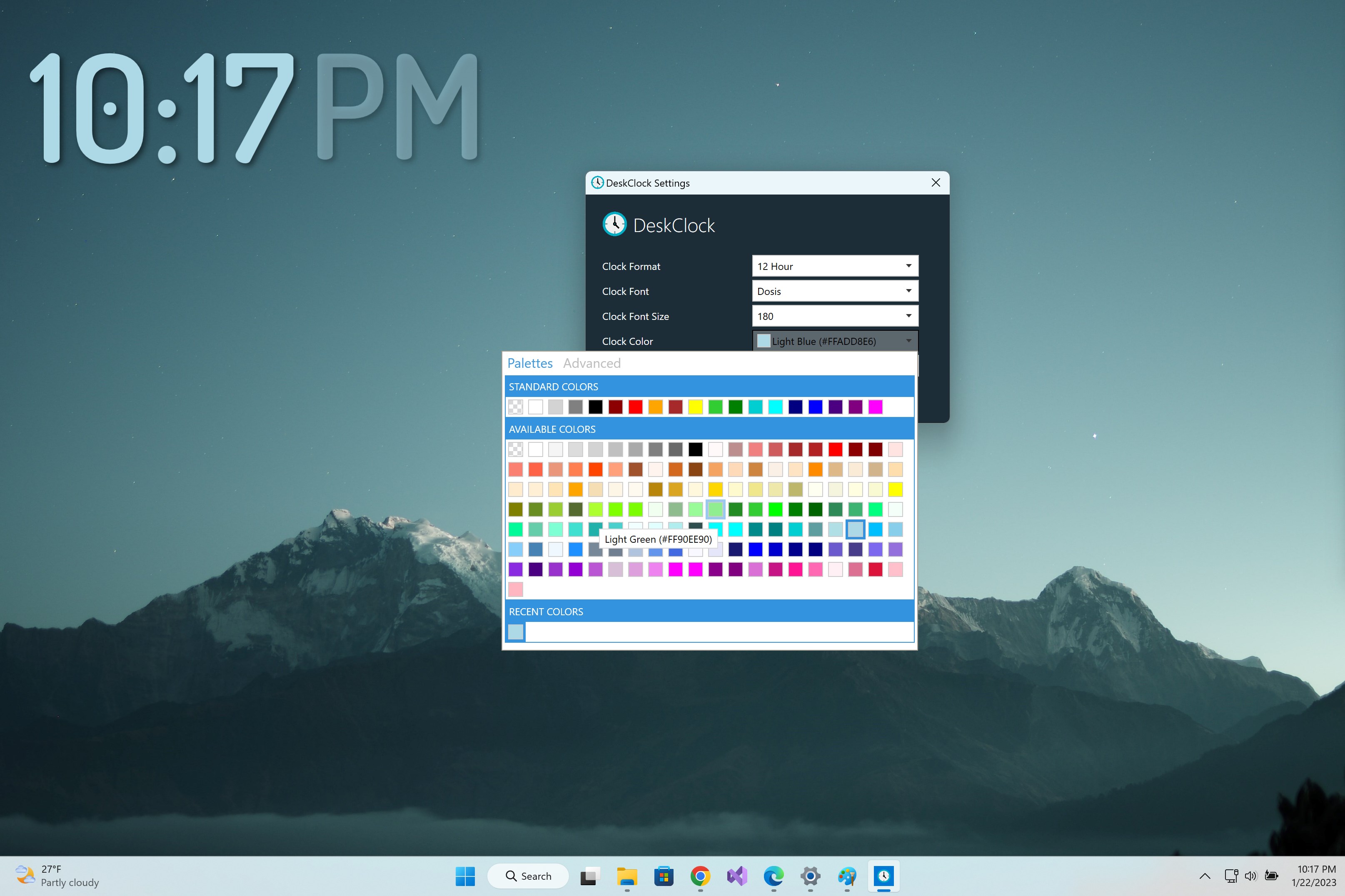
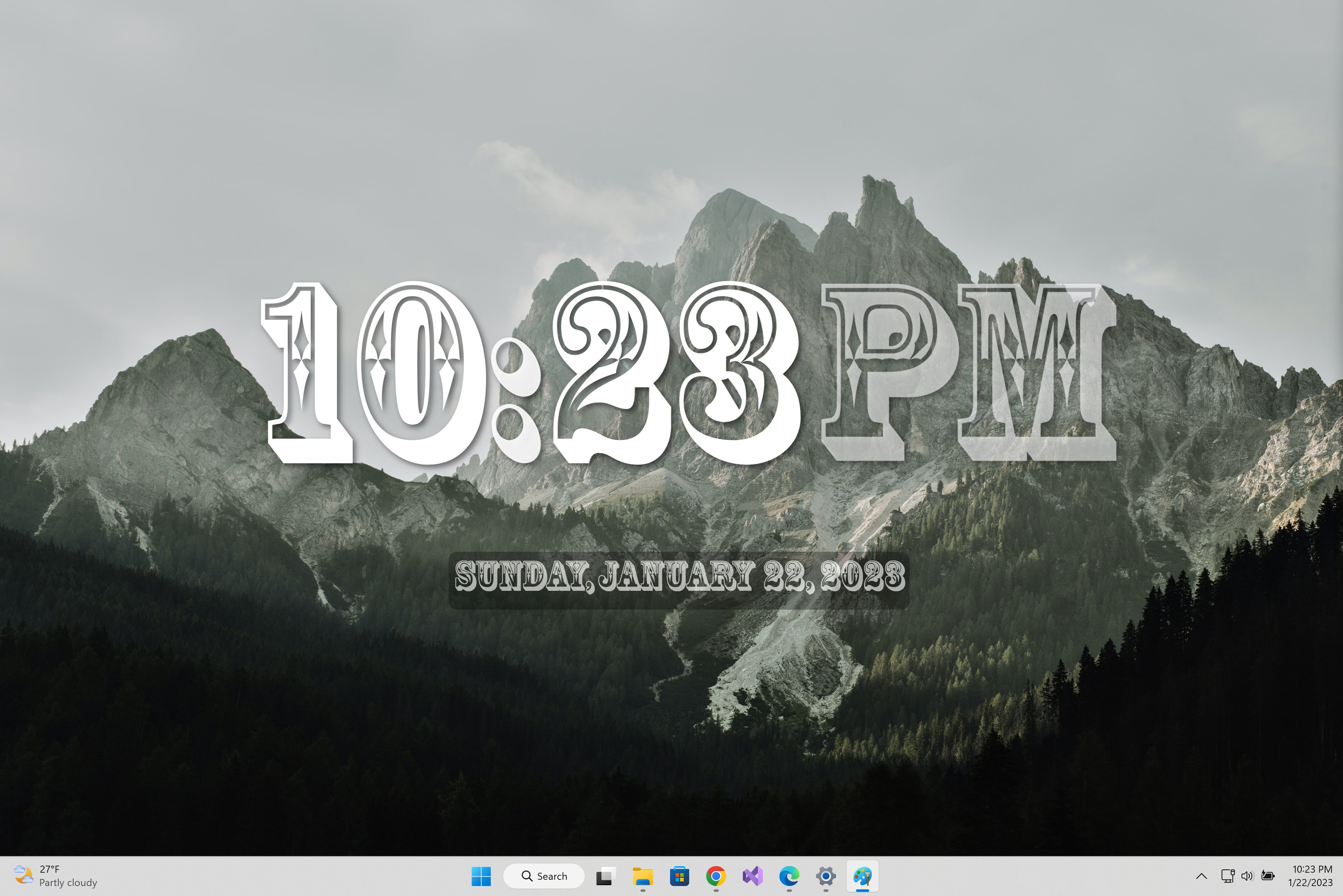
The widget shines brightest in its ability to adapt to your personal style. You can choose from a variety of clock skins and fonts, ranging from minimalist monochrome designs to more colorful and modern options. Multiple clock widgets can be placed across your screen, creating an organized, multi-time zone setup or simply giving your desktop a balanced aesthetic. The customization options are intuitive, with a user-friendly interface that allows quick tweaks without diving into complex settings.
Seamless User Experience and Performance
Operation is smooth as silk—rescaling, moving, or resizing the widget is effortless, with minimal latency or lag. The app consumes very minimal system resources, maintaining your system's overall performance. Its learning curve is gentle; even first-time users can quickly set up and personalize their clocks without wading through steep menus. This simplicity ensures that the widget integrates seamlessly into daily workflows rather than becoming a distraction.
What Sets It Apart from Other Desktop Widgets?
Many desktop clock applications offer similar features, but what truly elevates Desk Clock Desktop Widget is its contextual relevance and personalized design logic. Unlike generic time display apps, this widget emphasizes the aesthetic aspect and user-centric customization. Its intelligent layout management ensures that your clocks are not obtrusive but instead serve as elegant, functional elements that meld with your desktop environment. While some apps attempt to recommend features or content, this widget focuses purely on delivering a beautifully crafted, highly usable clock experience—making it a standout in the crowded market.
Final Recommendation
If you're someone who appreciates the blend of minimalism, customization, and performance, this widget deserves a spot on your desktop. Its particular strengths—ease of use, visual adaptability, and lightweight operation—make it suitable for both casual users and productivity enthusiasts. For anyone looking to enhance their workspace without sacrificing elegance or speed, I'd confidently suggest giving Desk Clock Desktop Widget a try. It's a straightforward tool that quietly keeps you punctual while adding a touch of style to your digital environment.
Pros
- Intuitive Desktop Widget
- Customizable Appearance
- Additional Features
- Low Resource Consumption
- Easy to Install and Use
Cons
- Limited Customization Options
- No Multiple Widget Support
- Some Features Require Premium Upgrade
- Alarm Notification Could Be More Prominent
- Lack of Dark Mode










