


- Name HP TV+
- Category Entertainment
- Developer HP Inc.
- Available on PC
- OS Windows 10 version 17763.0 or higher
- languages English (United States)
HP TV+ for Windows: Your Personal Entertainment Hub
Imagine having a sleek, all-in-one TV experience right on your Windows device—HP TV+ brings that vision to life with a user-friendly interface and personalized content delivery. Designed by HP Inc., this app promises to redefine how you access and enjoy multimedia entertainment on your PC.
About the App: Essentials at a Glance
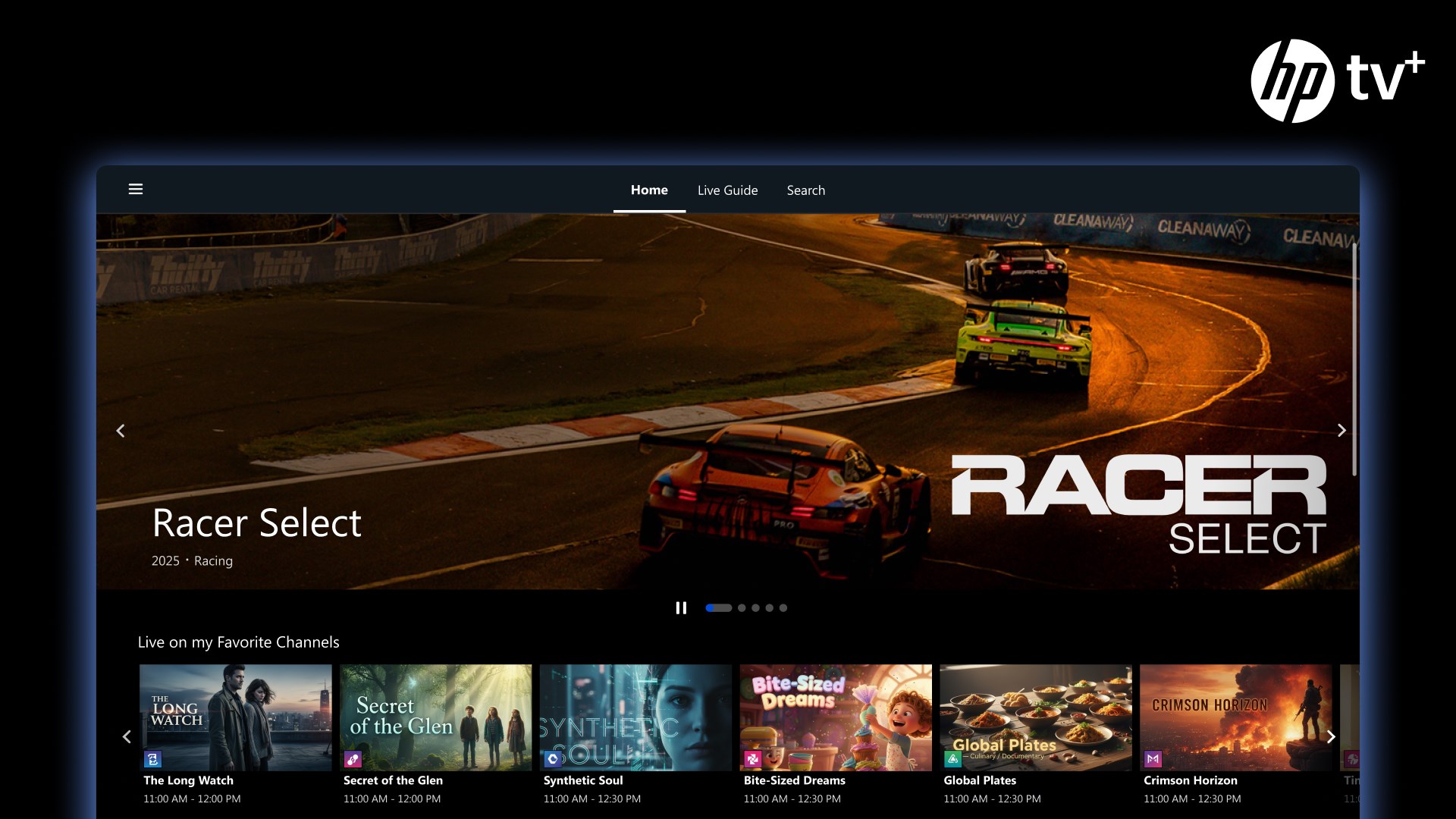
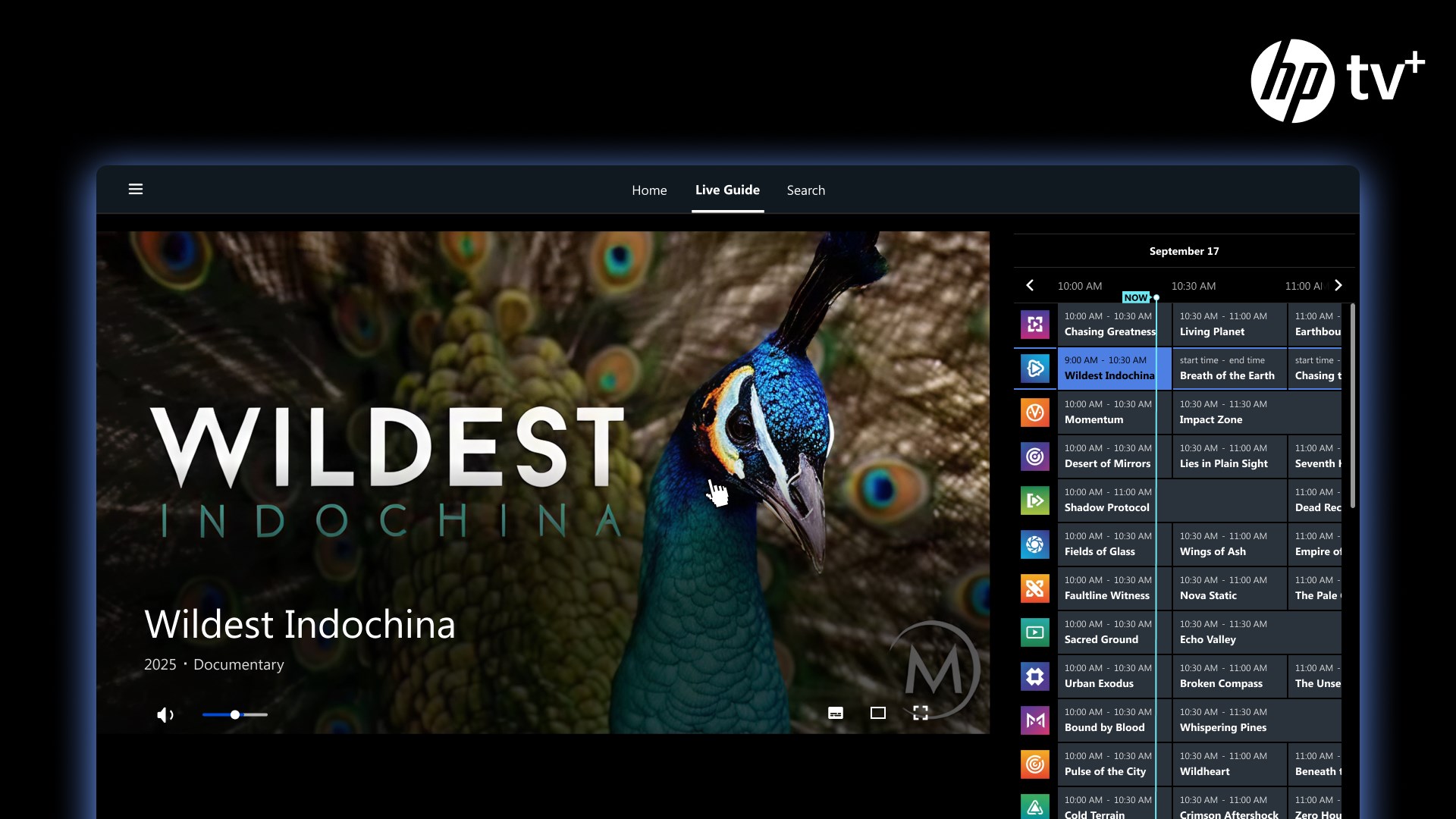
HP TV+ for Windows is a versatile media application that consolidates live TV, on-demand videos, and personalized recommendations into a single platform. Developed and published by HP Inc., the app is tailored to deliver seamless entertainment experiences on Windows PCs and tablets.
- Main Features:
- Curated live TV channels spanning news, sports, entertainment, and more.
- On-demand library including movies, series, and exclusive content.
- Personalized content recommendations powered by intelligent algorithms.
- Easy-to-navigate interface optimized for a variety of screen sizes.
- Target Users: This app is ideal for Windows users seeking a free, all-in-one entertainment platform—perfect for casual viewers, TV enthusiasts, or anyone looking to discover new content conveniently.
An Engaging Dive into HP TV+'s Core Features
Imagine settling into your favorite chair after a long day—HP TV+ makes it effortless to browse through endless entertainment options with a tap or click. Its design invites you to explore, discover, and enjoy content without the usual clutter of multiple apps or subscriptions.
Personalized Recommendations That Feel Like a Friend's Suggestion
One of HP TV+'s standout strengths lies in its intelligent content discovery algorithms. Unlike many other apps that bombard you with generic suggestions, HP TV+ learns your viewing habits over time, tailoring recommendations that truly match your taste. For example, if you frequently watch sci-fi series, the app will prioritize similar shows, making the discovery process feel more like chatting with a knowledgeable friend. This personalized approach ensures you spend less time searching and more time enjoying content you love.
Seamless Interface and User Experience
The app's interface is akin to a well-organized media library—clean, vibrant, and intuitive. Navigating through categories and content is as smooth as gliding on ice, thanks to optimized performance and minimal lag. Even users new to digital streaming will find the learning curve gentle; the layout fosters quick familiarity, reducing frustration and enhancing engagement. The app adapts well to different screen sizes, whether on a compact laptop or a tablet, providing a consistent experience across devices.
Content Variety and Media Management
HP TV+ integrates a diverse selection of live channels and on-demand content, offering something for everyone—from news junkies to binge-watching marathons. Its media management is straightforward, allowing users to create favorites lists and resume shows seamlessly. Comparing it to other entertainment apps, HP TV+'s focus on curated, high-quality channels combined with personalized recommendations sets it apart, making content discovery feel less overwhelming and more guiding.
Final Recommendations and Usage Tips
Considering its user-centric design and personalized recommendation system, HP TV+ is highly suitable for Windows users who value simplicity and tailored content. For those tired of cluttered interfaces or irrelevant suggestions, this app offers a refreshing alternative. It works best when users actively engage with the preferences and refine their interests over time, allowing the algorithm to better serve curated content.
While it may not replace larger streaming subscriptions with massive libraries, HP TV+ excels in delivering focused, personalized entertainment. I recommend giving it a try—especially if you appreciate a thoughtful, well-organized media experience that feels like a curated TV guide just for you.
Pros
- User-friendly interface
- Wide selection of movies and TV shows
- High-quality streaming
- Offline download feature
- Seamless integration with Microsoft ecosystem
Cons
- Limited regional availability
- Occasional app crashes
- Lack of personalized recommendations
- Limited parental controls
- Occasional playback lag on older devices










