


- Name YMusic Plus: Your Ultimate Youtube Music & Audio Companion
- Category Music
- Developer Alex UWP
- Available on Xbox console, PC, Mobile, Surface Hub, HoloLens
- OS Windows 10 version 17763.0 or higher
- languages English (United States)
Introducing YMusic Plus: A New Companion for YouTube Music on Windows
YMusic Plus by Alex UWP steps into the scene as a dedicated Windows application designed to enhance your YouTube music listening experience, offering seamless audio playback with added features tailored for music lovers and audio aficionados alike.
Core Features That Stand Out
1. Offline Playback and Music Downloads
YMusic Plus empowers users to download their favorite YouTube tracks directly onto their Windows devices, enabling offline listening without the need for continuous internet access. This feature is especially handy for commuters or those in areas with unstable internet connections, providing a portable music library at your fingertips.
2. High-Fidelity Audio Control with Customization
The app offers advanced audio controls, allowing users to adjust sound quality and volume profiles. Its intuitive equalizer and sound tuning features help tailor the listening experience to match personal preferences, making every song sound just right—whether you're relaxing at home or working out.
3. Rhythm Pattern Recognition and Tolerance
One of the application's most unique capabilities lies in its ability to assess rhythm pattern variety and tolerate different latency levels during playback. This ensures a smoother experience, especially during high-energy or rhythmically complex tracks, setting it apart from other music apps that may struggle with beat synchronization or responsiveness.
A User-Friendly and Visually Appealing Interface
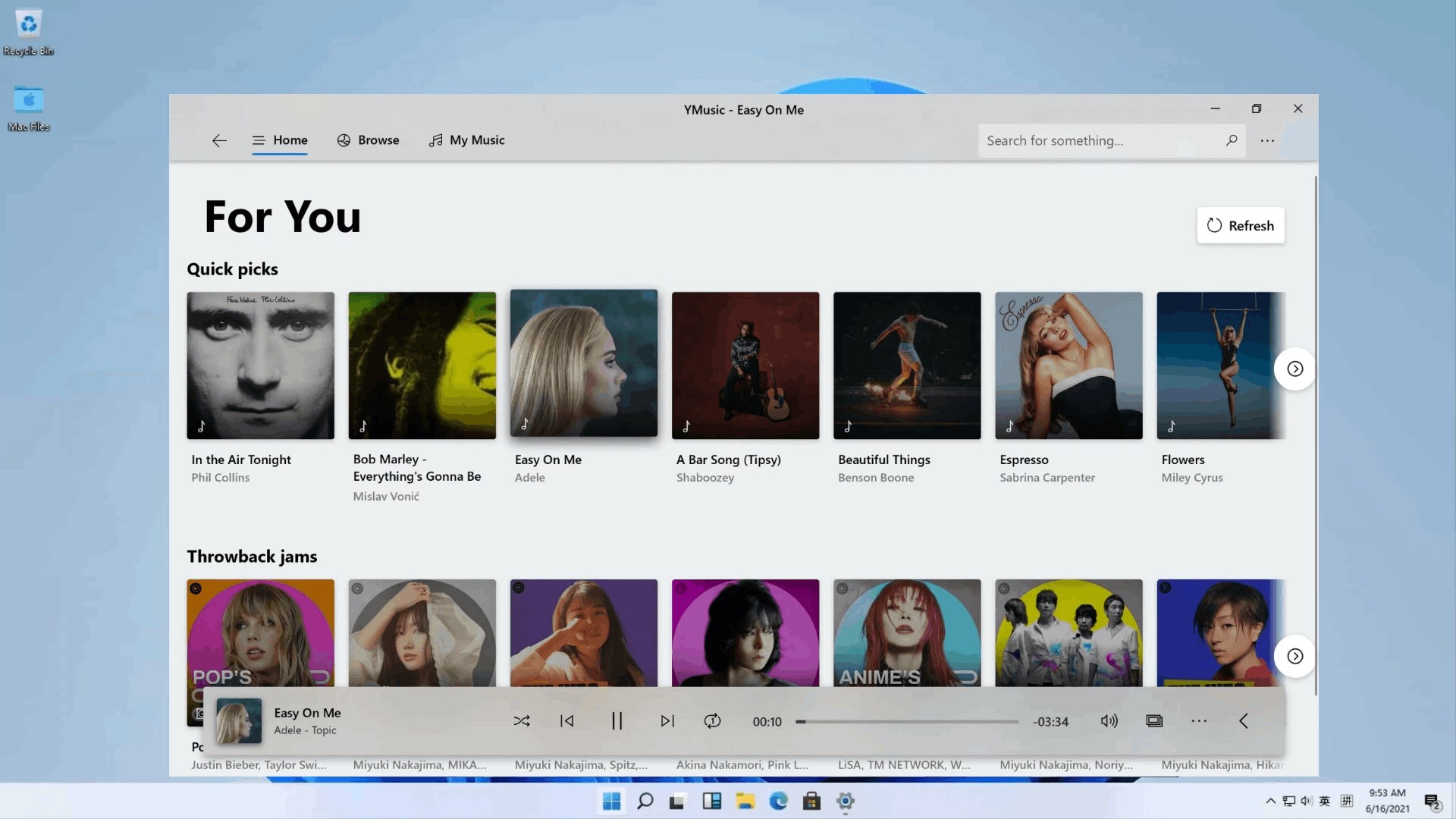
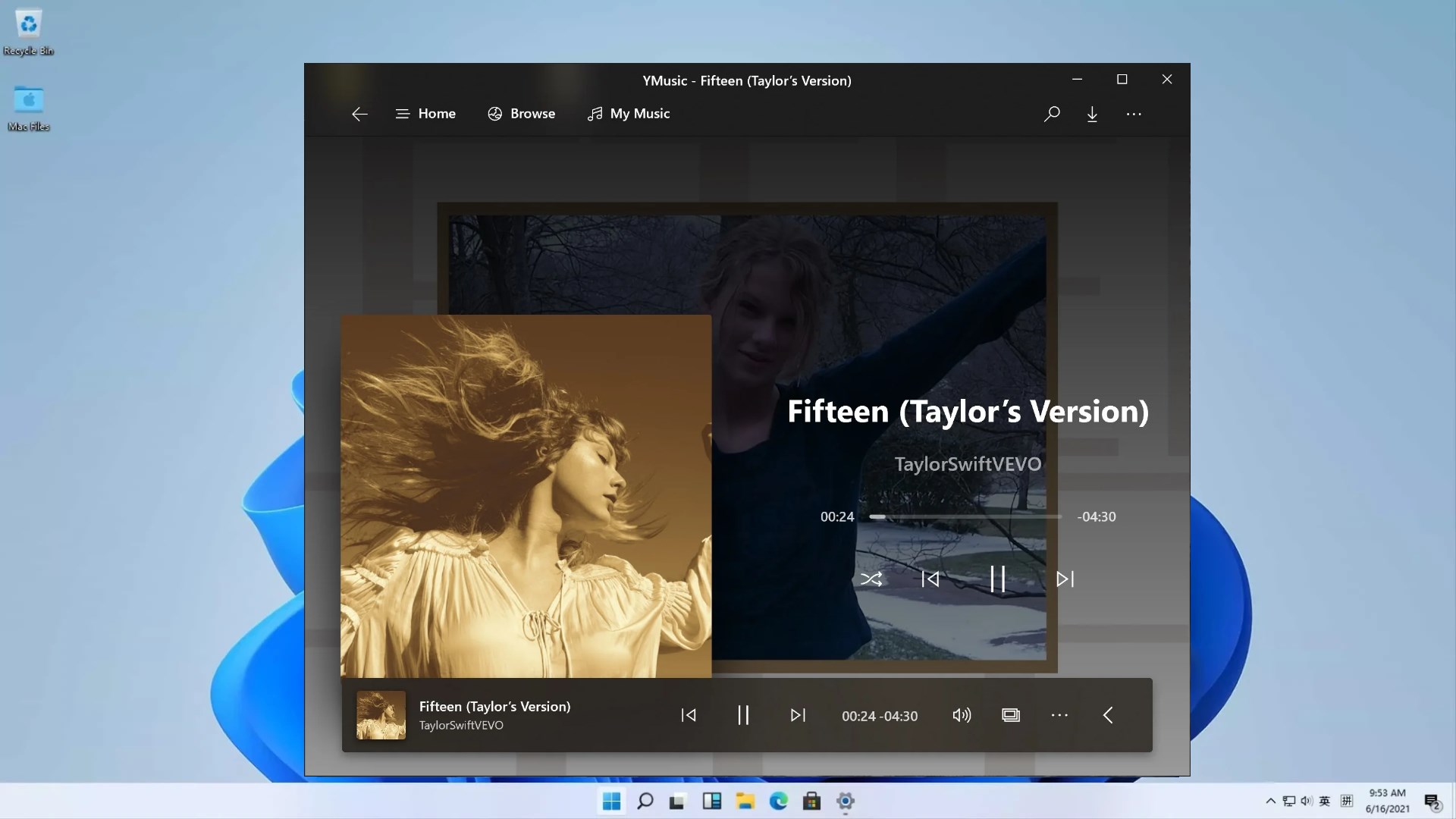
YMusic Plus boasts a clean, modern interface reminiscent of a sleek music player dashboard, with vivid album art and easy-to-navigate menus. The interface design prioritizes clarity and accessibility, making it simple for users of all tech levels to find and play their favorite tunes with a few clicks. Operation latency is minimal, ensuring smooth scrolling, quick responsiveness, and a gratifying user experience. The learning curve is gentle; new users will find it straightforward to set up playlists, adjust audio settings, and explore features without frustration.
Performance and Differentiation from Similar Apps
While many YouTube music apps focus mainly on streaming, YMusic Plus's commitment to offline downloads and high-fidelity audio gives it an edge, particularly for users who prioritize offline listening and customizable sound controls. Its rhythm pattern assessment feature adds a layer of sophistication—assessing the variety of beat structures and providing resilient playback despite minor latency issues. Unlike conventional apps that might falter with complex rhythms or introduce noticeable lag, YMusic Plus maintains consistent audio integrity, making it suitable for casual listening and more demanding musical exploration.
Final Thoughts and Recommendations
Overall, YMusic Plus is a solid addition to the Windows music app landscape, especially for users seeking offline capabilities and precise rhythm assessment. Its user-centric design and particular strengths in latency tolerance and rhythm recognition make it especially appealing for rhythmic genres and playback enthusiasts. I would recommend this app for casual music fans who want reliable offline access and for those curious about a music player that intelligently handles rhythm patterns. While it may not replace more comprehensive streaming services for discovery, it's a reliable companion for quality audio and personalized listening on Windows.
Pros
- User-Friendly Interface
- Offline Music Playback
- Audio Enhancer Features
- Ad-Free Listening Option
- Background Play Capability
Cons
- Limited Free Features
- Occasional App Stability Issues
- In-App Advertisements for Free Users
- Search Functionality Limitations
- Download Speed Variability











