

- Name Airyware Tuner
- Category Music
- Developer Acoustic Scientists
- Available on PC, Mobile, Xbox console, Surface Hub, HoloLens
- OS Windows 10 version 10240.0 or higher
- languages English (United States)
Introduction: A Deep Dive Into Airyware Tuner for Windows
Imagine having a professional-grade audio tuning assistant right within your Windows environment—accurately aligning your instrument's sound without the need for bulky hardware or complex configurations. That's precisely what **Airyware Tuner for Windows** offers: a sleek, precise, and user-friendly tool for musicians, sound engineers, and audio enthusiasts eager to perfect their tuning process with cutting-edge technology.
Developers and Core Features
Developed by **Acoustic Scientists** and published by **Airyware**, this application aims to bring studio-quality tuning to everyday users. Its standout features include:
- High-Precision Frequency Detection: Utilizing advanced algorithms, the tuner can detect pitch with remarkable accuracy, even in noisy environments, making it suitable for live settings or practice rooms.
- Robust Rhythm Pattern Recognition: Unlike many tuners that focus solely on pitch, Airyware Tuner assesses rhythm patterns, offering a comprehensive musical analysis that's especially beneficial for practicing timing and beat alignment.
- Real-Time Latency Tolerance & Customization: Warping traditional constraints, it effectively handles input latency, allowing musicians to tune in real-time without perceptible delays, which is essential during dynamic performance settings.
- User-Friendly Interface & Seamless Workflow: Designed with clarity and simplicity, the app ensures that both beginners and professionals can navigate effortlessly, facilitating smooth, uninterrupted tuning sessions.
Vibrant and Functional User Experience
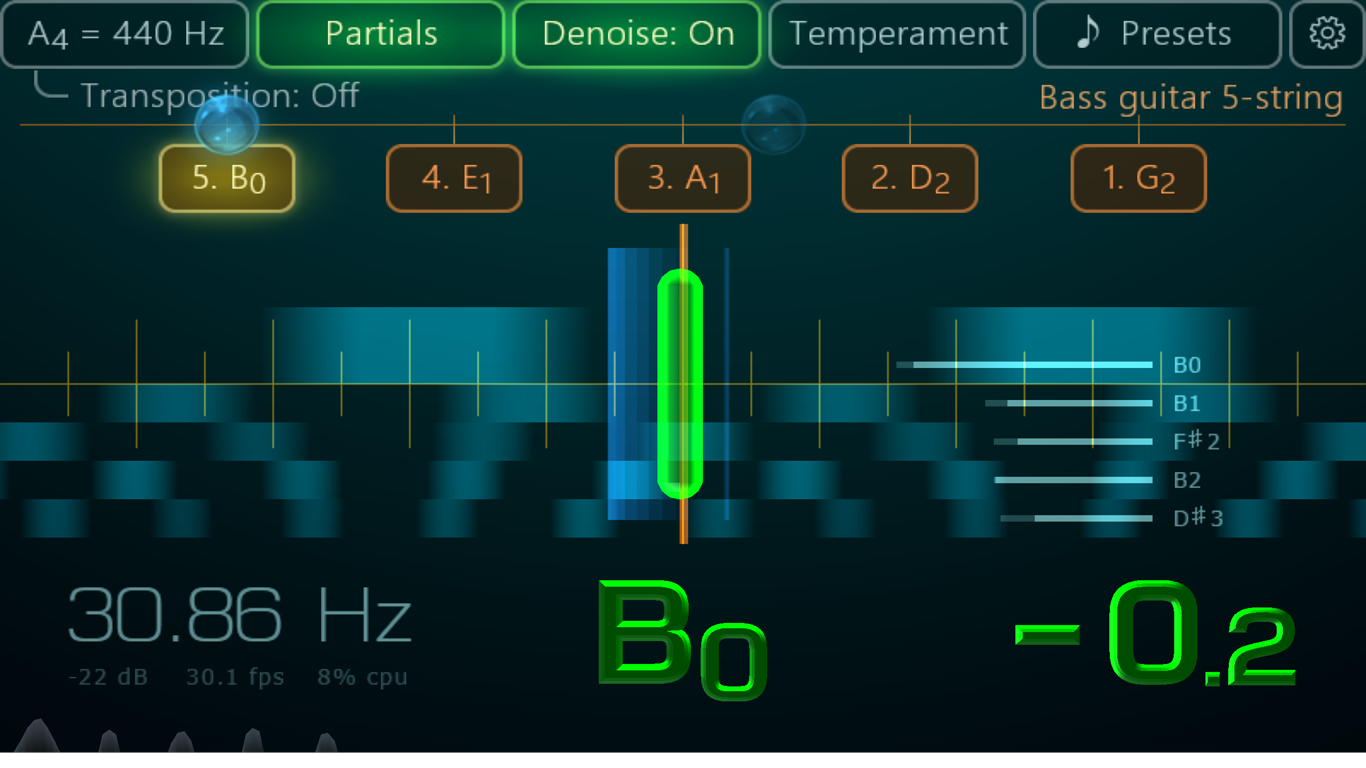
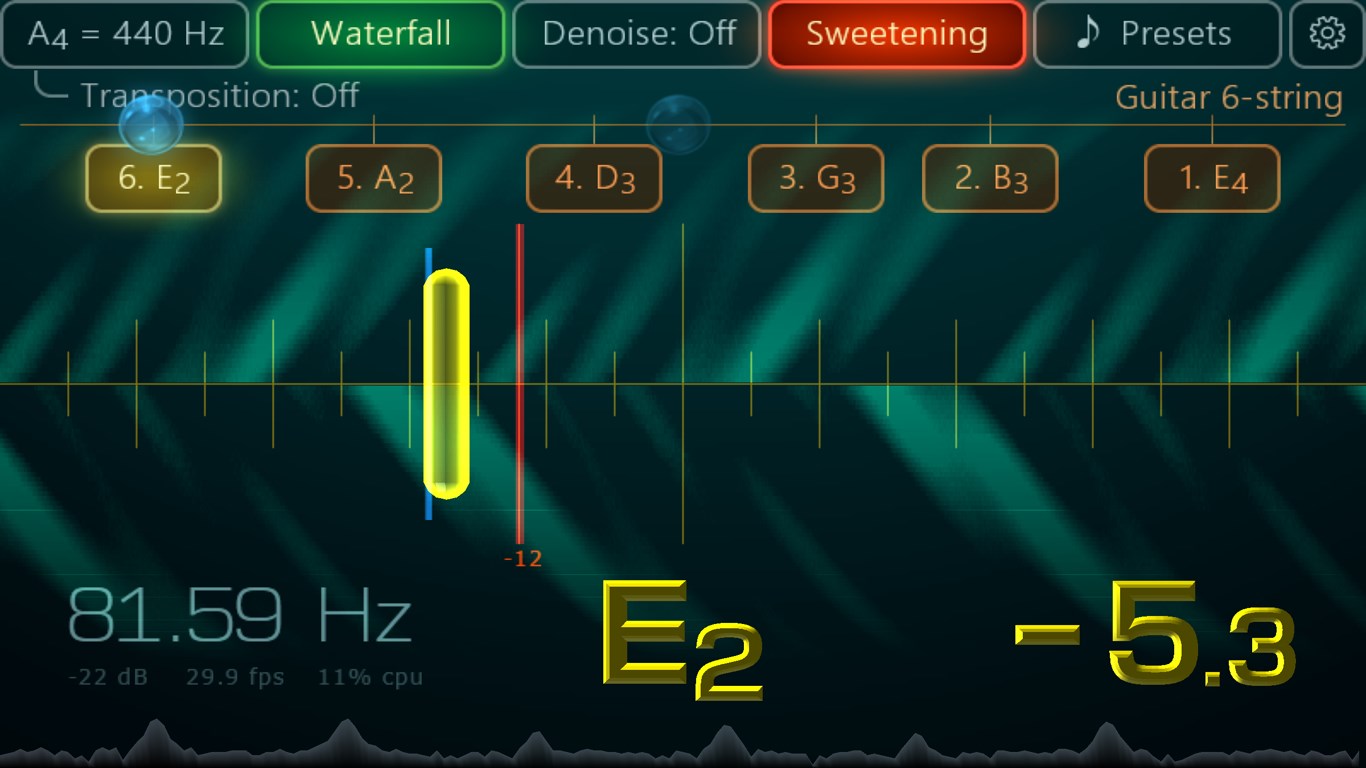
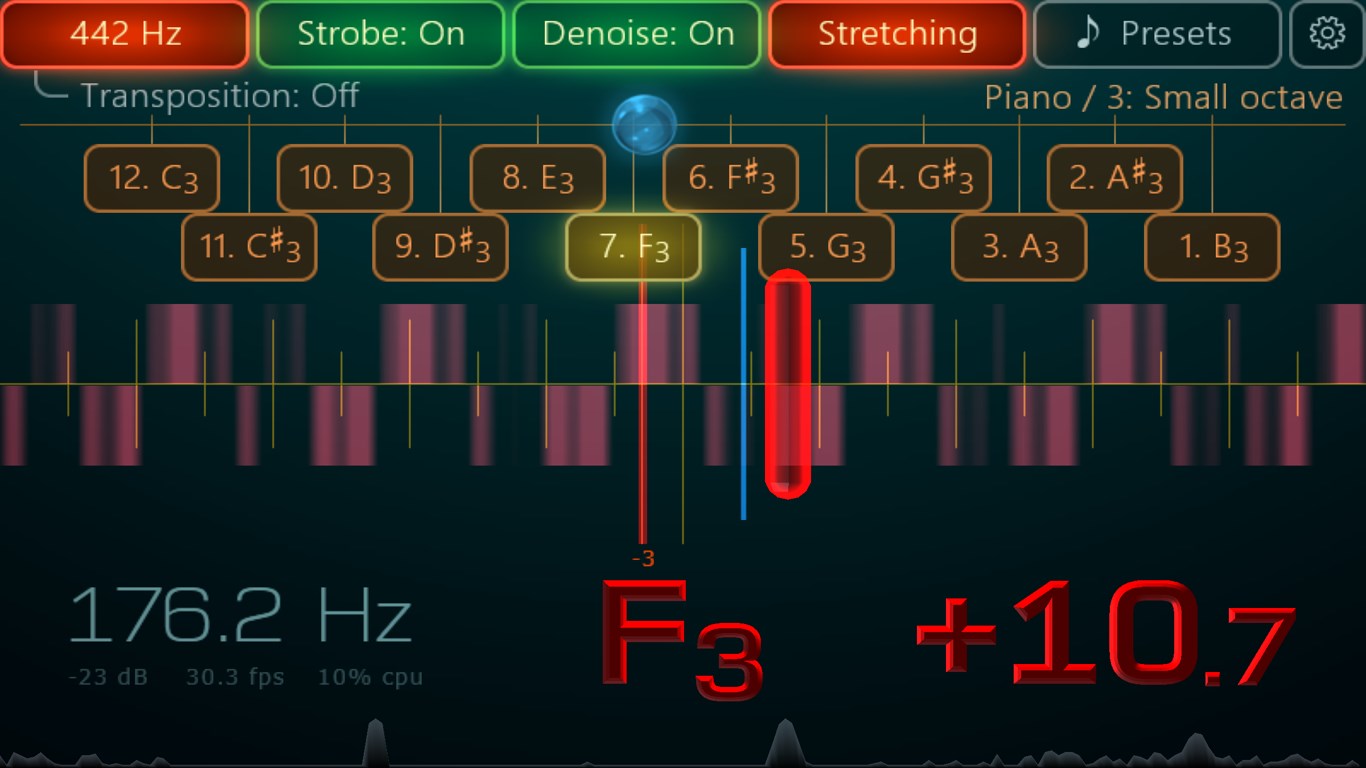
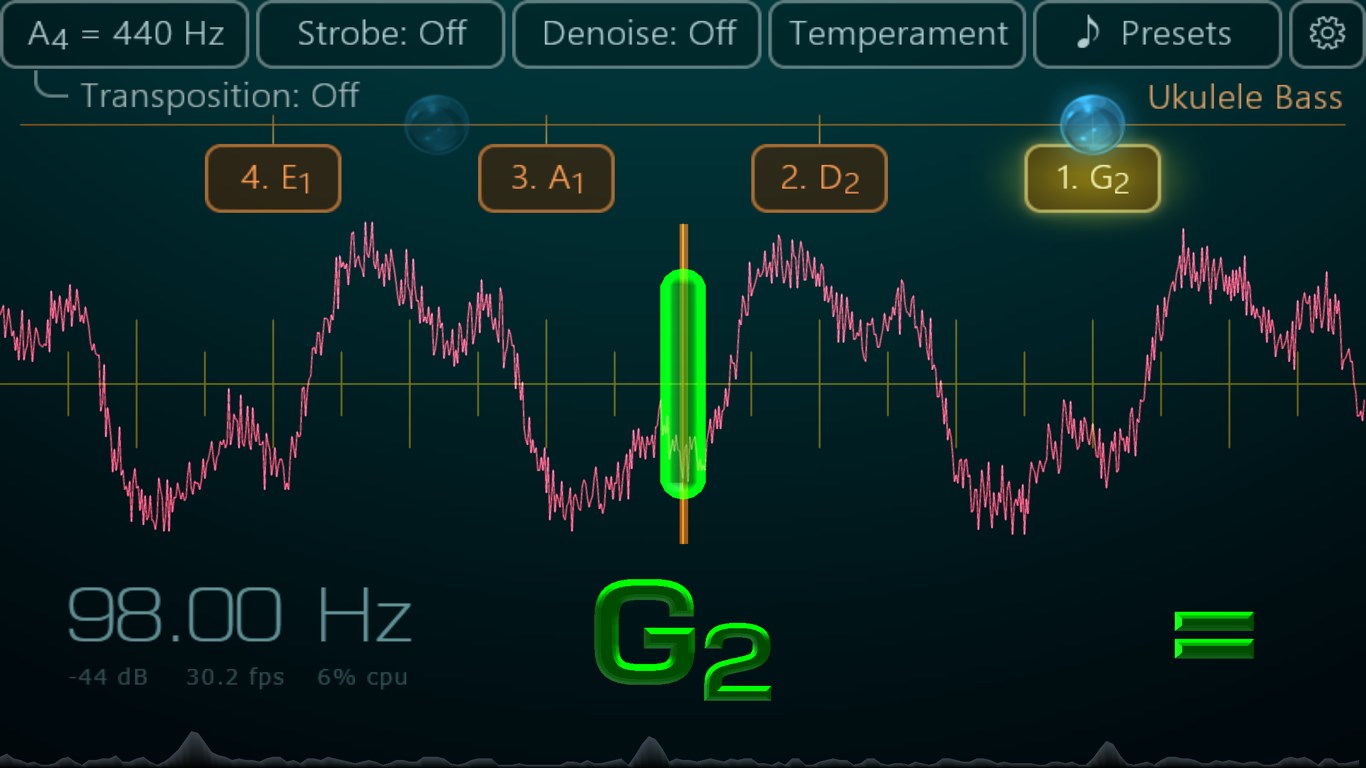
From the moment you launch Airyware Tuner, you're greeted with a clean, modern interface that resembles a professional studio console—sleek, unobtrusive, yet packed with information. The visual feedback, including dynamic needle-like indicators and color-coded pitch accuracy, provides immediate understanding of your tuning status, akin to having a seasoned technician guiding your hands.
The app's operation feels remarkably smooth—slight delays are virtually nonexistent, thanks to its smart handling of input latency. Learning curve? Minimal. Even those new to digital tuners will find its straightforward controls and real-time feedback intuitive, much like a friendly coach pointing out exactly when your notes are spot-on or needs refining.
Unique Strengths: Standing Out in the Crowd
While many tuners excel at pitch detection, Airyware Tuner's true innovation lies in its **assessment of rhythm patterns** and its **tolerance for input latency**. These features make it an ideal choice for performers who need not only to tune accurately but also to sync rhythmically, such as drummers or singers during live performances. Its ability to analyze beat consistency and suggest adjustments adds a layer of depth usually absent in standard tuners, turning it into a comprehensive instrument analysis tool.
Compared to conventional applications that only identify pitch, Airyware's holistic approach to musical synchronization sets it apart—like having a multi-tool in your pocket rather than a single screwdriver. This makes it especially valuable for musicians who prioritize precision and timing equally.
Final Verdict and Usage Recommendations
Overall, I'd recommend **Airyware Tuner for Windows** to anyone serious about refining their musical pitch and rhythm—whether you're a professional recording artist or an enthusiast honing your craft. Its strength in handling input latency and rhythm pattern analysis make it particularly suitable for live performers and composers seeking an intelligent companion during their creative process.
While the app may be more advanced than basic tuners, its intuitive design ensures it remains accessible. For those who demand a detailed, professional-level analysis with the flexibility to handle real-world performance challenges, Airyware Tuner offers a compelling choice—like having a dedicated audio technician right at your fingertips.
Pros
- Precise tuning for musical instruments
- User-friendly interface
- Real-time feedback and visual display
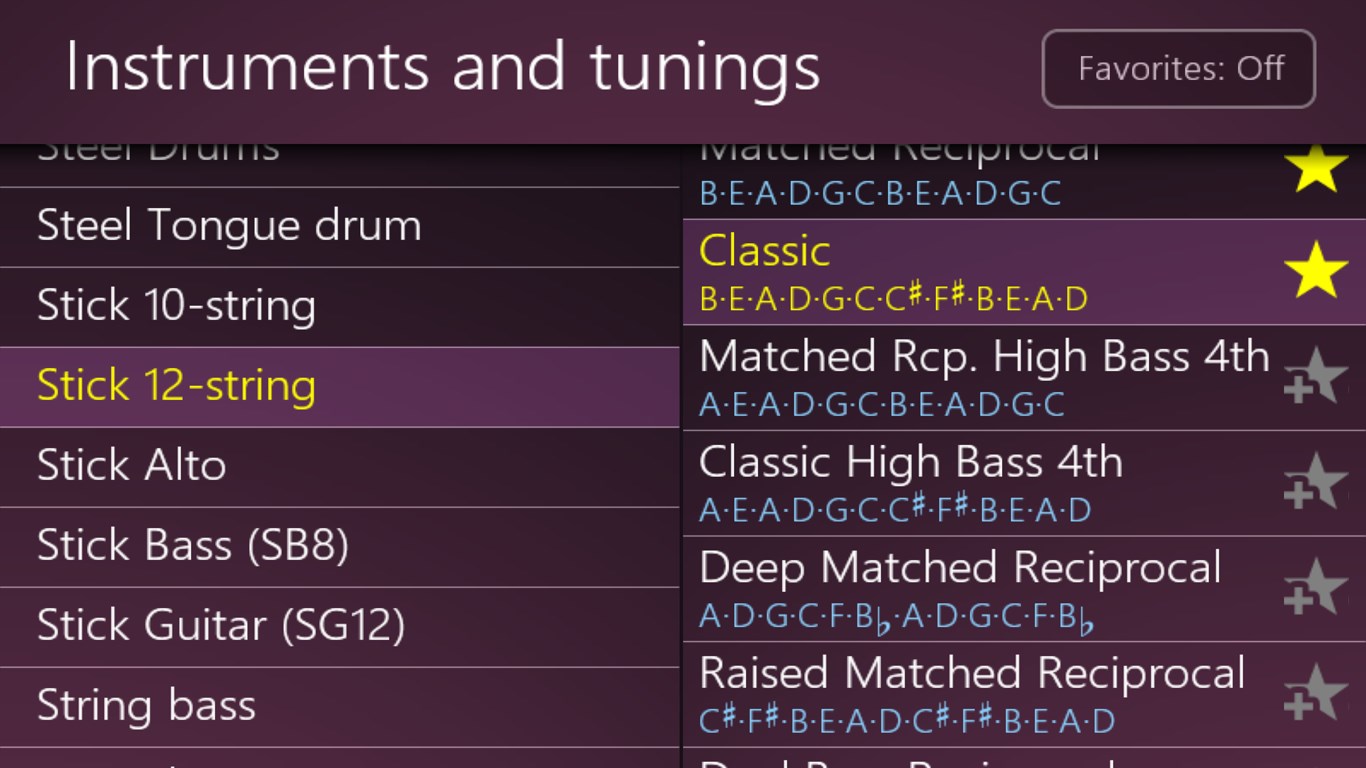
- Supports a wide range of instruments
- Free basic features with optional premium upgrades
Cons
- Limited tuning customization options
- Occasional lag in visual feedback on older devices
- No voice confirmation for tuning accuracy
- Limited support for non-string instruments
- Advertisement displays in the free version










