








- Name Piece of Cake: Merge & Bake
- Category Card & board
- Developer HG POINT LTD
- Available on PC, Mobile, Surface Hub, HoloLens
- OS Windows 10 version 17763.0 or higher
- Keyboard Integrated Keyboard
- Mouse Integrated Mouse
- languages English (United States)
Piece of Cake: Merge & Bake for Windows — A Delightful Card & Board Game Experience
In the world of casual gaming, where the balance between simplicity and strategic depth is vital, Piece of Cake offers a sweet spot for puzzle enthusiasts and tabletop fans alike. Developed by HG POINT LTD, this card and board-style puzzle game brings a fresh twist to classic merging mechanics, wrapped in charming visuals and intuitive gameplay. Whether you're looking to unwind during a quick break or engage in a more focused puzzle session, this app promises to satisfy with its engaging features and smooth experience.
Core Features That Make It Stand Out
Innovative Merging Gameplay with a Sweet Twist
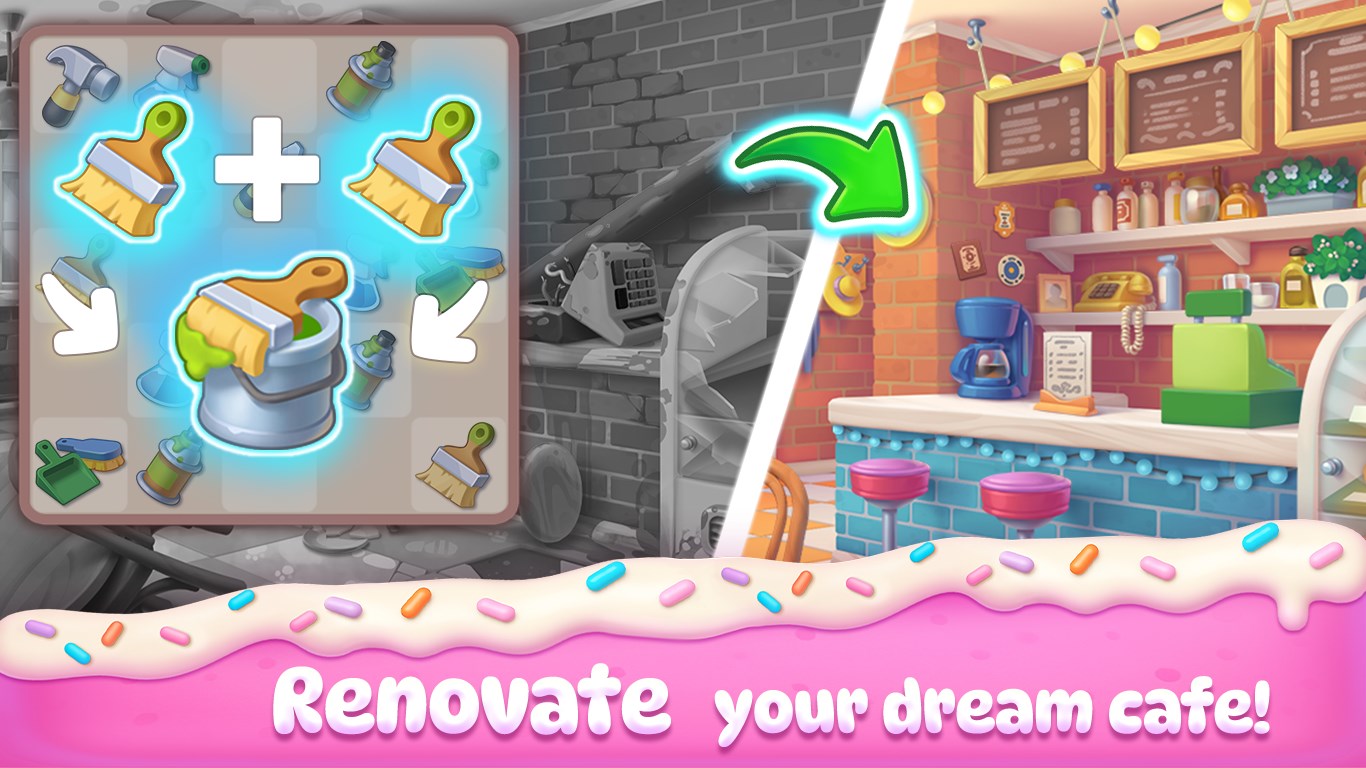
At its heart, Piece of Cake revolves around merging identical items to create higher-tier cakes and desserts. This mechanic resembles popular merge games but is elevated by a creative baking theme. As you combine items, you unlock more complex and delightful confections, making each level feel like baking a masterpiece in your own virtual bakery. The gameplay is easy to pick up—drag, merge, and watch your cake creation rise—yet offers enough depth to keep puzzle lovers hooked.
Charming Visuals and User Interface
The game boasts colorful, cartoony artwork with engaging animations that evoke a cozy bakery ambiance. The interface is clean and well-organized, allowing players to easily focus on the merging process without distraction. The visual cues for possible merges are clear, and the cheerful sound effects complement the delightful theme, creating an inviting environment for users of all ages.
Seamless and Intuitive User Experience
Playing Piece of Cake feels as smooth as a well-iced cake—responsive controls and minimal loading times ensure the gameplay flows naturally. The learning curve is gentle; new players can quickly understand the core mechanics through brief tutorials, while seasoned puzzle fans can immediately dive into more challenging levels. The game also offers helpful hints and undo options, making it accessible and forgiving for casual players.
Unique Selling Points and Differentiation
Where Piece of Cake truly shines is in its thematic integration—the merging mechanics are cleverly tied to the baking motif, which not only makes it visually appealing but also enhances its identity among similar puzzle apps. Unlike many generic merge games, this app emphasizes the creative aspect of baking, allowing players to "compose" their own sweet creations visually, which adds a satisfying layer of personalization. Moreover, the game's sparse but effective level design ensures players remain engaged without feeling overwhelmed or repetitive, distinguishing it from more cluttered or overly complex alternatives.
Recommendations and Usage Tips
Considering its charming visuals, accessible mechanics, and engaging core gameplay, I would recommend Piece of Cake as a casual yet captivating choice for puzzle lovers, especially those fond of themed merge games. It's best suited for players who appreciate a gentle learning curve and visually appealing environments, making it perfect for both quick gaming breaks and longer sessions.
If you enjoy classic match-3 or merge games but crave a flavorful twist, this app offers a unique baking-inspired experience that's both relaxing and satisfying. For best results, start with the early levels to familiarize yourself with the mechanics, then gradually challenge yourself with more intricate cakes and merging strategies.
Overall, Piece of Cake delivers a pleasant and engaging puzzle experience with its charming art and innovative merging system—definitely worth a try for gamers seeking a delightful blend of strategy and casual fun.
Pros
- Engaging merge and bake gameplay
- Colorful and appealing graphics
- Simple to learn with straightforward controls
- Frequent updates and new content
- In-app rewards and achievements
Cons
- Limited gameplay diversity
- Moderate in-app purchase prompts
- Occasional lag on lower-end devices
- Limited social sharing options
- Some players find the difficulty curve inconsistent











