

- Name MusicBee
- Category Music
- Developer Steven Mayall
- Available on PC
- OS Windows 10 version 14393.0 or higher
- Keyboard Integrated Keyboard
- Mouse Integrated Mouse
- languages English (United States)
Overview: A Fresh Take on Music Management for Windows
MusicBee for Windows is a feature-rich music player designed to streamline your listening experience while offering advanced organizational tools. Developed and published by Steven Mayall, this application aims to serve audiophiles and casual listeners alike, providing a seamless blend of style and functionality without the clutter often found in other media players.
Core Features That Stand Out
Enhanced Rhythm Pattern Variety and Dynamic Latency Tolerance
One of MusicBee's most compelling features is its ability to assess and adapt to rhythm pattern variations, making it a standout for users who appreciate complex musical structures. The app's sophisticated playback engine exhibits impressive latency tolerance, which means smoother synchronization even with extensive playlists or less-than-ideal hardware. Whether you're a DJ cueing up tracks or an enthusiast parsing intricate percussion segments, MusicBee responds with remarkable precision, maintaining rhythm integrity and enhancing the listening experience.
Intuitive Interface with Customization at Your Fingertips
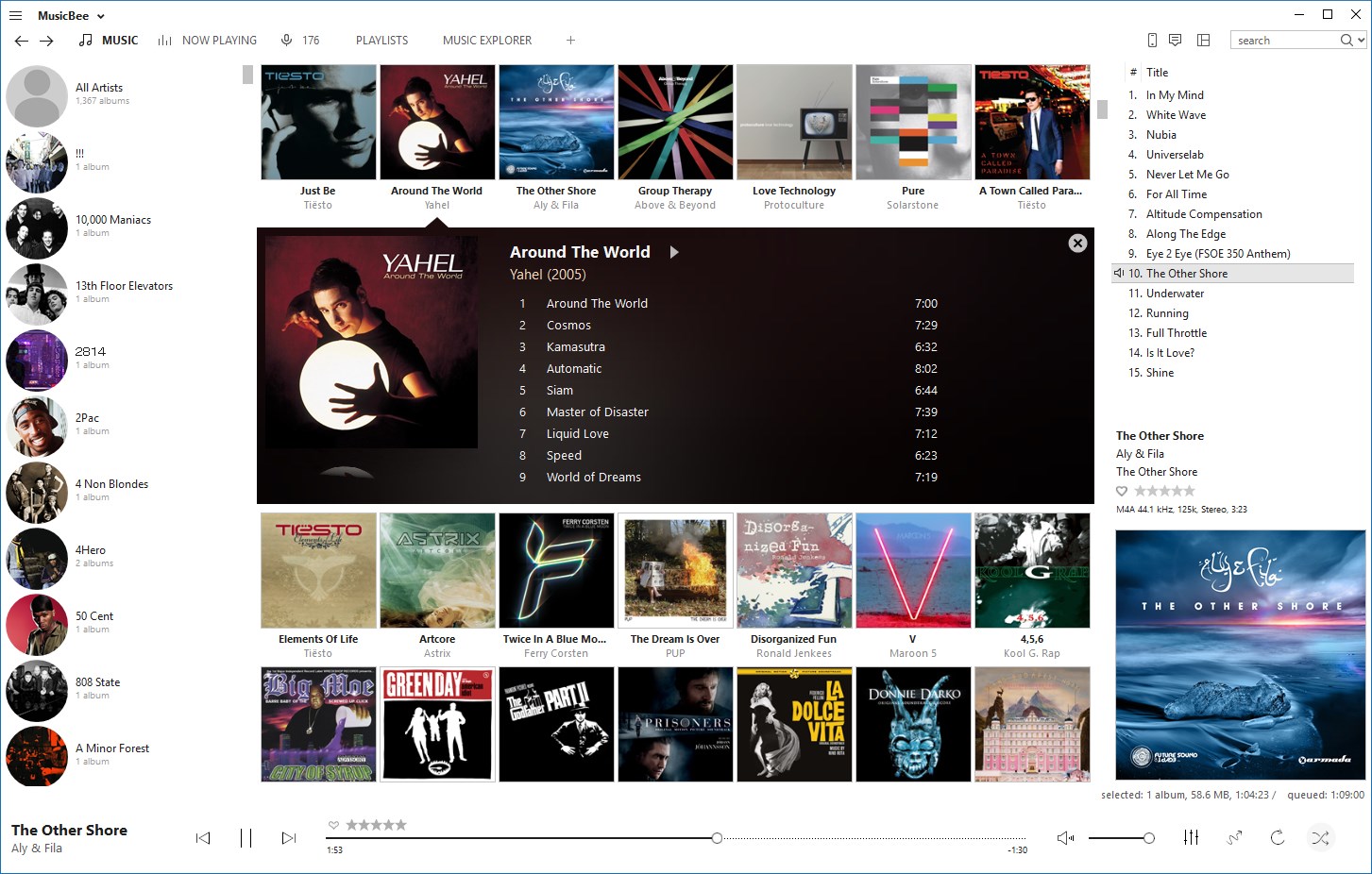
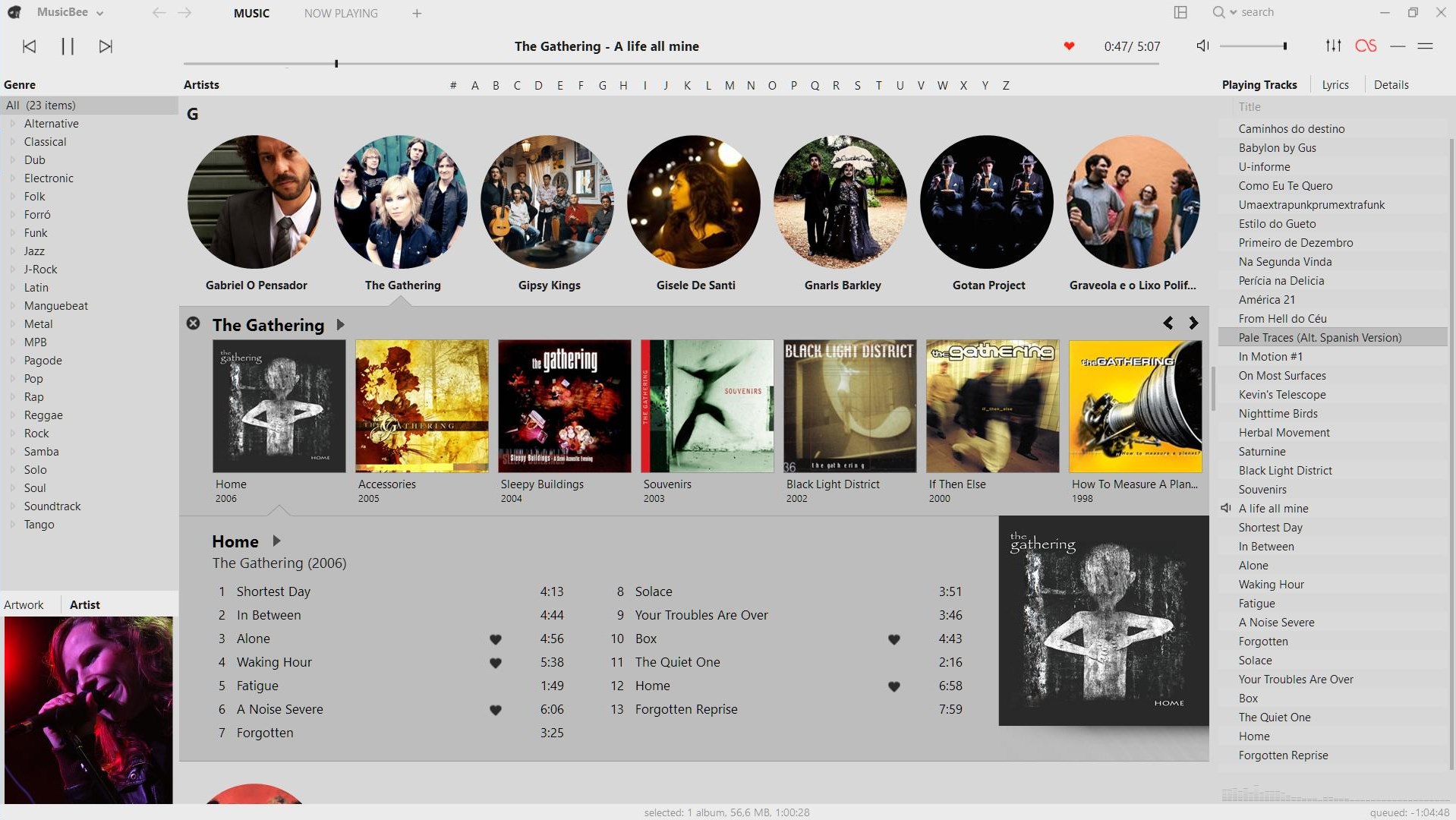
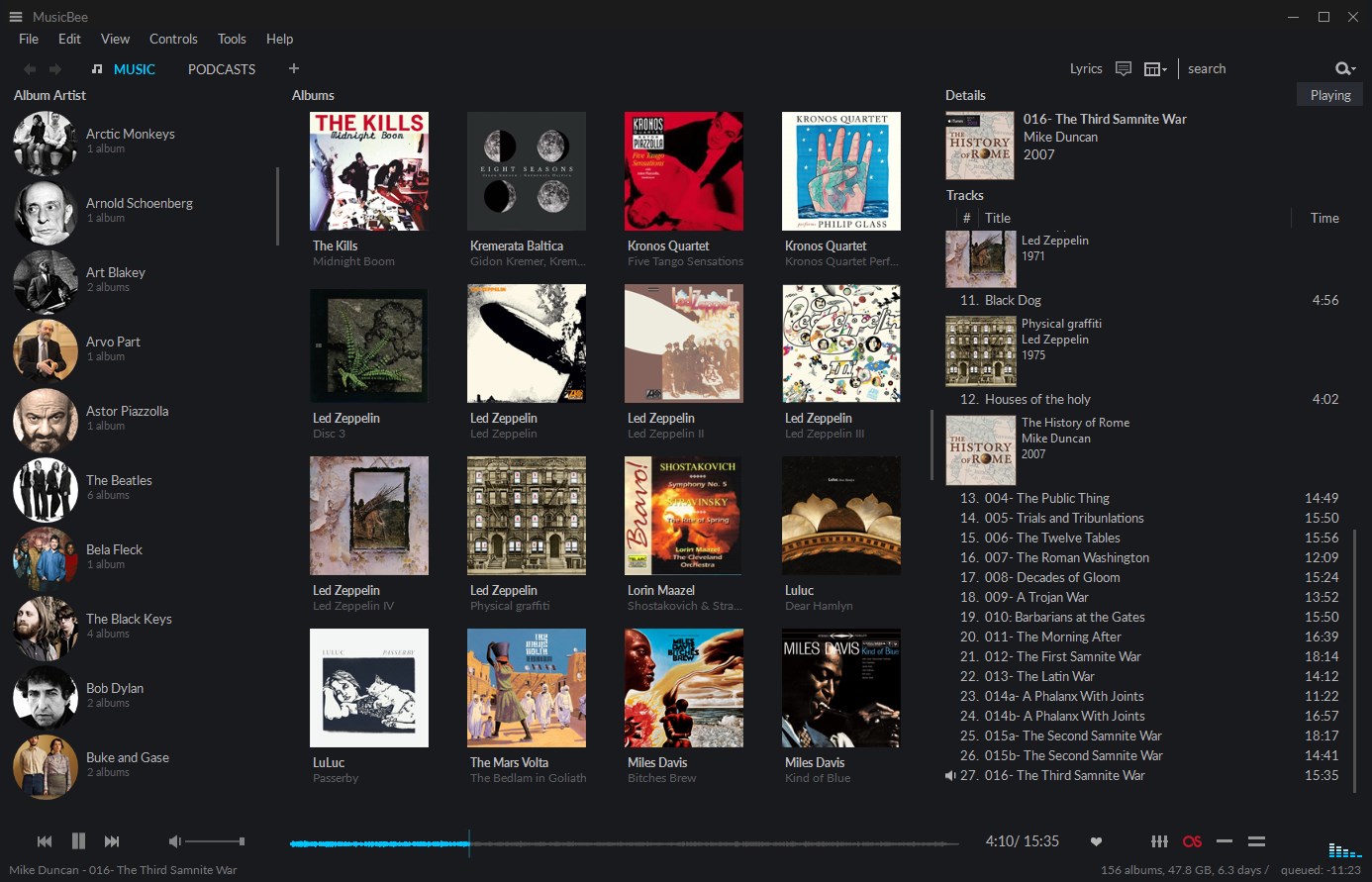
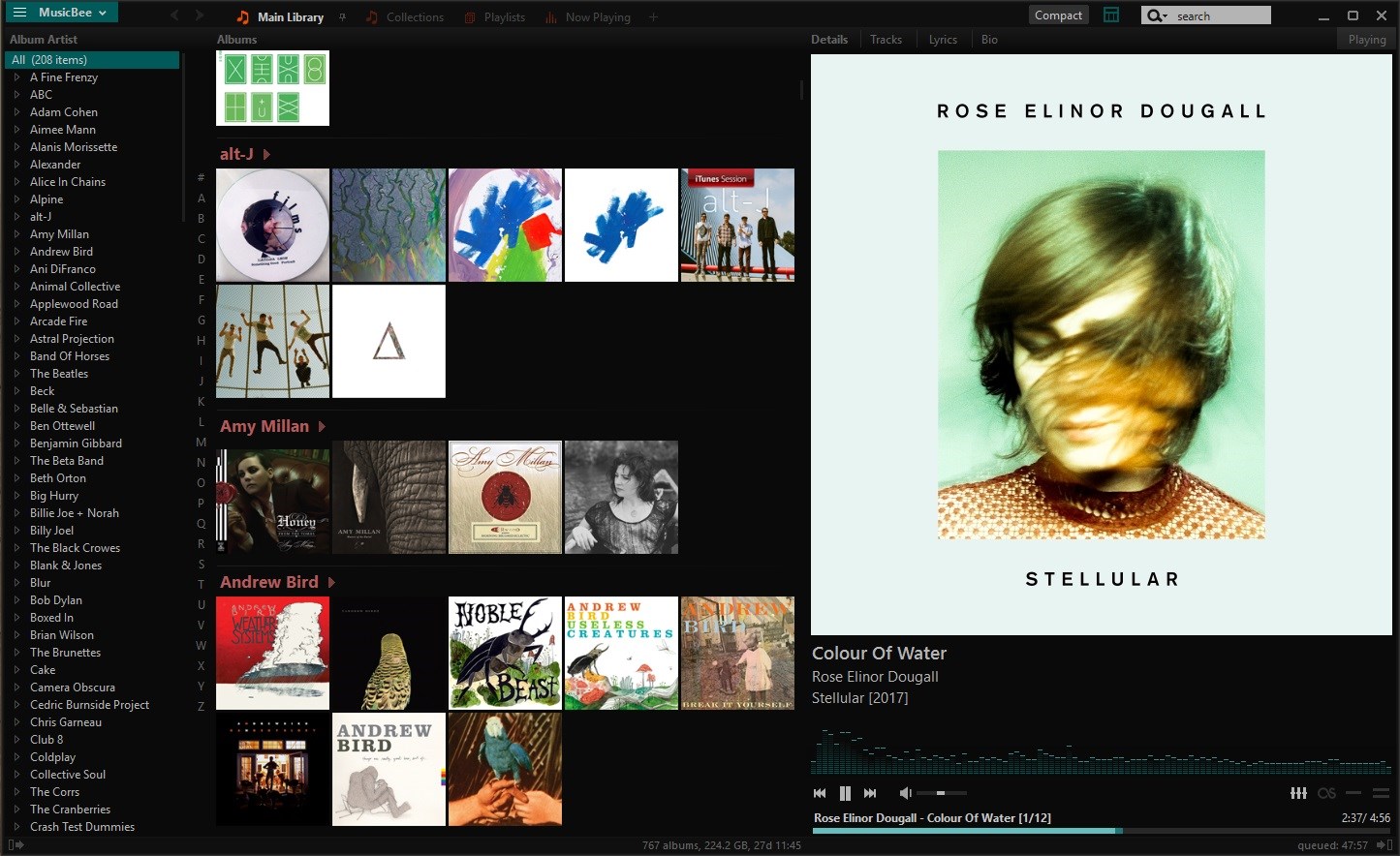
MusicBee's interface is a delight, designed like a sleek dashboard that balances aesthetics with usability. Navigating through your library feels like flipping through a well-organized music cabinet—categories are clear, and controls are logically placed. The app's customizable skins and layout options allow users to tailor their environment, making the interface both beautiful and practical. The controls are responsive; jumping between playlists, adjusting equalizers, or exploring metadata feels instantaneous, providing a fluid user experience.
Advanced Organizational and Tagging Capabilities
Keeping your music collection tidy can be a chore, but MusicBee makes it almost enjoyable. Its powerful tagging system helps categorize music by genres, artists, albums, or even personal tags, giving your library a personalized touch. Moreover, its auto-tagging features and integration with online databases streamline the process, saving time and reducing frustration. This makes MusicBee especially appealing to those with large collections or high standards for library management.
Design, Performance, and User Experience
From the moment you launch MusicBee, you're greeted with a design that feels both contemporary and approachable—think of it as a well-lit, organized studio where everything is at your fingertips. The interface's clarity aids ease-of-use, and the app performs smoothly across typical Windows hardware configurations, showing minimal lag even during heavy playback sessions. The learning curve is gentle; most features are accessible within a few clicks, yet deep enough for power users seeking advanced customization. This balance makes MusicBee suitable for beginners and seasoned audiophiles alike.
Unique Selling Points: What Sets MusicBee Apart
While many music players offer basic playback functions, MusicBee elevates the experience through its nuanced assessment of rhythm patterns and exceptional latency management. Its capacity to adapt to intricate rhythm structures not only benefits DJs and musicians but also those who enjoy complex compositions. Coupled with its superior library organization and aesthetic customization, these features carve out a distinctive niche for MusicBee—addressing the needs of users who demand both technical finesse and personal flair in their music player.
Recommendation and Usage Suggestions
Overall, MusicBee for Windows earns a solid recommendation for anyone seeking a reliable, customizable, and technically sophisticated music player. Its standout features in rhythm assessment and latency handling make it particularly suited for enthusiasts who value precision and musical complexity. Beginners will appreciate its straightforward design and tag management, while advanced users will find a wealth of options to fine-tune their listening environment. If you're tired of standard players that feel uninspired or overly simplistic, giving MusicBee a try could transform your music experience into a more immersive and organized journey.
Pros
- Intuitive user interface
- Extensive customization options
- Robust music library management
- Support for multiple audio formats
- Free and regularly updated
Cons
- Limited cloud integration
- Steep learning curve for advanced features
- User interface could be modernized
- Limited cross-platform support
- Occasional bugs in auto-tagging features











