

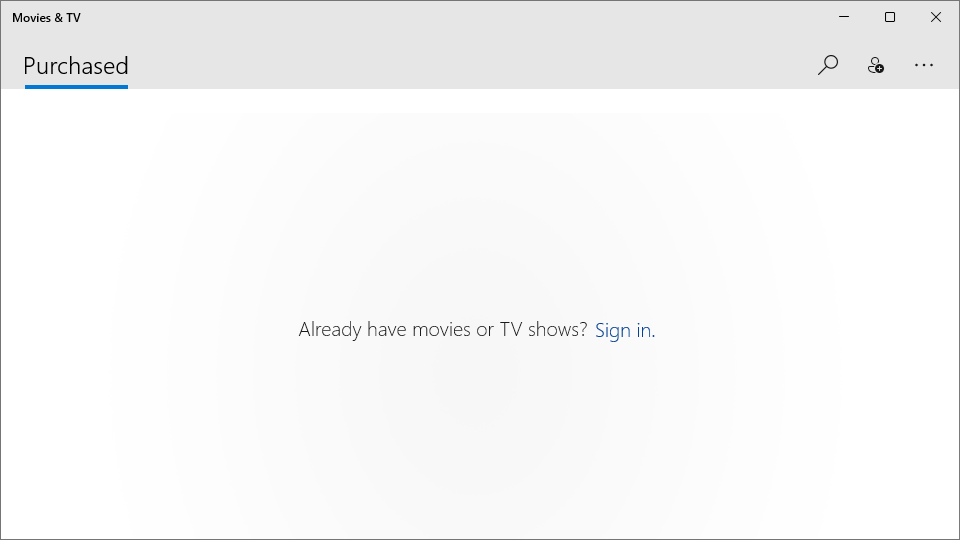
- Name Movies & TV
- Category Entertainment
- Developer Microsoft Corporation
- Available on PC, Mobile, Xbox console, HoloLens
- OS Windows 10 version 19042.0 or higher
- languages Afrikaans, Albanian, Amharic, Arabic, Armenian, Assamese, Azerbaijani, Bangla (Bangladesh), Bangla (India), Basque, Belarusian, Bosnian (Latin, Bosnia and Herzegovina), Bulgarian, Catalan, Central Kurdish (Iraq), Chinese (Simplified), Chinese (Traditional), Chinese (Traditional, Hong Kong SAR), Croatian, Czech, Danish, Dari, Dutch, English (United Kingdom), English (United States), Estonian, Filipino, Finnish, French, French (Canada), Galician , Georgian, German, Greek, Gujarati, Hausa (Latin), Hebrew, Hindi, Hungarian, Icelandic, Igbo, Indonesian, Irish, isiXhosa, IsiZulu, Italian, Japanese, K'iche' (Guatemala), Kannada, Kazakh, Khmer, Kinyarwanda, Kiswahili, Konkani, Korean , Kyrgyz, Lao, Latvian, Lithuanian, Luxembourgish, Macedonian, Malay, Malayalam, Maltese, Maori, Marathi, Mongolian (Mongolia), Nepali, Norwegian (Bokmål), Odia, Persian, Polish , Portuguese (Brazil), Portuguese (Portugal), Punjabi (Arabic), Punjabi (India), Quechua, Romanian, Russian, Scottish Gaelic, Serbian, Serbian (Cyrillic, Bosnia and Herzegovina), Serbian (Latin, Serbia), Sesotho sa Leboa, Setswana, Sindhi (Arabic), Sinhala, Slovak, Slovenian (Slovenia), Spanish (Mexico), Spanish (Spain), Swedish, Tajik, Tamil, Tatar, Telugu, Thai, Tigrinya, Turkish, Turkmen, Ukrainian, Urdu, Uyghur, Uzbek, Valencian, Vietnamese, Welsh, Wolof, Yoruba
Introducing Movies & TV for Windows: Your Personal Movie Concierge
Movies & TV for Windows is a sleek, user-friendly multimedia application designed to bring your favorite films and TV shows directly to your fingertips, seamlessly integrating local and online content for an immersive viewing experience.
Developed by Microsoft Corporation
Created and maintained by the tech giant Microsoft Corporation, this app benefits from years of experience in building reliable, secure, and user-centric software solutions.
Key Features That Make It Stand Out
- Unified Media Library: Combines local video files with streamed content, eliminating the need for multiple apps.
- Smart Content Discovery: Employs advanced content algorithms to suggest movies and TV shows tailored to your viewing habits.
- High-Quality Playback & Casting Support: Supports 4K resolution and seamless casting to compatible devices, elevating your entertainment experience.
- Offline Access and Downloading: Allows you to download favorite titles for offline viewing, perfect for on-the-go entertainment.
This app is geared toward movie enthusiasts, casual viewers, and anyone seeking a consolidated platform to manage and enjoy their multimedia library with ease.
Vivid User Experience and Intuitive Design
From the moment you open Movies & TV, you're greeted with a visually appealing interface that resembles a well-organized theater lobby—clean, familiar, and inviting. Navigating through your library feels natural, akin to browsing in a cozy media shop, with smooth transitions that do not break your immersion. The app operates flawlessly across devices, ensuring operational fluidity whether you're streaming on a high-end desktop or a lightweight tablet. Its learning curve is gentle; even tech novices can quickly become adept at finding, playing, and exploring content. The design emphasizes clarity—large icons, straightforward menu structures, and intelligent content recommendations that feel like a knowledgeable friend pointing you toward new favorites.
Core Functionalities: Powering Your Film and Series Journey
Smart Content Discovery and Personalized Recommendations
One of the most compelling aspects of Movies & TV is its sophisticated content discovery system. Unlike many competitors, it uses machine learning algorithms that analyze your viewing history, ratings, and preferences to curate personalized recommendations with surprising relevance. Imagine walking into a movie theater, and the staff already know your favorite genres—that's the level of tailored suggestions this app aims to deliver. It adapts over time, ensuring your suggestions become more spot-on as you use the app more frequently.
Unified Library Management
Managing multiple sources—local files, streaming services, or cloud libraries—can be a hassle. Movies & TV streamlines this process, offering a centralized hub that consolidates your entire media collection. You can effortlessly browse, search, and organize your movies and TV shows, making it feel like having your own personal media librarian. The integration with local media is particularly seamless; the app intelligently scans your directories and updates your library without fuss.
High-Quality Playback & Casting
Quality is king, and this app excels here. Support for 4K Ultra HD means you won't need to sacrifice clarity. The playback is smooth, with minimal buffering, thanks to optimized streaming protocols. Additionally, casting support enables quick and easy projection to compatible smart TVs, wireless speakers, or streaming devices, turning your home into a personal cinema. This feature is especially handy when hosting friends or enjoying movie nights without cable clutter.
Comparative Insights & Final Verdict
Compared to other entertainment apps, Movies & TV for Windows distinguishes itself with its intelligent content algorithms and unified media management capabilities. While many apps rely heavily on user-inputted tags and manual browsing, Microsoft's implementation leverages data-driven personalization that consistently refines its recommendations—much like having a dedicated movie concierge. Its interface is both elegant and functional, making it accessible without sacrificing depth of features.
Given its strengths, I recommend this app to Windows users who seek a reliable, integrated platform for their media consumption. It's especially advantageous for users who want a lightweight app that doesn't overwhelm but still offers powerful features like offline downloads and high-quality casting.
All in all, Movies & TV for Windows is a well-rounded multimedia tool that balances simplicity with smart technology, making it a noteworthy choice for anyone looking to elevate their entertainment experience without complexity.
Pros
- User-friendly interface
- Extensive movie library
- Seamless integration with Microsoft account
- High-quality video playback
- Offline viewing available
Cons
- Limited rental options compared to competitors
- Occasional app crashes during streaming
- Menus can be slow to respond after updates
- Limited parental control features
- Geographic restrictions on some content











