

- Name MixPad Multitrack Recording Software Express Edition
- Category Music
- Developer NCH Software
- Available on PC
- OS Windows 10 version 15063.0 or higher
- Mouse Integrated Mouse
- languages English (United States)
MixPad Multitrack Recording Software Express Edition: A Solid Choice for Home Studios and Creators
MixPad Multitrack Recording Software Express Edition for Windows presents itself as a versatile and user-friendly digital audio workspace tailored for musicians, podcasters, and content creators seeking a reliable multitrack solution without the complexity of professional-grade DAWs.
About the Developer and Core Features
Developed and published by NCH Software, a reputable company with a broad portfolio of audio, video, and business applications, MixPad aims to streamline the multitrack recording process. Its key features include intuitive multi-channel recording, an extensive library of sound effects and audio processing tools, and seamless export options for sharing finished projects.
Engaging Introduction: Unlock Your Creative Potential
Imagine walking into your personal recording studio—no fancy equipment needed—just your computer and MixPad ready to capture your musical ideas or podcast episodes. The software acts like a friendly assistant, guiding you through laying down multiple tracks, editing with ease, and polishing your sound. Whether you're a hobbyist or an aspiring professional, MixPad offers a balanced mix of power and simplicity, making your creative journey smoother and more enjoyable.
Core Functionality 1: Simplified Multitrack Recording & Editing
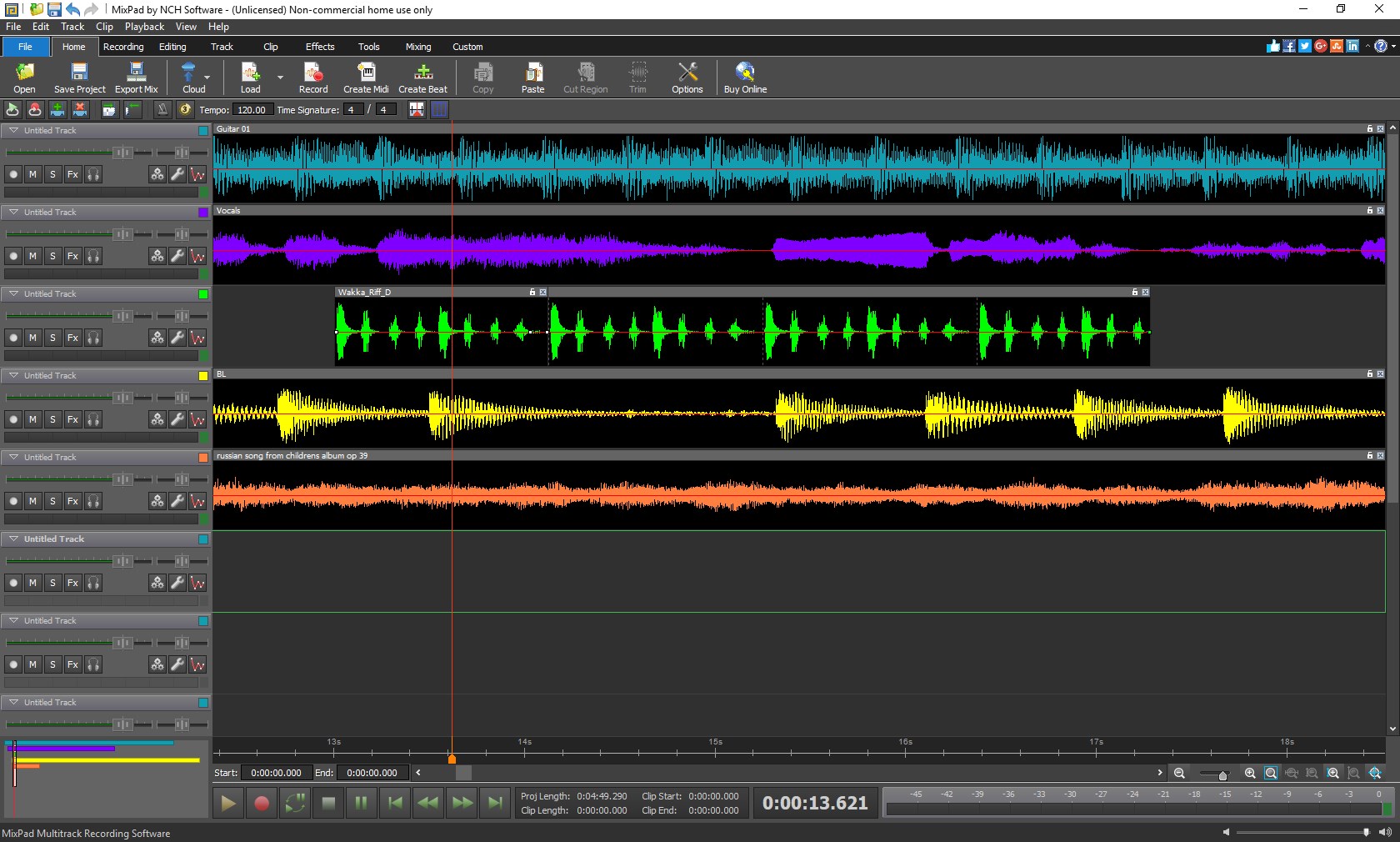
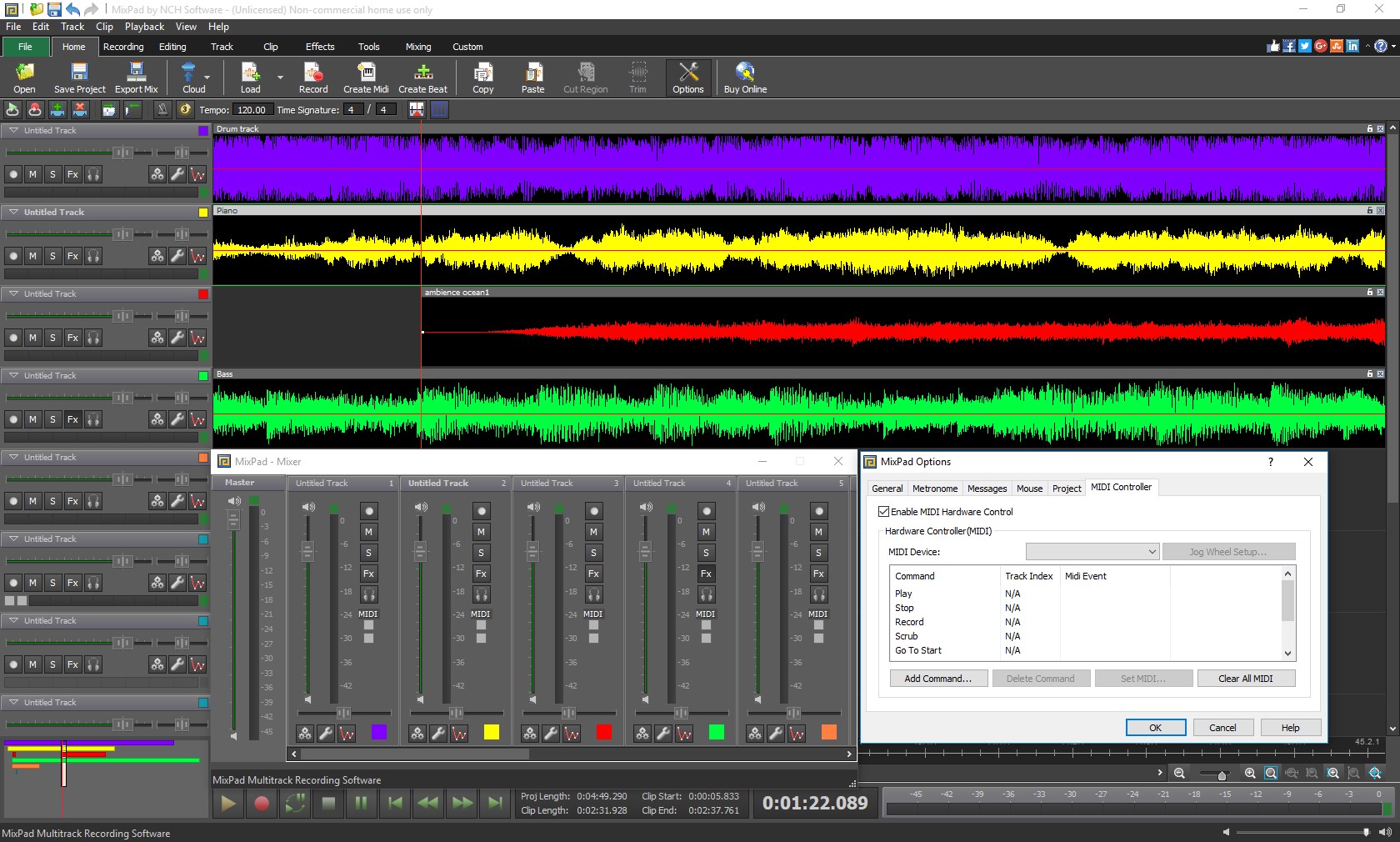
From recording live instruments or vocals to layering pre-recorded samples, MixPad excels in handling multiple tracks simultaneously without breaking a sweat. Its drag-and-drop interface, combined with clear track organization, makes navigation feel natural—almost like arranging a playlist on your favorite music app. Editing clips is straightforward: trim, cut, duplicate, and move sounds effortlessly. Its real-time waveform display provides instant visual feedback, which is especially helpful for detailed editing sessions.
Compared to more complex DAWs, MixPad maintains a focus on core recording needs, making it perfect for quick projects or those new to multitrack recording. While not as feature-intensive as high-end software, it covers all essentials with commendable responsiveness.
Core Functionality 2: High-Quality Audio Effects & Processing
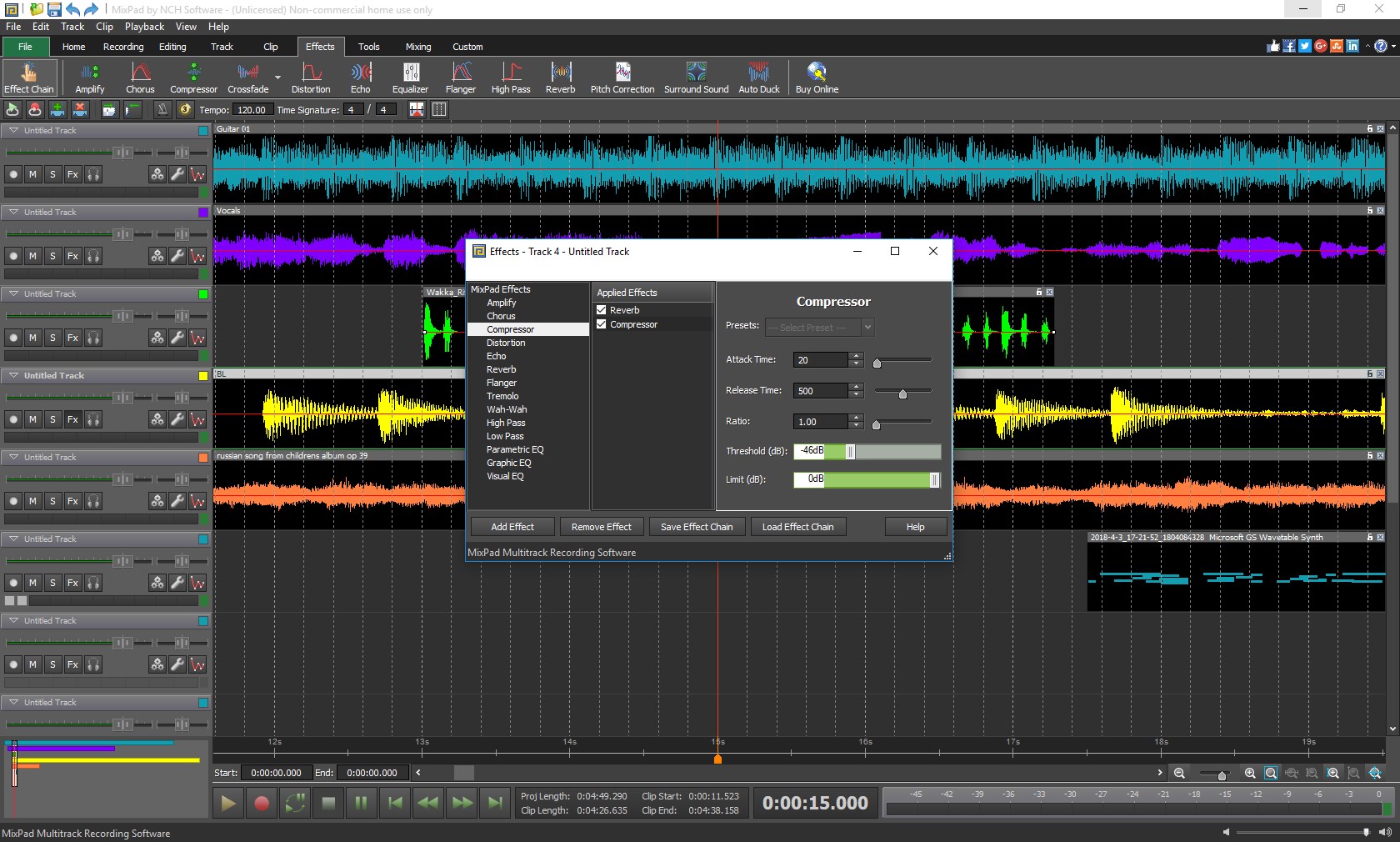
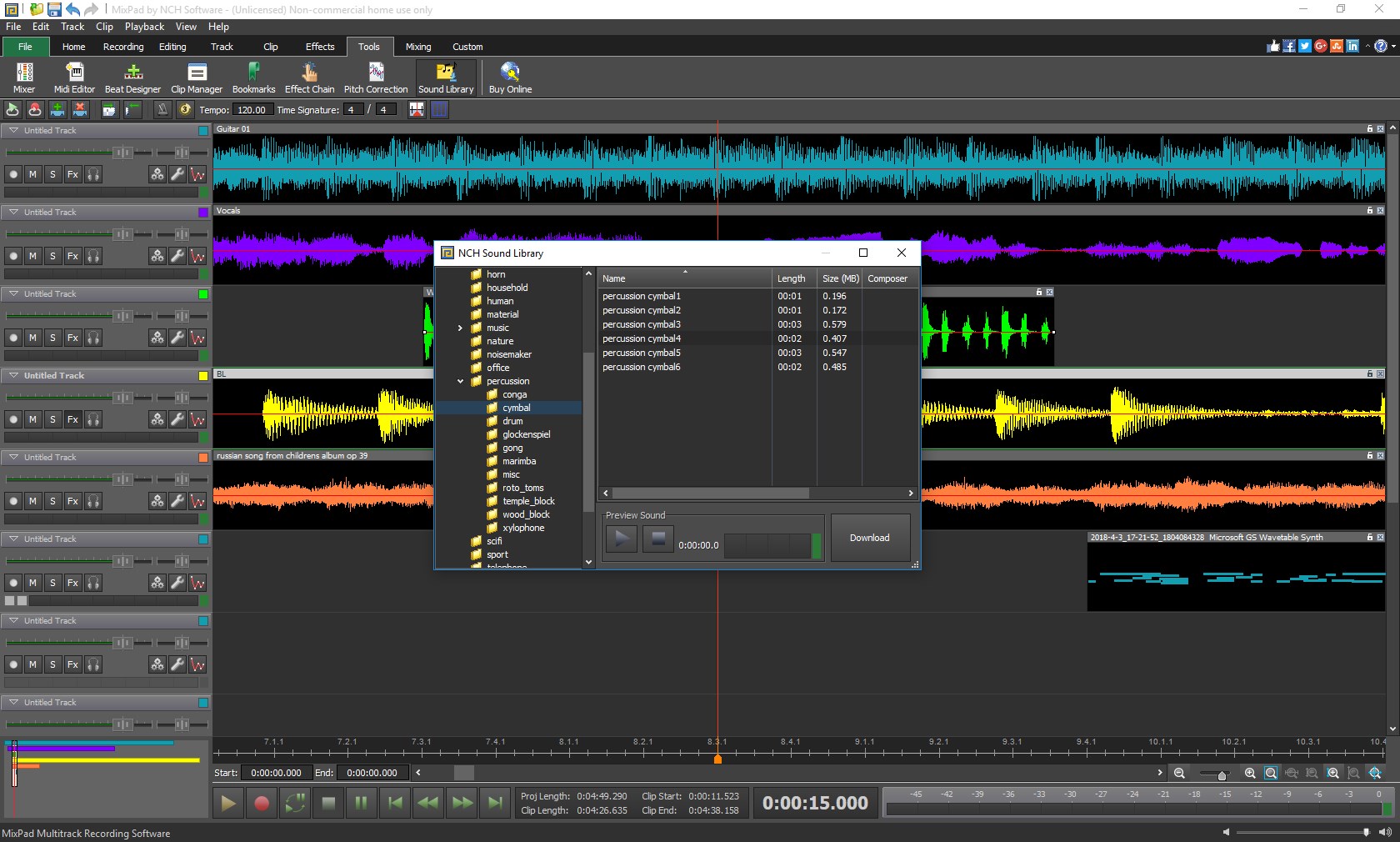
What amplifies MixPad's appeal is its rich library of sound effects, filters, and audio processing tools. Users can enhance their recordings with reverb, equalization, compression, and more—all accessible through a user-friendly interface. This allows for quick sound shaping without diving into complicated menus. The software also supports VST plugins, opening doors to expand your toolbox if you wish to explore custom effects or instruments.
In comparison to other applications, MixPad stands out with its balance of effect variety and ease of use, helping users achieve professional-sounding results without a steep learning curve.
Evaluating User Experience: Intuitive, Smooth, and Accessible
One of the most compelling aspects is MixPad's interface—clean, colorful, and logically organized—making every control feel familiar, even to newcomers. Swapping between tracks, adjusting volume levels, and applying effects feels like turning knobs on a real console. The software runs smoothly on moderate hardware, with minimal latency or lag, ensuring a seamless recording and editing experience.
While the learning curve is gentle, mastering advanced features may require some experimentation, but overall, the program is designed for quick onboarding. For users transitioning from simple audio editors, MixPad provides enough depth to grow into more complex projects without overwhelming.
Unique Selling Points: Rhythm Pattern Variety & Low Input Latency
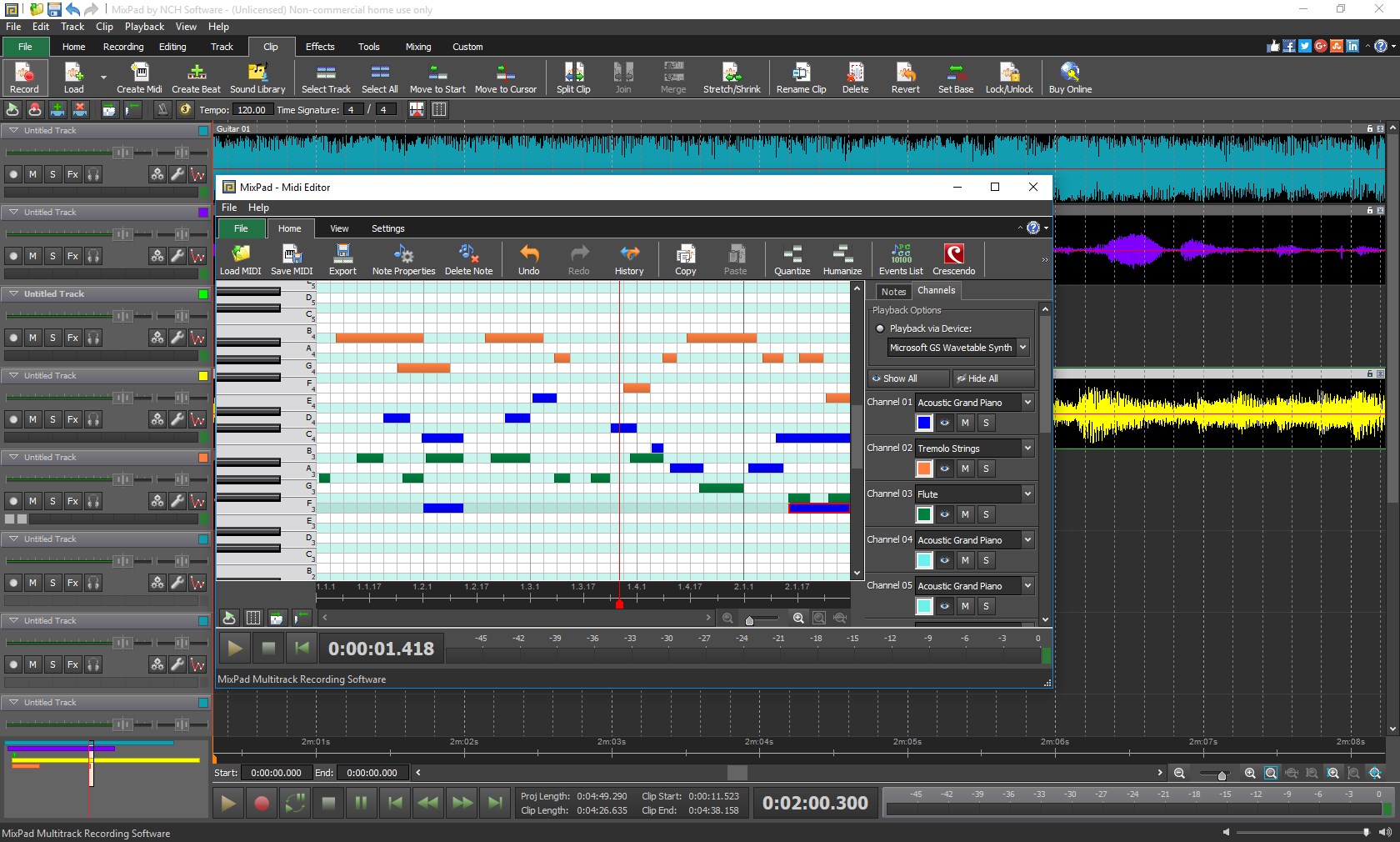
What truly sets MixPad apart from similar apps is its thoughtful handling of rhythm pattern creation and input latency. The software's rhythm pattern editor allows users to assess and customize beat arrangements easily, making it ideal for those working in band arrangements or loop-based productions. Additionally, its optimized input buffer minimizes latency, allowing performers to play and record in real time without noticeable delays—this is similar to sharing a jam session with a friendly band rather than battling against annoying lag.
This combination of advanced rhythmic flexibility and real-time responsiveness provides a creative edge for musicians and producers aiming for tight, synchronized recordings.
Final Thoughts: A Recommended Companion for Creative Projects
All in all, MixPad Multitrack Recording Software Express Edition offers a compelling package for anyone looking to dip their toes into multitrack recording or to manage simple production workflows. Its user-friendly interface, solid core features, and thoughtful attention to rhythm flexibility and low latency make it stand out among free and entry-level options. While it may not replace heavyweight professional tools for complex productions, it certainly serves as a reliable, accessible, and efficient solution for many users.
We recommend it to hobbyists, educators, podcasters, and small-scale musicians seeking a straightforward yet capable multitrack recording environment. For those craving intuitive control combined with the ability to craft rhythmic patterns with ease, MixPad deserves a spot on your software shortlist.
Pros
- Intuitive Multi-Track Recording Interface
- Extensive Audio Effects and Tools
- User-Friendly Design for Beginners
- Time-Saving Export Options
- Lightweight and Low System Requirements
Cons
- Limited Advanced Features in the Express Edition
- Lack of Cloud Storage Integration
- Audio Track Limitations
- Basic User Interface without Customization
- Occasional Stability Issues with Large Files











