


- Name iHeart: Radio, Music, Podcasts
- Category Music
- Developer iHeartMedia
- Available on Xbox console, PC, Mobile, Surface Hub, HoloLens
- OS Windows 10 version 17763.0 or higher
- languages English, English (Canada), English (United States), French, French (Canada)
iHeart: Radio, Music, Podcasts for Windows — Your All-in-One Audio Companion
iHeart for Windows offers a seamless hub for radio streaming, curated music, and podcasts, making it an ideal app for those who want to stay connected with their favorite audio content in one place. Whether you're a casual listener or a dedicated media enthusiast, this app aims to deliver personalized and engaging listening experiences directly on your Windows device.
Developed by Experienced Media Experts
Created by iHeartMedia, a leader in digital audio entertainment, the app benefits from years of expertise in radio broadcasting and digital media management. The development team has crafted an interface that balances intuitive design with powerful features, ensuring users can navigate effortlessly through their audio universe.
Key Features That Make a Difference
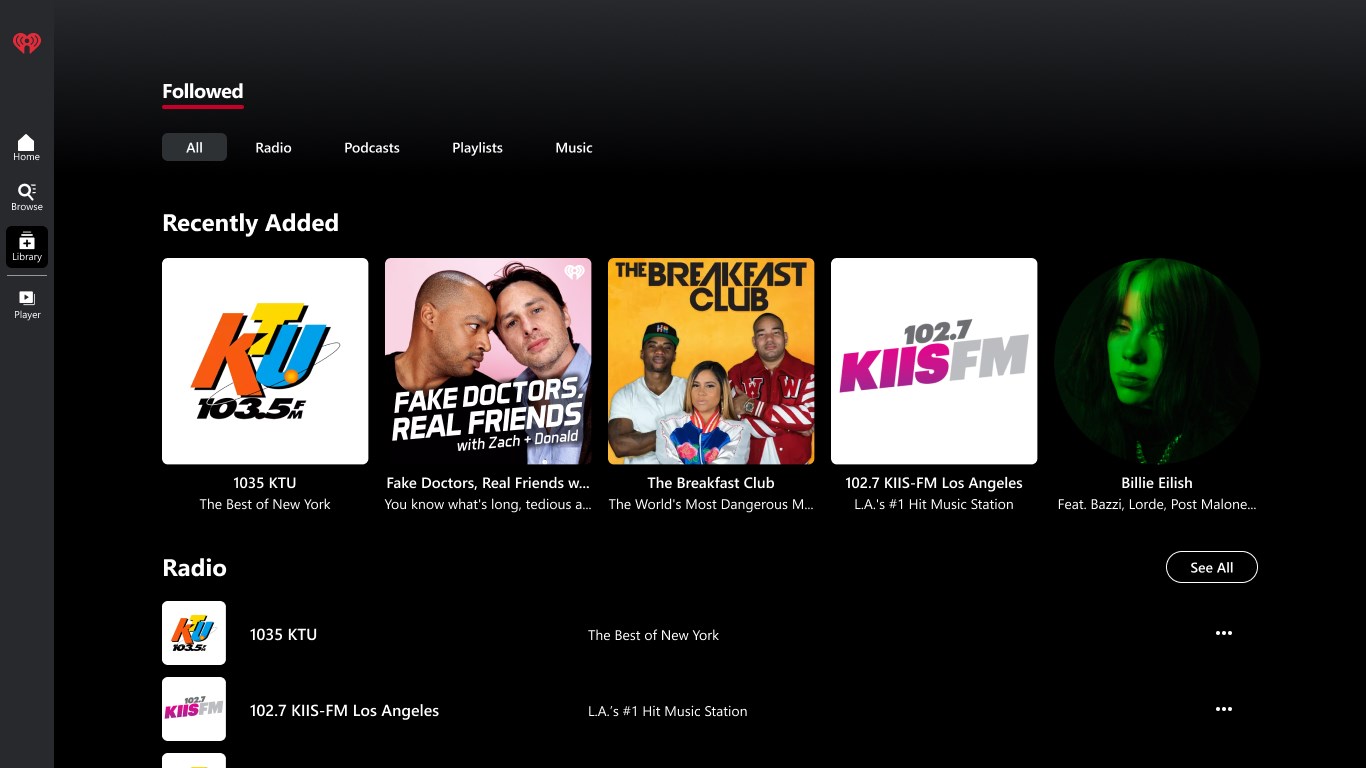
- Personalized Radio Stations & Live Stream: Access a vast array of live radio stations across genres, and create custom stations based on your musical tastes, providing near-infinite listening options.
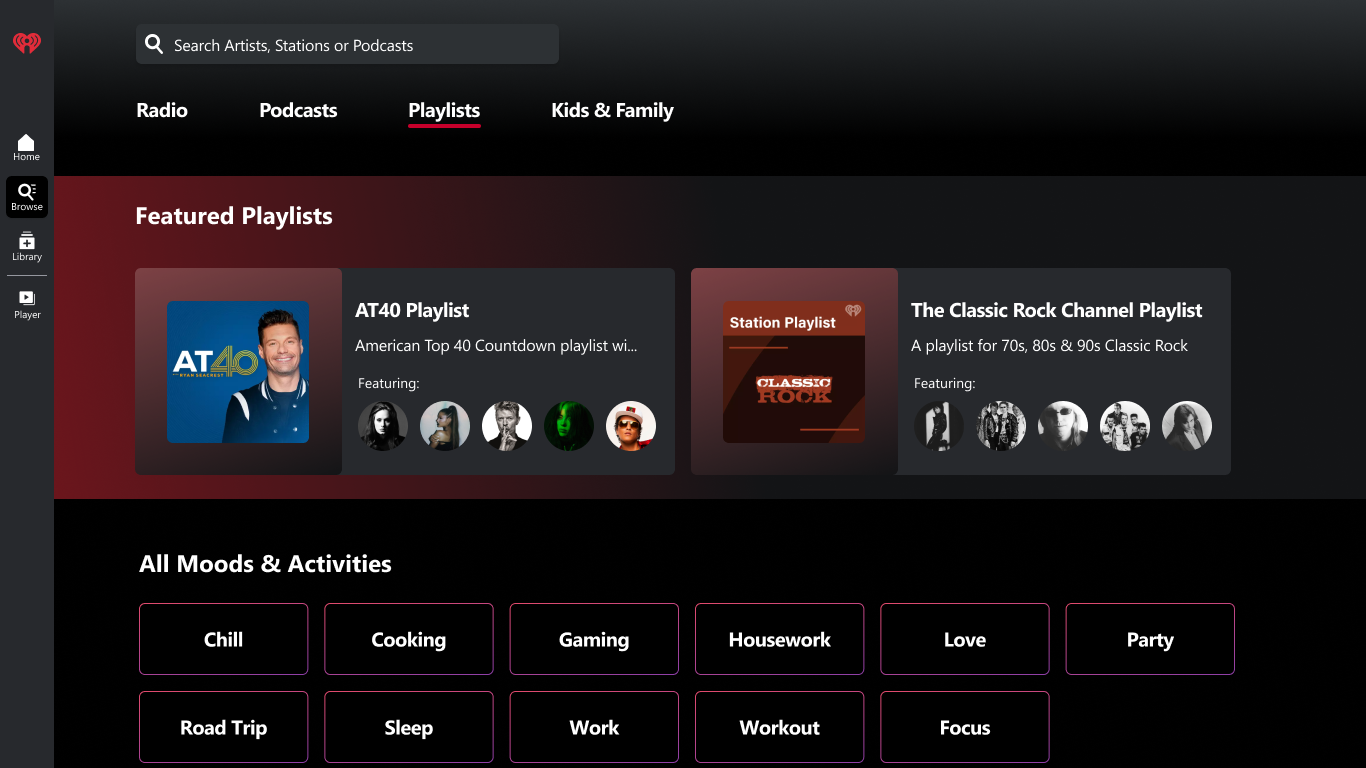
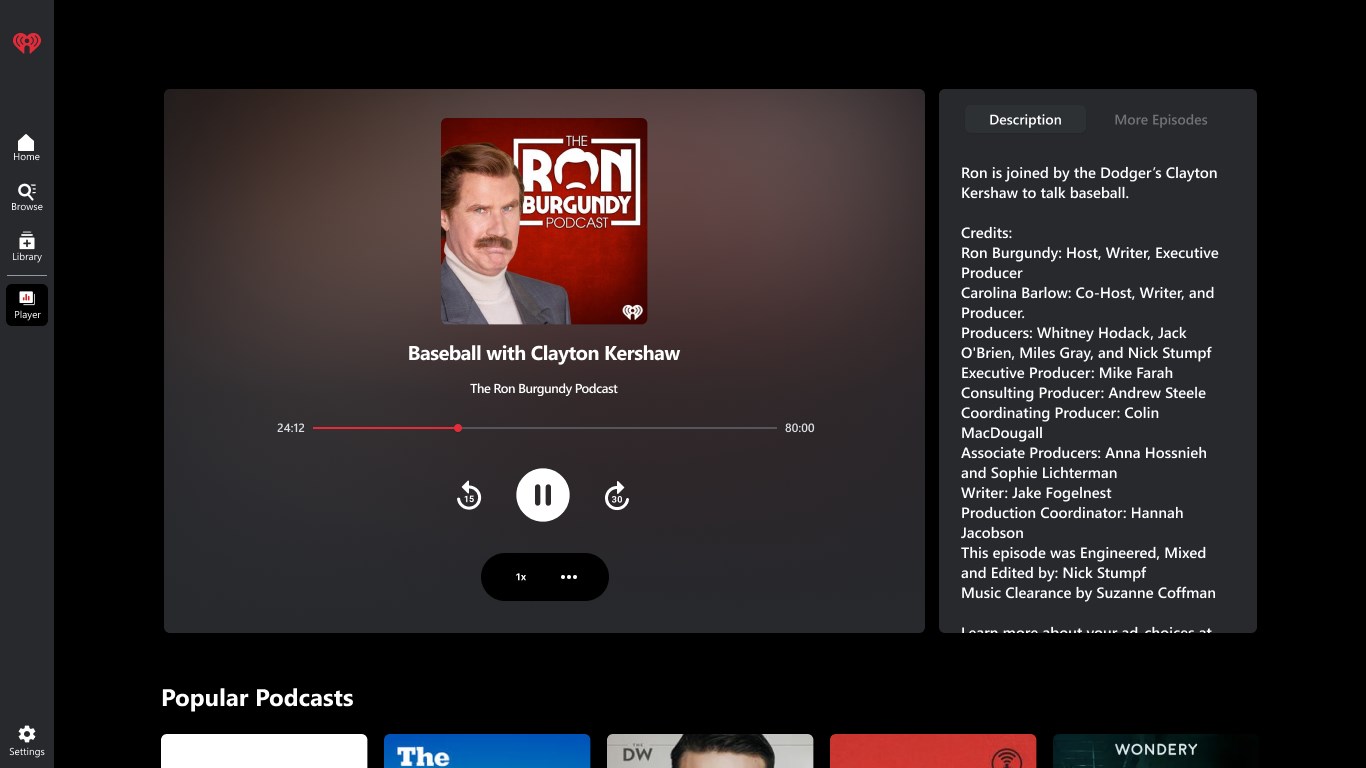
- Curated Music Playlists & Podcasts: Discover music playlists tailored to popular trends and curated podcast series spanning news, entertainment, and niche interests.
- Rhythm Pattern Recognition & Tolerance: An innovative feature that assesses rhythm pattern variety within tracks, offering unique recommendations for rhythmic complexity and diversity.
- Seamless User Experience: Designed for ease of use with a straightforward interface and smooth navigation, allowing users to switch between content effortlessly.
Engaging, Dynamic Interface and User Experience
Launching the app feels like stepping into a cozy, well-organized media library where every tile and button invites exploration. The interface sports a sleek, modern aesthetic with vibrant album art and easily accessible categories. Navigating through live radio, playlists, and podcasts is intuitive, akin to flipping through channels on a well-tuned radio — simple yet satisfying.
The app responds promptly to commands, with quick load times that prevent any frustrating delays, even when switching between different content streams. The learning curve is minimal; new users can find their favorite stations or start exploring recommended playlists within minutes, making it accessible for all age groups and tech skill levels.
Unique Selling Points: Rhythm and Latency Tolerance
What truly sets iHeart apart from similar music and radio apps is its emphasis on rhythm pattern variety assessment and latency tolerance. Unlike many streaming services that focus solely on song discovery or podcast curation, iHeart utilizes advanced algorithms to evaluate the rhythmic complexity of tracks, offering listeners the chance to explore songs with diverse rhythmic structures. It's like having a musicologist as your personal DJ, highlighting tracks that challenge or vary in their beat patterns, perfect for rhythm enthusiasts or musicians seeking inspiration.
Moreover, its robust latency management ensures minimal delay and synchronization issues, providing a smooth listening experience even in fluctuating network conditions. For radio programs or live podcasts, this translates into fewer interruptions and more reliable streaming — a crucial factor for daily use during commutes or work sessions.
Final Verdict: A Solid Choice for Personalized Audio Exploration
I Heart for Windows is a thoughtfully designed app that balances broad content diversity with specialized features like rhythm pattern recognition and stellar latency management. Its user-friendly interface makes it suitable for quick casual listening or in-depth exploration of music and podcasts. While it doesn't aim to reinvent streaming, its targeted strengths make it a worthwhile addition for users seeking that extra layer of musical insight and reliable playback.
We recommend this app for Windows users who value variety, personalization, and a user-centric experience. Whether you're tuning into a late-night radio show, curating a rhythmic playlist for your workout, or catching up with the latest podcasts, iHeart stands ready to become your go-to media companion.
Pros
- Extensive library of radio stations, music, and podcasts
- Intuitive and user-friendly interface
- Personalized playlists and recommendations
- Offline listening capability
- Cross-platform sync and integration
Cons
- Limited podcast download options
- Occasional buffering and playback interruptions
- In-app advertisements for free users
- Limited customization options for the interface
- Occasional metadata inaccuracies for tracks











