-
Name
Hearts Card Game !
-
Category
Card & board
-
Developer
FreezingBlue
-
Available on
PC
-
OS
Windows 10 version 14316.0 or higher
-
languages
English (United States)
Hearts Card Game! for Windows: A Fresh Take on Classic Card Gaming
Looking for a well-crafted Hearts experience that combines traditional gameplay with modern design? Hearts Card Game! by FreezingBlue aims to capture the essence of this timeless favorite while offering a user-friendly digital platform. Whether you're a veteran or a newcomer eager to learn, this app promises a smooth journey into the world of hearts.
About the Developer and Core Features
Developed and published by FreezingBlue, Hearts Card Game! is designed to deliver an enjoyable, accessible, and polished digital rendition of the classic card game. The team behind it has crafted an experience that balances simplicity with enough depth to keep players engaged.
Key features that stand out include:
- **Intuitive Gameplay with Customizable Rules**: Fans can tweak game settings—like passing style or difficulty—to tailor their experience, making each session uniquely theirs.
- **Multiple AI Opponent Difficulties**: Whether you're practicing or competing seriously, the app offers AI opponents ranging from casual players to challenging strategists.
- **Seamless Local and Online Play**: Play solo against AI or connect with friends and players worldwide, embracing the social aspect of Hearts.
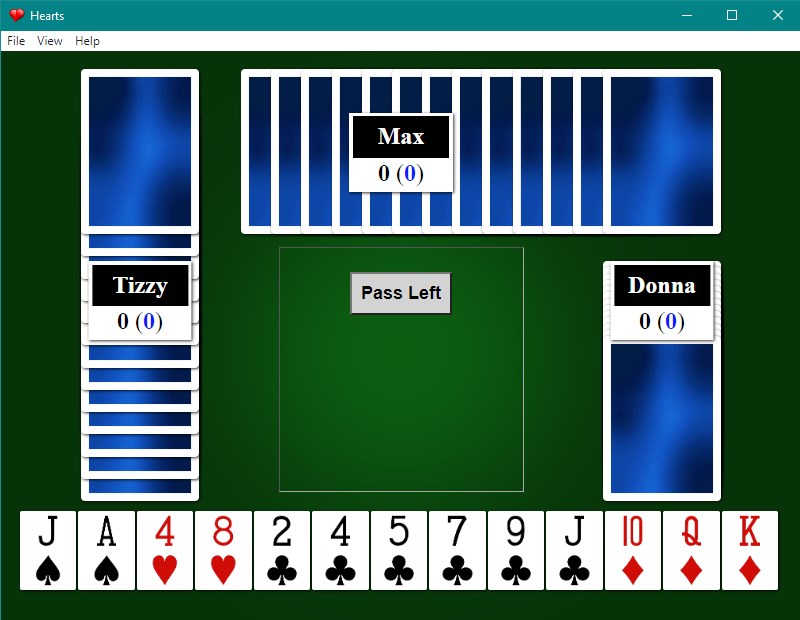
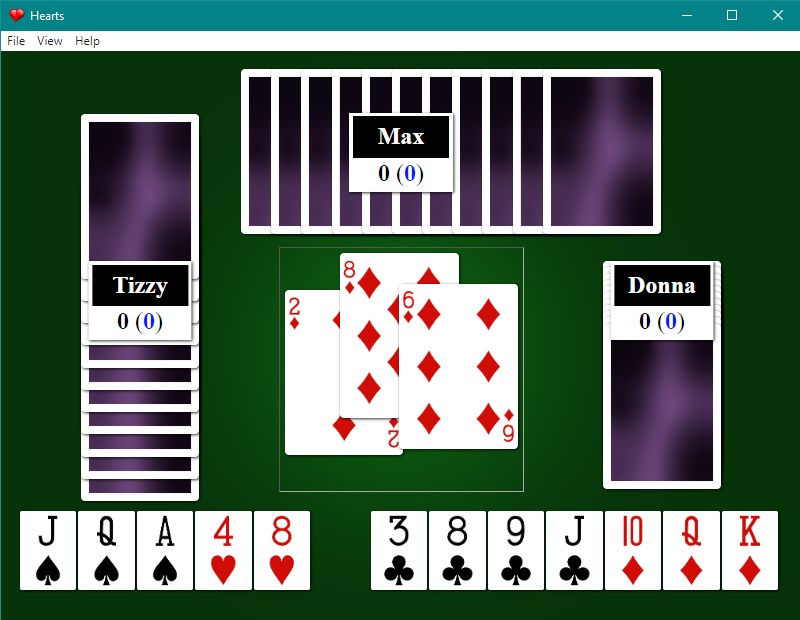
- **Elegant Theme and Visuals**: With a clean, modern interface and subtle animations, the app evokes the feel of a sophisticated card table right on your desktop.
Engaging with Hearts: What's It Like?
Imagine sitting by a cozy fireplace, a deck of cards in hand, as you shuffle and strategize—Hearts Card Game! brings that intimacy right into your living room, digitally. Its delightful mix of familiar mechanics and sleek visuals turns the traditional game into a captivating digital pastime. The app's approachable vibe makes casual games a breeze, yet provides enough strategic depth to challenge seasoned Hearts players.
Core Functionality: Diving Deeper
1. Gameplay Mechanics and Customization
The app faithfully replicates classic Hearts rules, while also providing optional house rules, allowing players to adapt their gaming sessions. The passing phase, shooting the moon, and penalty points are all clearly presented, making the game accessible to newcomers without sacrificing the thrill for veterans. Additionally, players can customize game settings—difficulty level, scoring options, and more—catering to different preferences.
2. User Interface and User Experience
Hearts Card Game! boasts a streamlined, visually pleasing interface. The card graphics are crisp, and the layout mirrors a real card table, making for an intuitive experience. Navigation is smooth, with quick access to menus and game modes. The learning curve is gentle: newcomers can start playing with minimal instructions, while experienced players can explore advanced options and AI customization without fuss. Transitions are fluid, and the app responds promptly to user inputs, enhancing overall enjoyment.
3. Multiplayer and AI Opponents
One of the app's most compelling features is its flexible multiplayer setup. Playing against AI provides a solid training ground, with difficulty levels matching a broad spectrum of players. For social play, the online multiplayer mode enables you to connect with friends or match with random players worldwide, enriching the gaming experience with genuine competition. The matchmaking is reliable, and the app manages connections efficiently, minimizing lag or disconnections.
What Makes Hearts Card Game! Unique?
Compared to other digital card games, Hearts Card Game! distinguishes itself with its thoughtful balance between classic authenticity and modern usability. Its customization options are comprehensive yet straightforward, offering players control without overwhelming complexity. The online multiplayer leverages smooth matchmaking, standing out from many similar titles that often lack reliable multi-user support. Furthermore, the app's refined graphics and subtle animations lend it a polished feel, elevating user immersion beyond standard card games.
Should You Play It? Recommendations
For casual players seeking a relaxing yet challenging card game, Hearts Card Game! is a fine choice. Its adjustable difficulty and friendly interface make it suitable for beginners and experienced players alike. If you enjoy online multiplayer sessions or local solo practice, this app offers a reliable platform with engaging features. Given its balanced design and thoughtful features, I'd recommend it as a solid addition to your Windows card game collection—especially if you appreciate a seamless blend of tradition and modern design.
Final Thoughts
Hearts Card Game! for Windows presents a classic game in a fresh, well-executed package. Its standout features—the customizable gameplay and smooth multiplayer experience—are truly notable, making it an engaging option without any frills or fluff. Whether you're looking to sharpen your skills, enjoy casual play, or connect with friends, this app delivers a dependable, aesthetically pleasing, and user-friendly experience worth exploring.
Pros
- Intuitive User Interface
- Smooth Gameplay Experience
- Multiple Game Modes and Difficulty Levels
- Regular Updates and Bug Fixes
- Free to Download and Play
Cons
- Limited Tutorial Options
- Occasional Advertisement Interruptions
- Lack of Customization Features
- Connectivity Issues in Multiplayer Mode
- Limited Social Features