






- Name Gin Rummy Pro
- Category Card & board
- Developer Random Salad Games LLC
- Available on Mobile, PC
- OS Windows 8.1 or higher
- languages English (United States)
Elegant Digital Rummy Experience: An In-Depth Review of Gin Rummy Pro for Windows
If you're a card game enthusiast seeking a seamless, engaging way to indulge in classic Gin Rummy, Gin Rummy Pro for Windows offers a digital haven that combines traditional gameplay with modern design. Developed and published by Random Salad Games LLC, this app promises to deliver a polished experience that appeals to both casual players and seasoned card strategists alike.
Meet the Developers: Creators of Quality Card Games
Random Salad Games LLC is known for crafting intuitive and enjoyable digital card experiences. Their emphasis on clean design and user-friendly interfaces makes Gin Rummy Pro not just a game, but a delightful digital pastime. With a track record of delivering stable and entertaining apps, their focus remains on quality and player satisfaction.
Core Highlights of Gin Rummy Pro
- Authentic Gin Rummy Gameplay: Capture the essence of the classic card game with strategic depth and straightforward rules.
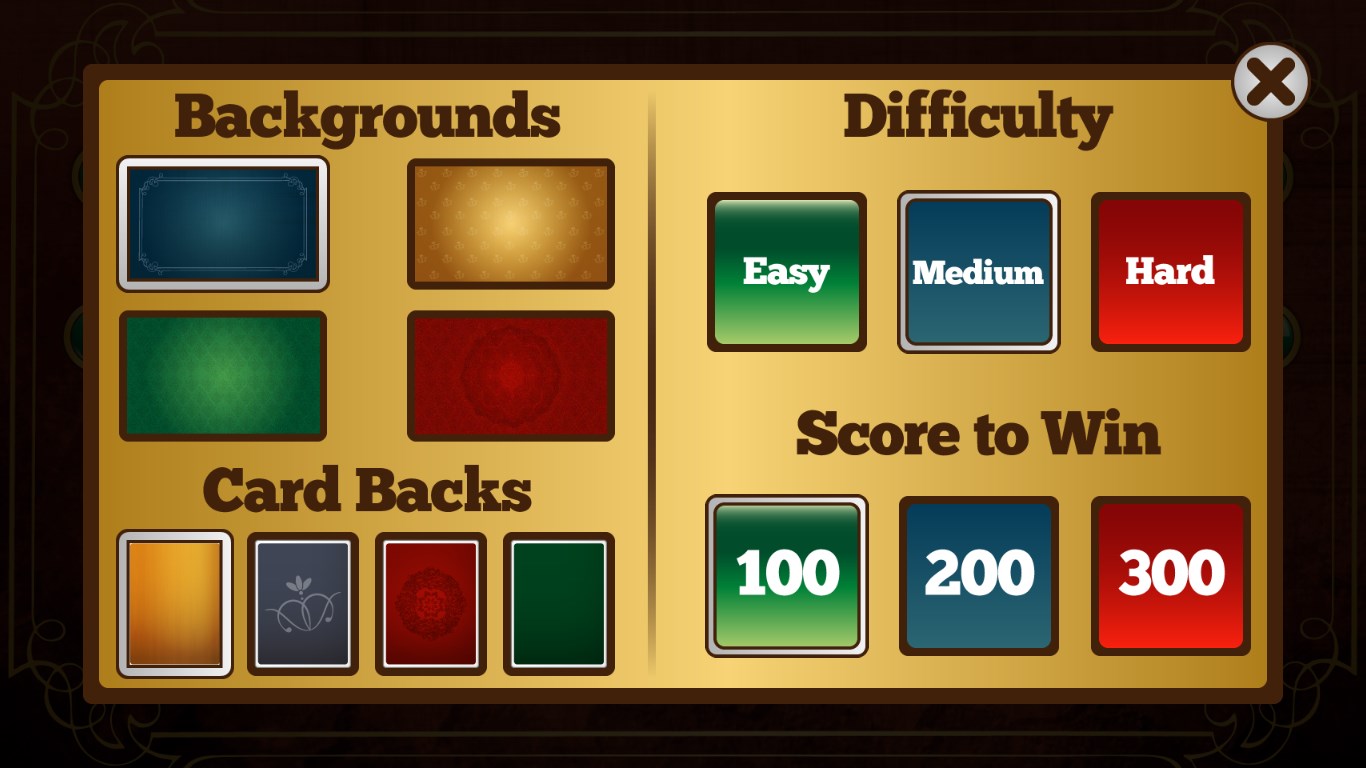
- Multiple Skill Levels: Suitable for beginners honing their skills or advanced players seeking a challenge with adjustable difficulty settings.
- Intuitive Interface & Smooth Operation: Dive into gameplay without any distractions, thanks to a clean design and fluid performance.
- Personalized Settings & Leaderboards: Track your progress over time and compare your skills with friends or global players.
Vivid and Engaging User Experience
From the moment you launch Gin Rummy Pro, the interface greets you with a modern, inviting layout—think of entering a cozy game room where every element is precisely where it should be. The crisp visuals and minimal clutter allow you to focus purely on your cards and strategic decisions. Imagine sitting comfortably at a virtual table where the smooth animations and responsive controls make every move feel natural—no lag, no fuss. The learning curve is gentle; newcomers can pick up the rules quickly, yet the game remains challenging enough for veterans to refine their tactics.
Design & Performance: A Harmonious Balance
The interface boasts vibrant card graphics and a pleasing color palette that evokes the traditional feel of physical card tables without the clutter. Navigation is straightforward—menus are logically arranged, and transitions between modes are swift. Playing the game on a Windows device feels like rolling up to a well-organized casino table, where every interaction is fluid and intuitive. Unlike some apps that feel sluggish or overly complex, Gin Rummy Pro offers a polished experience that appeals to users seeking both beauty and efficiency.
Unique Features That Elevate Gin Rummy Pro
The standout feature is its adaptive difficulty system that intelligently adjusts to your skill level, ensuring that neither beginners nor experts find the game too easy or frustrating. Additionally, the game's ability to analyze your play style over numerous matches provides insights that help sharpen your tactics—a feature rarely seen in basic card apps. These aspects collectively position Gin Rummy Pro as more than just a digital rendition but a strategic partner that grows with your skills.
Final Verdict: A Clear Winner for Card Aficionados
In summary, Gin Rummy Pro for Windows stands out through its elegant design, responsive gameplay, and particularly its adaptive difficulty and analytical features. If you enjoy classic Gin Rummy but want a digital experience that respects tradition while offering modern enhancements, this app is worth a spot on your device. I'd recommend it especially for players who appreciate thoughtful design and strategic depth in their digital card games. Whether you're looking for a relaxing pastime or a challenging duel, Gin Rummy Pro delivers a refined experience that will keep you coming back for just one more hand.
Pros
- Intuitive User Interface
- Multiple Game Modes
- Solid AI Opponents
- Offline Play Available
- Regular Updates and Improvements
Cons
- Limited Customization Options
- In-App Purchase Prompts
- Sound Settings Not Fully Flexible
- No Multiplayer Mode Yet
- Performance Variability on Older Devices











