

- Name GameSir Nexus
- Category Entertainment
- Developer Guangzhou Chicken Run Network Technology Co.,Ltd.
- Available on Xbox console, PC, Mobile, Surface Hub, HoloLens
- OS Windows 10 version 17763.0 or higher
- Keyboard Integrated Keyboard
- Mouse Integrated Mouse
- languages Chinese (Simplified), English (United States), French, German, Italian, Japanese, Korean, Portuguese (Brazil), Russian, Spanish (Spain)
GameSir Nexus for Windows: Your Ultimate Game Controller Companion
GameSir Nexus for Windows is a versatile app designed to elevate your gaming experience by seamlessly connecting and customizing your GameSir controllers on Windows devices. Whether you're a casual gamer or a hardcore enthusiast, this app aims to optimize your gameplay with its intuitive interface and powerful features.
Basic Information and Target Audience
Positioning and Purpose
GameSir Nexus for Windows serves as a comprehensive hub for managing GameSir controllers, offering users an easy way to personalize settings, update firmware, and optimize controllers for various games.
Developer & Publisher
Developed and published by Guangzhou Chicken Run Network Technology Co., Ltd., a reputable team specializing in gaming peripherals and software solutions.
Main Features Highlights
- Seamless connection and pairing of controllers with Windows PCs
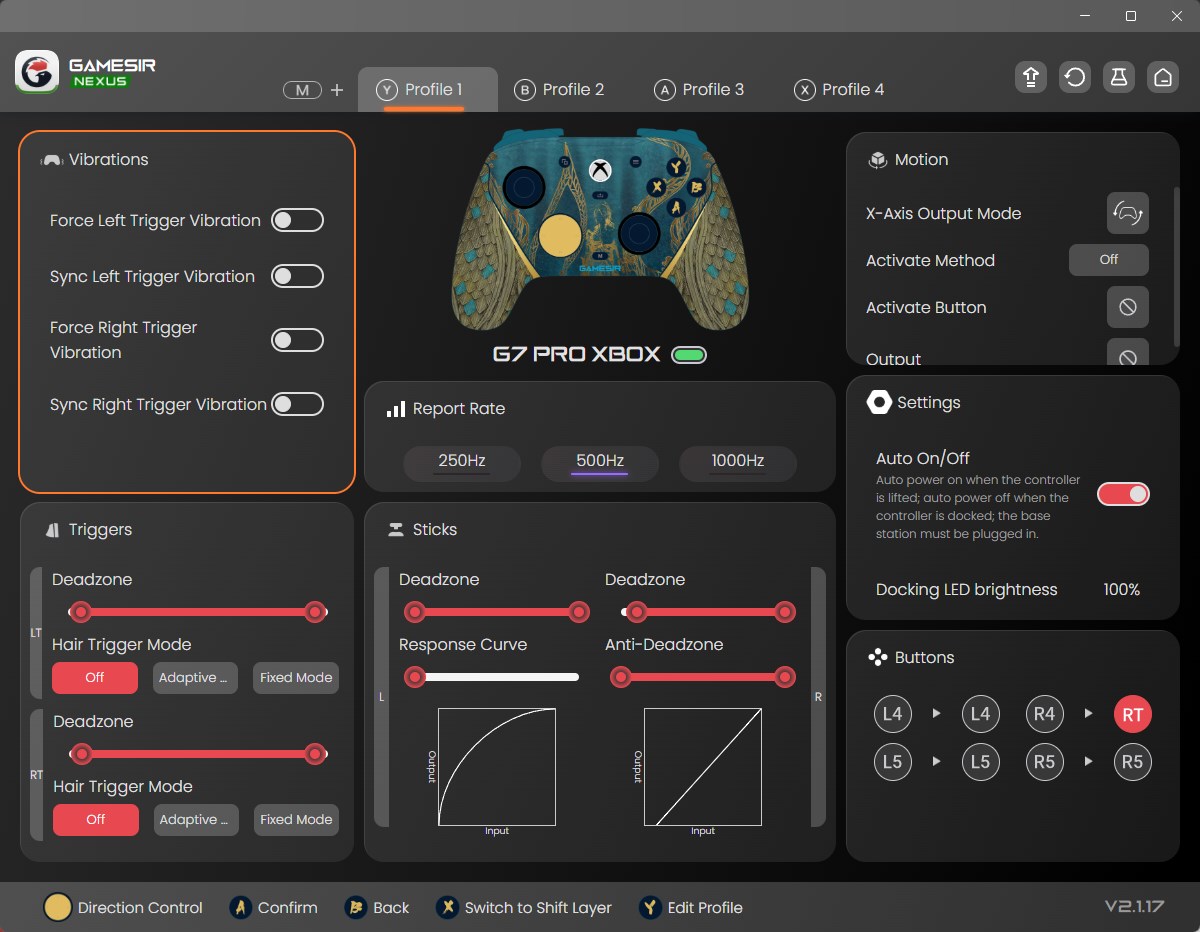
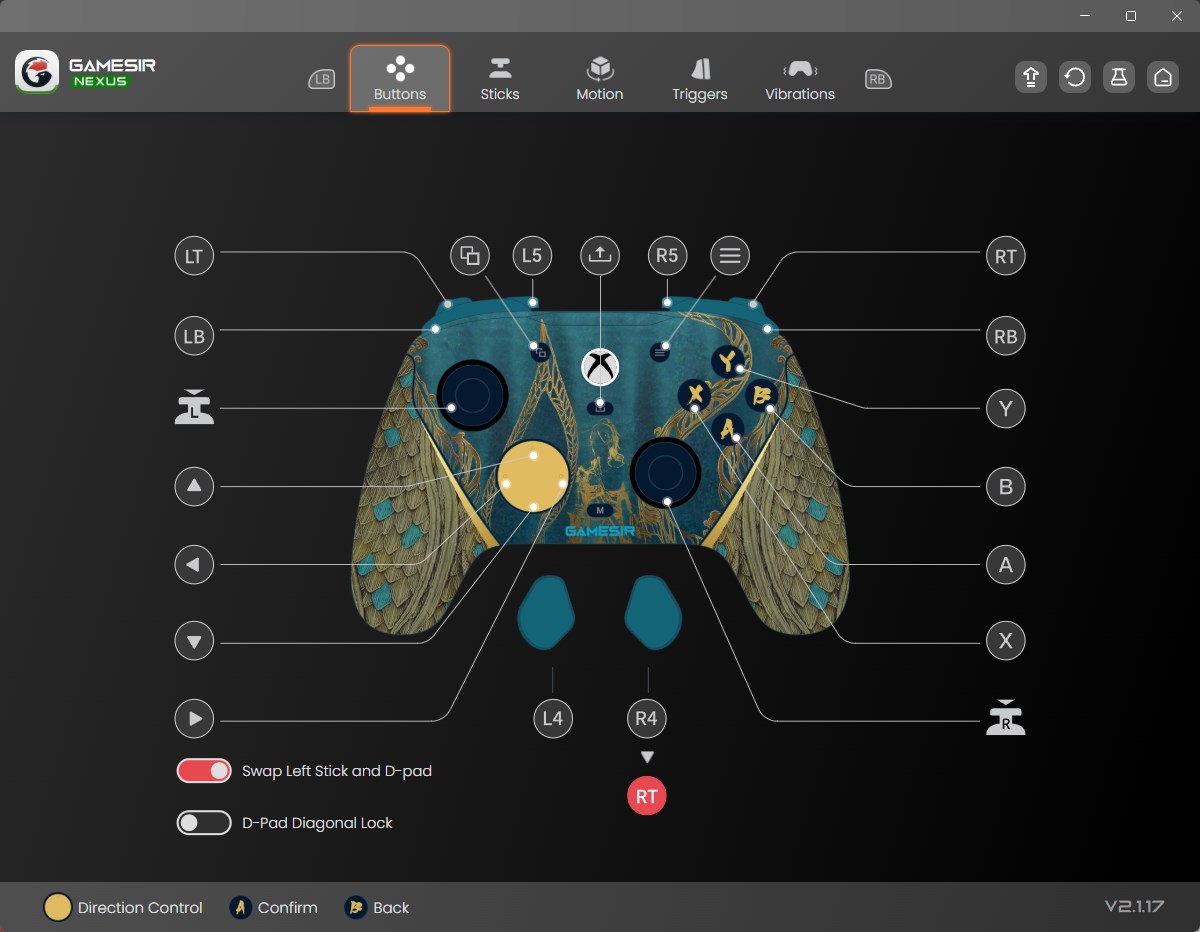
- Customized button mapping and profile creation for different games
- Firmware update management to ensure controllers stay current
- Real-time controller status monitoring and diagnostics
Target User Group
This app is tailored for gamers who use GameSir controllers on Windows platforms—ranging from casual users wanting simple enhancements to competitive players seeking fine-tuned controls and custom profiles.
Engaging the User: Unlocking the App's Potential
Imagine launching into your favorite game, your controller feeling just right—no lag, no misfires. GameSir Nexus transforms your gaming setup into a personalized haven. The app's promise isn't just about connection; it's about crafting your perfect gameplay environment, whether you're navigating sprawling open worlds or clutching competitive matches. It's like having a custom-tailored gaming glove that fits perfectly—silent, responsive, and intuitive.
Core Functionality Explored
Effortless Controller Management
The app excels at simplifying the complex process of connecting your GameSir controllers to your Windows device. With a user-friendly interface that guides you step-by-step, establishing a connection is as easy as pressing a button. Once connected, the app displays detailed real-time information about your controller's battery status, connection stability, and firmware version. This transparency ensures you're always aware of your device's health, reducing unexpected disruptions during gameplay.
Deep Customization with Profile Creation
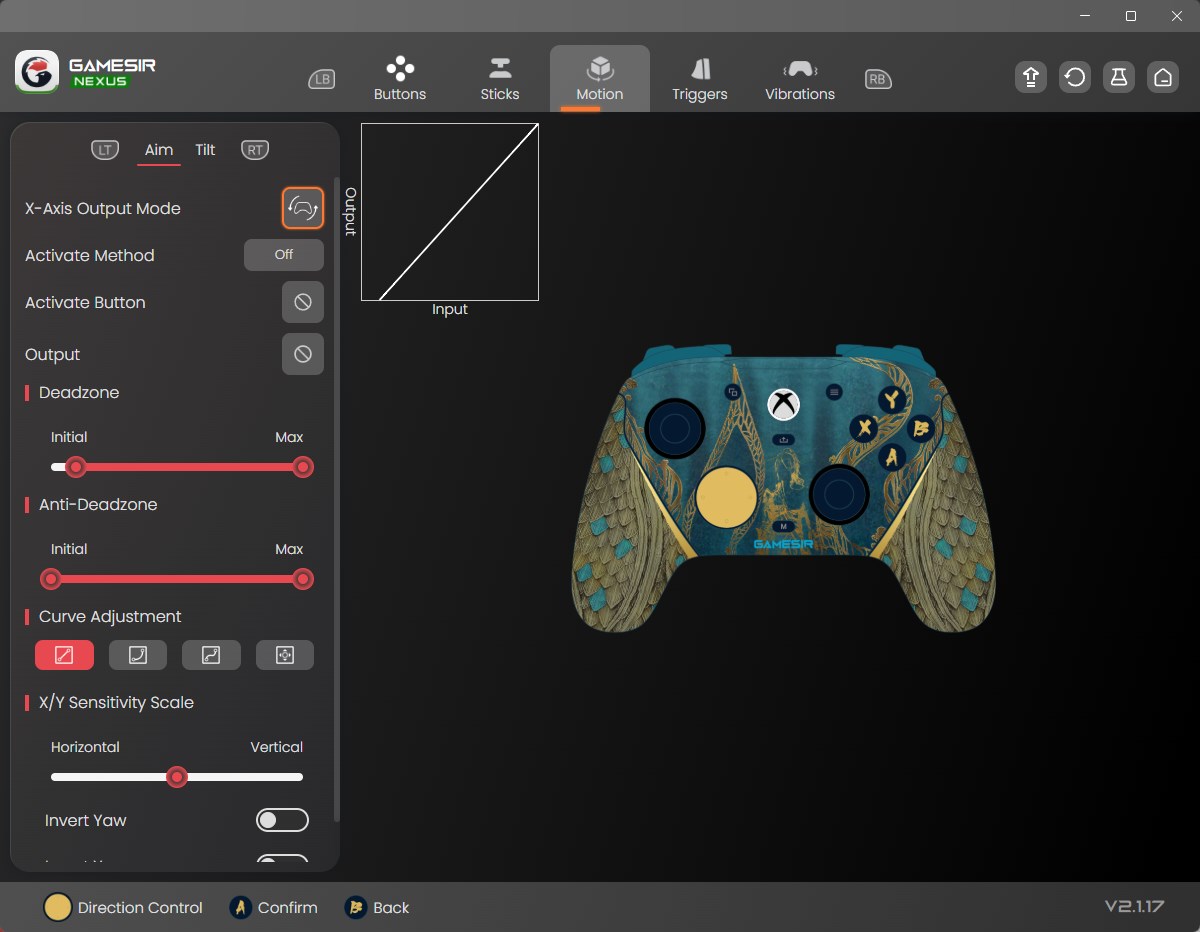
One of the standout features is its robust profile system. Imagine being able to create different control schemes tailored for various games—assigning turbo functions for shooters or remapping buttons for racing titles. The app supports intricate button remapping, sensitivity adjustments, and even multi-profile management. Switching between profiles is seamless, allowing you to switch from a relaxed casual game to adrenaline-pumping competitions without reconfiguring each time. This level of personalization makes your controller an extension of your play style.
Firmware Updates & Diagnostics
Keeping your controller in top shape is straightforward with Nexus. The app provides firmware update notifications and handles the entire updating process effortlessly—think of it as a health check-up for your gaming gear. Additionally, built-in diagnostic tools allow you to test buttons, sticks, and triggers, ensuring optimal performance and quickly identifying issues before they hamper your gaming experience.
User Experience and Differentiation
The interface design balances professional elegance with user-friendly clarity—think of it as the cockpit of a spaceship, sleek yet accessible. Navigation is intuitive; even newcomers can quickly grasp how to connect and customize their controllers. The app operates smoothly without lag, vital for real-time adjustments during gameplay. Its learning curve is gentle, with helpful prompts guiding users through complex customization options.
Compared to other entertainment apps that may focus solely on game content discovery or streaming, GameSir Nexus differentiates itself with its hardware-centric approach. Its ability to offer personalized controller configurations, paired with intelligent firmware management, elevates it beyond a simple utility. Its most remarkable feature is the adaptive profile system driven by an intelligent algorithm that recognizes game types and suggests optimal settings, enhancing relevance and responsiveness—it's like having a personal game instructor in your pocket.
Final Recommendations
GameSir Nexus for Windows stands out as a thoughtfully designed controller management tool that enhances both convenience and performance. It's particularly recommended for gamers who own multiple controllers or enjoy tailoring their controls for different games. While it's user-friendly for beginners, its deep customization options cater to advanced users seeking maximum control.
Overall, I'd rate this app as a solid 4.5 out of 5. It's not just about connectivity; it's about empowering your gaming with smart, personalized features. If you're serious about your game gear and crave an app that keeps your controllers in prime condition, GameSir Nexus is worth exploring. Just remember, great gaming begins with great tools—this app aims to be your reliable companion on your gaming journey.
Pros
- Intuitive User Interface
- Seamless Device Compatibility
- Real-time Monitoring
- Customizable Settings
- Regular Updates
Cons
- Occasional Connectivity Issues
- Limited Support for Older Devices
- Learning Curve for Advanced Features
- Battery Drain During Usage
- Limited Multi-Device Management











