

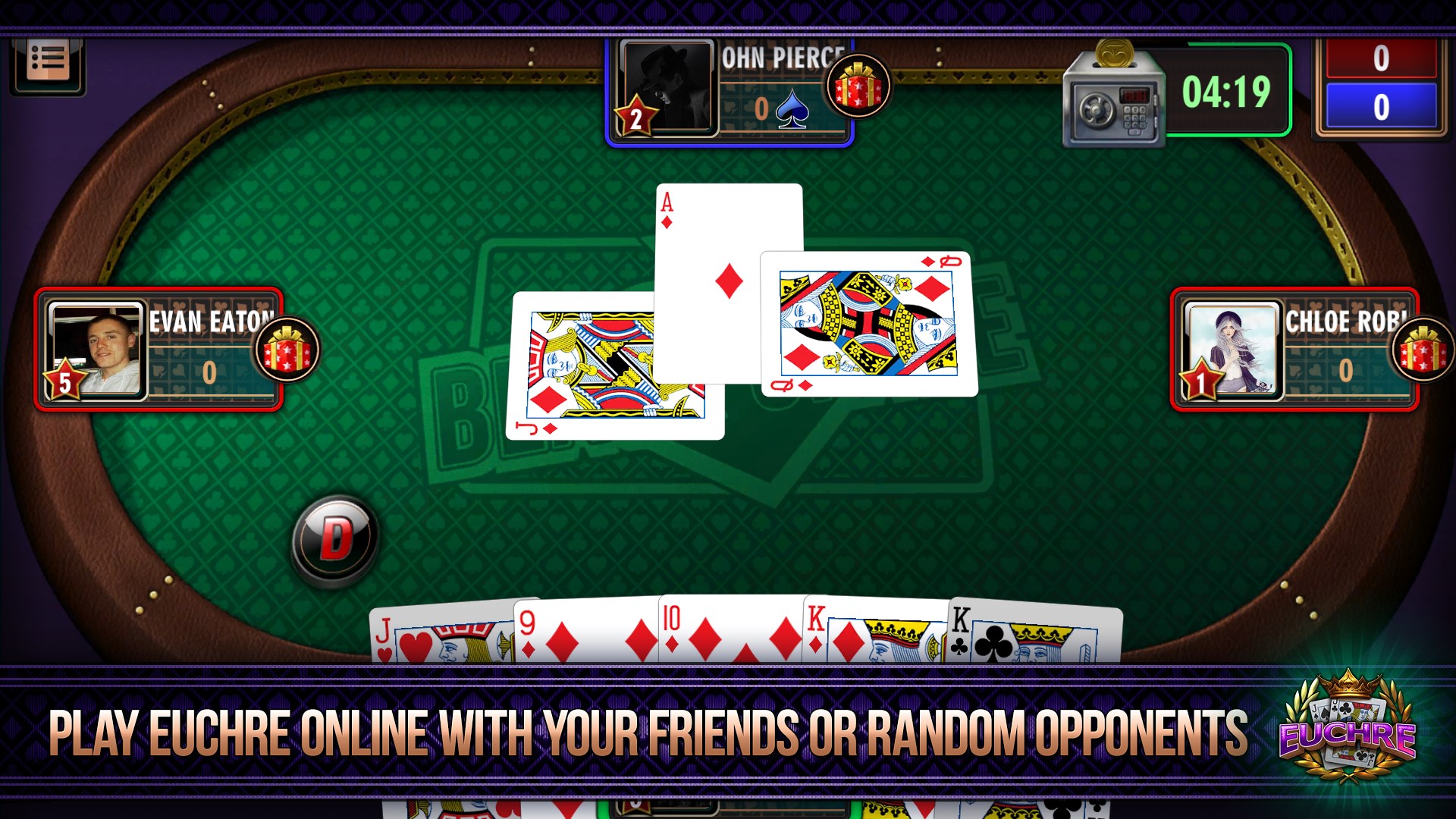




- Name Euchre online
- Category Card & board
- Developer WL Online Marketing LLC
- Available on PC, Mobile, Surface Hub
- OS Windows 10 version 10240.0 or higher
- Memory 300 MB
- languages English (United States)
Discover the Classic Card Game Reinvented: Euchre Online for Windows
Imagine bringing the timeless thrill of Euchre—the fast-paced, strategic card game—right to your desktop with crisp graphics and smooth gameplay. Euchre Online for Windows by WL Online Marketing LLC delivers a solid digital rendition that appeals to both seasoned players and newcomers alike, blending tradition with modern convenience.
A Glimpse into the App
Developed by WL Online Marketing LLC, Euchre Online for Windows is a dedicated digital version of the classic trick-taking game popular in North America. Its primary allure lies in providing an authentic Euchre experience optimized for the Windows environment. The app boasts seamless multiplayer capabilities, an intuitive interface, and features aimed at enhancing both casual play and competitive matches. Whether you're aiming to sharpen your skills or just rekindle fond memories of card nights, this app scrapes away the fog of complexity—making Greek-to-me easy for newbies while offering depth for the seasoned players.
Core Features That Make Euchre Exciting
- Real-Time Multiplayer Matches: Jump into live games against friends or random opponents worldwide, ensuring every hand is a fresh challenge.
- Avatar and Customization Options: Personalize your profile with avatars and game settings to add a touch of your personality to each match.
- Learning Mode & Tutorials: For rookies, the app offers guided lessons and hints, easing the learning curve without sacrificing fun.
- Match History and Statistics: Keep track of your wins, losses, and performance trends—perfect for folks who love tracking their progress and refining strategies.
An Engaging Journey Through Euchre's Digital Realm
Stepping into Euchre Online feels like walking into a cozy, well-lit game room filled with friends. The interface is a delightful mix of retro charm and modern minimalism, with bright, clear cards and straightforward menus that invite you to dive right in. It's like a well-organized game closet—everything within reach and easy to find. The operation is notably fluid; animations for card plays and tricks are smooth, creating a game flow that feels natural and unhurried—no lag, just pure gameplay enjoyment.
One aspect that particularly stands out is the app's learning mode. Whether you're a complete newcomer or need a refresher, the tutorials break down game rules and strategies in an engaging manner, akin to having a friendly coach by your side. On the other hand, seasoned players will appreciate the competitive matchmaking, which pairs you with similarly skilled opponents, maintaining challenging yet fair matches.
Design and User Experience: A Balance of Simplicity and Depth
From a user experience perspective, Euchre Online for Windows does a commendable job balancing aesthetic simplicity with functional depth. Navigating menus, starting a new game, or chatting with friends feels intuitive—imagine a friendly guide showing you around a familiar game nook. The interface adapts well to different screen sizes and resolutions, ensuring accessibility whether you're on a desktop or a larger monitor.
Moreover, the gameplay is surprisingly responsive; the real-time play mode is lag-free and responsive, heightening the sense of being in a lively gaming environment. The game's design doesn't overwhelm with unnecessary features, yet it offers enough customization to satisfy those who love fine-tuning their experience—like adjusting sound effects or choosing avatar skins.
What Sets Euchre Online Apart?
Unlike many other digital card games that focus mainly on solo play or passive online modes, Euchre Online's most compelling feature is its live multiplayer capability combined with its supportive learning tools. This ensures that both casual players and competitive enthusiasts can find their niche—whether it's a quick game or a serious tournament. Its focus on authentic Euchre mechanics, combined with a clean, approachable interface, makes it stand out amid a crowded field of generic card apps.
Another unique highlight is the app's emphasis on community-building; with chat options and profile customization, it fosters a social environment that echoes friendly neighborhood game nights, even in the digital space.
Should You Give It a Try?
All considered, Euchre Online for Windows earns a solid recommendation for anyone interested in card games, especially if you're seeking an app that combines traditional gameplay with online connectivity. Its user-friendly design, balanced learning curve, and focus on live play make it suitable for players of all levels. For those who prize authenticity and community feel in their card games, this app definitely deserves a spot on your desktop.
If you're looking for a reliable, enjoyable way to play Euchre with friends or test your skills against random opponents—without the fuss—this app is worth exploring. Just remember, like any good game, the real reward is in the sharing and strategizing—it's like hosting a virtual card night anytime you want.
Pros
- User-Friendly Interface
- Smooth Multiplayer Experience
- Variety of Game Modes
- Engaging Visuals and Sound Effects
- Regular Updates and Bug Fixes
Cons
- Limited Tutorial for Beginners
- Some Server Connectivity Issues
- Limited Game Customization Options
- Ads Interrupt Gameplay Occasionally
- Minor Interface Clutter on Smaller Screens











