
- Name Block Puzzle Classic Game
- Category Card & board
- Available on PC, Mobile, Surface Hub, HoloLens
- OS Windows 10 version 10240.0 or higher
- languages English (United States)
Introducing Block Puzzle Classic Game for Windows
Block Puzzle Classic Game for Windows is a straightforward yet addictive tile puzzle game designed to challenge your spatial reasoning and strategic thinking skills.
Developed by Piano Music Games
This app is brought to you by Piano Music Games, a small developer team dedicated to creating casual yet engaging gaming experiences on the Windows platform.
Key Features That Make It Stand Out
- Simple, Intuitive Gameplay: Tap, rotate, and place blocks effortlessly—perfect for quick sessions or prolonged play.
- Multiple Difficulty Levels: From beginners to seasoned puzzle enthusiasts, there's a mode tailored to every skill level.
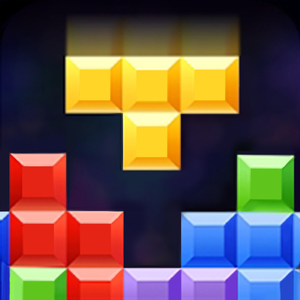
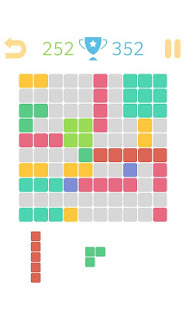
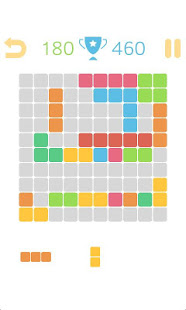
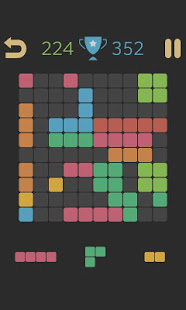
- Clean and Minimalist Interface: Focus solely on the game without unnecessary distractions, aided by a sleek visual design.
- Offline Play: No internet connection necessary, allowing you to enjoy the game anywhere, anytime.
The target audience primarily includes puzzle game lovers, casual gamers seeking relaxing entertainment, and those looking to enhance their spatial awareness in a fun way.
A Bright and Playful Introduction to Block Puzzle Classic
Imagine settling into your favorite cozy corner, a cup of coffee steaming nearby, and a vibrant grid awaiting your next move—that's the atmosphere Block Puzzle Classic aims to create. Its charming, colorful blocks and simple mechanics make it a delightful brain teaser that feels like an old friend guiding you through each puzzle. Whether you're waiting for a bus or winding down after a long day, this game offers a guilt-free escape into a world of shapes and strategy.
Core Gameplay Mechanics and User Experience
Seamless, Engaging Interface
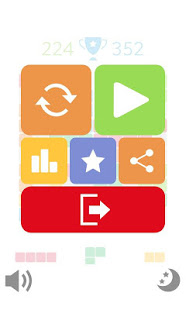
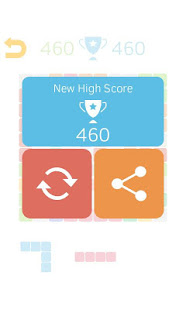
The game's interface is a breath of fresh air—clean, uncluttered, and intuitive. The color palette is vibrant but not overwhelming, making it easy to distinguish different block shapes at a glance. The single-screen layout and large tap zones ensure that even new players can jump right in without a steep learning curve. The overall design mediates a relaxed, inviting atmosphere, encouraging players to unwind while exercising their minds.
Fluidity and Control: Making Moves Effortless
One of the highlight features is the game's smooth responsiveness. Dragging and rotating tiles feels natural, almost like playing with physical blocks on a table. The game performs seamlessly, with instant feedback after each move. This fluidity ensures that players stay immersed without frustrating lag or complicated controls. The game intelligently recognizes placements and prevents accidental misclicks, which often plague similar apps, thereby enhancing overall satisfaction and flow.
Progression and Learning Curve
Unlike complex puzzle games that intimidate newcomers, Block Puzzle Classic adopts a gentle learning curve. Start with straightforward levels, and as you progress, it subtly introduces more challenging configurations, stimulating strategic thinking. The absence of timers or limited moves allows players to take their time, making the experience both relaxing and mentally stimulating. This setup makes the game accessible for all ages and skill levels and encourages repeated playthroughs to beat personal bests.
What Sets It Apart From Similar Puzzle Apps
Unlike conventional card or board puzzle games, Block Puzzle Classic emphasizes simplicity and purity of gameplay. Its minimalism doesn't just serve aesthetic appeal but also heightens the focus on puzzle-solving without distractions. The game's defining feature is its straightforward, addictive mechanics combined with different difficulty modes, providing a tailored challenge for each player. Furthermore, its offline functionality and clean design make it a perfect companion for quick breaks or extended sessions in low-connectivity environments. It is particularly suited for players who prefer classic tile matching and placement mechanics without the clutter of extra features or complex rules found in many other variants.
My Recommendation and Usage Tips
I would recommend Block Puzzle Classic Game for Windows to anyone who appreciates straightforward, relaxing puzzle experiences. It's an ideal way to boost your spatial reasoning in a low-pressure setting, whether you're killing time or seeking a mental warm-up. For best results, I suggest starting with the easier modes to familiarize yourself with the mechanics, then gradually increasing difficulty for a more demanding challenge. Its unobtrusive design and smooth gameplay make it suitable for quick sessions during short breaks or longer leisure periods.
Overall, this app stands out by delivering a polished, accessible, and delightful puzzle experience that can appeal to a broad audience. If you're looking for a casual yet stimulating game that's easy to pick up and hard to put down, Block Puzzle Classic Game for Windows is worth trying out.
Pros
- Intuitive and user-friendly interface
- Engaging and colorful graphics
- Variety of challenging levels
- Lightweight app size
- Offline playable
Cons
- Limited game modes
- Lack of social features
- Ads can be intrusive
- Minimal customization options
- Performance issues on older devices











