
- Name Bible - Multi Version
- Category Books & reference
- Available on PC, Mobile, Surface Hub
- OS Windows 10 version 17763.0 or higher
- languages Afrikaans, Arabic, Chinese (Simplified), Chinese (Traditional Chinese), Chinese (Traditional), Dutch, English (United States), French, German, Italian, Japanese, Korean, Portuguese, Russian, Spanish
Introducing Bible - Multi Version for Windows: A Versatile Digital Bible Companion
Designed to bring the richness of multiple Bible translations into your fingertips, Bible - Multi Version for Windows offers a comprehensive and user-friendly platform for daily devotion and study. Whether you're a devout follower, a theology student, or simply curious, this app aims to make biblical texts more accessible and customizable than ever before.
Who is Behind the App?
The app is developed by NxeCcde24 Labs, a relatively emerging developer known for creating straightforward yet functional applications focused on religious and educational content. While not a large corporation, their commitment to delivering multi-version biblical texts demonstrates a keen understanding of users' spiritual and academic needs.
Key Features That Set It Apart
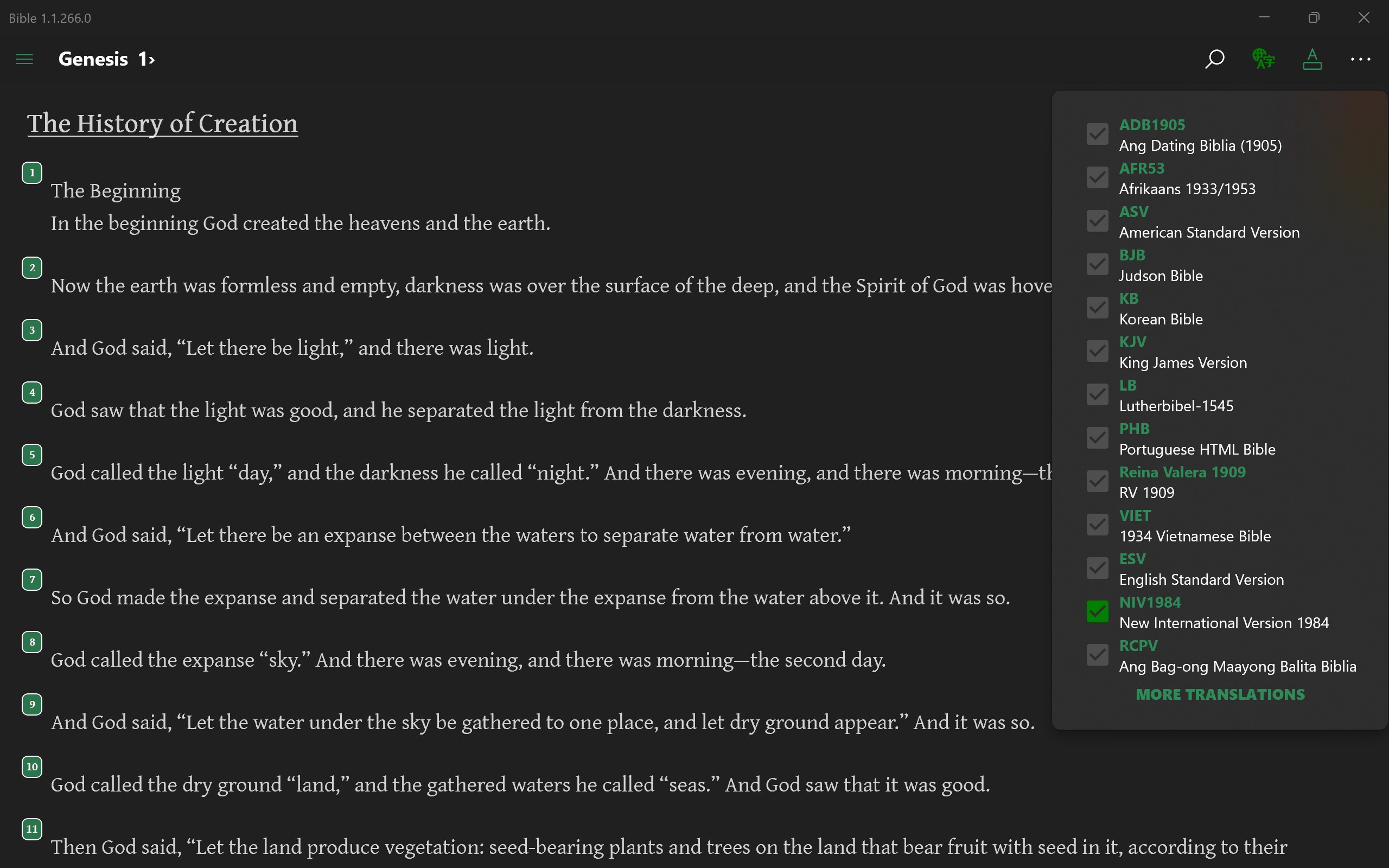
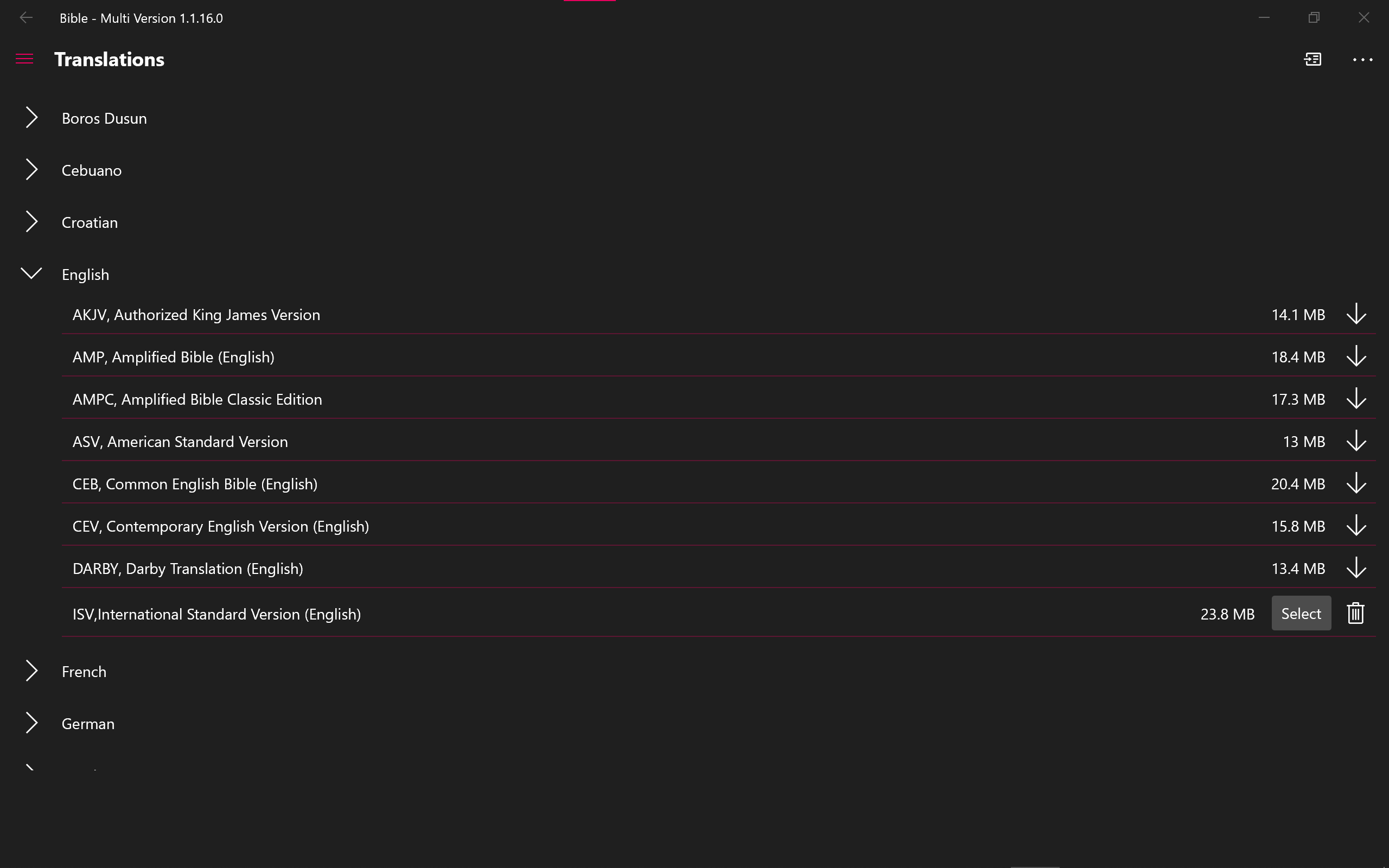
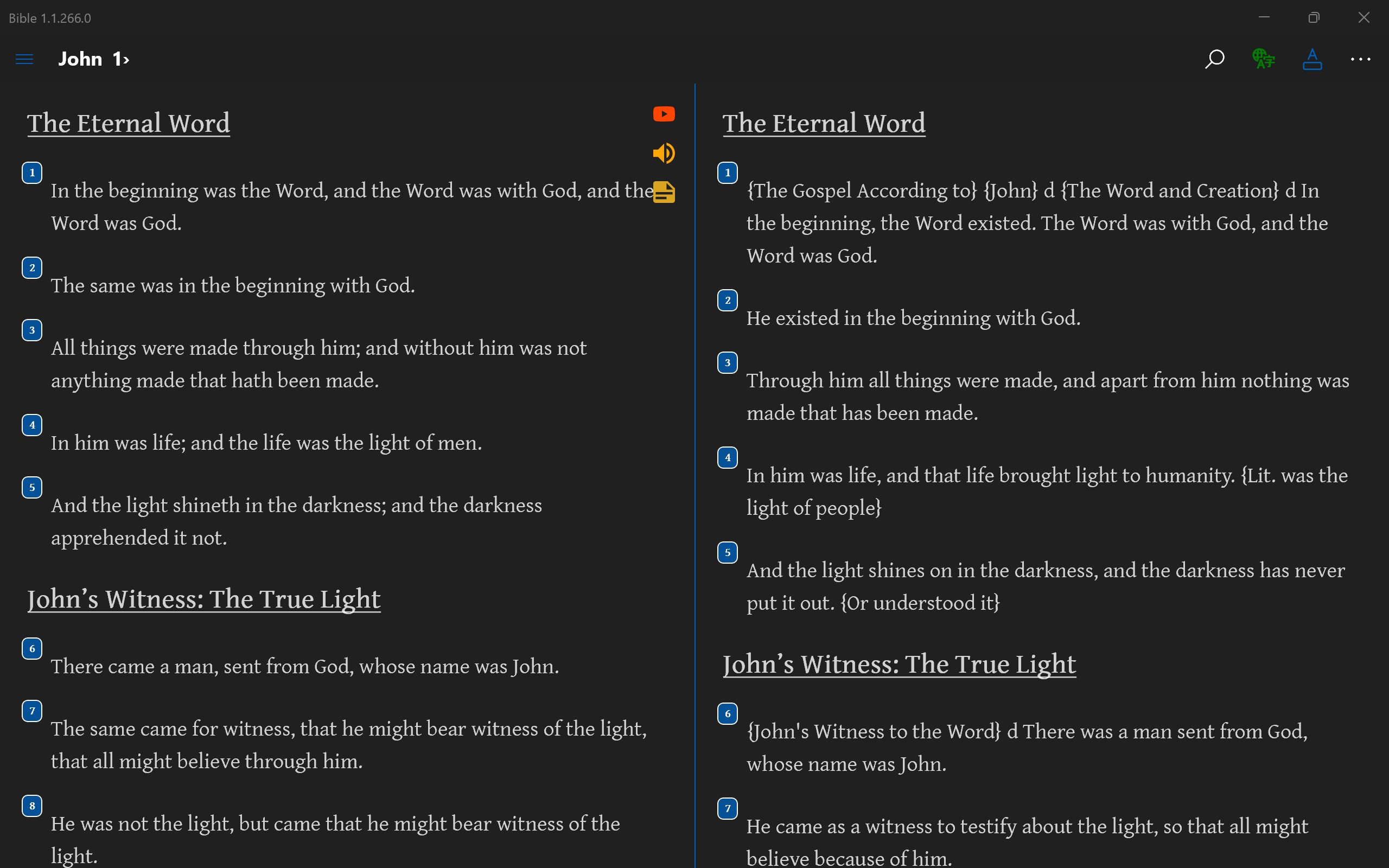
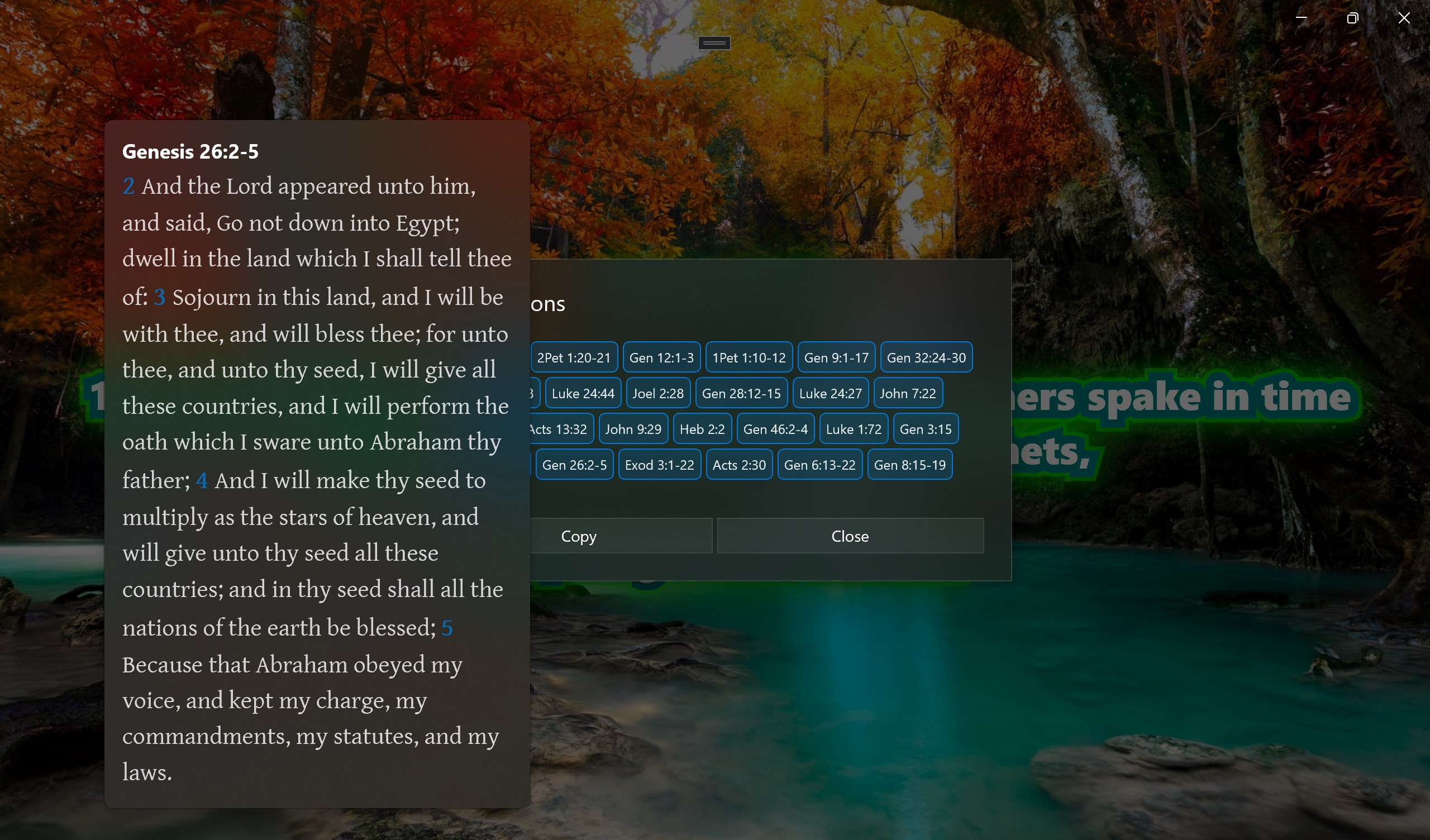
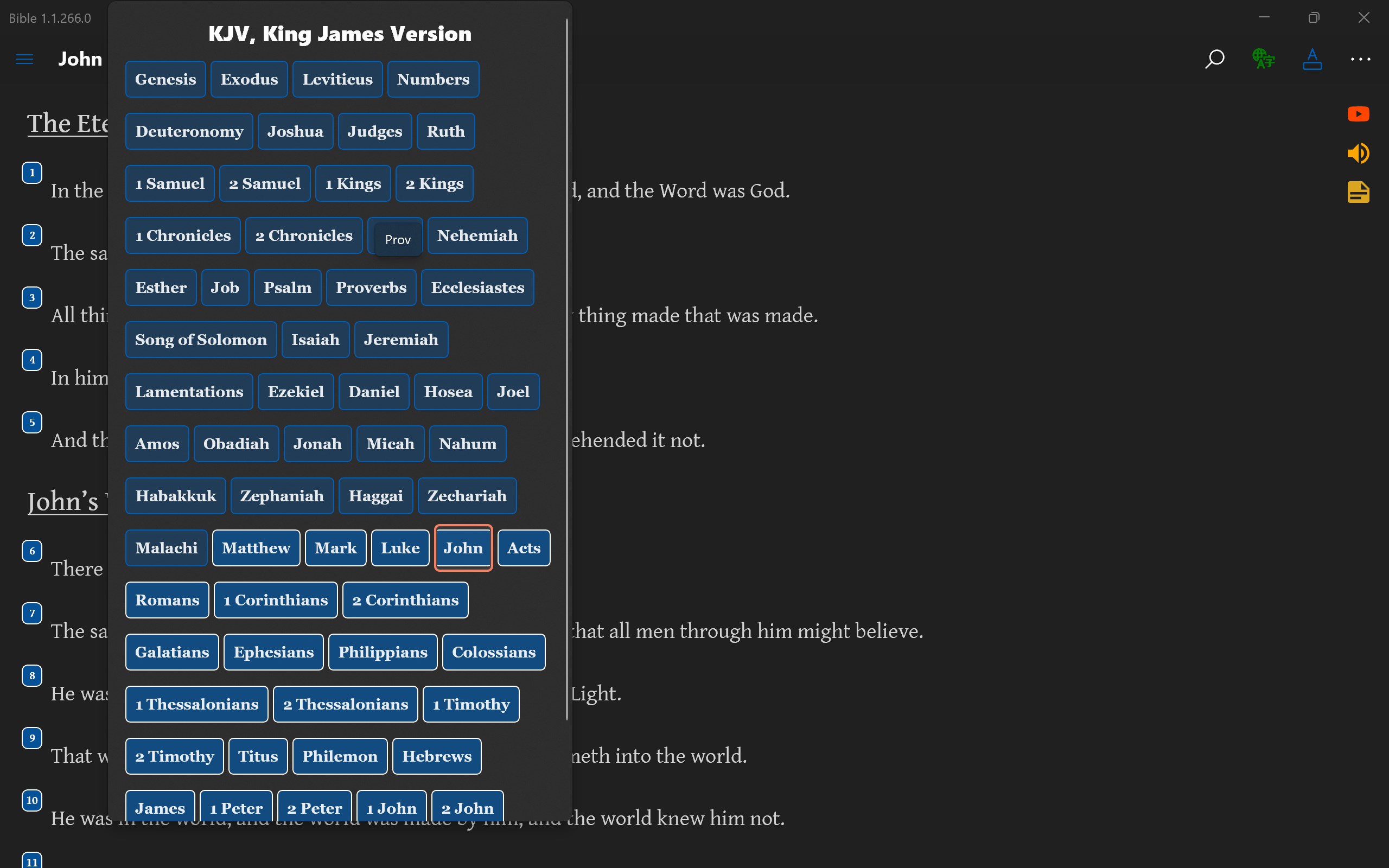
- Multi-Version Compatibility: Access dozens of Bible translations across different languages within a single interface. This feature is particularly valuable for users engaged in comparative theological studies or multilingual contexts.
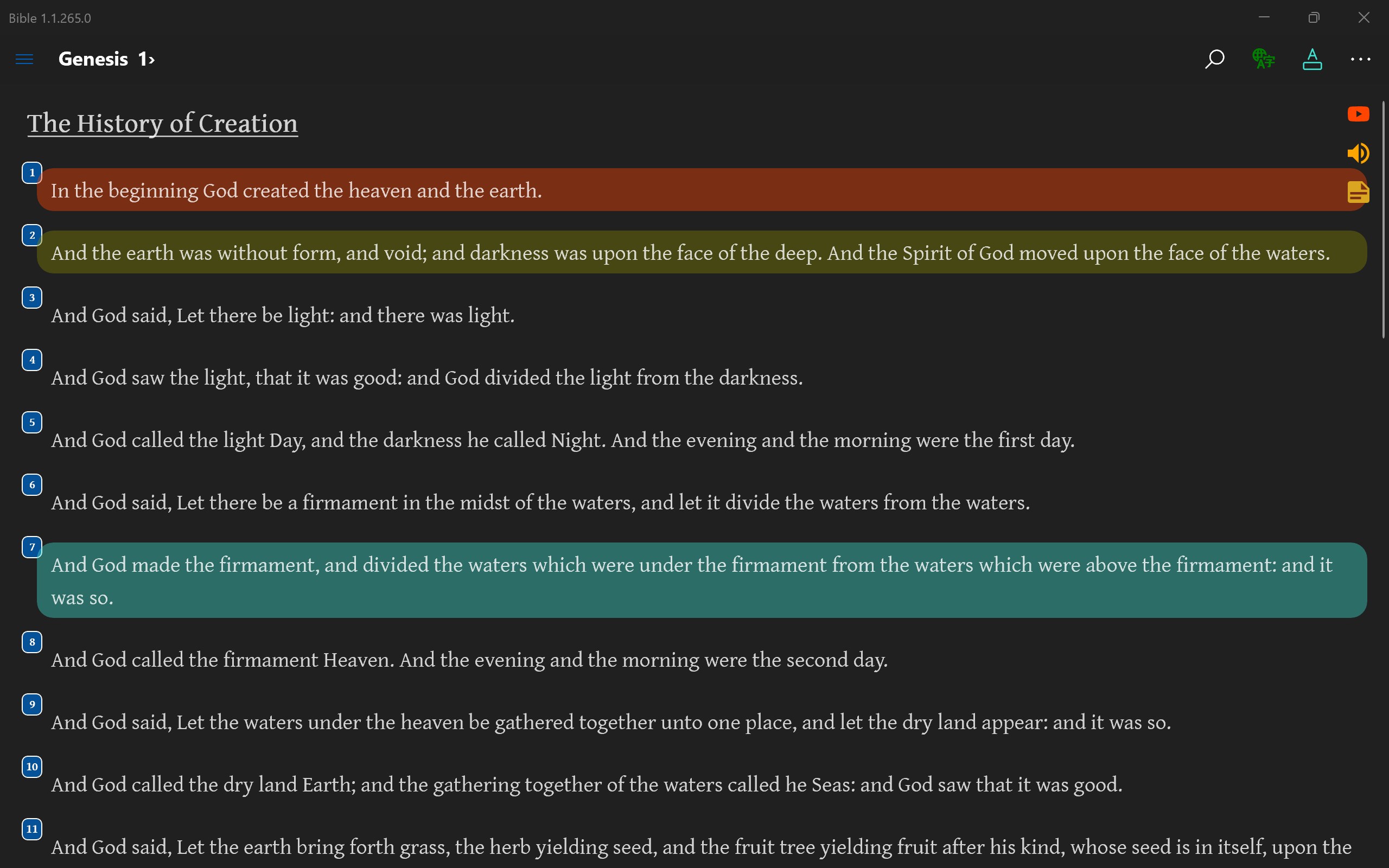
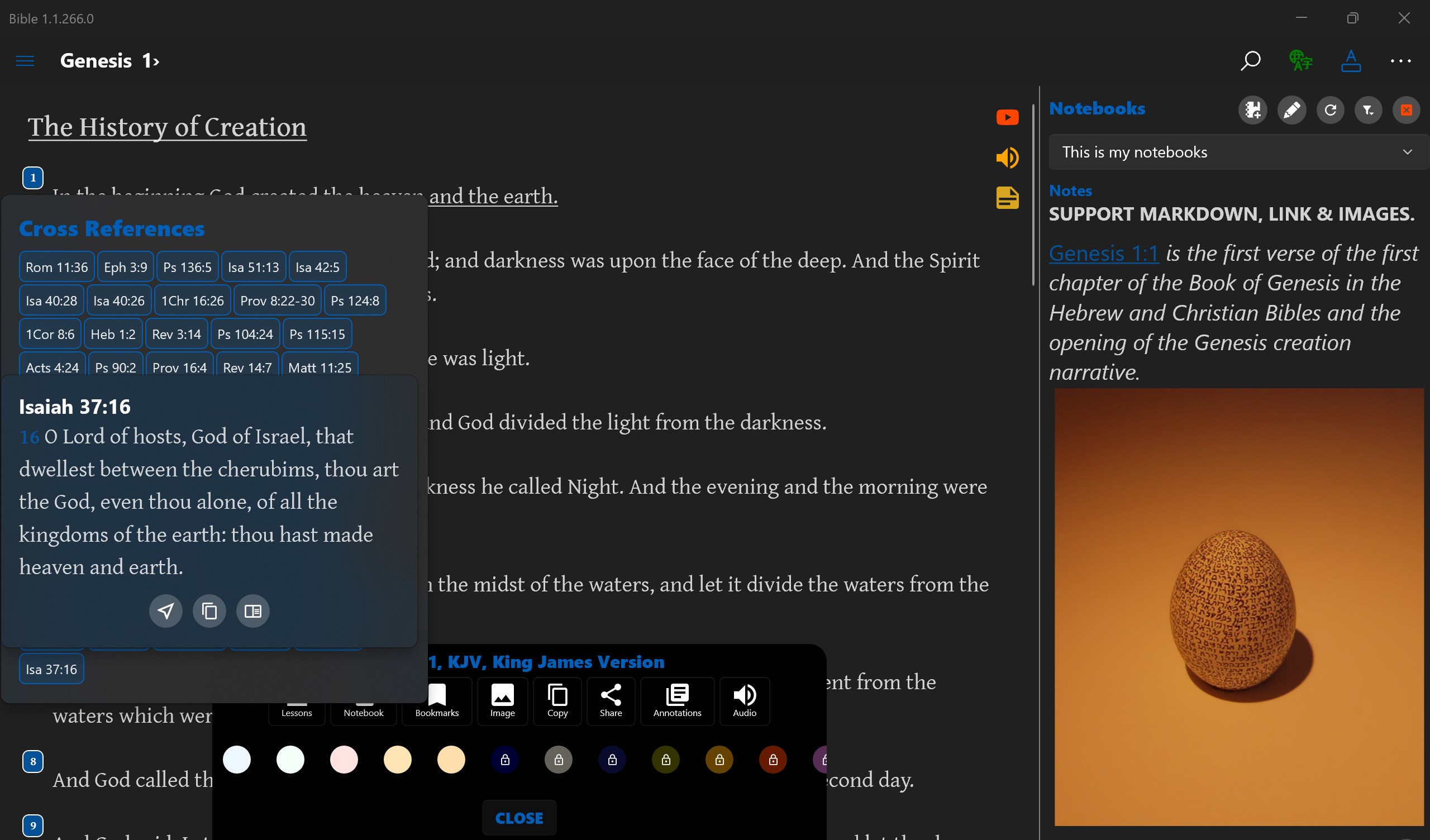
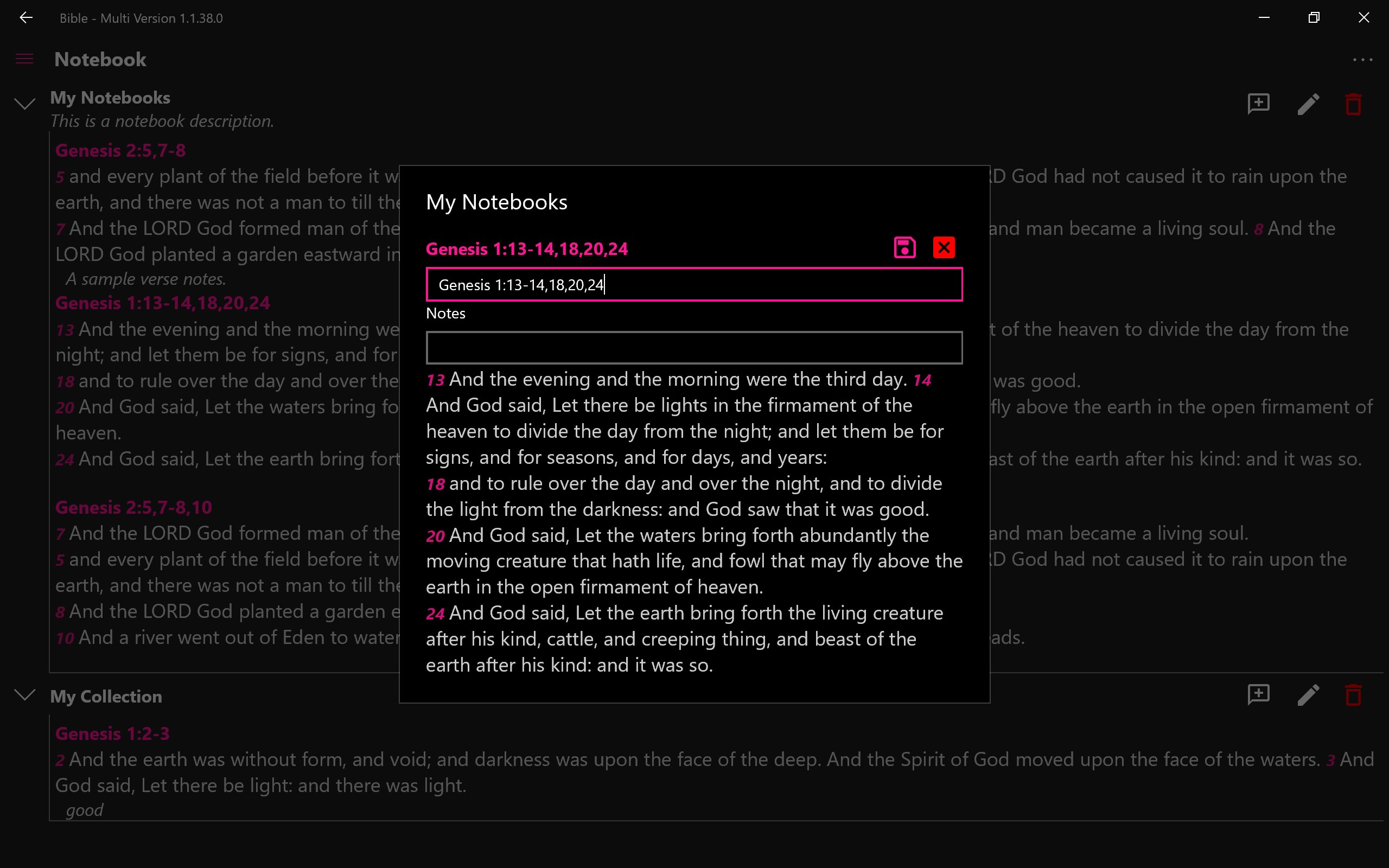
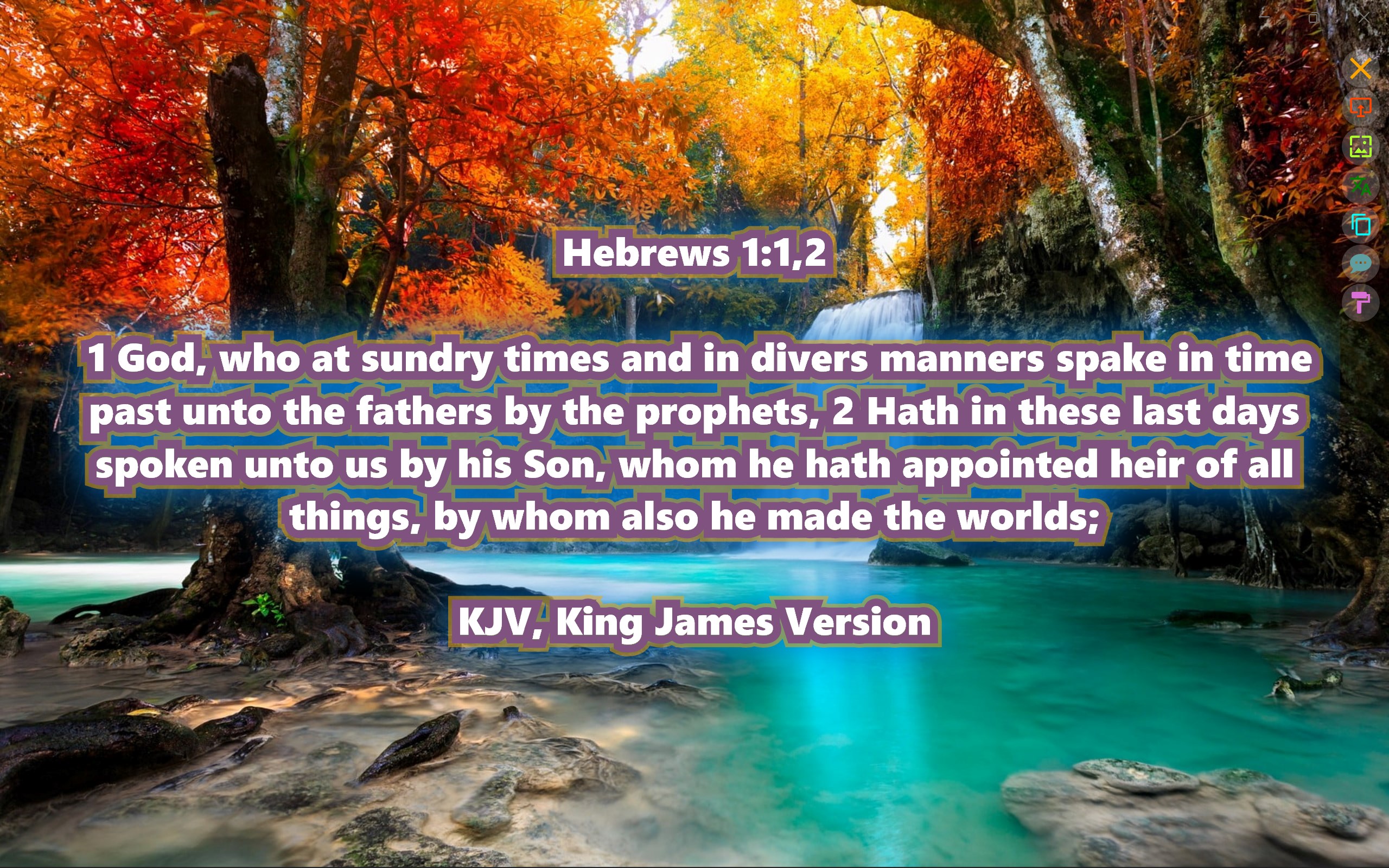
- Customizable Reading Experience: Highlight passages, add personal notes, and bookmark sections easily, enabling a tailored reading journey.
- Sync and Export Options: Save your annotations locally or sync across devices, and export verses or notes for further study or sharing.
- Offline Access: Download desired Bible versions for uninterrupted reading even without internet connectivity.
A Closer Look at the App's Design and User Experience
Imagine a well-organized library where every Bible version is like a neatly labeled bookshelf—this app embodies that clarity through its clean and intuitive interface. The design employs a calm color palette, making reading comfortable for extended periods, much like a cozy study nook. Navigating between different translations is smooth, almost like flipping effortlessly between open books — thanks to well-placed tabs and straightforward menus.
Ease of operation is a highlight here. Even if you're new to digital Bible apps, the learning curve remains gentle; switching translations, bookmarking, or adding notes feels natural, like having a friendly guide walking alongside you. The app responds quickly to input, with fluid scrolling and seamless transitions that don't distract from the contemplative reading experience.
Unique Selling Points: How Does It Stand Out?
While countless Bible apps are available, Bible - Multi Version's standout feature is its robust multi-version support combined with offline capability. This makes it particularly suitable for users who study comparative texts, perhaps theological students or pastoral workers needing quick access to multiple translations on the go. Additionally, its straightforward interface means no clutter or overwhelming options—just the Bible, plain and simple but loaded with useful features.
Compared to similar apps that might focus solely on one translation or provide complex configurations, this app's emphasis on accessibility and customization gives it an edge, especially for users seeking versatility without sacrificing usability.
Is It Recommended? Usage Suggestions
For anyone interested in a reliable, easy-to-navigate Bible app that emphasizes multi-version access and offline use, this application is a solid choice. It's particularly recommended for those who conduct comparative study or want a flexible reading platform without a steep learning curve. However, users seeking advanced study tools, such as in-depth commentaries or multimedia features, might find it somewhat limited and may need supplementary applications.
Overall, I'd suggest trying it out if you value simplicity, variety, and offline functionality—it's like having a pocket-sized library of Bibles tailored to your spiritual or academic journey. With its practical features and user-friendly design, Bible - Multi Version for Windows is indeed a compelling tool for both casual readers and dedicated scholars alike.
Pros
- Extensive Multi-Version Content
- User-Friendly Interface
- Offline Access Support
- Customizable Reading Plans
- Verse Highlighting and Bookmarking
Cons
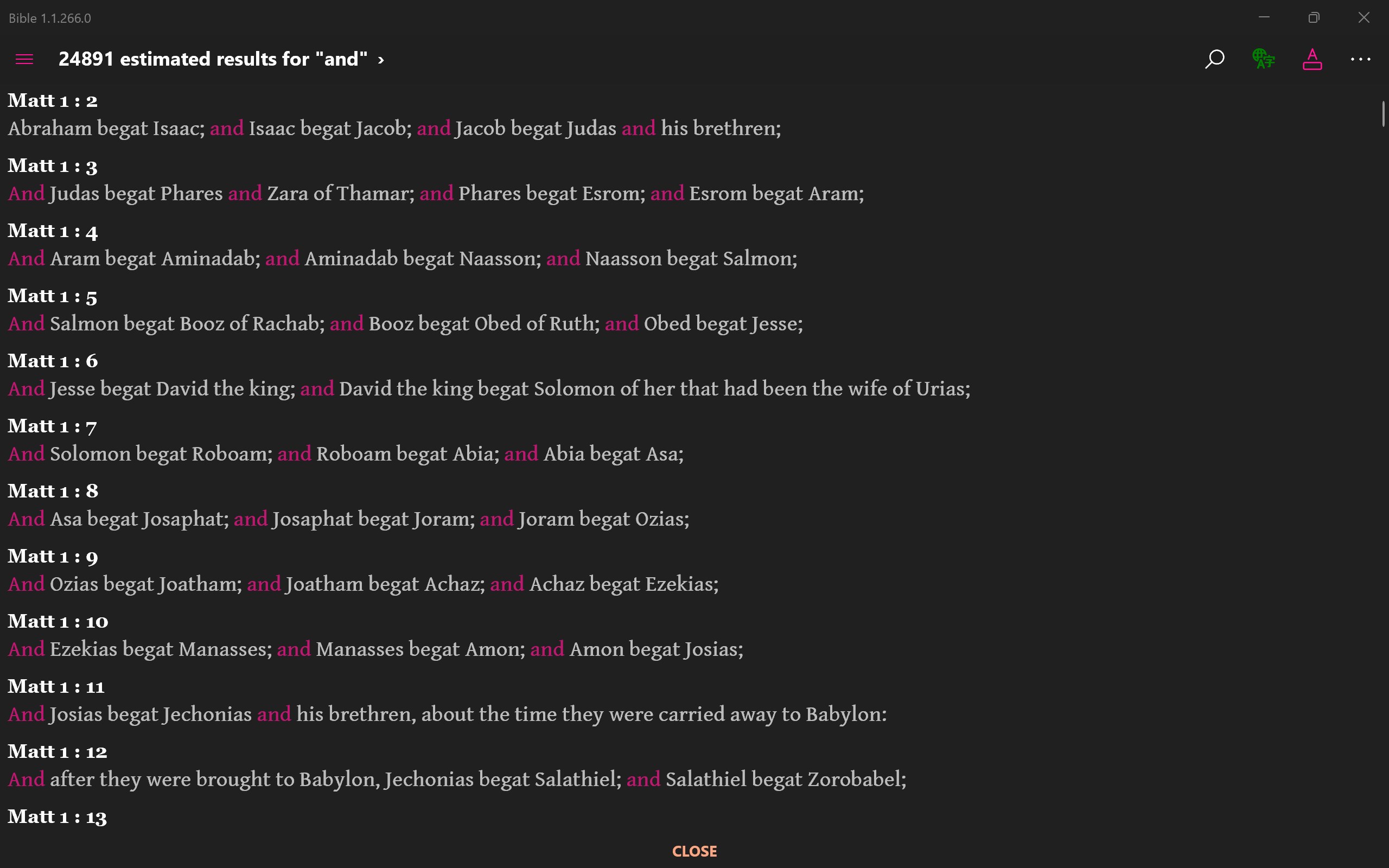
- Limited Verse Search Functionality
- Occasional App Crashes on Certain Devices
- Basic Annotation Features
- Inconsistent Download Speeds for Offline Content
- Lack of Audio Bible Support in Some Versions