

- Name Battle.net
- Category Entertainment
- Developer Blizzard Entertainment
- Available on PC
- OS Windows 10 version 0.0 or higher
- languages English
Battle.net for Windows: A Gateway to Blizzard's Gaming Universe
Battle.net for Windows is a dedicated desktop application designed by Blizzard Entertainment that serves as a seamless hub for managing and launching Blizzard's vast array of games. Whether you're a seasoned veteran or a new player, this app aims to streamline your gaming experience with user-friendly features and robust content management.
Who's Behind the Curtain?
Developed and published by Blizzard Entertainment Inc., a renowned leader in the gaming industry known for titles like World of Warcraft, Overwatch, and Diablo, this app benefits from their extensive experience in crafting engaging and reliable gaming platforms. Blizzard's commitment to quality and integrated gaming ecosystem ensures that Battle.net for Windows remains a consistent and trusted application for its user base.
Powerful Features at a Glance
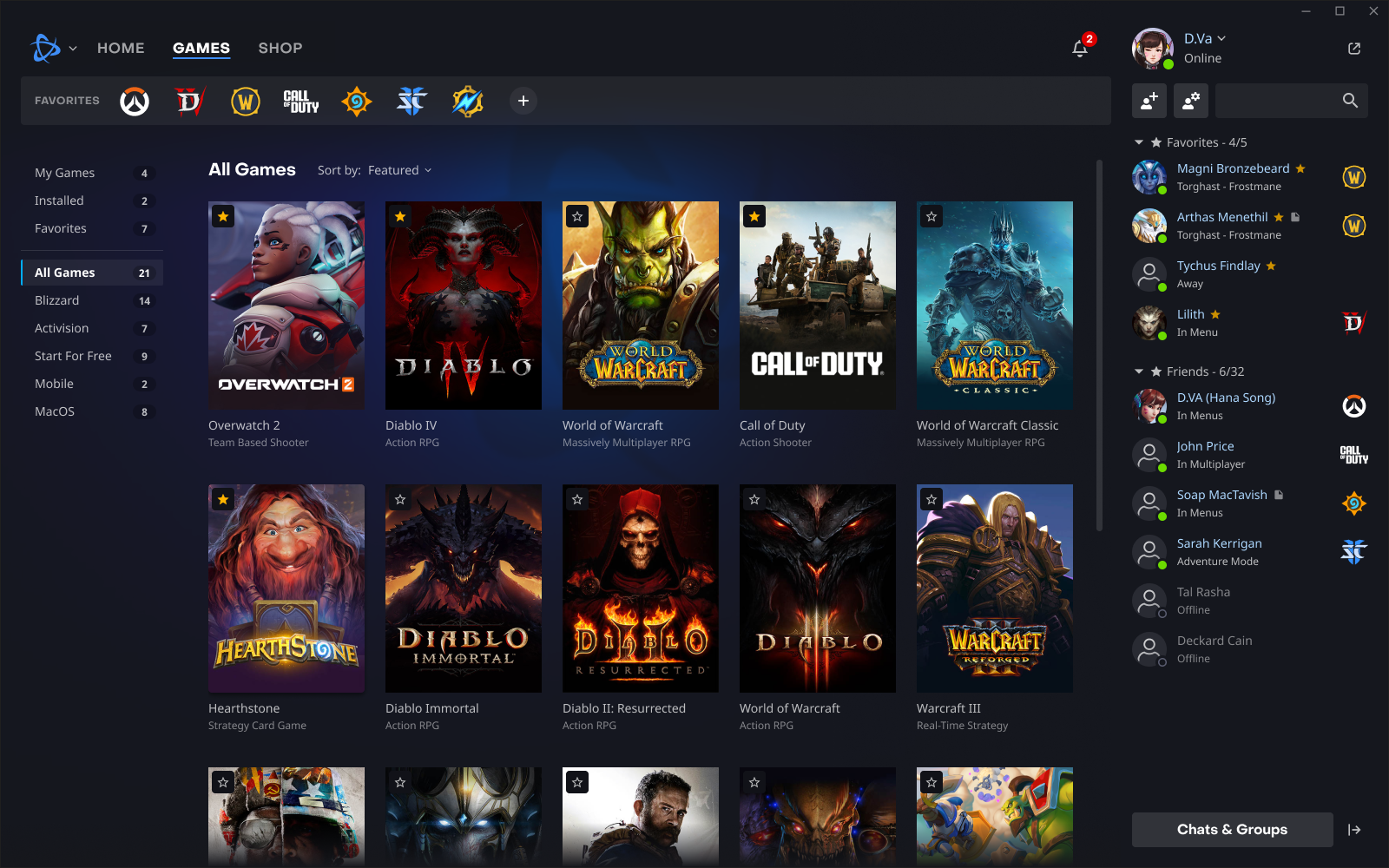
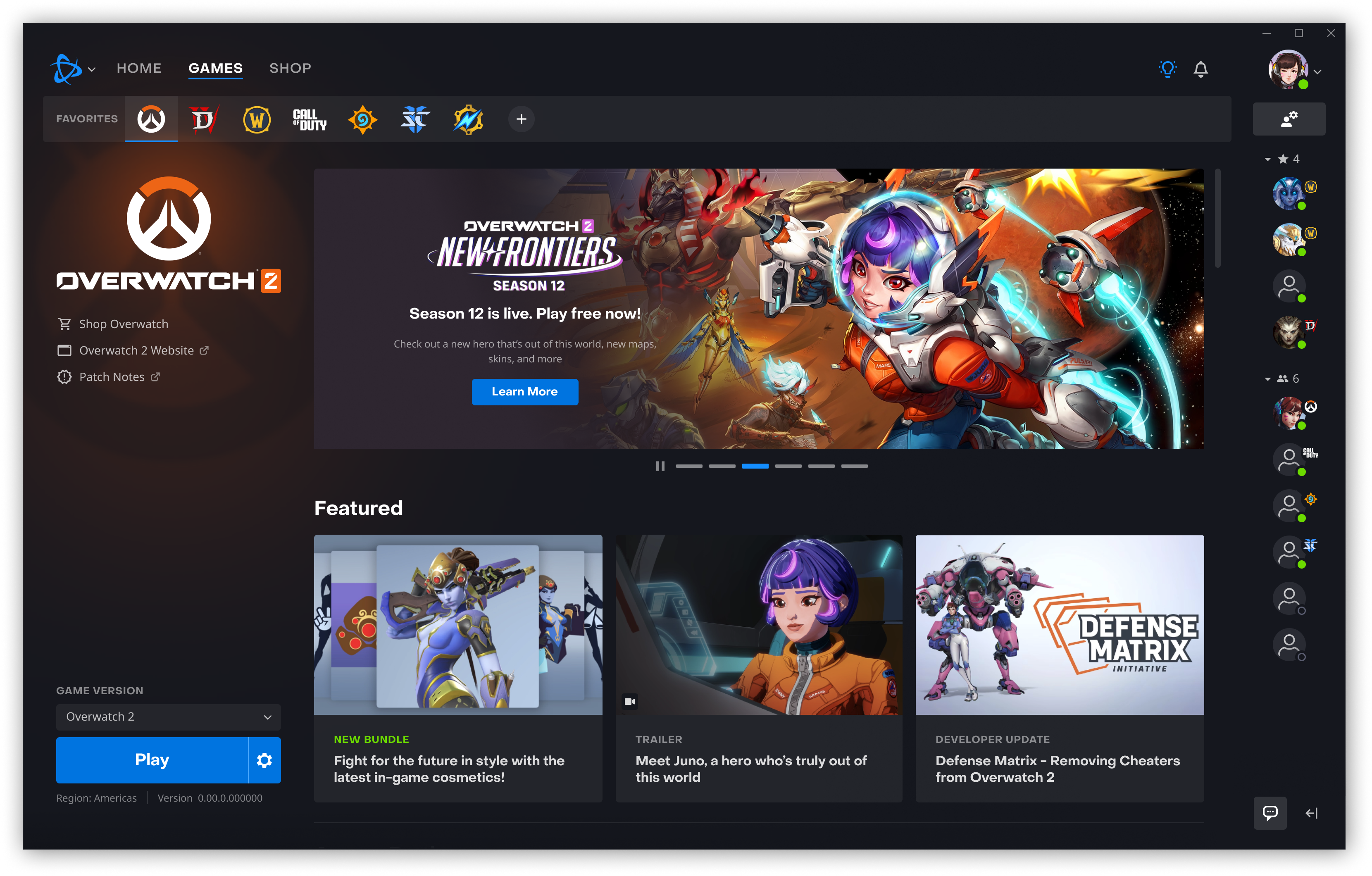
- Centralized Game Library Management: Manage all your Blizzard games in one place with easy installation, updates, and launch controls.
- Integrated Social and Community Tools: Connect with friends, join clans, and participate in chat channels effortlessly.
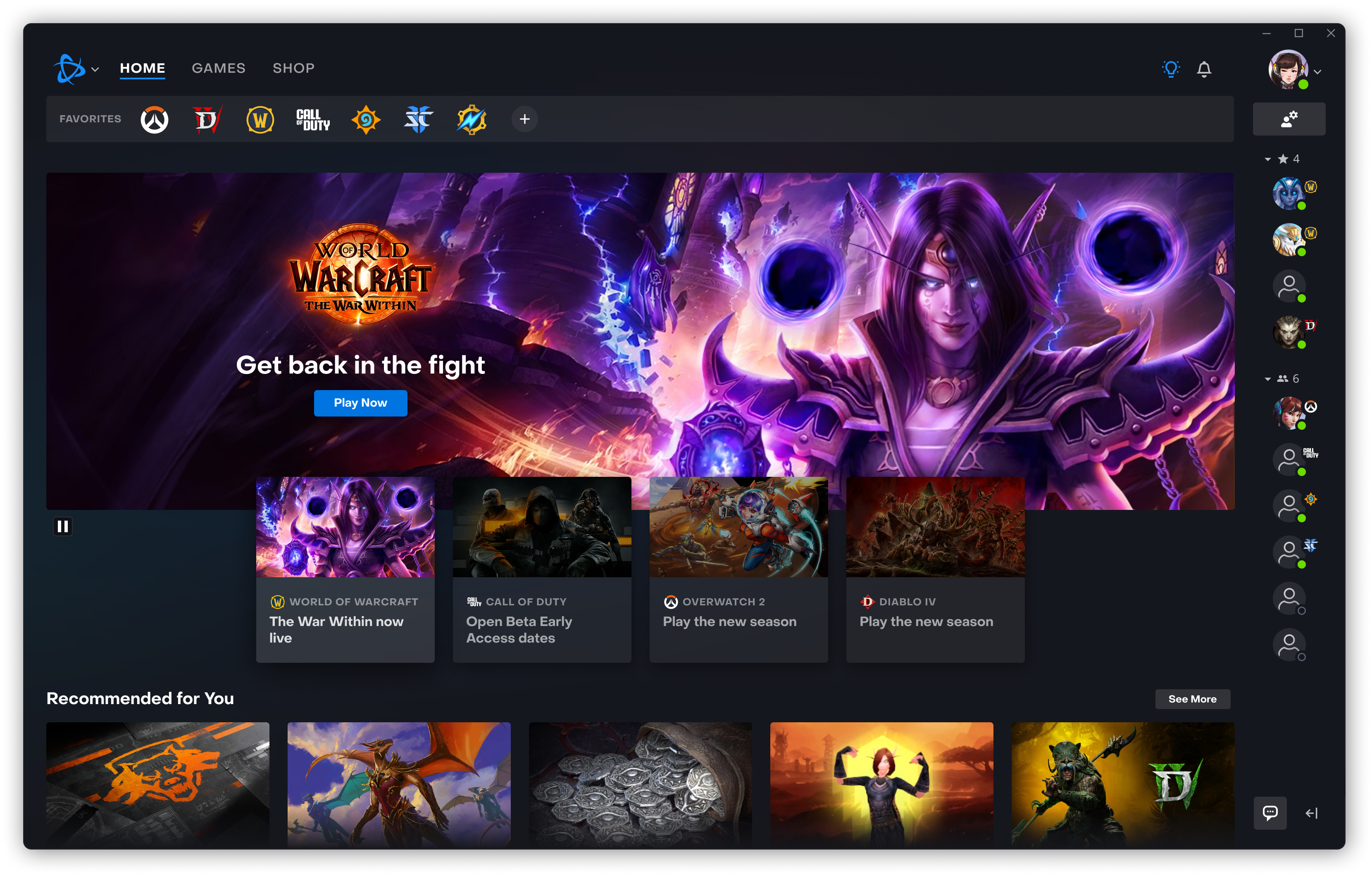
- Personalized Content Discovery: Receive tailored game recommendations and news updates relevant to your gaming preferences.
- Security and Account Management: Secure login options and account settings management streamline your account safety and privacy.
A Closer Look: An Engaging Gaming Concierge
Stepping into Battle.net for Windows feels like entering a well-organized gaming lounge — sleek, inviting, and efficient. From the moment you open the app, its intuitive interface welcomes you with familiar Blizzard aesthetics, yet offers a modern touch that simplifies navigation. For players juggling multiple games, the centralized library acts like a personal arcade, neatly sorting your titles and updates, removing the hassle of scattered shortcuts and multiple login processes.
Seamless Content Discovery and Recommendations
What truly sets Battle.net apart from other entertainment applications isn't just its game management prowess but its sophisticated content discovery algorithms. Unlike other platforms that bombard you with generic recommendations, Blizzard's app cautiously curates suggestions based on your play history, community activity, and preferences. This personalized touch means discovering new titles or upcoming expansions feels more like a friend nudging you thoughtfully rather than a random ad. It's like having a gaming-savvy companion guiding your next adventure, making your entertainment experience both relevant and engaging.
An Intuitive User Experience and Streamlined Operation
The app's design ensures that both novice and veteran gamers can navigate with ease, thanks to logical menus and customizable settings. Response times are brisk, even during peak times, indicating that the app's architecture is optimized for performance. The learning curve is gentle; most users will find themselves mastering game updates, friend lists, and news feeds within minutes. This smooth workflow transforms what could be a chore into a pleasant, almost effortless daily ritual.
How Does It Stand Out?
Compared to typical gaming or entertainment applications, Battle.net excels with its “content discovery algorithms” tailored specifically for gaming audiences. While platforms like Steam or Epic Games Store offer broad catalogs and recommendations, Blizzard's app hones in on personalized game suggestions aligned with your gameplay style and community interactions. This targeted approach enhances user engagement, making each visit to the app feel like a curated experience rather than just a marketplace.
Final Verdict: A Solid Choice for Blizzard Natives
I would recommend Battle.net for Windows primarily for Blizzard aficionados or those who engage heavily with Blizzard games. Its particularly unique recommendation system and centralized management benefit gamers seeking a dedicated, streamlined platform to enhance their gaming experience. Casual players might find it overkill if they don't own Blizzard titles, but for committed fans, this app provides a reliable and enjoyable gateway into Blizzard's universe.
Pros
- Seamless Integration with Windows
- User-Friendly Interface
- Fast Game Updates and Downloads
- Robust Library of Popular Games
- Strong Community Features
Cons
- Occasional Connectivity Issues
- Limited Customization Options
- Resource Intensive
- Slow Customer Support Response
- Some Regional Restrictions











