





- Name Backgammon Pro
- Category Card & board
- Available on PC, Mobile
- OS Windows 10 version 17763.0 or higher
- languages English (United States)
Introducing Backgammon Pro for Windows: A Classic Game Reimagined
Backgammon Pro for Windows is a thoughtfully crafted digital rendition of the timeless board game, promising fans a seamless blend of tradition and digital innovation. Whether you're a seasoned player or a curious newcomer, this app aims to bring the classic backgammon experience right to your desktop with crisp visuals and intuitive gameplay.
About the Developer and Core Highlights
Developed by Bernardo Zamora, Backgammon Pro emerges as a dedicated crafting of the classic game tailored specifically for Windows users. The app's main features include customizable game modes suited for different skill levels, intelligent AI opponents that adapt to your playing style, and an engaging multiplayer option to challenge friends or players worldwide. Its design emphasizes ease of use and accessibility, making it appealing for both casual players and enthusiasts looking for serious matches.
Playing the Game: An Inviting and Smooth Experience
Imagine sitting down at a cozy table, the familiar wooden boards laid out before you—Backgammon Pro captures that nostalgic charm with its visually warm and clear interface. As soon as you launch the game, the user-friendly design invites players into a world where strategy and luck collide effortlessly. The app's operation is remarkably smooth; movements are responsive, with animations that mimic real-world pieces sliding and flipping across the board. The learning curve is gentle enough for newcomers, thanks to helpful hints and Tutorial modes, yet robust enough to challenge seasoned players seeking deep strategic play.
Unique Features That Make It Stand Out
Adaptive AI with Dynamic Skill Levels
One of Backgammon Pro's most notable strengths is its intelligent AI system. Unlike many digital counterparts that rely on predetermined difficulty settings, this app's AI adapts to your playing style, making each match genuinely unpredictable and engaging. It's akin to playing against a real opponent who learns and evolves with you, enhancing both challenge and fun.
Customizable Game Modes and Settings
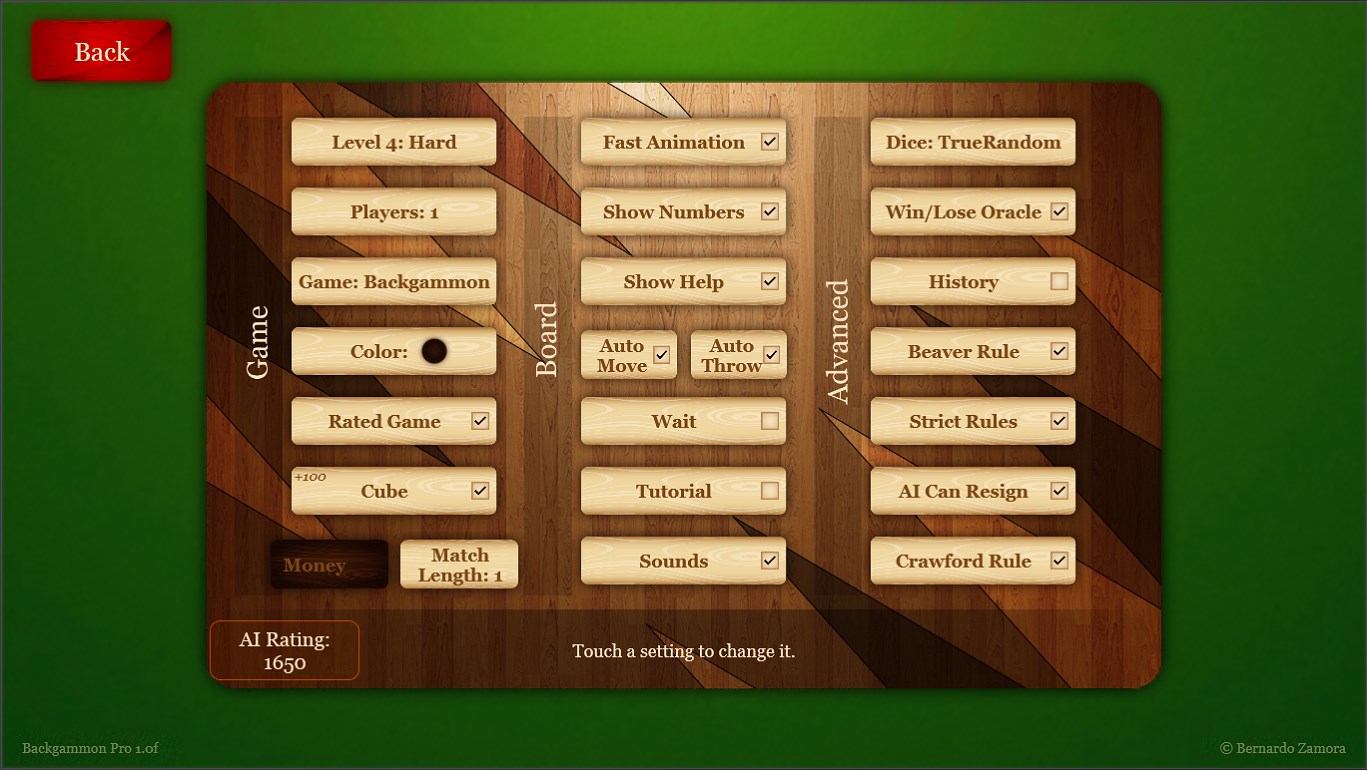
Another standout feature is the wide array of customization options. You can choose different rule sets, toggle between color themes, or set time limits to tailor your gaming experience. Whether you prefer a quick, casual match or a marathon strategic battle, Backgammon Pro offers flexible modes to suit your mood—much like selecting the perfect table and ambiance for a friendly game night.
Conclusion: Is It Worth Your Time?
Overall, Backgammon Pro for Windows provides a polished, accessible, and engaging digital version of a classic game. Its intuitive interface, responsive gameplay, and especially its intelligent AI system set it apart from many other online or offline backgammon apps. If you're someone who appreciates refined design combined with challenging gameplay, this app is worth considering. I'd recommend it to casual players looking for an easy entry point and to enthusiasts seeking a reliable, well-designed digital opponent. A solid choice for anyone eager to roll the dice and test their strategic mettle—an online backgammon journey you won't regret embarking on.
Pros
- Intuitive User Interface
- Multiple Game Modes
- Offline Play Capability
- Realistic Graphics and Sounds
- Regular Updates and Improvements
Cons
- Limited Customization Options
- In-App Purchases Can Be Obtrusive
- Occasional Connectivity Issues in Multiplayer
- Limited Tutorial for Beginners
- Battery Usage During Extended Play











