

- Name Astro Command Center
- Category Entertainment
- Available on PC, Xbox console
- OS Windows 10 version 10586.0 or higher
- languages Chinese (Simplified), Danish, Dutch, English (United States), Finnish, French, German, Italian, Japanese, Korean , Norwegian (Bokmål), Polish , Portuguese (Brazil), Portuguese (Portugal), Russian, Spanish (Spain), Swedish
Introducing Astro Command Center for Windows
Astro Command Center for Windows is a comprehensive desktop application designed to streamline and enhance your gaming experience with Astro Gaming headsets and peripherals, offering intuitive controls and personalized settings all within a unified interface.
About the Developer and Core Features
Developed by Astro Gaming, a reputable name in gaming hardware, the Astro Command Center aims to bridge the gap between hardware and software to deliver a seamless audio customization platform. Key highlights include customizable audio profiles, real-time device control, and firmware management—all crafted to provide gamers with precise control over their audio environment. Its primary user base includes gamers seeking tailored sound settings, streamers looking to optimize audio quality, and tech enthusiasts interested in detailed device customization.
Experience the App: A Friendly Dive into Its Capabilities
Imagine stepping into your gaming den where every sound cue, from distant footsteps to the explosion in the distance, feels just right—that's what Astro Command Center strives to help you achieve. Its user-friendly interface acts like a digital control room, giving you direct access to tweak your headset's performance without digging through complicated menus. Whether you're a casual gamer or a professional streamer, this app aims to make your audio management as effortless as flipping a switch.
Intuitive Interface and Seamless Navigation
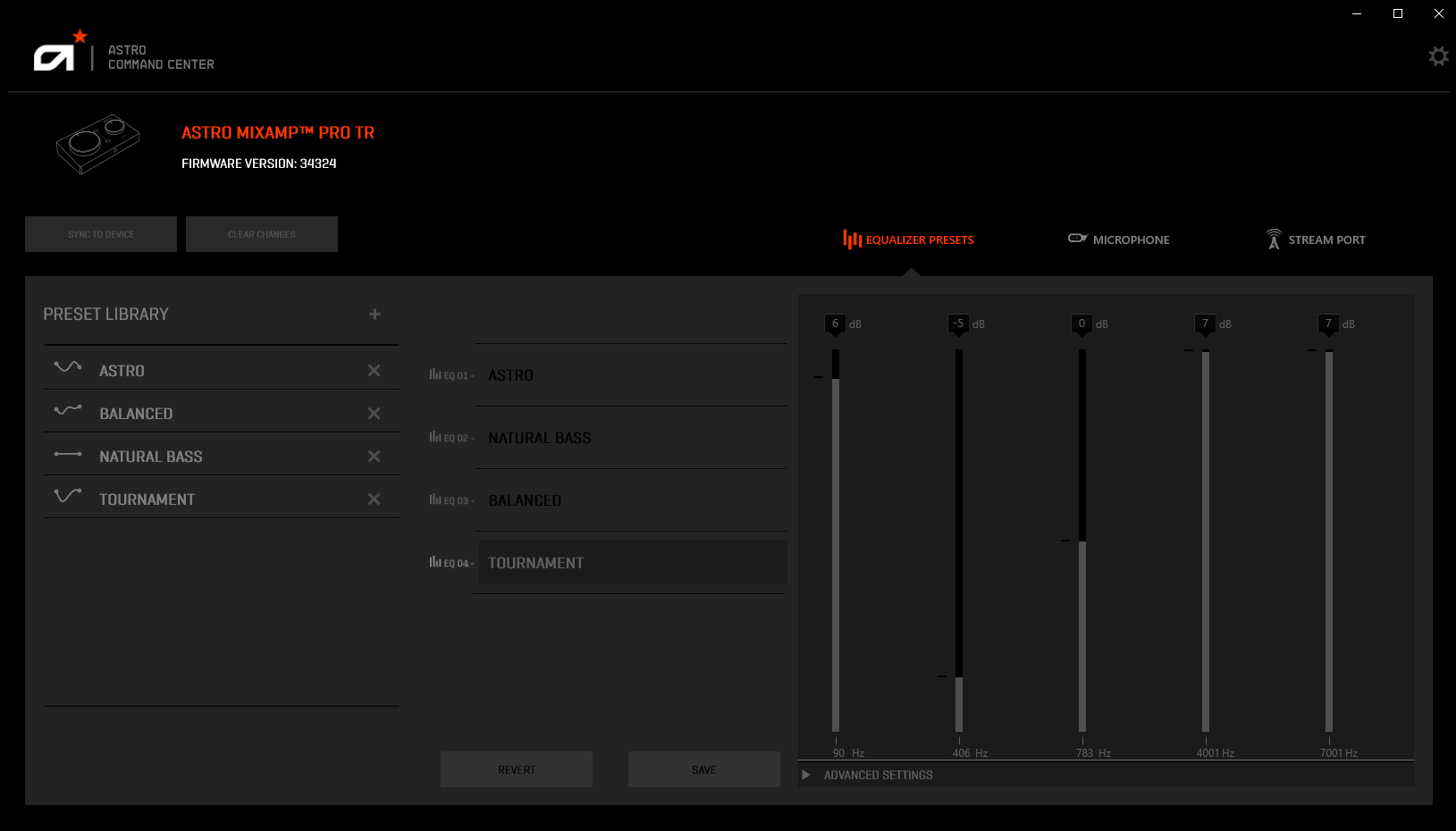
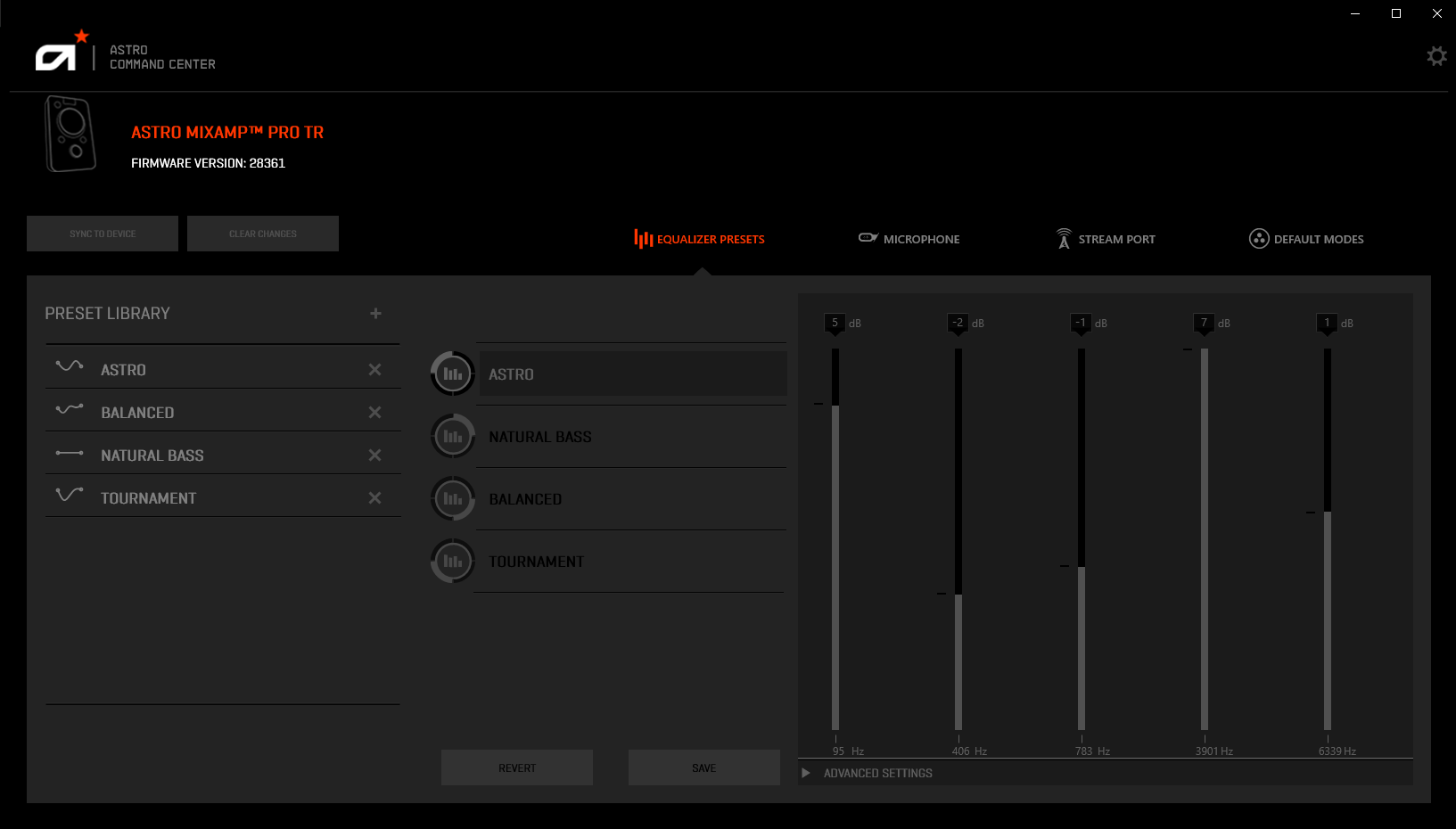
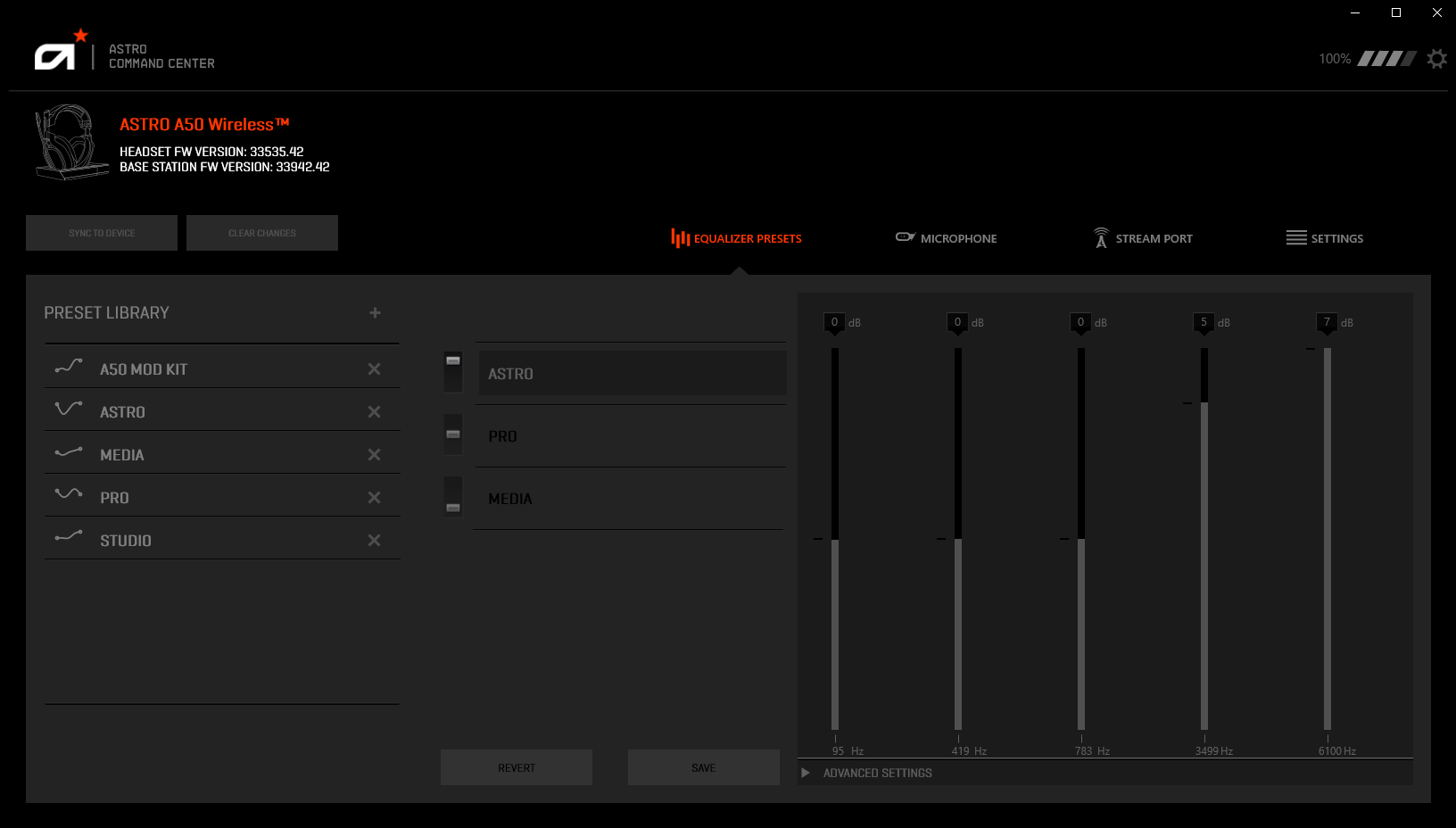
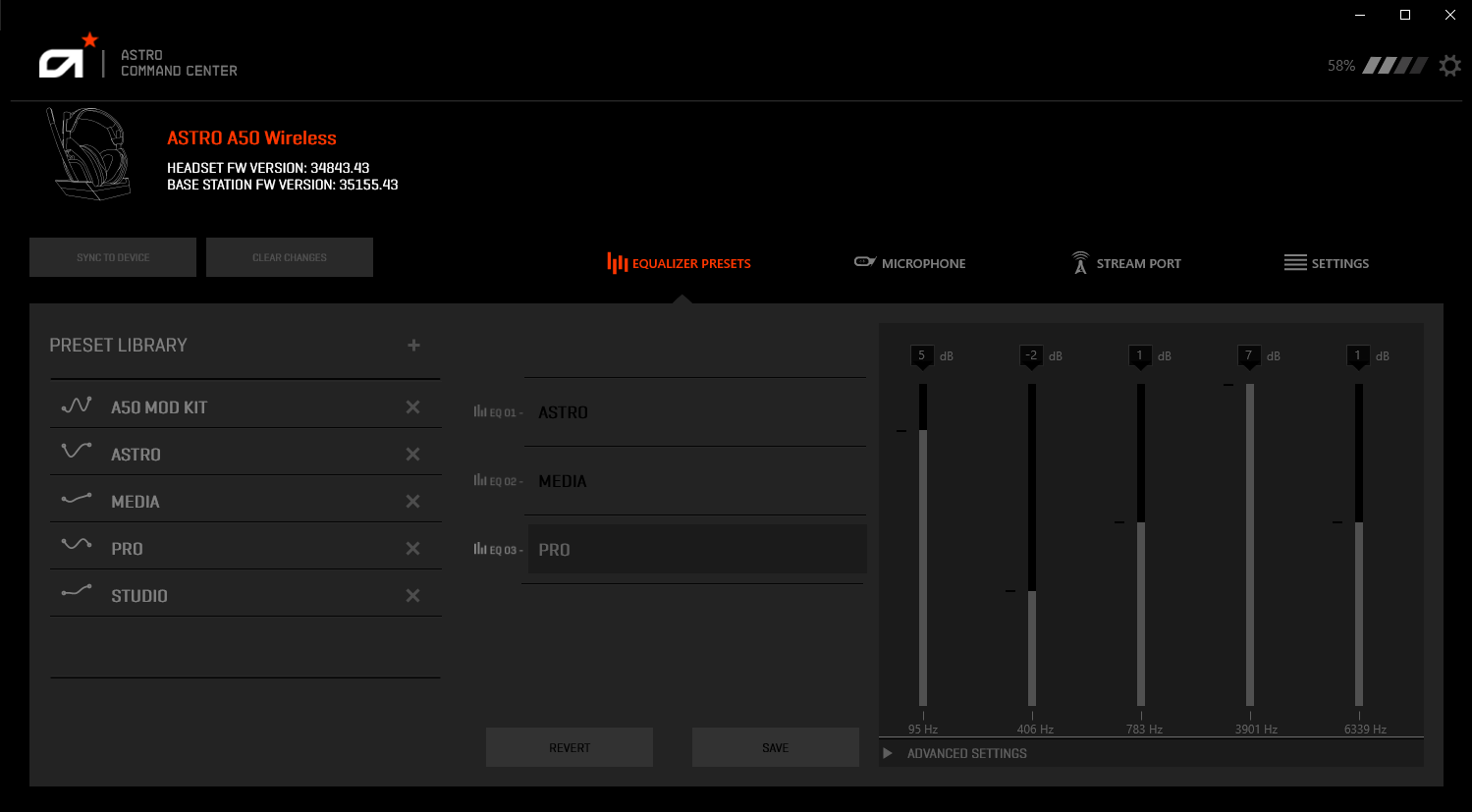
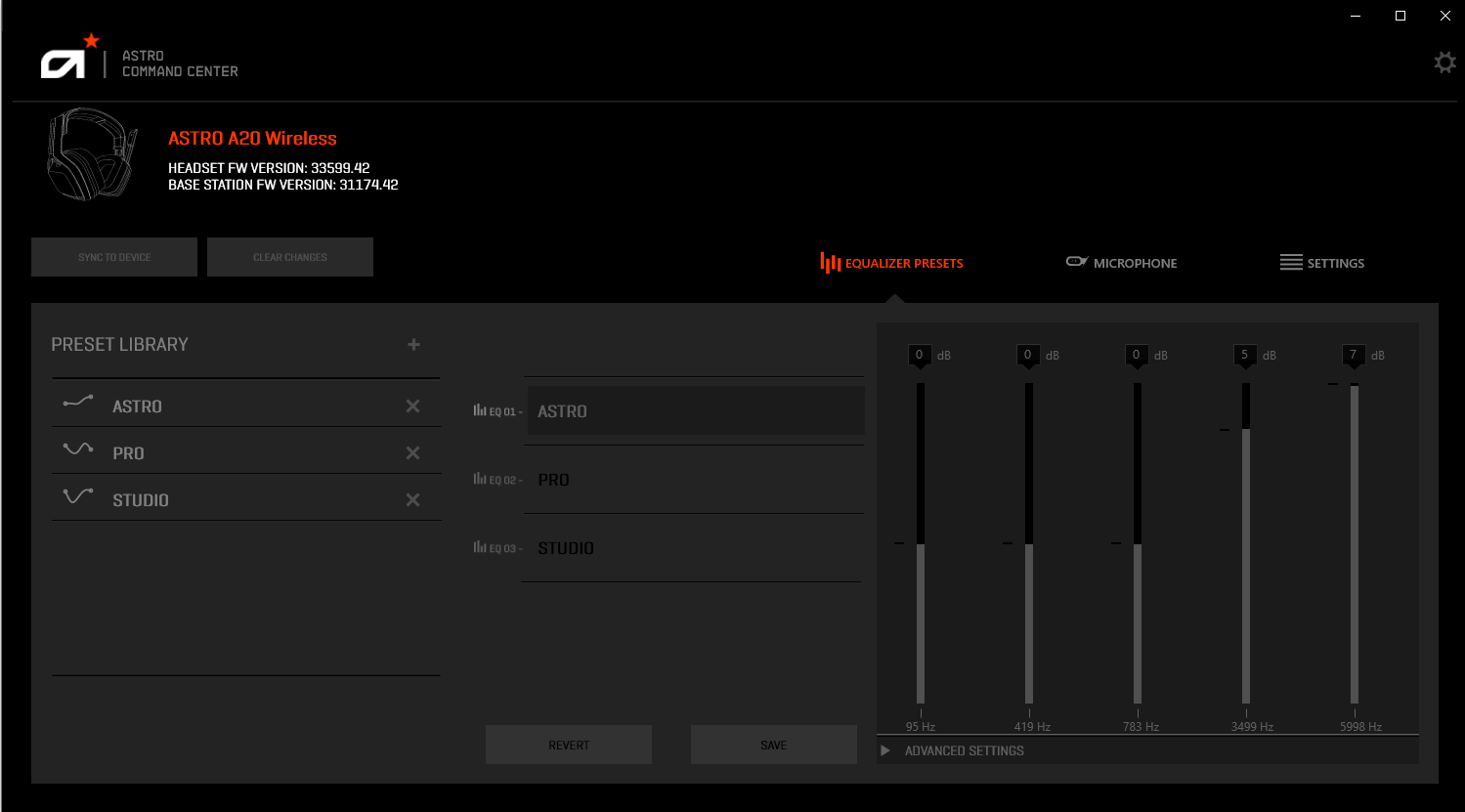
From the moment you launch Astro Command Center, the clean, sleek layout greets you like a well-organized cockpit. The design employs vivid icons and categorized sections that allow quick access to different functions, such as sound profiles, device settings, and firmware updates. Navigating through these options feels smooth, thanks to responsive controls and logical organization. Even newcomers can adapt rapidly, thanks to helpful tooltips and clear labels, making the learning curve gentle and welcoming.
Customizable Sound Profiles and Real-Time Adjustments
The core allure of this app lies in its ability to craft personalized audio environments. You can easily create, save, and switch between multiple sound profiles tailored to specific games or activities. The app allows fine-tuning of audio parameters such as bass, treble, and mic levels, providing an experience akin to adjusting the equalizer on a high-end stereo system—but all from your desktop. Moreover, real-time adjustments mean you can tweak settings on the fly, ensuring perfect sound during intense multiplayer battles or quiet single-player explorations. This feature stands out as particularly invaluable for users who crave auditory precision.
Firmware Management and Device Control
Another notable feature is the firmware management system. Keeping your headset's firmware up-to-date is streamlined through the app, ensuring your hardware benefits from the latest improvements and fixes. Additionally, users can control headset mic monitoring, volume balance, and other hardware features directly, transforming your Astro device into a fully customizable audio hub. This level of control, combined with clear feedback on device status, sets the Astro Command Center apart from simpler, more static applications.
What Makes It Unique Among Similar Apps?
Unlike many entertainment or generic audio apps, Astro Command Center leverages sophisticated content discovery algorithms that analyze your usage patterns to recommend the most suitable sound profiles. Its personalized recommendations are notably relevant, thanks to detailed user data analytics and adaptive learning, which tailor suggestions based on your gaming habits and preferences. This focus on contextual and dynamic customization ensures that the app doesn't just provide static presets but evolves with your needs, offering an experience that feels truly curated.
Final Thoughts and Recommendations
Overall, Astro Command Center for Windows is a reliable and thoughtfully designed application that elevates your gaming audio experience through its intuitive interface and advanced customization options. Its standout features—particularly the personalized content recommendation system and real-time device control—make it a worthwhile tool for dedicated gamers and streamers seeking precise sound management.
We recommend this app primarily to users who own compatible Astro hardware and desire a higher degree of control over their audio settings. For casual users, it offers a straightforward way to optimize sound quality without overwhelming complexity. We rate it highly for its user-centric design and innovative features, though those less invested in fine-tuning might find some options more than they need. Still, for anyone passionate about sound quality and device management, Astro Command Center is a valuable ally.
Pros
- Intuitive interface
- Advanced RGB synchronization
- Real-time performance monitoring
- Comprehensive device management
- Regular software updates
Cons
- Occasional software crashes
- Limited compatibility with older devices
- Steep learning curve for advanced features
- Slow response to bug reports
- High CPU usage during intensive sessions











