

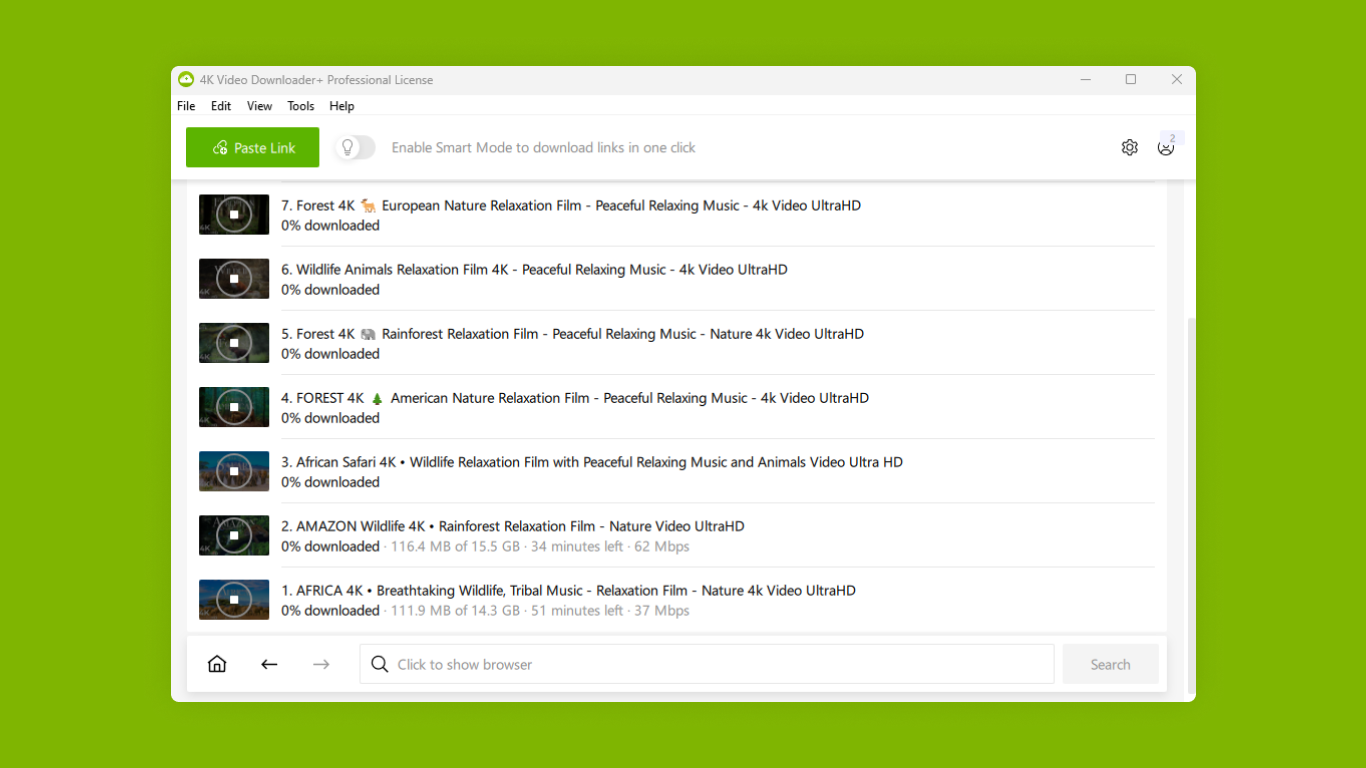
- Name 4K Video Downloader Plus
- Category Entertainment
- Available on PC
- OS Windows 10 version 0.0 or higher
- Keyboard Integrated Keyboard
- Mouse Integrated Mouse
- languages Chinese (Simplified), Chinese (Traditional), Czech, Dutch, English, Finnish, French, German, Italian, Japanese, Korean, Polish, Portuguese, Russian, Spanish, Swedish, Turkish
Introducing 4K Video Downloader Plus for Windows
4K Video Downloader Plus is a versatile desktop application designed to seamlessly download videos, playlists, channels, and subtitles from a variety of popular platforms in high quality. Its intuitive interface and robust functionalities make it a handy tool for everyday media enthusiasts.
About the Developer and Main Features
Developer and Team
Developed by InterPromo GMBH, a company renowned for creating user-friendly multimedia applications, 4K Video Downloader Plus benefits from a team experienced in delivering reliable and efficient media tools.
Main Highlights
- High-Quality Downloads: Supports 4K, 8K, and HD video resolutions, ensuring crisp playback on any device.
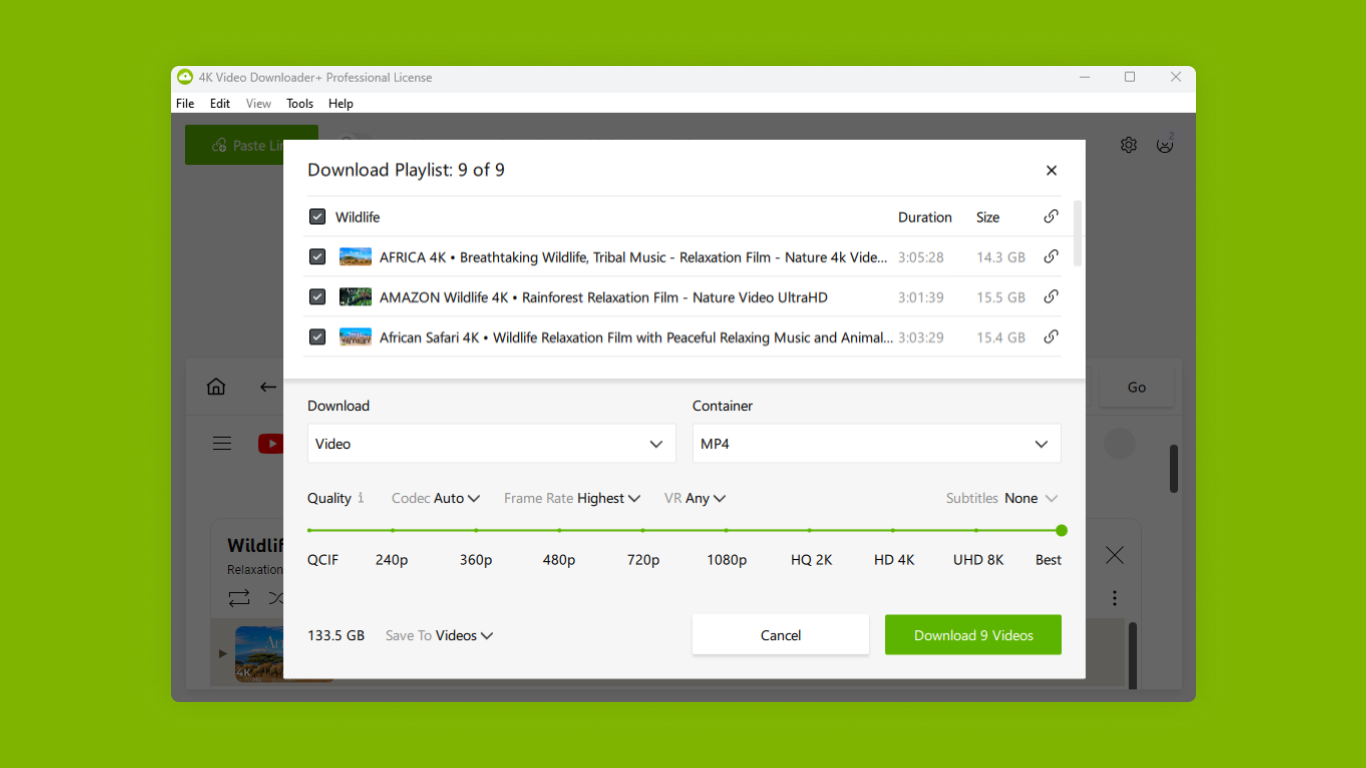
- Batch Downloading: Allows users to queue multiple videos or entire playlists, streamlining large download tasks.
- Subtitle Integration: Easily fetches subtitles in various languages, making content accessible worldwide.
- Cross-Platform Compatibility: Designed specifically for Windows, providing a tailored experience for desktop users.
Target Audience
This application is ideal for content creators, students, or everyday users who want offline access to videos for entertainment, education, or project purposes.
An Engaging Dive into the App's Capabilities
Imagine wanting to save your favorite YouTube playlist for a long flight or a road trip—4K Video Downloader Plus transforms that wish into reality with a few clicks. Its straightforward yet powerful design feels like having a personal media assistant right on your desktop, ready to fetch your videos with precision and ease.
Core Functionalities Explored
Seamless Downloading Experience
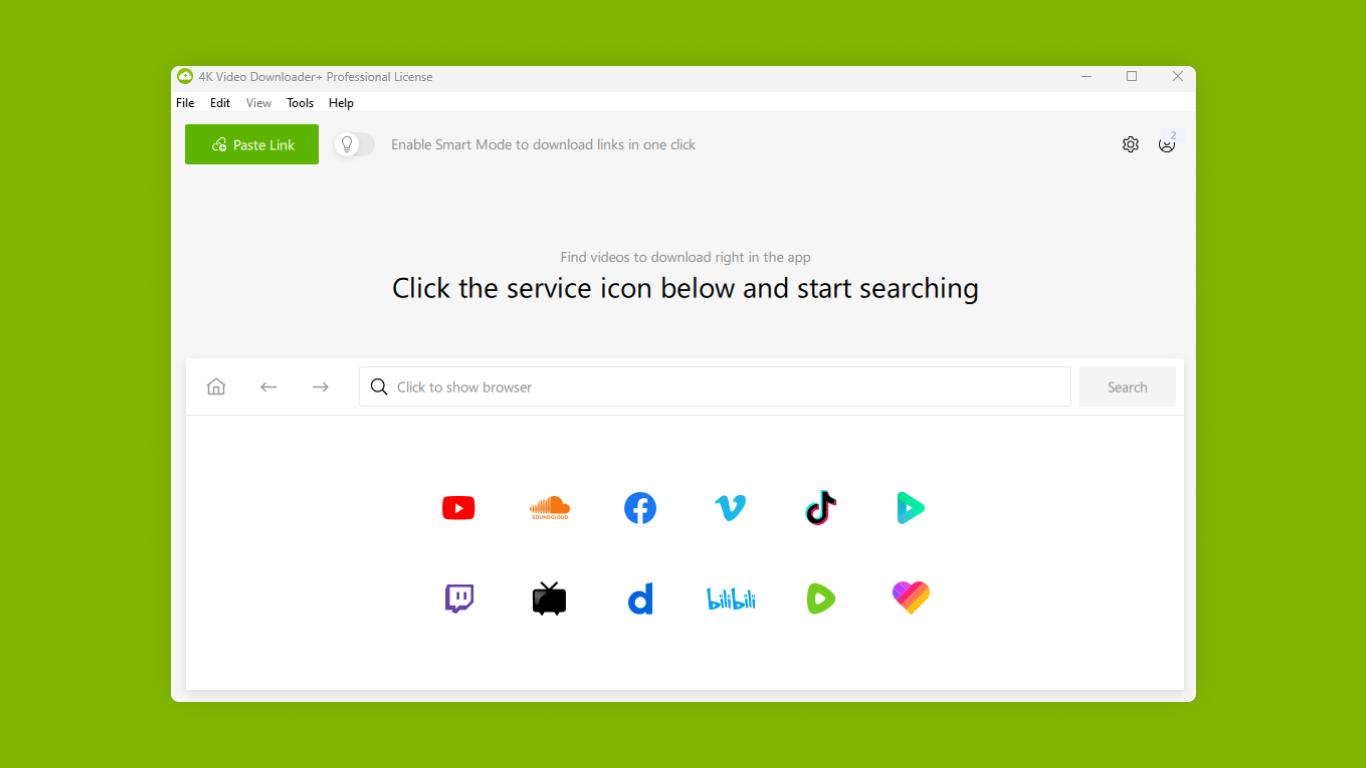
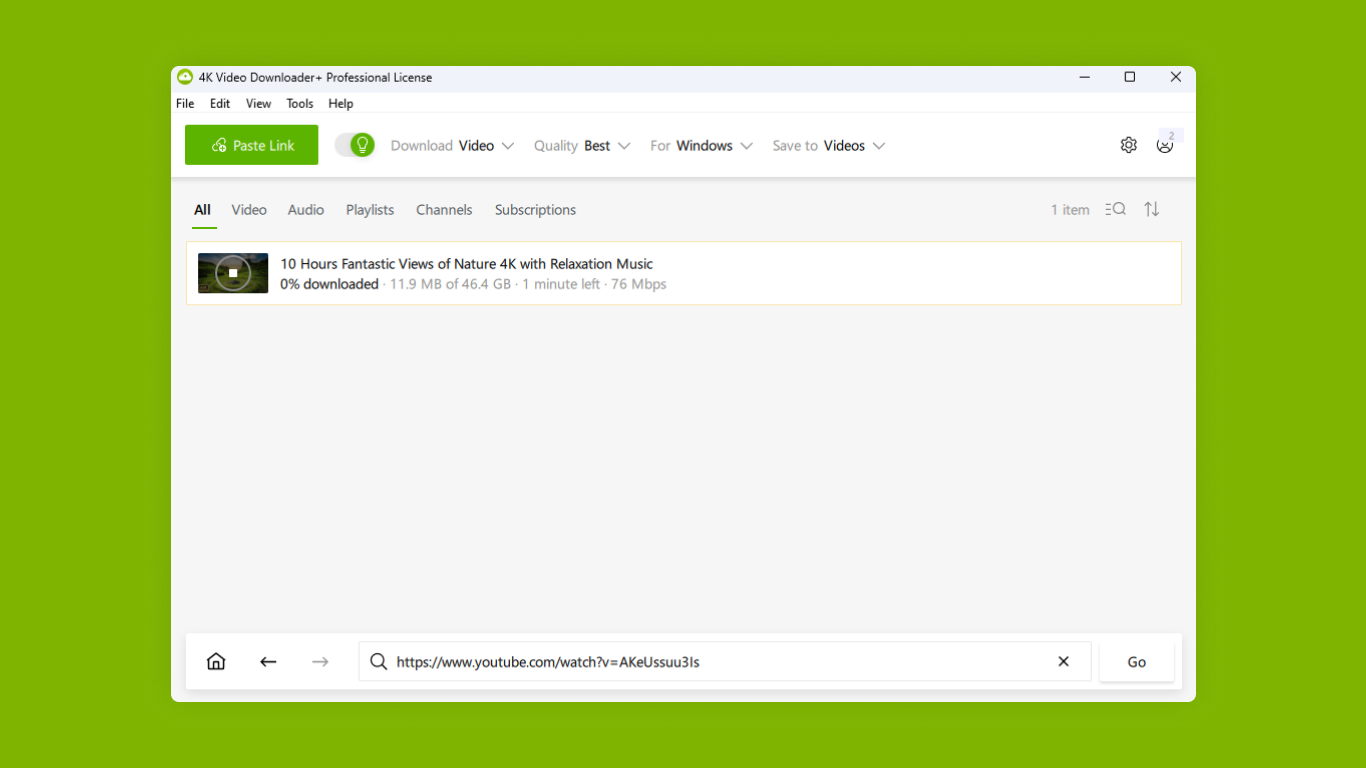
The app's main allure lies in its ability to handle multiple download tasks simultaneously. The interface presents a clean, minimalistic layout—think of it as a digital workbench, clutter-free yet packed with powerful tools. Adding videos is as simple as copying the URL—drag-and-drop or paste—and the app swiftly processes the request. During testing, the download speeds were impressive, even for ultra-high-definition videos, reflecting efficient processing and network utilization. The progress bar is a friendly visual cue, giving a clear sense of time remaining, which enhances user confidence.
Quality and Subtitle Management
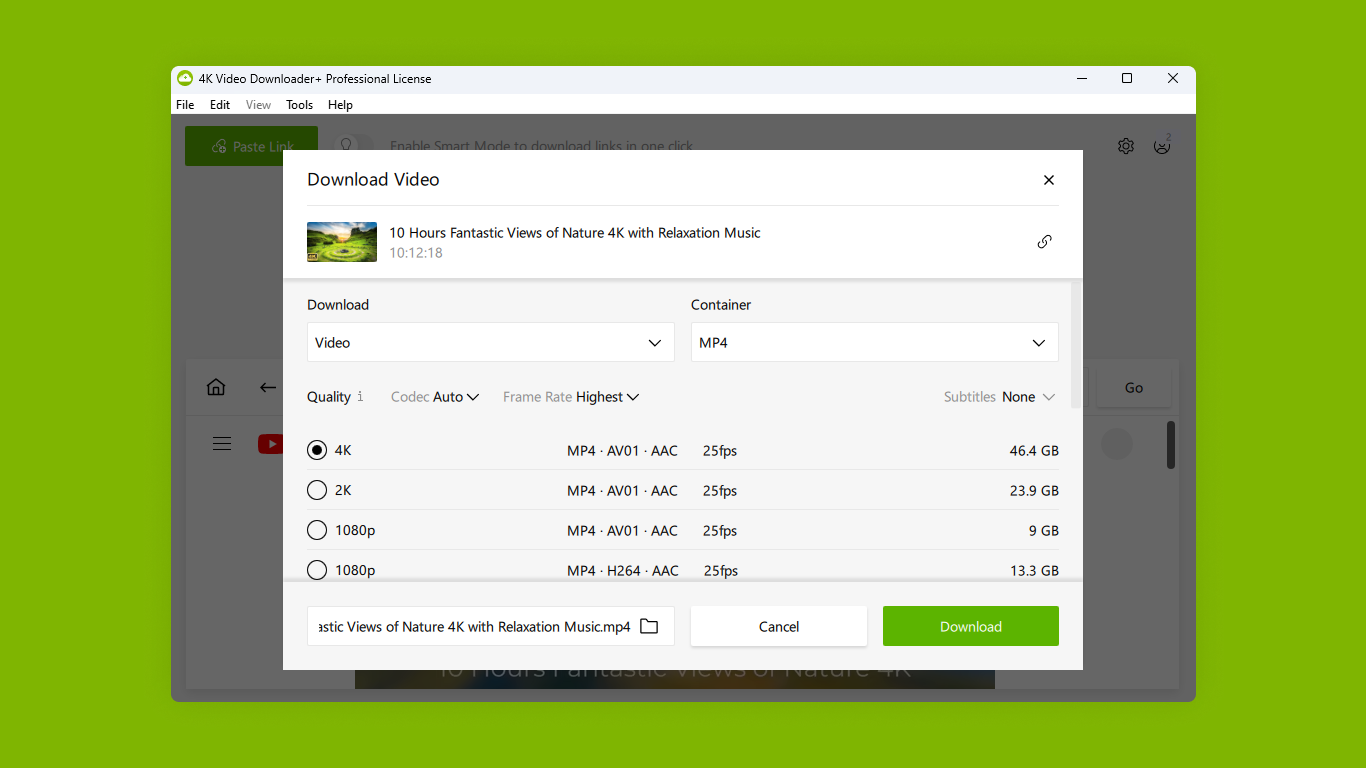
One of the app's standout features is its support for top-tier video resolutions, including 4K and 8K. This means you don't have to compromise quality for convenience. Moreover, its subtitle fetching capabilities are noteworthy—the app automatically detects available subtitles and allows you to embed or save them separately. For language learners or international viewers, this function is like having a mini translation team at your fingertips, making content universally accessible.
Playlist and Channel Downloading
For those who prefer bulk downloads, the playlist and channel download features are a game-changer. They work like a diligent librarian, organizing and cataloging entire series into your local library. You can choose specific videos, select audio/video quality, and the app takes care of the rest. It's especially useful for content researchers or avid viewers who keep up with frequent uploads—saving time and effort.
User Experience and Differentiation
The design aesthetic of 4K Video Downloader Plus is akin to a well-organized tool cabinet—everything is logically placed, with minimal learning curve. Even first-time users find it intuitive: simply paste a link, choose quality settings, and hit download. The app runs smoothly without noticeable lag or crashes, which speaks to its refined engineering.
In comparing it to similar media downloaders, one of its most compelling advantages is how it combines high-quality output with a user-friendly interface. Unlike some applications that bombard users with confusing options, this app emphasizes core functionalities—particularly its ability to process large playlists and subtitles efficiently. These features make it stand out in a crowded market, positioning it as a reliable solution for both casual users and demanding content collectors.
From a content discovery perspective, while it doesn't have built-in content recommendation algorithms like entertainment apps, its focus on efficient, high-quality downloads and subtitle management effectively supports personalized content access. This tailored approach ensures that users are not overwhelmed by irrelevant options but can quickly find and save the content they care about.
Final Recommendations
All in all, 4K Video Downloader Plus is a solid choice for those needing a reliable, high-quality media downloader for Windows. Its strongest suits are its support for high-definition resolutions, batch downloading, and subtitle integration—features that cater perfectly to advanced users and casual viewers alike. I'd recommend this app to anyone looking for effortless offline access to their favorite videos, especially if maintaining video quality is a priority.
Whether for educational purposes, media archiving, or simply enjoying content without interruptions, it's a tool that can make your digital life easier and more efficient without resorting to overly flashy marketing. Just keep in mind that, like any content downloader, using it responsibly and respecting copyright laws is important—this app empowers you to explore media offline, but always do so ethically.
Pros
- High-Quality 4K Downloads
- Multiple Platform Support
- Batch Download Functionality
- Built-in Conversion Options
- User-Friendly Interface
Cons
- Limited Free Usage
- Occasional Download Failures
- Lack of Advanced Customization
- No Built-in Video Editor
- Interface Slightly Cluttered











