

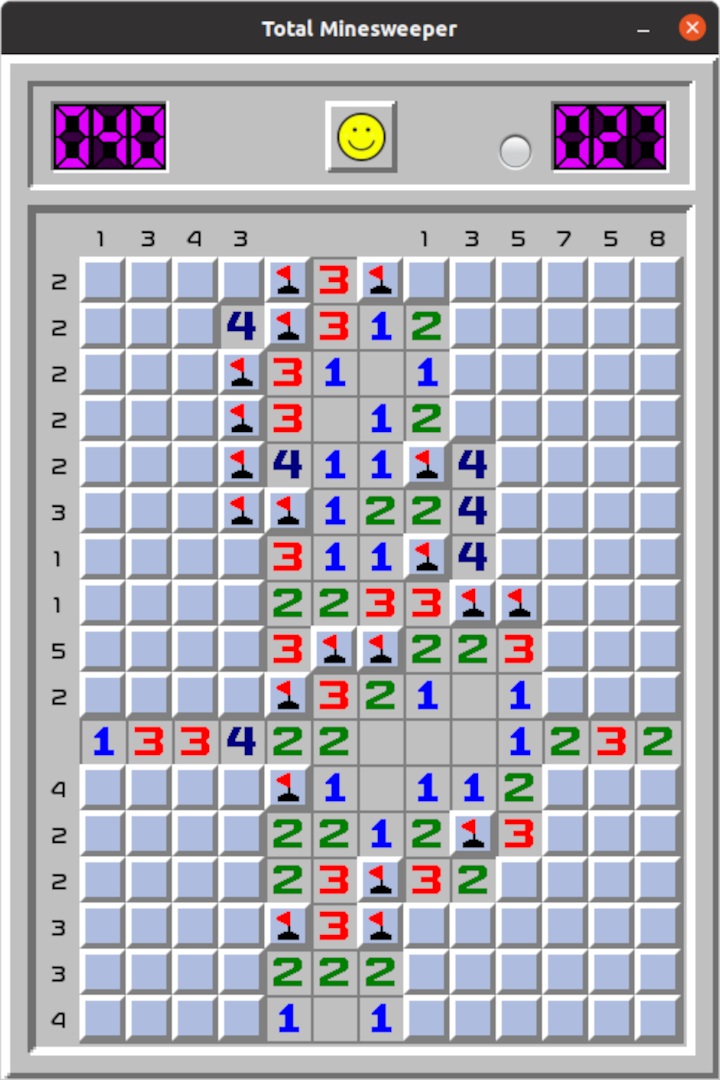
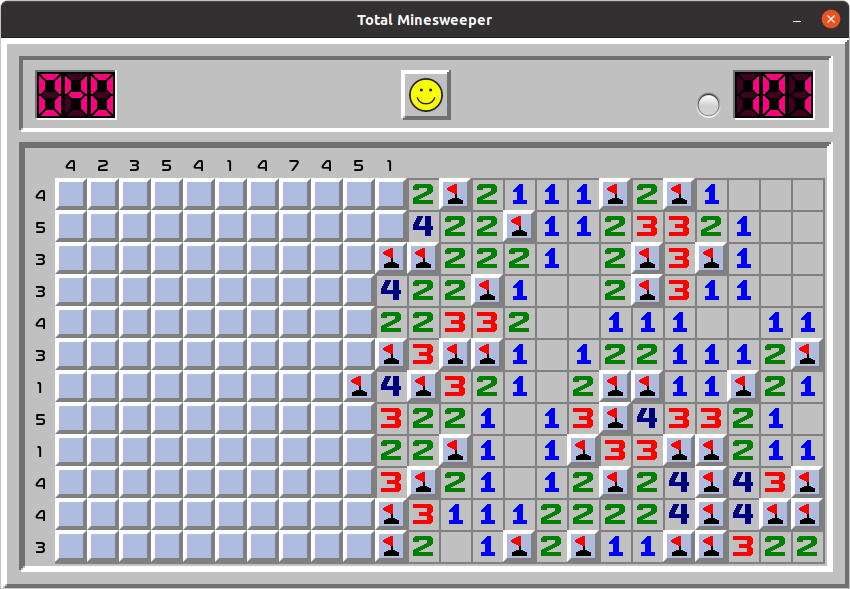
- Name Total Minesweeper
- Category Classics
- Developer Yuriy Yakimenko
- Available on PC
- OS Windows 10 version 17763.0 or higher
- Mouse Integrated Mouse
- languages English (United States)
A Fresh Spin on a Classic Puzzle
Total Minesweeper for Windows offers a modern take on a beloved classic game, blending familiar gameplay with sleek design and subtle enhancements. Whether you're a longtime fan or a newcomer curious about the charms of minesweeper puzzles, this app aims to deliver both nostalgia and a touch of newness in a user-friendly package.
Who's Behind the Mines?
Developed and published by Yuriy Yakimenko, Total Minesweeper is crafted by an individual developer with a clear passion for puzzle games. While the team may be small, the effort manifests in a polished and engaging interface, promising a smooth gaming experience for players on Windows platforms.
Standout Features That Make It Shine
- Intuitive and Customizable Difficulty Levels: The app caters to both casual players and seasoned mine explorers by offering adjustable difficulty settings, from beginner-friendly puzzles to challenging minefields that test your logical prowess.
- Clean and Adaptive Interface: The game boasts a minimalist yet aesthetically pleasing design that adapts well to various screen sizes, enhancing clarity and reducing visual clutter.
- Enhanced Puzzle Interactivity: Unique features like flag reminders and optional hints provide a more interactive experience, inviting players to strategize and solve with added support.
- Game Mode Variations: Multiple modes, such as timed challenges and endless play, keep the experience fresh and engaging, catering to different play styles and motivations.
Engaging and User-Friendly Gameplay
Stepping into the game feels like entering a well-organized workshop, where every element has been meticulously considered. The interface is sleek: crisp gridlines, clear numbers, and intuitive controls make interacting with the puzzle feel like a dance rather than a chore. The responsiveness is noteworthy; clicking, flagging, and revealing cells happen seamlessly, creating a fluid experience akin to flipping through pages of a well-loved book.
From a learning curve perspective, Total Minesweeper scores high marks. New players will find a gentle onboarding process, with optional tutorials and hints guiding them along the way. Seasoned veterans will appreciate the subtle complexity added by various difficulty levels and special modes, which challenge their strategic thinking without overwhelming them.
What Sets It Apart from Other Classics
Compared to traditional minesweeper apps, Total Minesweeper's core strength lies in its thoughtful design choices. Unlike some minimalist or overly simple clones, this app balances aesthetic appeal with functional depth. Notably, its customizable difficulty and mode variety mean it can serve both as a relaxing pastime and a cerebral challenge—something many basic versions lack. The inclusion of interactive aids, such as flag reminders and optional hints, makes it more accessible to newcomers while still satisfying hardcore puzzle enthusiasts.
Moreover, the developer's focus on smooth performance and adaptive interface design allows for an experience that feels both fresh and familiar—an important factor for users bored with monotonous clones or cluttered interfaces.
My Take: Worth Giving a Try
For those seeking a solid, thoughtfully designed minesweeper experience on Windows, Total Minesweeper warrants a spot on your desktop. It respects the core mechanics that fans love while introducing subtle improvements that make gameplay more engaging and accessible. I'd recommend it especially for players who enjoy customizing their challenge levels and appreciate a clean, frustration-free interface. Whether you're quietly passing time or aiming for a new high score, this app offers enough depth and polish to keep you coming back.
Pros
- Intuitive User Interface
- Classic Gameplay with Modern Touches
- Multiple Difficulty Levels
- Progress Tracking and Achievements
- Offline Play Capability
Cons
- Limited Customization Options
- Occasional Minor Glitches
- Lack of Advanced Game Modes
- Sound Option Limitations
- Save and Resume Limitations











