

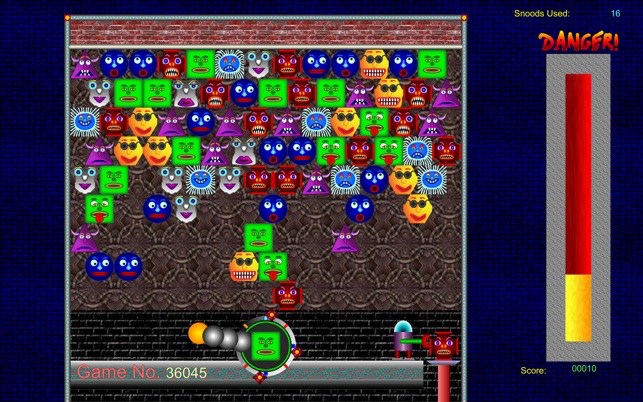
- Name Snood Original
- Category Classics
- Available on PC, Mobile, Xbox console, Surface Hub
- OS Windows 10 version 10240.0 or higher
- DirectX Version 10
- Mouse Not specified
- languages English (United States)
Introducing Snood Original for Windows: A Timeless Puzzle Classic Reimagined
Snood Original for Windows brings the beloved puzzle gameplay into the modern era, offering a nostalgic yet fresh experience that appeals to casual players and puzzle enthusiasts alike. With its easy-to-learn mechanics and addictive gameplay, it's a perfect digital pastime for those looking to unwind or challenge their strategic thinking.
A Closer Look at the Developers and Main Features
Who's Behind the Game?
The game is developed and published by Snood, LLC, a company renowned for their ability to adapt classic puzzle concepts into engaging digital formats. Their focus on delivering polished, enjoyable experiences shows in Snood Original's quality and stability.
Key Features That Set Snood Apart
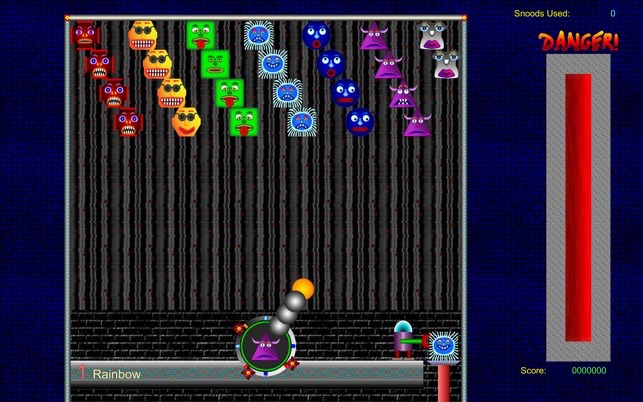
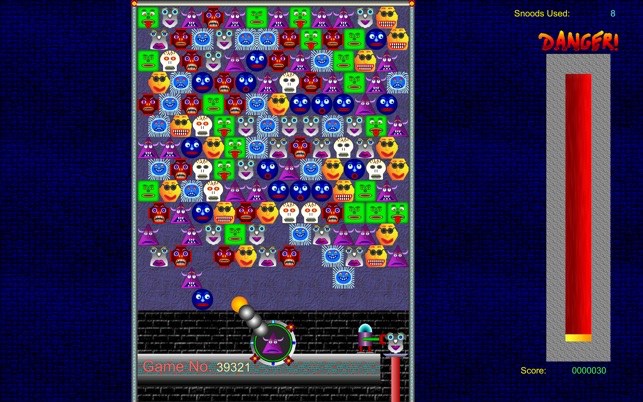
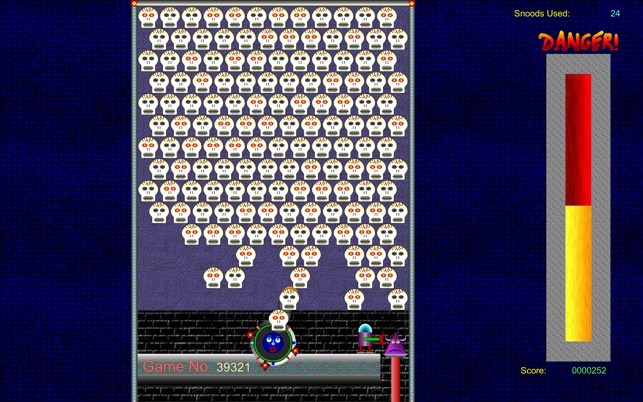
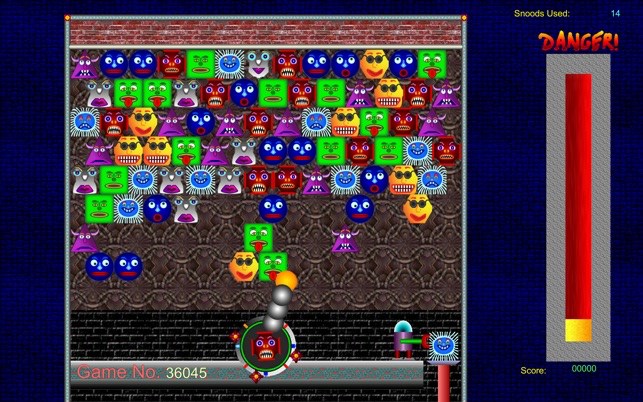
- Colorful, Entertaining Gameplay: The core mechanic involves shooting colored “Snoods” to match and clear groups, a simple yet captivating process that keeps players hooked.
- Multiple Levels & Challenges: The game offers a range of levels with increasing difficulty, including special challenges that test your aiming and planning skills.
- Customizable Options: Players can adjust game speed, difficulty settings, and visual themes, allowing for a personalized gaming experience.
- Intuitive User Interface: Designed to be accessible to newcomers, yet offering depth for experienced players who seek mastery.
The target audience primarily includes nostalgic fans of the classic Snood game, casual gamers looking for quick fun, and puzzle lovers eager for a challenge on their Windows devices.
Gameplay Experience: A Joyful Journey into Puzzle-land
A Vibrant, Dynamic Interface
The moment you launch Snood Original, you're greeted with a lively, colorful scene reminiscent of arcade games from the 90s, but cleanly modernized for today's screens. The interface is intuitive, with clear buttons and smooth animations that create an inviting environment. Navigating menus feels seamless, allowing players to jump straight into the action without fuss.
Fluid Gameplay and User-Friendly Controls
Shooting Snoods is as effortless as aiming a garden hose — the game responds instantly to your mouse clicks or controller inputs, ensuring precise shots. The game's physics feel natural, providing satisfying feedback whether you're bouncing Snoods off surfaces or popping clusters. The balance between challenge and ease of control makes it suitable for both casual throwaway sessions and more committed puzzle bouts.
Learning Curve and Player Engagement
For newcomers, Snood Original offers a gentle introduction with simple mechanics and a few tutorial hints. As players progress, the difficulty ramps up smoothly, requiring strategic planning and quick reflexes. The addictive nature of clearing levels and unlocking new challenges encourages repeated attempts, which is a hallmark of well-designed puzzle games. The game's pacing is steady, keeping players engaged without feeling overwhelming.
What Makes Snood Original Unique? A Puzzle Treasure with a Twist
Compared to other classic puzzle games, Snood Original's standout feature is its combination of simplicity and depth. Unlike similar titles that rely solely on luck or fast reflexes, Snood emphasizes strategic shot placement and pattern recognition, giving players a greater sense of mastery. Moreover, the customizable difficulty settings make it suitable for all skill levels, from casual players to seasoned puzzle fans.
Another distinctive aspect is its vibrant art style and lively sound design, which add charm and personality, transforming what could be a dry matching game into a delightful visual and auditory experience.
Final Verdict: A Solid Recommendation for Puzzle Enthusiasts
Snood Original for Windows offers a nostalgic yet refreshed experience that stands out in the puzzle genre through its engaging gameplay, appealing visuals, and user-friendly design. Its most remarkable features—the intuitive controls and the depth of strategic options—make it a worthwhile addition to any casual gamer's library.
We recommend it particularly to those who appreciate classic puzzle mechanics with a modern twist, or anyone looking for a low-stakes, highly replayable game. Whether you're taking a break from work or competing for high scores, Snood Original promises hours of enjoyable, brain-teasing fun without unnecessary frills or complications.
Pros
- Addictive Gameplay
- Bright and Colorful Graphics
- Easy to Learn
- Affordable Price
- Offline Accessibility
Cons
- Limited Game Modes
- Lack of Advanced Levels or Challenges
- Simple Sound Effects
- No Multiplayer Option
- Occasional Small Bugs or Glitches










