

- Name Everyday Jigsaw
- Category Classics
- Available on PC
- OS Windows 10 version 16299.0 or higher
- Mouse Integrated Mouse
- Memory 1 GB
- Keyboard Not specified
- languages Chinese (Simplified), Chinese (Traditional Chinese), Danish, Dutch, English, Finnish, French, German, Greek, Indonesian, Italian, Japanese, Korean, Malay, Norwegian (Bokmål), Portuguese, Portuguese (Portugal), Russian, Spanish, Swedish, Thai, Turkish, Vietnamese
Introducing Everyday Jigsaw for Windows: A Bright Twist on Classic Puzzles
Are you a puzzle enthusiast looking for a fresh yet familiarly satisfying challenge? Everyday Jigsaw for Windows offers a delightful spin on traditional jigsaw puzzles, making it a perfect pick for casual players and puzzle aficionados alike. Developed by SharpMind Games Limited, this application emphasizes simplicity, variety, and a user-friendly experience, redefining how we engage with one of the most beloved puzzle formats.
Key Features That Make Every Day a Puzzle Adventure
Daily Puzzle Rotation to Keep Content Fresh
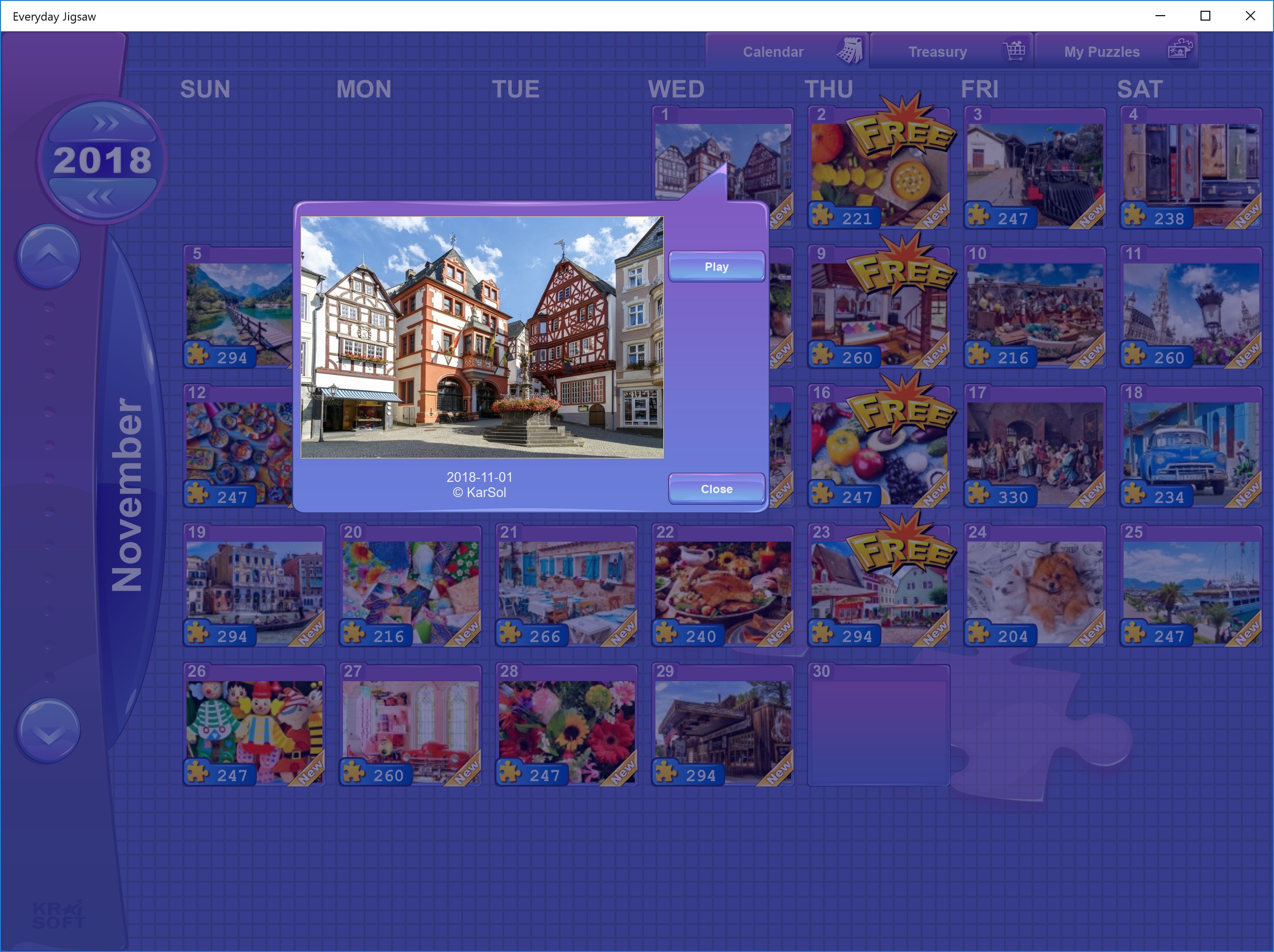
One of the standout features of Everyday Jigsaw is its daily puzzle rotation. Every day, players are greeted with a new, beautifully crafted image to piece together. It's like opening a new window into different cultures, stunning landscapes, or charming illustrations, each designed to keep the experience fresh and engaging. This daily update mechanism encourages regular play, transforming your daily routine into a delightful habit.
Customizable Puzzle Pieces and Difficulty Settings
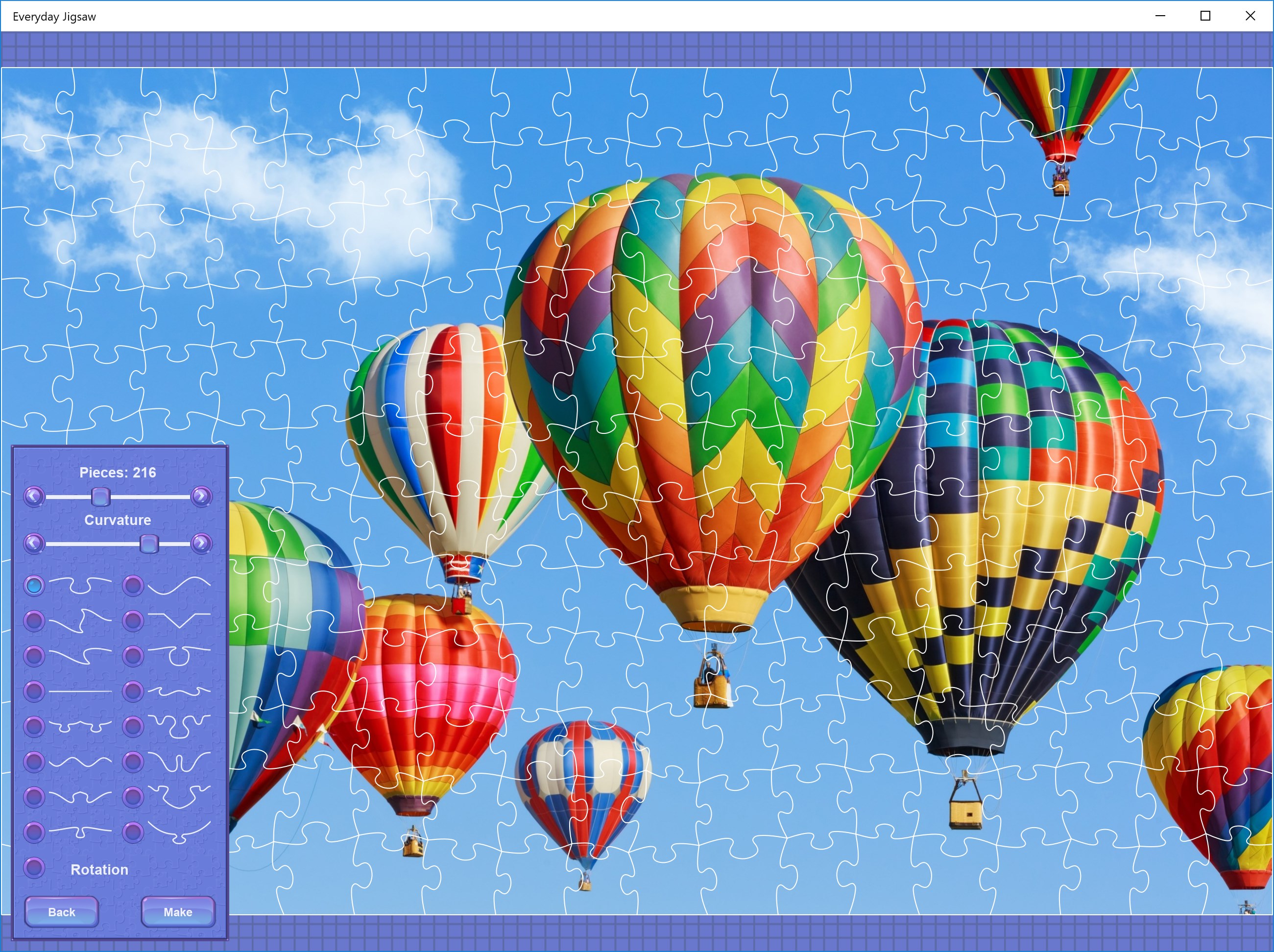
The app caters to a broad spectrum of skill levels through its customizable puzzle options. Users can select from various piece shapes and sizes, making puzzles easier or more challenging depending on their mood or skill. Want a quick, relaxed session? Pick larger pieces. Craving a serious brain workout? Go for smaller, intricate cuts. This flexibility ensures that both beginners and seasoned puzzle-solvers find their sweet spot.
Intuitive Interface with Seamless User Experience
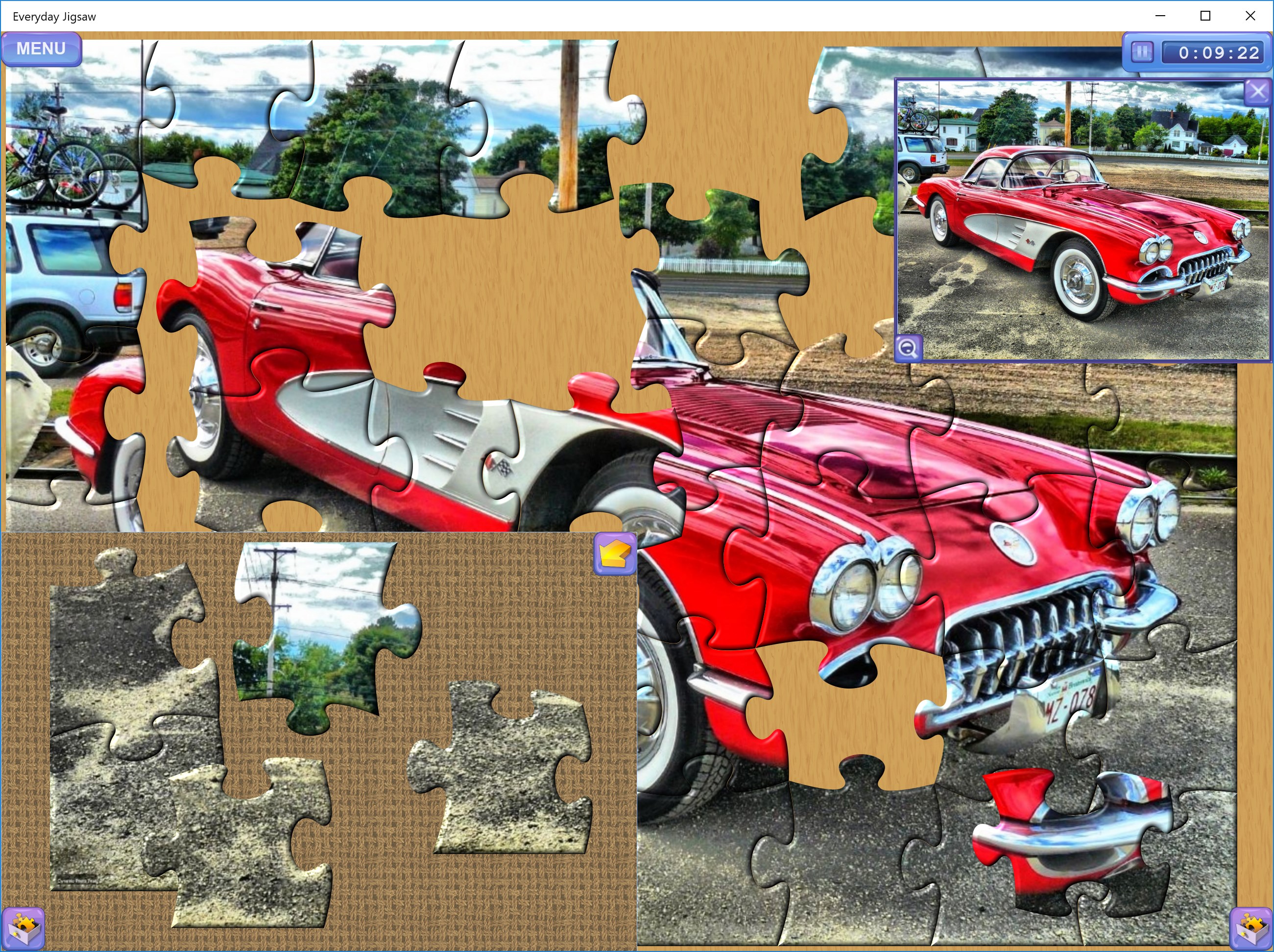
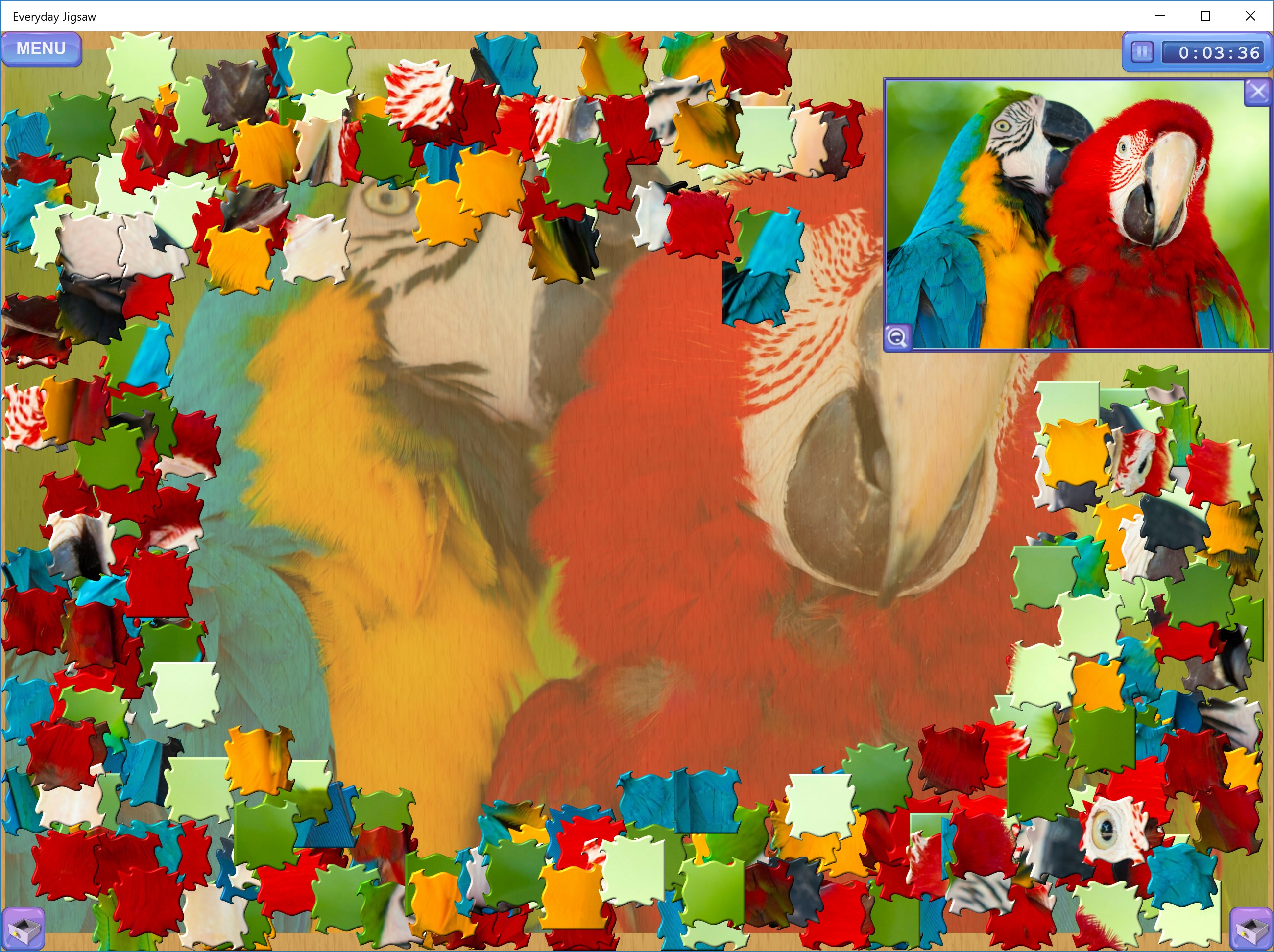
From the moment you launch the app, the interface feels like flipping open a puzzle box—bright, clean, and inviting. The dragging and snapping mechanics are fluid, allowing for precise placement without frustration. Learning curve is gentle; even those new to digital puzzles will find themselves arranging pieces effortlessly after a few minutes. Navigation is straightforward, with clear menus and adjustable settings, making the overall experience smooth and enjoyable.
The Experience: A Mix of Simplicity and Spark
Everyday Jigsaw artfully balances accessibility with enough depth to keep you hooked. The interface's vivid visuals and clear piece differentiation make the assembly process satisfying without overwhelming the eye. The app's responsiveness ensures that each move is immediate, akin to sorting physical pieces—only digitally. Its calming color palette and minimal clutter contribute to a zen-like atmosphere, ideal for unwinding after a busy day.
Standing Out in the Crowd of Classic Puzzles
Compared to other digital jigsaw puzzle apps, Everyday Jigsaw's highlight is undoubtedly its daily puzzle rotation combined with high customization options. While many apps offer static puzzles or limited challenge levels, this app dynamically presents fresh images every day and adapts difficulty to user preferences. Additionally, its focus on a simple, distraction-free design sets it apart—there's no intrusive ads or complicated menus to detract from your immersion, making it feel more like working on a physical puzzle in your cozy corner.
My Take: Should You Give It a Try?
Absolutely, especially if you enjoy a blend of tradition and innovation in puzzle games. The app's flexibility for different skill levels, paired with its daily content refresh, makes it suitable for casual play and more dedicated puzzle sessions. Its user-friendly design is perfect for all ages, and the soothing visuals help turn puzzle time into a relaxing ritual rather than a chore. My recommendation leans toward a solid “yes” if you're seeking a well-rounded, thoughtfully crafted digital puzzle experience—no gimmicks, just pure puzzling pleasure.
Pros
- User-friendly interface
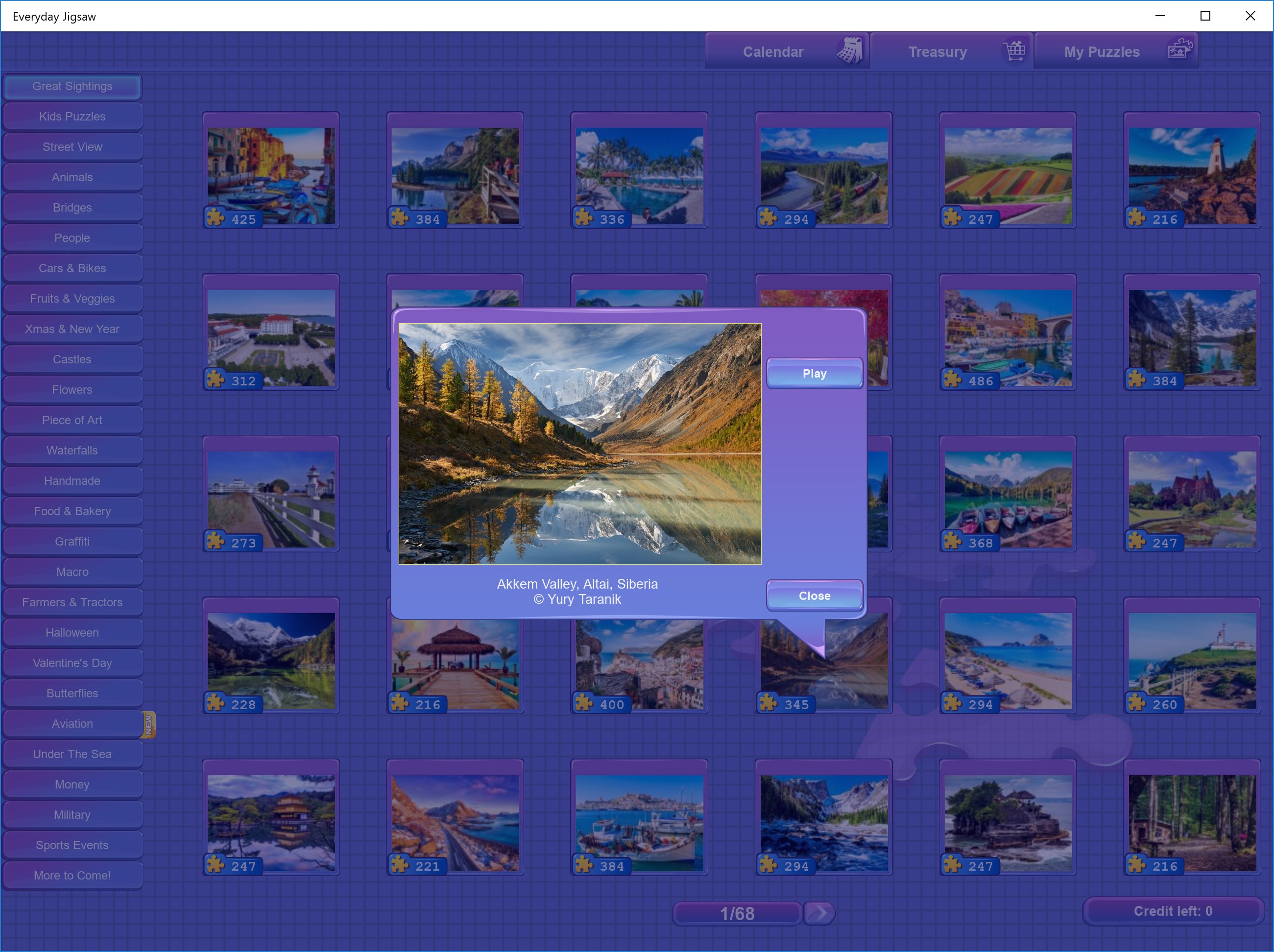
- Variety of puzzle themes
- Smooth performance
- Progressive difficulty levels
- Regular updates with new puzzles
Cons
- Limited customization options
- Occasional ads disrupt gameplay
- Some puzzles may have low resolution
- In-app purchase options are limited
- No offline mode available











