
- Name Crossword Puzzle
- Category Puzzle & trivia
- Available on PC, Mobile, Surface Hub, HoloLens
- OS Windows 10 version 10240.0 or higher
- languages English (United States)
Introducing Crossword Puzzle for Windows: An Engaging Word Challenge
Crossword Puzzle for Windows, developed by Amazing Man, is designed to provide puzzle enthusiasts with a sleek and stimulating crossword experience right on their desktop. Perfect for casual players and dedicated word fans alike, this app aims to blend traditional crossword fun with modern usability.
Who's Behind the Puzzle? Developer Insights
Produced by Amazing Man, a developer known for creating straightforward yet engaging puzzle games, this application reflects their commitment to delivering quality entertainment. The team focuses on user-friendly interfaces and smooth gaming experiences, catering mainly to puzzle lovers seeking a reliable crossword platform on Windows.
Highlights That Make It Stand Out
- Clean and Intuitive Interface: The app features a minimalist design that keeps the focus on the puzzles without unnecessary clutter.
- Extensive Crossword Libraries: Regularly updated with new puzzles, catering to both beginners and seasoned enthusiasts.
- Customizable Difficulty Levels: Users can select difficulty settings, making it suitable for casual play or intensive brain training.
- Word Hint System: An optional hint feature assists players in solving tricky clues without spoiling the experience.
Digging Into the Core Features
Seamless Puzzle-Solving Experience
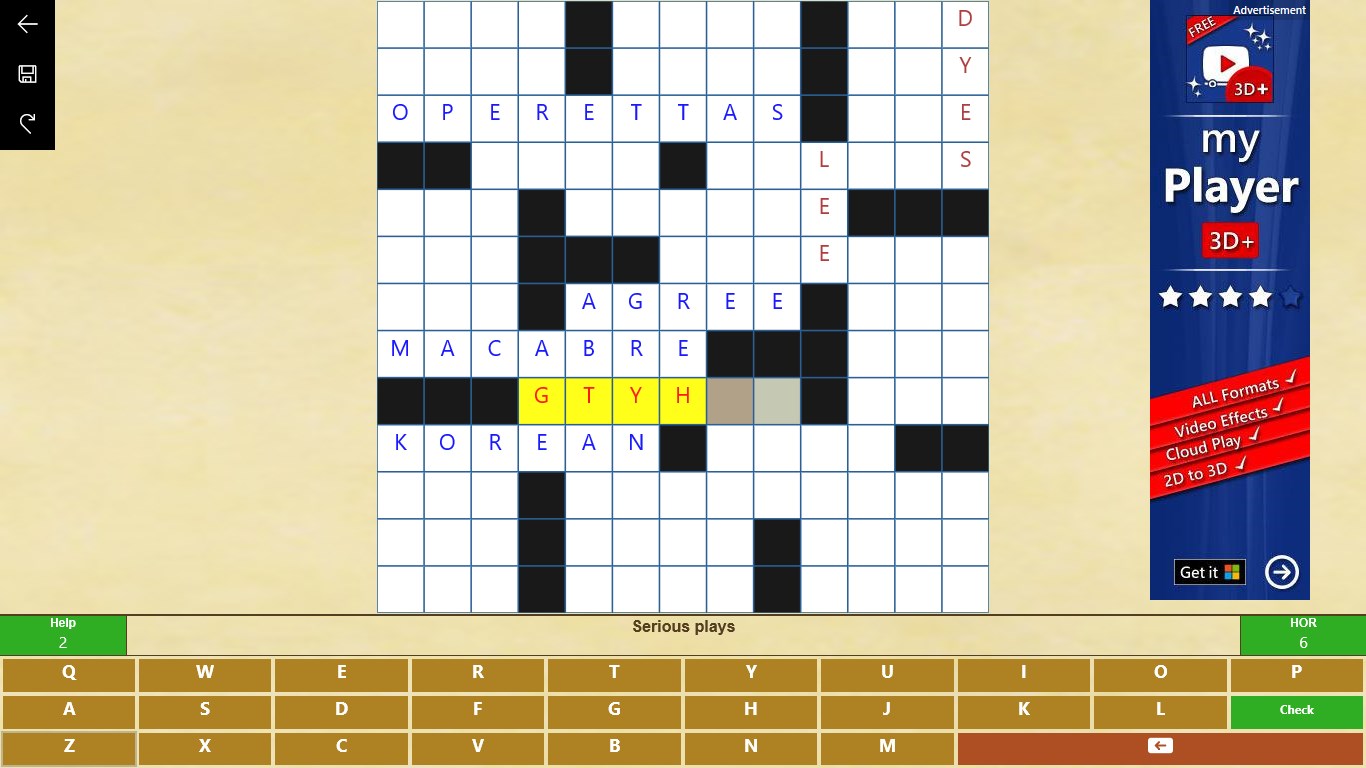
The core of Crossword Puzzle for Windows is its extensive library of crossword puzzles, meticulously curated for quality and variety. Whether you're solving a quick daily teaser or delving into a challenging multi-layered puzzle, the app ensures smooth navigation. The clues are clear, and the grid responds instantly to keystrokes, making the entire process feel natural—much like flipping through pages of a beloved magazine, but with the convenience of digital interactivity.
User Interface and Navigation: Simplicity Meets Elegance
The design is notably sleek, with a clean, easy-to-read crossword grid that adapts well to different screen sizes. The interface's minimalism reduces distraction, letting users concentrate solely on solving. Controls are intuitive—clicking on a cell highlights clues, and keyboard inputs are registered precisely, contributing to a fluid experience. Even newcomers can pick up the app quickly, thanks to straightforward menus and a user-friendly layout.
Innovation in Difficulty Customization and Hints
What elevates this crossword app is its tailored difficulty settings—users can choose from easy, medium, or hard, making it adaptable to skill levels. Additionally, the hint feature acts like a friendly guide, providing gentle nudges when faced with stubborn clues, which is particularly helpful for language learners or puzzle novices. This blend of challenge and support keeps the experience engaging without becoming frustrating.
What Sets It Apart? Unique Selling Points
Compared to other puzzle and trivia apps, Crossword Puzzle for Windows distinguishes itself with its refined focus on crossword puzzles—delivering a dedicated, high-quality experience. Its primary standout feature is the extensive, regularly updated puzzle library coupled with the customizable difficulty levels, which together create a personalized journey for every player. The hint system adds a layer of accessibility that caters both to casual players and those seeking a satisfying mental workout.
Final Verdict & Recommendations
Overall, Crossword Puzzle for Windows offers a well-crafted, accessible, and enjoyable crossword experience. Its intuitive interface, coupled with a rich library of puzzles and helpful features, makes it a solid choice for crossword enthusiasts—and for those who might just be starting to dip their toes into word puzzles. I recommend this app to anyone looking for a reliable, distraction-free crossword platform on their Windows device. Whether you wish to pass the time during a commute or sharpen your vocabulary at home, this app can be a worthy companion.
Pros
- Intuitive interface
- Large puzzle database
- Offline mode available
- Daily puzzles update regularly
- Custom puzzle creation
Cons
- Limited hint options
- Occasional sync issues across devices
- Ads occasionally interrupt gameplay
- Limited language options in free version
- Puzzle difficulty labeled inconsistently











