
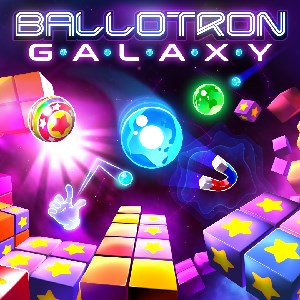
- Name Ballotron Galaxy (Windows)
- Category Puzzle & trivia
Introduction to Ballotron Galaxy: A Stellar Puzzle Adventure
Ballotron Galaxy offers a captivating blend of classic puzzle mechanics infused with space-themed graphics, making it a delightful experience for fans of mind-benders and cosmic exploration. With its charming visuals and engaging gameplay, it aims to provide a refreshing take on the traditional puzzle game genre.
Developer and Core Features
Who's Behind the Galaxy?
Developed by Desert Water Games, a passionate indie studio dedicated to crafting visually appealing and thoughtfully designed puzzle experiences, Ballotron Galaxy showcases their commitment to quality and innovation in casual gaming.
Highlights That Shine Bright
1. **Unique Physics-Based Puzzles:** Unlike typical match-3 or tile-matching games, Ballotron Galaxy employs physics mechanics that challenge players to manipulate gravity and trajectories to achieve objectives.
2. **Intuitive and Engaging Level Design:** The game features a variety of levels with escalating complexity, encouraging players to think critically while enjoying the cosmic aesthetic.
3. **Stunning Visuals and Sound Effects:** The game's vibrant space-themed art style combined with ambient soundtracks creates an immersive environment that keeps players engaged from start to finish.
Target Audience
This app is ideal for puzzle enthusiasts, casual gamers seeking relaxing yet stimulating gameplay, and space-themed game lovers looking for a straightforward but entertaining challenge.
The Gameplay Experience: A Journey Through the Cosmos of Puzzles
An Adventure Begins: Captivating Puzzle Mechanics
At first glance, Ballotron Galaxy appears to be just another puzzle game. But as you delve into its depths, you realize it's a cleverly designed universe where physics and strategic thinking collide. Players are tasked with guiding balls through space, using gravitational pulls and obstacles to reach designated points. The game's core mechanic feels like orchestrating a tiny celestial ballet—pinpoint precision and timing are key. This physics-based approach adds layers of complexity and satisfaction, differentiating it from more straightforward puzzle apps.
Visuals, Controls, and Learning Curve: A Seamless Voyage
The interface sports a sleek, space-inspired design, with intuitive controls that make launching and directing balls straightforward. The tutorial is succinct and friendly, ensuring new players can quickly grasp the mechanics without frustration. The game runs smoothly on Windows, with responsive controls that give players a sense of mastery and fluidity. As levels progress, the difficulty gradually ramps up, making the learning curve gentle enough for casual gamers yet challenging enough to keep dedicated players invested.
What Sets It Apart?: Cosmic Differentiators
While many puzzle games tend to focus either on match-3 mechanics or trivia, Ballotron Galaxy' standout feature is its physics-based trajectory system set within a charming universe. Its creative use of gravitational mechanics, combined with carefully crafted level design, offers an experience akin to manipulating miniature planetary systems. Moreover, the game's aesthetic—replete with neon-like stars, planets, and cosmic dust—lends it a rare visual charm that appeals both to casual players and space enthusiasts. This blend of innovative gameplay and visual storytelling provides a fresh perspective among puzzle titles, making it more than just a “test your brain” game—it's an engaging voyage through the stars.
Final Thoughts and Recommendations
Ballotron Galaxy stands out as a thoughtfully crafted physics puzzle game that successfully combines engaging mechanics with a beautiful cosmic aesthetic. Its straightforward controls and gradually increasing difficulty make it accessible yet challenging, appealing to a broad audience. For those who appreciate innovative gameplay and enjoy exploring space-themed environments, this game is a worthwhile addition to your Windows library. I'd recommend it particularly for puzzle lovers seeking a fresh, science-inspired twist or casual gamers looking for a relaxing but mentally stimulating experience. Overall, it's a charming, well-made game that's worth orbiting into your collection.
Pros
- Easy-to-use interface
- Visually appealing graphics
- Smooth performance on most Windows devices
- Variety of challenging levels
- Regular updates and bug fixes
Cons
- Limited tutorial or onboarding
- Sound effects are minimal
- Some levels may feel repetitive over time
- In-app ads can be disruptive at times
- Compatibility issues on older Windows versions











