
Discover the Power of the Xfinity App: Your All-in-One Digital Companion
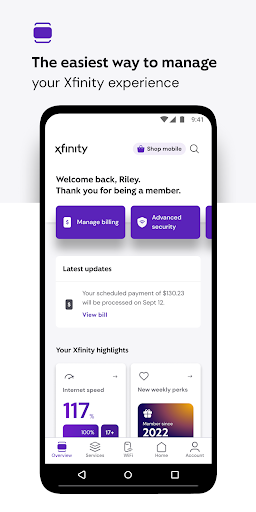
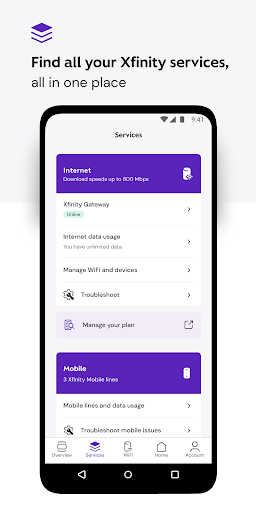
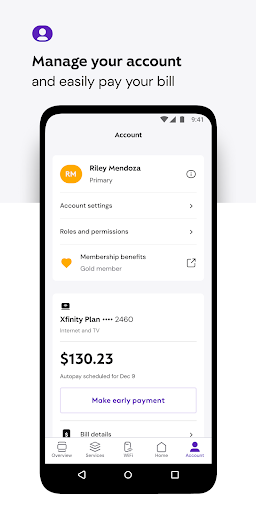
Experience a seamless and enhanced Xfinity journey with the Xfinity app, designed to give you complete control over your entertainment, internet, and home security services. This innovative app consolidates all your account management needs into a single, user-friendly platform, making life easier and more convenient for Xfinity customers.With the Xfinity app, you can effortlessly manage your services in one place—pay bills, view plan details, and upgrade or change your packages without hassle. It’s a perfect tool for homeowners and renters alike who want a simplified way to handle their digital services, all backed by the reliable support and quality associated with Xfinity. Whether you’re setting up a new device, testing your internet speed, or optimizing your WiFi performance, this app offers tools that keep you connected and in control.One of the standout features is NOW, a simple new way to get internet and mobile services with all-in monthly pricing, tailored just for your needs. It’s designed to provide exactly what you want—no more, no less—delivering transparency and simplicity that keeps your budget in check.
Exclusive Benefits for Xfinity Customers
Customers who rent equipment from Xfinity enjoy additional benefits through the app:
- Real-Time Support: Access 24/7 support whenever you need assistance, ensuring your services run smoothly.
- Device Activation & Speed Tests: Activate your equipment seamlessly and run internet speed tests to verify optimal performance.
- Xfinity Rewards: Unlock special perks, exclusive experiences, and product benefits as a token of appreciation for your loyalty.
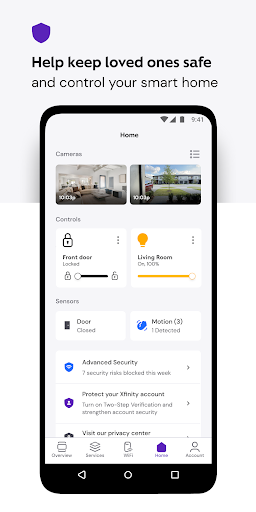
- Advanced Security: Protect your devices and loved ones online with proactive security features, including safe browsing and online data protection, even on the go.
- Parental Controls: Set family-safe browsing restrictions, pause WiFi on any connected device, and manage user profiles with ease.
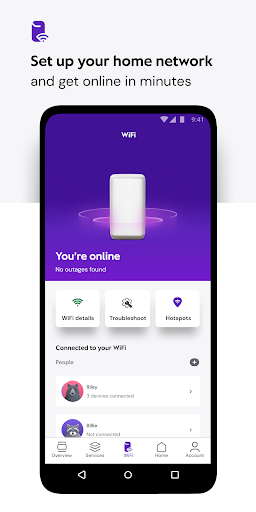
- WiFi Management: Get personalized tips and tools to enhance your WiFi coverage and connectivity performance, ensuring a faster, more reliable home network.
Getting Started is Easy
All you need is your Xfinity ID and password to begin managing your services. New users can create an Xfinity ID quickly by visiting xfinity.com/getstarted. Already have an account? Look up your Xfinity ID at xfinity.com/id, or reset your password at xfinity.com/password. The app is compatible with both Android and iOS devices, offering a smooth setup process that puts all your digital needs at your fingertips.
Enhanced Entertainment & Smart Home Management
The Xfinity app isn’t just for account management—it’s a versatile platform that combines entertainment, internet, and home security into one powerful interface. Designed for ease of use, the app provides a comprehensive experience whether you’re streaming your favorite shows or monitoring your home security system.Downloading and setting up the Xfinity app is straightforward, making it accessible even for those less familiar with technology. Once logged in, you’re greeted with an organized dashboard that displays all your connected services, allowing effortless management—manage TV subscriptions, control internet settings, and oversee your security cameras from your mobile device.
Entertainment at Your Fingertips
Enjoy a vast selection of TV shows and movies with streaming features that adapt to your viewing preferences. The app offers personalized recommendations based on your viewing habits, making discovering new content a breeze. With high-quality streaming and minimal buffering, you can enjoy your favorite entertainment without interruptions, wherever you are.
Effortless Internet & Network Management
Stay in control of your home internet with powerful management tools. Troubleshoot connectivity issues, identify connected devices, and optimize your WiFi coverage to eliminate dead zones. Parental controls allow you to create safe browsing environments for children and pause WiFi access whenever needed—perfect for balancing entertainment and productivity at home.
Smart Home Security & Peace of Mind
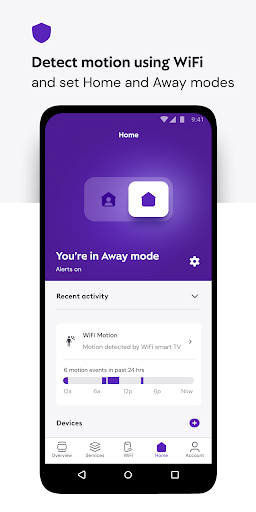
Monitor your home security system remotely with live camera feeds, arm or disarm your security devices, and receive instant alerts for any suspicious activity. This proactive security management offers peace of mind, knowing you can keep an eye on your property from anywhere, anytime.
Conclusion
The Xfinity app is a comprehensive digital platform designed to enhance your daily life. Whether streaming your favorite content, managing your internet for optimal performance, or safeguarding your home, this app offers unmatched convenience and control. With its intuitive interface, powerful security features, and exclusive rewards, the Xfinity app has become an indispensable tool for modern households. If you’re an Xfinity customer seeking a smarter way to connect, entertain, and protect your home, give this app a try—you might just find it becomes your favorite digital partner.
Pros
- User-friendly interface
- Wide variety of streaming options
- Stable internet connectivity
- Flexible package options
- Round-the-clock customer support
Cons
- High subscription prices
- Frequent service disruptions
- Limited service in certain areas
- Complicated billing process
- Internet plans with data limits











