



Overview of the YouTube App
Discover the official YouTube app available on Android phones and tablets, offering an unparalleled entertainment and learning experience. With YouTube, you can explore a vast universe of content, from the hottest music videos to trending topics in gaming, fashion, beauty, news, and education. It is a must-have app that caters to all interests, whether you're a casual viewer or a content creator.
Stay connected with your favorite creators by subscribing to your preferred channels, creating your own videos, sharing content with friends, and watching on any device—be it your smartphone, tablet, or smart TV. The app's intuitive interface makes it easy to find, watch, and engage with content that matters most to you.
Features and Functionality
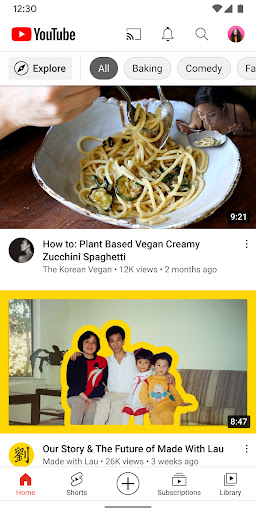
Enjoy personalized content recommendations on the Home tab, catch up with the latest updates from your subscriptions, and browse your saved videos in the Library. Explore trending topics, rising stars, and popular categories in select countries through the Explore section, which keeps you updated on what's hot worldwide in music, gaming, beauty, news, and learning.
Discover new creators, gamers, and artists on the rise with dedicated features, fostering a vibrant community of content enthusiasts. Stay engaged through Posts, Stories, Premieres, and Live streams, all designed to deepen your connection with your favorite channels and community members.
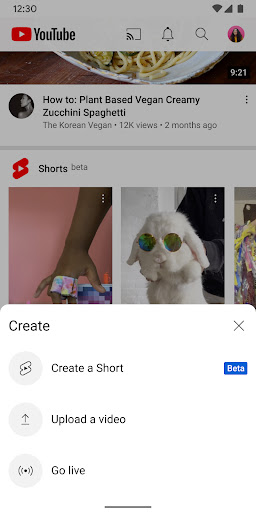
For aspiring content creators, YouTube makes it simple to produce and upload videos directly from your mobile device. Use the app to engage with your audience in real-time via live streaming, and build your presence within the global YouTube community.
Family and Parental Controls
The YouTube app offers tailored experiences for families. Explore options like the YouTube Kids app or a supervised experience on YouTube at youtube.com/myfamily. These features ensure that children access suitable content while giving parents peace of mind.
Supporting Creators and Premium Experience
YouTube empowers fans to support their favorite creators through channel memberships, available in select countries. Subscribers gain access to exclusive perks, special badges, and the ability to interact more closely with creators via comments and live chats.
For uninterrupted viewing and enhanced features, consider upgrading to YouTube Premium. This subscription provides an ad-free experience, offline video downloads, background play, and access to YouTube Music Premium, making it ideal for music lovers and heavy viewers alike.
The Power of YouTube: Endless Content and Community
Few platforms match YouTube's vast content library, which spans from entertaining vlogs and tutorials to educational documentaries and music videos. Its sophisticated algorithm personalizes your feed, curating videos based on your viewing habits. This ensures you always find something interesting, although sometimes it can lead you down a rabbit hole of unrelated topics.
Beyond entertainment, YouTube fosters a strong community. Users can comment, like or dislike videos, and share feedback directly with creators. The platform's Stories and Community posts features mimic social media interactivity, enabling creators to keep their audiences engaged through updates and behind-the-scenes content.
Many users enjoy the dual functionality of learning and entertainment. From language learning playlists to live music streams, YouTube serves as a versatile platform catering to all ages and interests. The dedicated YouTube Kids app simplifies parental control, ensuring that children enjoy age-appropriate content safely.
While the platform offers numerous benefits, it also comes with some drawbacks—particularly the presence of advertisements, which can disrupt the viewing experience for non-Premium users. Nonetheless, the ability to support creators through memberships and interact with a global community makes YouTube a truly unique digital hub.
In summary, YouTube stands as a powerhouse in online video streaming, providing endless possibilities for entertainment, education, and community building. Whether you're watching videos for fun, learning new skills, or creating your own content, this app covers all bases, making it an essential part of modern digital life. Just be prepared for the occasional ad and the allure of watching one more video as the hours fly by.
Pros
- Extensive library of videos
- User-friendly interface
- Available offline downloads
- High-quality video streaming
- Diverse content creators
Cons
- Advertisements can be disruptive
- Limited background play without a premium subscription
- High data consumption
- Content recommendations may not always be relevant
- Comments section may be toxic











