




The Google Play Store: Your Gateway to Android's Infinite App Universe
Discover the Google Play Store, the essential app marketplace that serves as the digital cornerstone of every Android device. More than just a platform for downloading applications, it functions as a vibrant digital metropolis where endless discovery awaits. Whether you're seeking to enhance productivity, find entertainment, or explore new hobbies, mastering the Google Play Store unlocks your device’s full potential.
Imagine it as the world's most dynamic, 24/7 digital mall. One moment, you're browsing for a meditation app to help you find your Zen, and the next, you're diving into a blockbuster game or downloading the latest bestseller ebook. This official Android app store comes pre-installed on nearly every device, ready to cater to your every digital need.
A Masterclass in Curation and Discovery
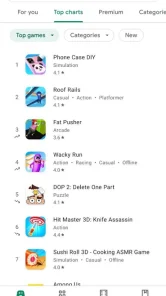
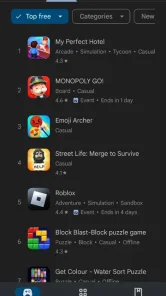
Upon launching the Google Play Store app, you're greeted with a sleek, intuitive interface that emphasizes effortless navigation. The home screen showcases a curated selection of content, including personalized app recommendations, top charts featuring trending games, and editorial lists like "Editors' Choice," highlighting exceptional applications.
The incredible variety of applications—numbering in the millions—ensures there's something for everyone. To make browsing even easier, the store is segmented into clear categories such as Productivity, Health & Fitness, Entertainment, and Education. Whether you're hunting for a specific utility app or exploring new games, the Google Play Store offers efficient navigation and an powerful search function to help you find exactly what you’re after.
Trust and Safety at the Core
Security is a top priority in today’s digital age, and the Google Play Store stands out as a trusted source. Google’s multi-layered protection system, known as Google Play Protect, automatically scans all apps in the store, as well as those installed on your device, for malicious behavior. While no system can guarantee 100% safety, this ongoing monitoring creates a considerably safer environment for downloading software compared to unofficial third-party app stores.
Additionally, the robust review and rating system fosters transparency, allowing users to read authentic feedback, view star ratings, and see developer responses. This community-driven approach helps you make informed decisions, ensuring your apps and games perform reliably in the real world.
Seamless App Management and Updates
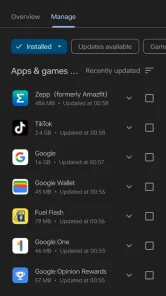
The Google Play Store seamlessly manages your installed applications and games. It automatically notifies you of updates, keeping your apps up-to-date with the latest features and security patches. Your purchase history and library are well-organized, making re-downloading apps effortless across multiple devices.
Additional features like wishlist and family library enable you to save future purchases and share apps with family members safely, enhancing the user experience for all family members.
Beyond Apps: Your Complete Content Ecosystem
While recognized primarily as an application repository, the Google Play Store extends into a comprehensive media ecosystem. It offers access to:
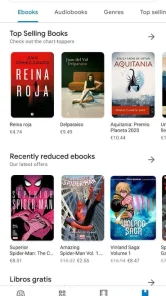
Google Play Books
An extensive collection of ebooks and audiobooks for every interest.
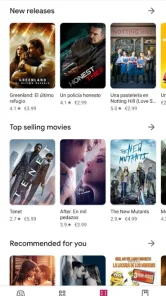
Google Play Movies & TV
A platform for renting or purchasing the latest films and series.
Google Play Games
A hub for tracking achievements and connecting with fellow gamers.
All these integrations create a seamless, one-stop entertainment and utility experience, transforming your device into a powerful multimedia hub.
Conclusion
The Google Play Store is not just a marketplace; it’s the dynamic engine powering the entire Android ecosystem. It combines an incredible variety of apps, thoughtful curation, and security features into a user-friendly interface that makes mobile discovery exciting and safe. Whether you're seeking to boost your productivity, explore entertainment options, or discover new hobbies, the Google Play Store provides everything you need in one location.
Understanding and utilizing the Google Play Store is fundamental to unlocking the full potential of your Android device, turning it into a versatile tool for work, play, and everything in between.
Pros
- Extensive range of apps and games
- User-friendly, straightforward interface
- Secure checkout and payment process
- Option to share purchases via Family Library
- Automatic updates for apps
Cons
- Certain apps are region-restricted
- Many apps contain intrusive advertisements
- Free apps may include hidden charges
- Download failures can occur occasionally
- Requirement to have a Google account











