


Overview of the Settings App
The Settings app on Android devices serves as the central hub for managing your device’s features and preferences. It provides a comprehensive interface where users can customize their experience, optimize performance, and troubleshoot issues. Whether you want to connect to a new WiFi network, enable Bluetooth for your wireless accessories, or adjust display preferences, the Settings app is your go-to resource.
Key Features of the Settings App
One of the standout aspects of this app is its ability to offer shortcuts to the Android settings app. These shortcuts streamline the process of accessing various configuration options, making device management quick and efficient. Instead of navigating through multiple menus, users can easily jump directly to the relevant settings sections.
Quick Access to Wireless Connections
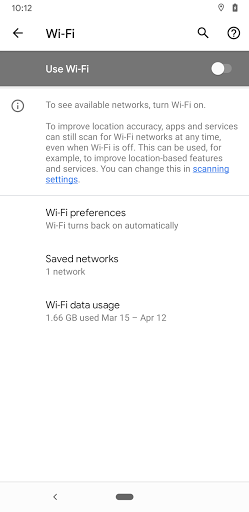
For example, the Settings app simplifies the process of managing wireless connectivity options like WiFi and Bluetooth. With just a tap, users can quickly connect to available WiFi networks, switch between different Bluetooth devices, or disable these features when not needed. This convenience is especially beneficial for users who frequently toggle their wireless connections or need to troubleshoot connectivity issues swiftly.
Customization and Device Management
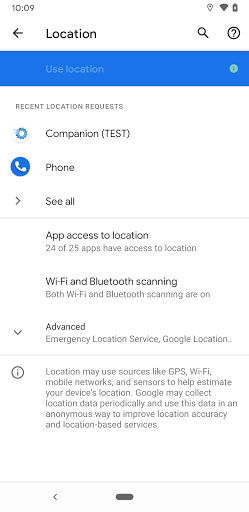
Beyond wireless settings, the app also provides shortcuts to personalize display settings, sound profiles, notification preferences, and security options. Whether adjusting screen brightness, modifying notification tone, or setting up biometric security, the Settings app consolidates all these controls into an intuitive interface.
Enhanced User Experience
The design of the Settings app prioritizes user convenience by offering quick navigation and clear categories. The inclusion of shortcuts not only saves time but also enhances overall usability, making it easier for users of all experience levels to manage their devices effectively. For those who want to optimize their Android experience, mastering the shortcuts within the Settings app can be highly beneficial.
Final Thoughts
In summary, the Settings app is a vital component of your Android device, providing seamless access to essential features and configurations. Its shortcut capabilities, especially for quickly accessing options like WiFi and Bluetooth, make device management more efficient, empowering users to customize their experience effortlessly. Whether you're adjusting connectivity options or personalizing your device settings, the Settings app offers a straightforward, user-friendly way to take control of your Android device.
Pros
- User-friendly interface making navigation easy
- Fast performance ensures smooth operation
- Highly customizable to suit individual preferences
- Reliable security features protect user data
- Regular updates enhance functionality and fix bugs
Cons
- Limited free features; many require paid subscription
- Occasional crashes reported under heavy usage
- Steep learning curve for advanced features
- Battery consumption is relatively high
- Customer support response times could be improved











