

Google Assistant: Your Hands-Free Helper
Imagine having a personal assistant that you can talk to anytime, anywhere, helping you manage your daily routines with just your voice. Google Assistant is a powerful virtual helper designed to streamline your life, making everyday tasks easier and more efficient. Whether you want to control your phone, stay connected with loved ones, or manage your smart home devices, Google Assistant has got you covered.
Core Features of Google Assistant
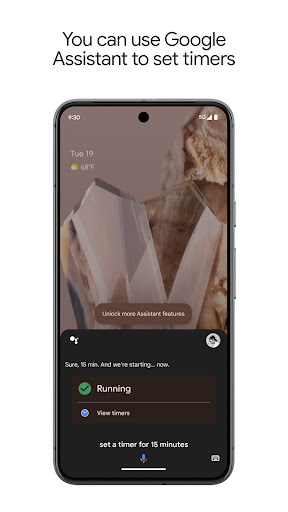
One of the standout benefits of Google Assistant is its ability to understand natural language commands. Simply saying, "Hey Google, what's the weather like today?" or "Remind me to call mom at 6 PM" allows you to quickly get information or set reminders without lifting a finger. This hands-free convenience is perfect for multitasking or when your hands are busy.
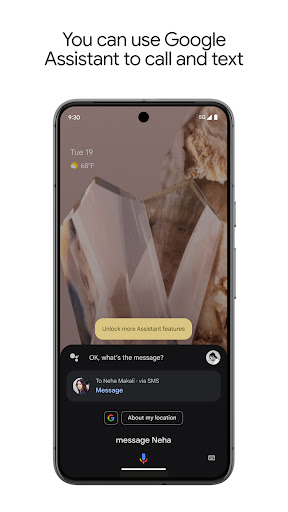
Google Assistant facilitates effortless control over your smartphone. You can open apps, change settings, or turn on features like the flashlight with voice commands—no need to hunt through menus. It also enables seamless communication; you can make calls, send texts, and manage your emails, keeping you connected without interruptions.
Beyond productivity, Google Assistant adds a fun touch to your day. Feeling stressed? Ask it to tell a joke or play your favorite playlist. Commands like "Hey Google, make me laugh" can bring a smile to your face, blending utility with entertainment.
Smart Home Integration
If you’ve invested in smart home technology, Google Assistant becomes your central control hub. It can manage smart lights, thermostats, door locks, and other connected devices. Just say, "Hey Google, turn off the living room lights", and enjoy effortless home automation. This level of integration transforms your living space into a futuristic, voice-controlled environment, enhancing comfort and convenience.
Personalization and Learning
What truly makes Google Assistant special is its ability to learn from your interactions over time. It adapts to your preferences, making its suggestions and responses more tailored to your needs. For example, it remembers your favorite coffee shop and guides you there, or learns your preferred language settings to support bilingual households. This personalized approach helps create a more intuitive and warm user experience, making your virtual helper feel like a trusted companion.
New! Gemini Integration
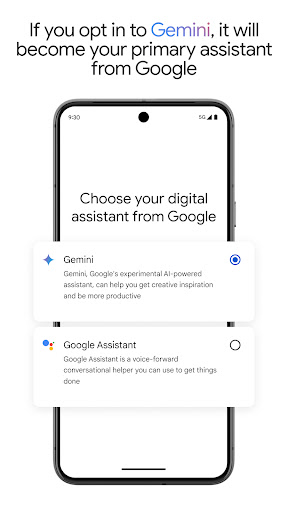
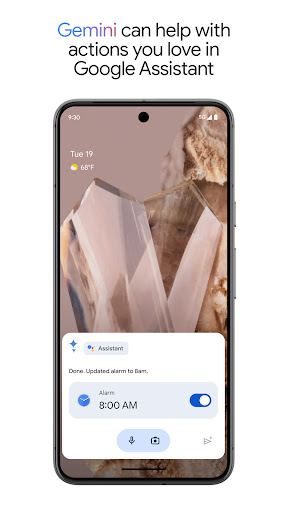
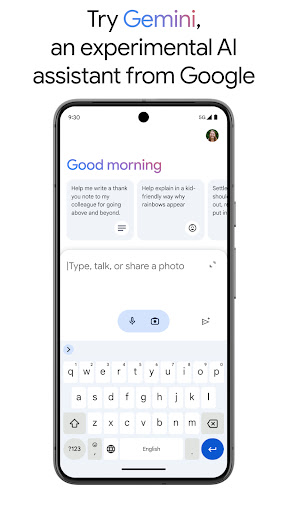
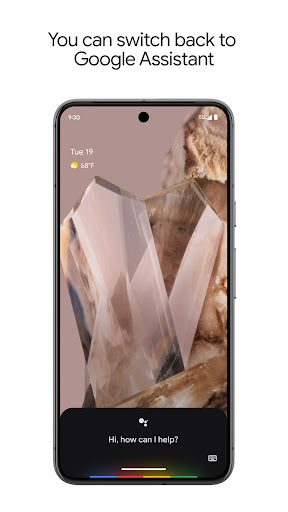
An exciting update involves the option to switch to Gemini (formerly Bard) from Google Assistant. Gemini is an experimental AI assistant that provides access to Google's advanced family of AI models, bringing new ways to assist you directly from your phone. While some actions are still in development, Gemini promises to enhance your assistant experience with more intelligent responses and capabilities. To try Gemini, you can activate it via your Google Assistant settings or download the Gemini app. Support for Gemini is rolling out gradually to select devices and regions. For more details on availability, visit the official support page.
Getting Started with Google Assistant
If you’ve ever wished for a virtual helper that genuinely assists with daily chores, Google Assistant is the perfect solution. For Android users, it's usually pre-installed, indicated by the microphone icon or the infamous voice command "OK Google". iOS users can download the app easily from the App Store, making setup straightforward regardless of your device.
Easy Setup and Integration
Once installed, Google Assistant is ready to go. Its ability to understand natural language makes interactions feel natural and intuitive. Whether you’re asking about the weather forecast, setting reminders, or playing music, it responds swiftly, making your day-to-day routines smoother.
Enhancing Your Lifestyle
The real magic of Google Assistant lies in how it seamlessly fits into your lifestyle. It helps you stay organized by managing your calendar and reminders, keeps you connected through messaging and calling, and even entertains you with jokes or music. Moreover, its smart home integration allows you to control lighting, temperature, and security systems just by speaking. The more you use it, the better it becomes at predicting your needs, creating a personalized experience that feels less like a tool and more like a helpful friend.
Multilingual Support
Another impressive feature is Google Assistant's ability to switch between languages effortlessly. Whether you're bilingual or learning a new language, the assistant adapts to your linguistic preferences, making it a versatile companion in a multicultural world.
Conclusion
In today’s tech-driven world, Google Assistant offers an innovative way to simplify your life, stay connected, and manage everyday tasks hands-free. Its intuitive design, smart home compatibility, and evolving AI features like Gemini make it a truly valuable addition to modern living. If you haven't tried it yet, give Google Assistant a chance—once you experience its convenience, it might become your go-to digital helper, making life more connected, productive, and fun.
Pros
- Voice recognition is highly accurate.
- Integrates seamlessly with smart home devices.
- Provides personalized recommendations.
- Supports multiple languages.
- Allows hands-free texting and calling.
Cons
- Requires internet connection to operate.
- Raises privacy concerns due to data collection.
- Has limited functionality in some regions.
- Sometimes misinterprets commands.
- Drains battery power significantly.










