


Discover the Power of Microsoft OneDrive
Are you searching for a dependable and efficient cloud storage solution to keep all your important files, photos, and videos in sync across multiple devices? Look no further than Microsoft OneDrive. Designed to seamlessly integrate with the Microsoft ecosystem, this app offers a secure and user-friendly way to access and share your digital content anytime, anywhere.
Seamless Integration with the Microsoft Ecosystem
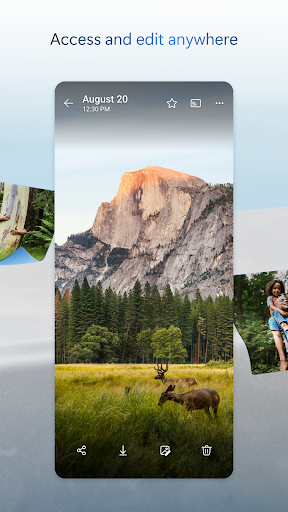
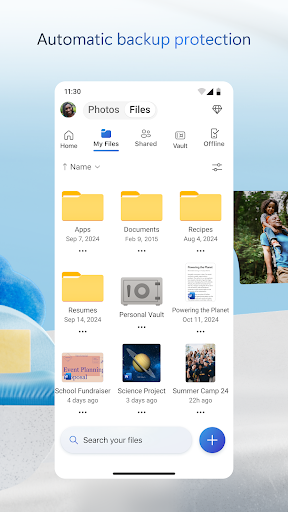
OneDrive stands out thanks to its deep integration with the Microsoft suite of productivity tools, including Word, Excel, PowerPoint, and OneNote. If you already use these applications, you'll appreciate how effortlessly OneDrive syncs your files, enabling you to edit documents directly from the cloud without the hassle of downloading and uploading. It’s like having a personal assistant that ensures your files are always accessible on any device, whether it's your phone, tablet, or PC.
Effortless File Sharing and Real-Time Collaboration
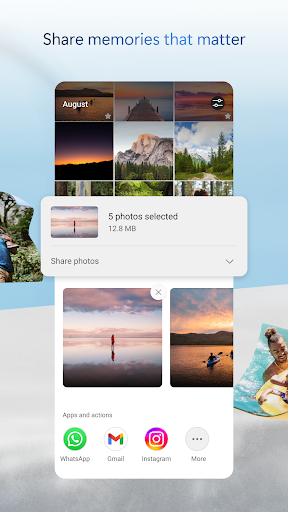
Sharing your files, photos, and videos with friends, family, or colleagues has never been easier. With OneDrive, you can generate sharable links that do not require recipients to have a Microsoft account. Whether you’re sharing a quick photo or a detailed project, you can do it with a simple tap. Moreover, real-time collaboration transforms teamwork—multiple users can edit documents simultaneously, with changes syncing automatically. This feature enhances productivity and fosters seamless teamwork whether you're working remotely or in the same office.
Robust Security and Privacy Features
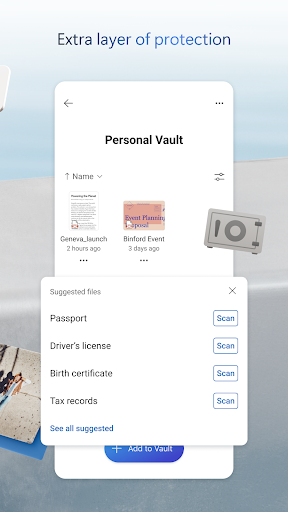
Security is a top priority with Microsoft OneDrive. Files stored in the cloud are protected with advanced encryption both at rest and during transit. For enhanced security, the Personal Vault offers a dedicated space where critical files can be safeguarded using identity verification. Features like ransomware detection and file version history ensure your data stays safe, and you can restore previous versions if needed, providing peace of mind for your important data.
Versatile Storage Plans for Every Need
Starting with a generous 5 GB of free storage, OneDrive caters to users with different requirements. For those needing more space, Microsoft 365 subscriptions unlock up to 1 TB of cloud storage per user, supporting up to six family members in the case of the Family plan. These subscriptions include premium access to Microsoft Office apps, advanced sharing security options like password-protected links, and additional security features such as ransomware detection and file recovery.
Smart Features to Enhance Your Digital Life
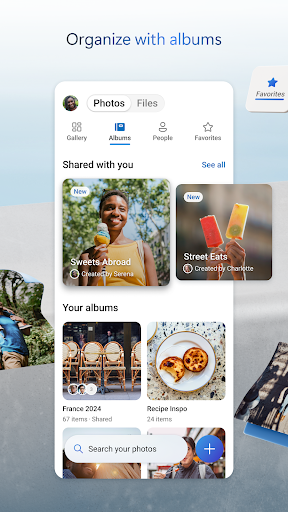
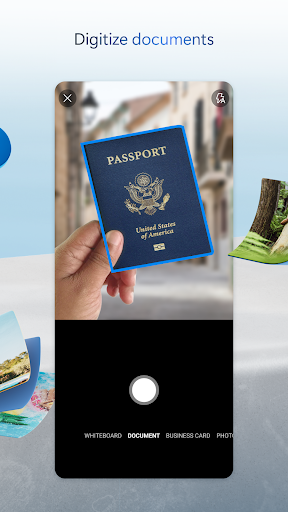
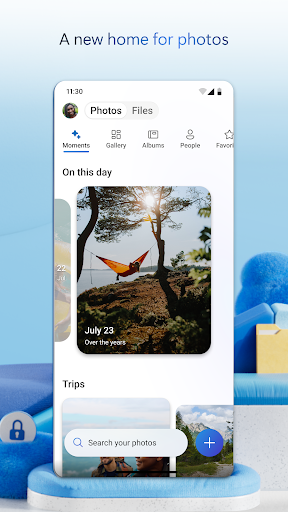
Beyond storage, OneDrive offers document scanning capabilities—allowing you to scan, sign, mark up, and send documents directly from the mobile app. The integrated search feature helps you find photos by their content (such as beach or snow scenes) or locate documents by name or text, saving time and effort. This holistic approach makes OneDrive a comprehensive tool for personal and professional use.
Subscriptions and Security Benefits
With Microsoft 365 Personal and Family subscriptions, users gain access to a host of premium features, including increased storage capacity, the ability to share files securely for specific time windows, and protection options like Password-protected sharing links. Subscriptions are billed through the app and include automatic renewal options—manage these through your app store settings. All subscription plans are designed to ensure your files and data are kept safe while providing flexibility and collaborative features that suit various user needs.
Final Thoughts: Why Choose Microsoft OneDrive?
Whether you're a student, a professional, or someone who simply wants a reliable cloud storage service, OneDrive offers a versatile, secure, and user-friendly experience. Its seamless integration with Microsoft Office apps, robust security measures, and flexible storage plans make it a standout choice for managing your digital content. With OneDrive, your files follow you everywhere—ready to be accessed, shared, and collaborated on whenever you need them.
Pros
- Seamless integration with Windows OS.
- Generous free storage tier available.
- Supports file version history.
- Robust collaboration tools.
- Accessible on various devices.
Cons
- Limited offline access options.
- Paid plans can be pricey.
- Requires stable internet for synchronization.
- Occasional synchronization issues reported.
- Privacy concerns related to data storage.










