
WakeBox: Reliable Alarm Clock for Timely Wake-Ups
WakeBox is a simple and reliable alarm clock designed to help you wake up on time and stay on schedule. It focuses on providing a straightforward alarm experience with essential features that ensure you never miss an important wake-up call. Whether you're an heavy sleeper or someone who appreciates minimal distractions, WakeBox offers a dependable solution to start your day right.
Core Features of WakeBox
Full-Screen Alarm Alerts
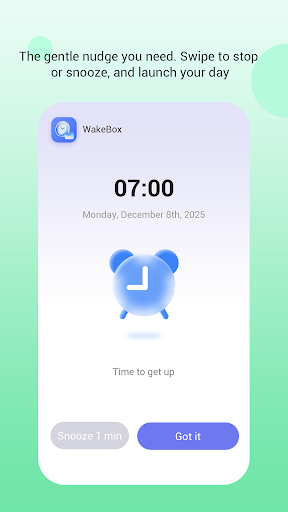
One of WakeBox's standout features is its full-screen alarm alerts, which appear on the lock screen when your alarm goes off. This ensures high visibility and guarantees that the alarm catches your attention, even if your device is locked or in standby mode.
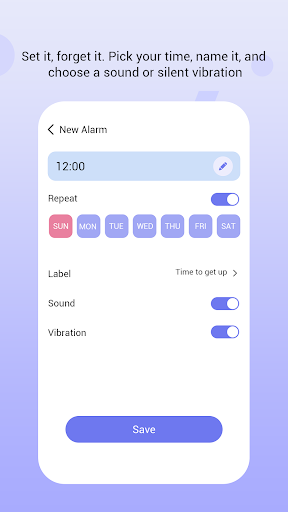
Customizable Alarm Scheduling
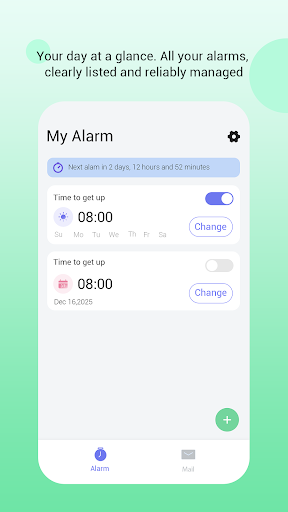
Users can easily create alarms set to specific times, with options to select repeating schedules according to their daily routines. Managing alarms is straightforward thanks to WakeBox’s clean and intuitive interface, making it easy to add, modify, or delete alarms as needed.
Sound and Vibration Support
WakeBox ensures you wake up with an ample combination of sensory cues by supporting both sound and vibration. These features work together to make sure you are alerted effectively, regardless of your environment or preference, reducing the chances of oversleeping.
Additional Functionality
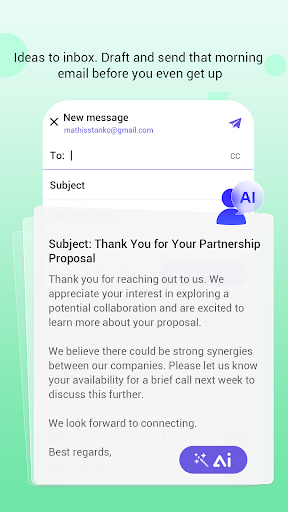
Optional Email Access
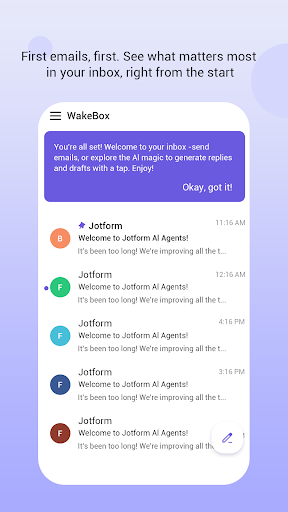
Beyond its primary alarm features, WakeBox provides optional access to email functionalities through an integrated web view. This feature is secondary and designed to enhance productivity, but it does not interfere with or impact the crucial alarm operations, which work independently and reliably at all times.
Security and Ease of Use
The email access is secured via web authentication to protect your privacy, and the overall design emphasizes minimal distractions while offering additional tools for productivity when needed.
Target Users and Benefits
WakeBox is built for anyone seeking a dependable alarm experience without unnecessary clutter or complexity. Its focus on core functionality makes it ideal for users who value simplicity, reliability, and customization. Whether you need an alarm to wake up on time for work, school, or personal routines, WakeBox offers a solution that minimizes distractions while remaining flexible enough to suit your schedule.
Pros
- Easy to use with an intuitive interface
- Provides a wide range of features to enhance productivity
- Offers good integration with other tools and platforms
- Regular updates and improvements based on user feedback
- Strong community support and resources
Cons
- Can be resource-intensive on older devices
- Some advanced features require a premium subscription
- Occasional bugs or glitches that need fixing
- Limited customization options in the default setup
- Learning curve for new users unfamiliar with the platform











