

Introducing Type Machine: Your Ultimate Text Backup App
If you've ever faced the frustration of losing a crucial piece of text or forgotten what you typed just moments ago, then Type Machine is here to change that experience. This innovative app acts as your personal digital assistant, seamlessly capturing everything you type across all your native Android apps. Whether you're composing messages in WhatsApp, posting on social media, or filling out forms, Type Machine ensures that your valuable input is never lost.
What Makes Type Machine a Must-Have App?
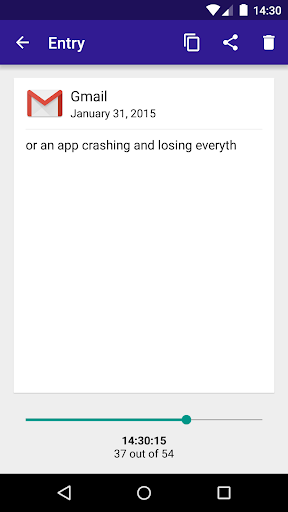
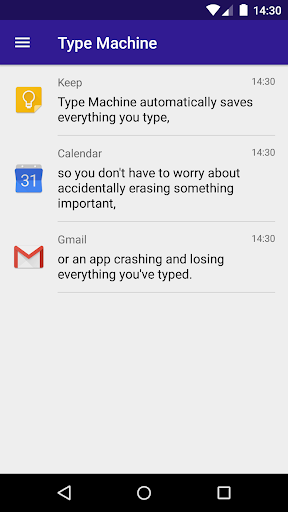
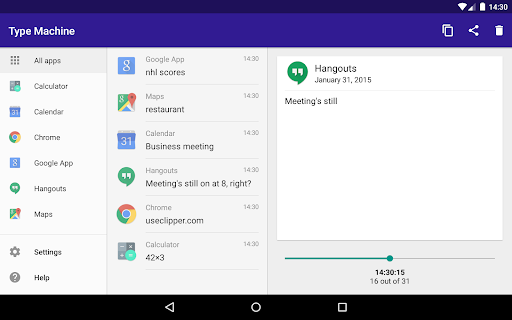
Think of Type Machine as having a tiny superhero in your pocket — silently saving every keystroke without interrupting your workflow. This app offers a comprehensive complete typing history, allowing you to revisit past entries anytime. Its automatic and seamless logging capability makes it effortless to keep track of your text, unlike manually saving notes or worrying about lost drafts.
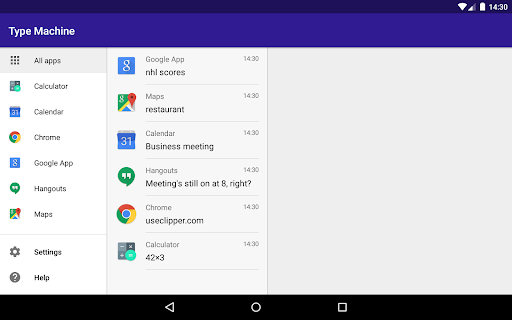
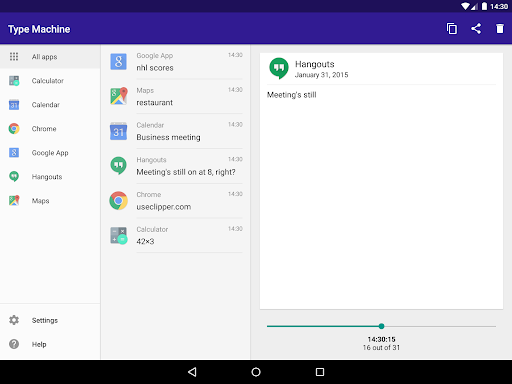
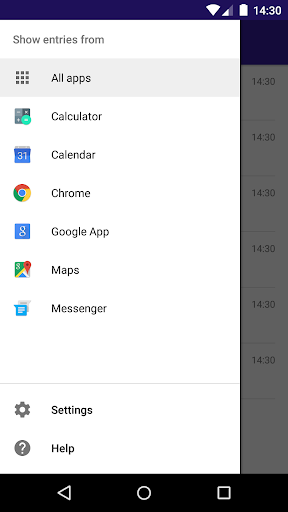
What sets Type Machine apart is its ability to work behind the scenes, capturing input from almost every native Android app. Plus, it provides powerful features like filtering entries by app, dragging a history slider to see your typing letter by letter, and tapping to copy text instantly — all within an intuitive, tablet-friendly user interface.
Key Features of Type Machine
Automatic and Seamless Logging
Once enabled, Type Machine automatically records everything you type without requiring manual intervention. This makes it ideal for capturing important notes, reminders, or drafts across various apps without disrupting your workflow.
Privacy and Security
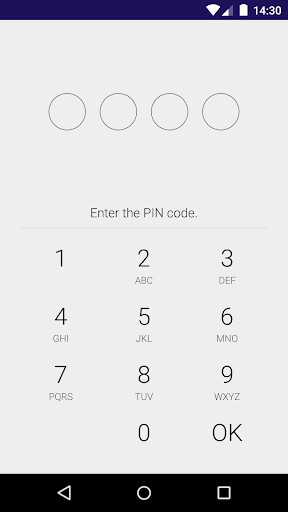
Privacy concerns are understandable when dealing with personal data. Rest assured, Type Machine does not need unnecessary permissions or upload your data elsewhere. You can even set a PIN lock on your saved entries to prevent unauthorized access, and configure automatic deletion of old entries to keep your logs manageable and private.
Customizable and User-Friendly
With a configurable blacklist for apps, you can control exactly where Type Machine logs input. This feature helps ensure sensitive fields, such as passwords or secure forms, are not captured. The app is designed to be tablet-friendly and easy to set up—simply enable collection from your device settings, and you're ready to go.
Compatibility and Performance
Type Machine works with nearly every app built on native Android frameworks, providing reliable and consistent performance. It stays out of your way, consuming minimal resources, and runs smoothly in the background—so you can focus on your tasks without worrying about lag or battery drain.
How to Get Started With Type Machine
Getting started with Type Machine is straightforward. After installation, you'll need to enable Accessibility Services in your device settings—instructions will be provided during setup. Keep in mind that other enabled accessibility services might interfere with its functionality, so setting it up correctly is essential. Once activated, the app begins silently capturing your input.
If you encounter any issues or have suggestions, the developers appreciate your feedback via email. Your input helps improve the app's stability and features, making Type Machine even better for its users.
Furthermore, you can control collection of input history by enabling or disabling Type Machine in the system Accessibility Settings at any time, offering privacy and control over your data.
Final Thoughts: A Trusted Digital Backup for Your Texts
Overall, Type Machine is a groundbreaking tool for anyone who frequently types on their Android device. Its ability to automatically log your typing, coupled with robust privacy features and a simple interface, makes it an indispensable app for writers, students, professionals, or social media enthusiasts.
Imagine never worrying about losing an important memo or struggling to recall what you typed in a moment of doubt. With Type Machine, your typed words are safely stored and easily accessible, ready for you whenever needed. It's like having a digital backup for your thoughts—saving the day when you least expect it.
If you're tired of accidental deletions or forgotten drafts, give Type Machine a try today. Experience the convenience, security, and peace of mind that comes with having a smart and reliable text history app in your pocket.
Pros
- User-friendly interface enhances user experience
- Auto-backup safeguards data against loss
- Supports multiple languages
- Efficiently monitors app usage
- Consumes minimal battery power
Cons
- Limited cloud storage options
- No synchronization across devices
- Occasional stability issues causing app crashes
- Paid application without a free trial
- Lacks customization options for the interface











