



Introduction to Translate - Translator App
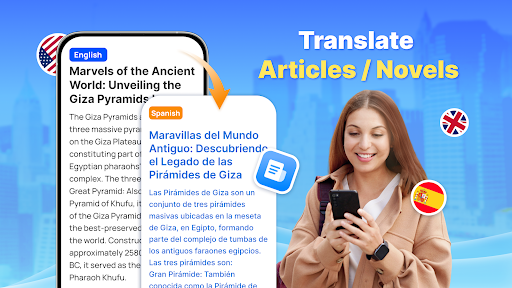
Translate - Translator is a highly accurate, fast, and completely free translation application designed to support seamless language conversion across various formats. Whether you need to translate text, voice, or photos, this multilingual app has you covered, making it an indispensable tool for travelers, language learners, and intercultural communicators alike.
Key Features of Translate - Translator
Versatile Translation Capabilities
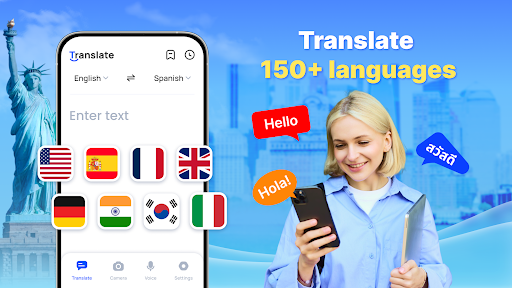
With support for over 150+ languages, Translate - Translator offers versatile translation options to meet diverse needs. The app allows for:
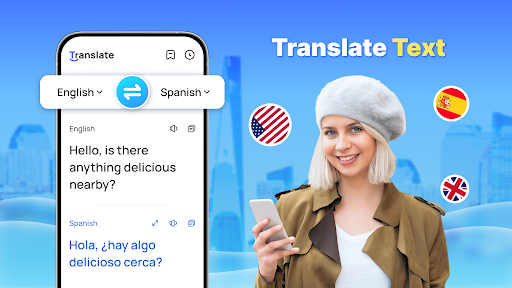
- ✔ Translate text — Instantaneous translation of typed or pasted text for quick understanding.
- ✔ Translate voice — Speak naturally and have your words translated in real-time, perfect for conversations.
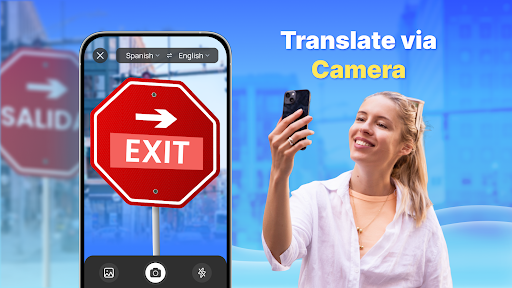
- ✔ Translate photo with text — Capture images containing foreign language text, menus, or signs, and instantly convert them to your language.
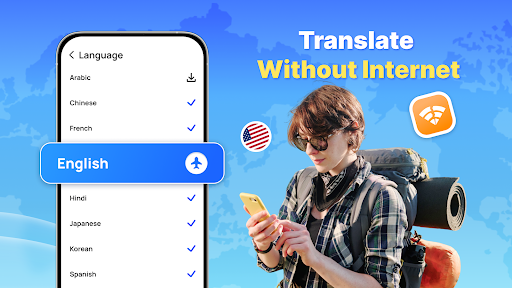
- ✔ Offline translation — Download languages to translate without an internet connection, ideal for travel or remote areas.
- ✔ Support for translating full-screen text and quick translations through a convenient floating ball widget.
- ✔ Auto-detect input language and provide reverse translation for better accuracy.
- ✔ Save and share translation results instantly for future reference or quick communication.
Real-Time and Offline Translation
The app excels at providing instant text translation across over 150 languages, making it invaluable for travel, business negotiations, or daily language learning. Offering real-time voice translation powered by intelligent voice recognition technology, users can speak naturally and receive immediate translations, effectively acting as a portable interpreter.
Additionally, the photo translation feature empowers users to capture foreign language content from menus, instructions, or product labels, extract the text, and get accurate translations quickly. This is particularly useful when navigating foreign environments or trying to understand complex scripts.
Offline Functionality
No internet? No problem. Translate - Translator enables offline translation, allowing users to download language packs and access translations anywhere, anytime. This feature not only ensures uninterrupted communication during travels but also helps save on roaming charges, making it a cost-effective solution for globetrotters.
Manage and Save Translations
The application also provides a practical collection feature to save important translations for quick access later. Whether it’s useful travel phrases, common business expressions, or new vocabulary, users can organize their translation history efficiently for continuous learning and easy retrieval.
User Experience and Interface
Translate - Translator boasts a sleek, intuitive interface designed for ease of use. With a clear layout and quick access to core features, users can start translating within seconds. The app balances practicality with visual appeal, ensuring a stress-free experience even for first-time users.
While translation accuracy is generally high, occasional discrepancies—especially with idiomatic expressions—are possible, a common trait shared by most translation apps. Nonetheless, the app’s overall performance makes it a reliable tool for everyday and professional use.
Supported Languages
Open up a world of communication with support for a broad spectrum of languages, including major languages like English, Chinese, Spanish, French, Arabic, Russian, and many more regional and lesser-known languages such as Amharic, Azerbaijani, Cebuano, Maori, Somali, Zulu. The extensive language support ensures you can connect with virtually anyone, anywhere.
Additional Information
To ensure smooth functionality, the app requests permissions including Accessibility and Display over other apps to support features like the floating translation ball. For any feedback or support, users are encouraged to contact translate.feedback@gmail.com.
Conclusion
If you frequently travel, learn languages, or communicate with foreign friends, Translate - Translator offers a comprehensive suite of features that makes language barriers a thing of the past. Its combination of strong translation capabilities, user-friendly interface, and offline mode makes it a top-rated language translator app. Download it today and experience the effortless way to break down language barriers and connect across cultures with ease and confidence.
Pros
- Supports multiple languages.
- Provides voice translation features.
- User-friendly and simple interface.
- Works offline for translations.
- Delivers accurate text translations.
Cons
- Limited features in the free version.
- Occasional inaccuracies in translations.
- Requires internet access for updates.
- Contains advertisements in the free version.
- Voice recognition may sometimes be unreliable.











