

Introduction to Simple Alarm Clock
The Simple Alarm Clock app stands out as one of the top alarm clock applications on the Play Store. It is designed with user convenience in mind, offering an easy alarm setup process combined with a range of customizable features. Whether you're looking to wake up gently or need a loud alert to get out of bed, Simple Alarm caters to all preferences. Its intuitive interface makes it possible to set up alarms in just seconds, making it ideal for busy mornings or reminders throughout the day.
Key Features of Simple Alarm Clock
The app offers a variety of features that enhance your waking experience:
Fast and Easy Alarm Setting
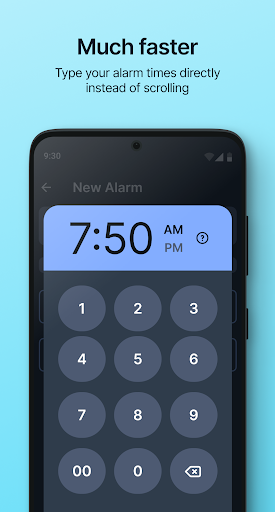
With a simple setup method, you can input the exact alarm time directly via numeric keypad, avoiding the hassle of scrolling through lengthy lists or adjusting arrows. This streamlined process saves you time and effort, especially during those groggy mornings.
Customizable Alarm Options
You can personalize your alarms by:
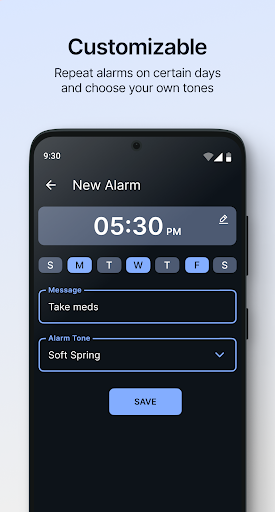
- Choosing any ringtone, sound, or song from your device's library.
- Setting a message for each alarm, helping you remember why you set it.
- Specifying repeat days for weekly alarms, whether for weekdays, weekends, or specific days.
Advanced Wake-up Features
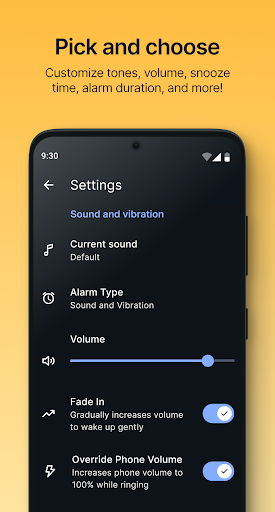
One standout feature is the volume fade-in. This gradually increasing sound ensures you wake up gently from deep sleep, avoiding a startling start to your day. Additionally, the app's default sound is professionally mastered and normalized at a super loud level, with the option to override your phone's volume for those heavy sleepers.
Enhanced Alarm Management
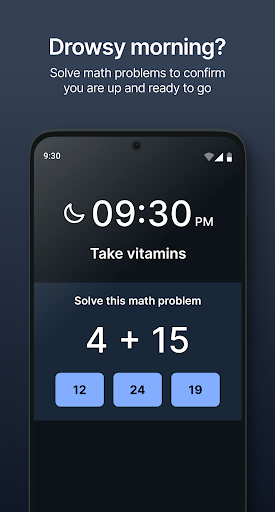
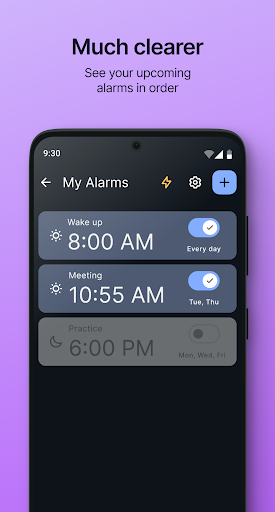
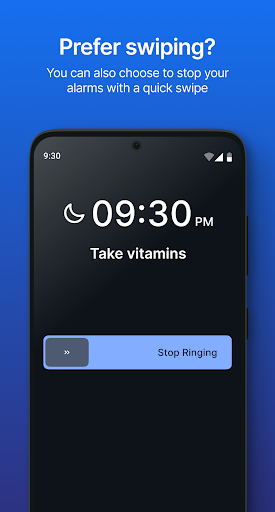
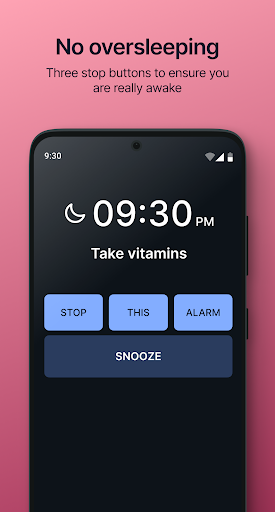
The alarms are intelligently sorted in the order they will ring next, so you always know what’s coming up. For added security against accidental deactivation, 3-button deactivation is available, requiring you to press all three buttons to turn off the alarm, ensuring you are truly awake. If you wish to snooze, a large Snooze button allows you to pause for a customizable duration.
Additional Convenient Features
The app also includes a timer and stopwatch for various activities, and it’s optimized for both smartphones and tablets. Available in multiple languages, it caters to a broad user base. Best of all, Simple Alarm is completely free, with no intrusive ads, providing a clean user experience.
User Experience and Personal Insights
Many users, including myself, appreciate how straightforward and reliable Simple Alarm is. Setting up alarms is truly quick and hassle-free—just tap the ‘+’ icon, input your time, select recurrence, and add any personalized message if needed. The interface is minimalistic, focused solely on functionality, which makes it perfect for those who prefer a no-nonsense approach to waking up. One of the notable features is the gradual volume increase during alarm activation, making waking up less jarring and more natural. The app’s ability to select alarm tones from your music collection adds a personal touch, so you can wake up to your favorite tunes, whether it’s a song or a custom sound effect. Performance-wise, Simple Alarm runs smoothly, doesn’t consume much storage or battery, and remains free of distracting ads—an admirable trait among free applications. Its focused design ensures that it does exactly what it promises: reliably wake you up.
Final Thoughts
If you're searching for a straightforward and effective alarm clock app that does not complicate your mornings, Simple Alarm Clock is an excellent choice. Its user-friendly setup, flexible customization options, and thoughtful features—like gentle volume fade-in and secure deactivation—make it a reliable companion for starting your day on the right note. Whether you need a consistent wake-up time for work or weekends, this app adapts effortlessly to your schedule. Give Simple Alarm Clock a try and experience a fuss-free morning routine that gets you out of bed on time, every time.
Pros
- User-friendly interface for straightforward setup.
- Option to customize alarm sounds and volume levels.
- Snooze feature with adjustable intervals.
- Vibration option for silent alarms.
- Ad-free experience ensuring uninterrupted use.
Cons
- Limited advanced features suitable for power users.
- Lacks integration with smart home devices.
- Simple design may lack visual attractiveness.
- Does not support multiple alarm configurations.
- Requires manual updates to access new features.











